
1. Introduction
Thank you for choosing the ILIFE V20 Robotic Vacuum Cleaner. This manual provides essential information for the safe operation, maintenance, and troubleshooting of your new device. Please read it thoroughly before use and keep it for future reference.
The ILIFE V20 is designed to provide efficient and convenient cleaning for your home, featuring advanced navigation, powerful suction, and versatile 2-in-1 vacuuming and mopping capabilities.
2. What's in the Box
Carefully unpack all components and check for any damage. If any items are missing or damaged, please contact ILIFE customer support.
- 1x V20 Robotic Vacuum
- 1x Charging Dock
- 1x Remote Control
- 1x Power Adaptor
- 1x 2-in-1 Dust & Water Tank
- 2x Side Brushes
- 1x Re-usable Wet Mopping Cloth
- 1x Mop Base
- 1x Cleaning Brush
- 1x HEPA Filter
- 1x User Manual
3. Key Features
Innovative SoF Navigation Technology
The ILIFE V20 utilizes a Solid-Fixed (SoF) laser navigation system for precise mapping and multi-map storage, enabling efficient cleaning across multiple levels and avoiding obstacles.

Image: The ILIFE V20 robot vacuum actively mapping a room using its SoF laser navigation system, showing a digital representation of the mapped area.
Powerful 5000Pa Suction
Equipped with a brushless motor, the V20 delivers a powerful 5000Pa suction, effectively picking up dust, pet hair, and debris from various floor types including tiles, hardwood, and carpets.

Image: The ILIFE V20 robot vacuum cleaning a hard floor, illustrating its strong suction power with visual effects of dust being pulled in.
2-in-1 Vacuum & Mop Functionality
The V20 features a 300ml hybrid dust tank and a 250ml water tank, allowing it to vacuum and mop simultaneously, providing a comprehensive cleaning solution in one pass.

Image: A transparent view of the ILIFE V20 showcasing its integrated dustbin and water tank for combined vacuuming and mopping.
Smart Control Options
Control your V20 effortlessly via the Smart App for scheduling and monitoring, or use voice commands with Google Home and Alexa. A remote control is also included for manual operation.

Image: The ILIFE V20 robot vacuum with illustrations of its control methods: a smartphone app, a remote control, and voice assistant devices.
Customizable Cleaning
Set cleaning schedules, define no-go zones to restrict access, and create go-to zones for focused cleaning. The V20 remembers your preferences for tailored cleaning.

Image: The ILIFE V20 robot vacuum illustrating the concepts of 'To-go Zone', 'Carpet Area', and 'No-go Zone' for customized cleaning.
Auto Carpet Boost
The V20 automatically detects carpets and increases its suction power to 5000Pa for superior cleaning results on carpeted surfaces.

Image: The ILIFE V20 robot vacuum transitioning from a hard floor to a carpet, with visual cues indicating increased suction power for carpet cleaning.
Long Runtime & Large Area Cleaning
Equipped with a high-capacity battery, the V20 offers extended runtime, allowing it to clean large areas efficiently on a single charge, suitable for bigger homes.
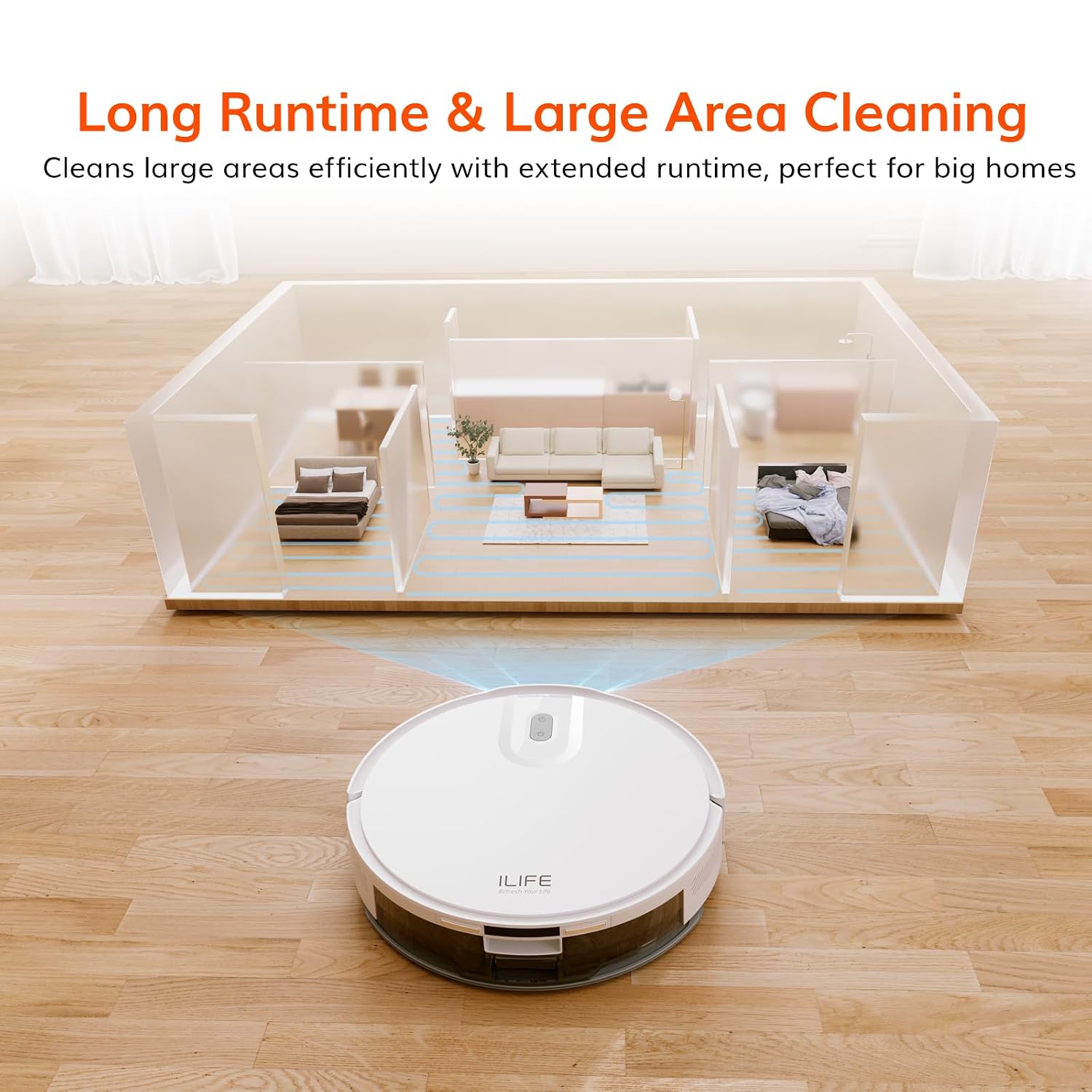
Image: An aerial view illustrating the ILIFE V20 robot vacuum cleaning multiple rooms within a large home layout, emphasizing its long runtime capability.
Slim, Sleek Design
With an ultra-slim profile of 8.2 cm, the V20 easily navigates and cleans under furniture and in tight spaces, ensuring thorough coverage throughout your home.

Image: The ILIFE V20 robot vacuum cleaning underneath a low-clearance piece of furniture, highlighting its slim design and accessibility.
4. Setup Guide
- Unpacking and Placement: Remove all packaging materials. Place the charging dock against a wall in an open area, ensuring there are no obstacles within 1 meter (3 feet) to the sides and 2 meters (6 feet) in front. Connect the power adapter to the charging dock and plug it into a power outlet.
- Initial Charge: Place the ILIFE V20 onto the charging dock. Ensure the charging contacts on the robot align with those on the dock. The indicator light will show charging status. Fully charge the robot before first use (approximately 5-6 hours).
- Install Side Brushes: Snap the left (L) and right (R) side brushes into their corresponding slots on the bottom of the robot until they click into place.
- Install 2-in-1 Tank: Open the top cover of the robot, insert the 2-in-1 dust & water tank, and close the cover. Ensure it is securely seated.
- App Connection (Optional): Download the "ILIFE Clean" app from your smartphone's app store. Follow the in-app instructions to connect your V20 to your home's 2.4GHz Wi-Fi network. This enables advanced features like scheduling, map management, and remote control.
5. Operating Instructions
Starting a Cleaning Cycle
- Manual Start: Press the power button on the robot or the "Clean" button on the remote control. The robot will automatically start cleaning in Auto mode.
- App Control: Open the ILIFE Clean app, select your V20, and choose a cleaning mode (Auto, Spot, Edge, Scheduled) or initiate a cleaning cycle directly.
- Voice Control: If connected to Alexa or Google Home, use voice commands such as "Alexa, turn on ILIFE V20" to start cleaning.
Cleaning Modes
- Auto Mode: The robot cleans systematically, covering the entire floor area. It will automatically return to the charging dock when cleaning is complete or battery is low.
- Spot Mode: For concentrated cleaning of a specific dirty area. Place the robot near the area and activate Spot mode.
- Edge Mode: The robot cleans along walls and furniture edges to ensure thorough cleaning of corners and perimeters.
- Scheduled Cleaning: Set specific times for the robot to clean automatically via the ILIFE Clean app.
Using the Mopping Function
To use the mopping function, ensure the 2-in-1 dust & water tank is filled with clean water. Attach the reusable wet mopping cloth to the mop base and then attach the mop base to the robot. The robot will vacuum and mop simultaneously. For optimal mopping, ensure the floor is free of large debris.
6. Maintenance
Regular maintenance is crucial for optimal performance and longevity of your ILIFE V20.
Dust & Water Tank Cleaning
- Emptying the Dustbin: After each use, remove the 2-in-1 tank, open the dustbin compartment, and empty debris into a trash can.
- Cleaning the Filter: Tap the HEPA filter gently to remove dust. Rinse the primary filter and dustbin with water. Allow all components to air dry completely before reassembling. Do not wash the HEPA filter with water.
- Refilling Water Tank: For mopping, refill the water tank with clean water as needed.
Side Brushes
- Regularly check side brushes for tangled hair or debris. Use the cleaning brush provided to remove any obstructions.
- If brushes are worn or damaged, replace them with new ones.
Main Brush (if applicable)
- Remove the main brush cover and lift out the main brush.
- Use the cleaning tool to cut and remove any hair or debris wrapped around the brush.
- Clean the brush bearings and reinstall the main brush.
Sensors and Charging Contacts
- Wipe the cliff sensors, wall sensors, and charging contacts on both the robot and the charging dock with a clean, dry cloth regularly to ensure proper function.
7. Troubleshooting
| Problem | Possible Cause | Solution |
|---|---|---|
| Robot does not turn on | Low battery; Power switch off | Charge the robot; Ensure power switch is ON |
| Robot cannot charge | Charging contacts dirty; Dock not powered | Clean charging contacts; Ensure dock is plugged in |
| Reduced suction power | Dustbin full; Filter clogged; Main brush tangled | Empty dustbin; Clean/replace filter; Clean main brush |
| Robot gets stuck frequently | Obstacles; Cliff sensors dirty | Clear floor of cables/small items; Clean cliff sensors |
| Mopping not effective | Water tank empty; Mopping cloth dirty/dry | Refill water tank; Clean/wet mopping cloth |
| App connection issues | Incorrect Wi-Fi password; Router too far; 5GHz Wi-Fi | Verify password; Move robot closer to router; Ensure 2.4GHz Wi-Fi |
8. Specifications
- Brand: ILIFE
- Model Name: V20
- Product Dimensions: 33L x 33W x 8.2H Centimeters
- Color: White
- Suction Power: 5000Pa
- Dustbin Capacity: 300ml (Hybrid)
- Water Tank Capacity: 250ml (Hybrid)
- Filter Type: 4 Layer Filter, High Efficiency Filter, HEPA Filter, Microfilter
- Control Method: App, Remote, Voice (Google Home & Alexa)
- Navigation Technology: Solid Fixed Laser (SoF) Navigation
- Power Source: Battery Powered
- Item Weight: 3 kg 200 g
- Manufacture Year: 2025
9. Warranty and Support
The ILIFE V20 Robotic Vacuum Cleaner comes with a standard manufacturer's warranty. Please refer to the warranty card included in your packaging for specific terms and conditions.
For technical support, service, or inquiries regarding your product, please contact ILIFE customer support:
- Customer Service Hotline: 1800-274-5433
- Importer: ILIFE Innovations | Shariden Pvt. Ltd. B-37, Devasandra Industrial Estate, Mahadevapura, Bengaluru, Karnataka 560048
- Manufacturer: ILIFE Innovations: 28/F, Montery Plaza, 15 Chong Yip Street, Kwun Tong, Kowloon, Hong Kong
Please have your product model number (V20) and purchase information ready when contacting support.


