
1. Introduction
Welcome to the user manual for your Super General 1.5 Ton Split Air Conditioner, model KSGS181i. This manual provides essential information for the safe and efficient operation, installation, and maintenance of your air conditioning unit. Please read it thoroughly before using the appliance and keep it for future reference.
2. Safety Information
To ensure safe operation, always adhere to the following precautions:
- Read all instructions carefully before operating the unit.
- Ensure the power supply voltage matches the unit's specifications.
- Do not insert fingers or objects into the air inlet or outlet.
- Keep children away from the appliance.
- Installation and major repairs must be performed by qualified service personnel.
- Do not block the air inlets or outlets of either the indoor or outdoor unit.
- Always disconnect the power supply before cleaning or performing any maintenance.
3. Product Overview
The Super General KSGS181i is a 1.5-ton split air conditioner designed for efficient cooling. It features Inverter technology for energy saving, a Gold Fin anti-corrosive coating for durability, and various comfort functions.
3.1. Main Components

Image: Front view of the Super General 1.5 Ton Split Air Conditioner indoor unit, showing the brand logo and 'Inverter' label.

Image: Angled front view of the Super General 1.5 Ton Split Air Conditioner indoor unit, highlighting its sleek design.

Image: Side view of the Super General 1.5 Ton Split Air Conditioner indoor unit, showing its depth and profile.

Image: Internal view of the Super General 1.5 Ton Split Air Conditioner, showing the evaporator coils and fan assembly.
3.2. Key Features
- Inverter Compressor: Energy-saving technology for efficient and consistent cooling.
- Gold Fin: Anti-corrosive coating on the condenser for enhanced durability and resistance to extreme weather.
- Auto Clean: Function to maintain internal cleanliness and prevent mold growth.
- 4-Way Swing: Distributes air uniformly across the room for consistent cooling.
- Follow Me Mode: Adjusts temperature based on the remote control's location, ensuring comfort where you are.
- Sleep Mode: Optimizes temperature and fan speed for comfortable sleep.
- Timer: Programmable function to set automatic on/off times.
- Jet Cool: Provides rapid cooling to quickly reach the desired temperature.
- Night Display Off: Turns off the indoor unit's LED display for undisturbed sleep.
- High Density Filter: Improves indoor air quality by capturing dust and allergens.
- Auto Restart: Unit restarts with previous settings after a power interruption.
- Leakage Detection: Alerts to potential refrigerant leaks for safety and maintenance.
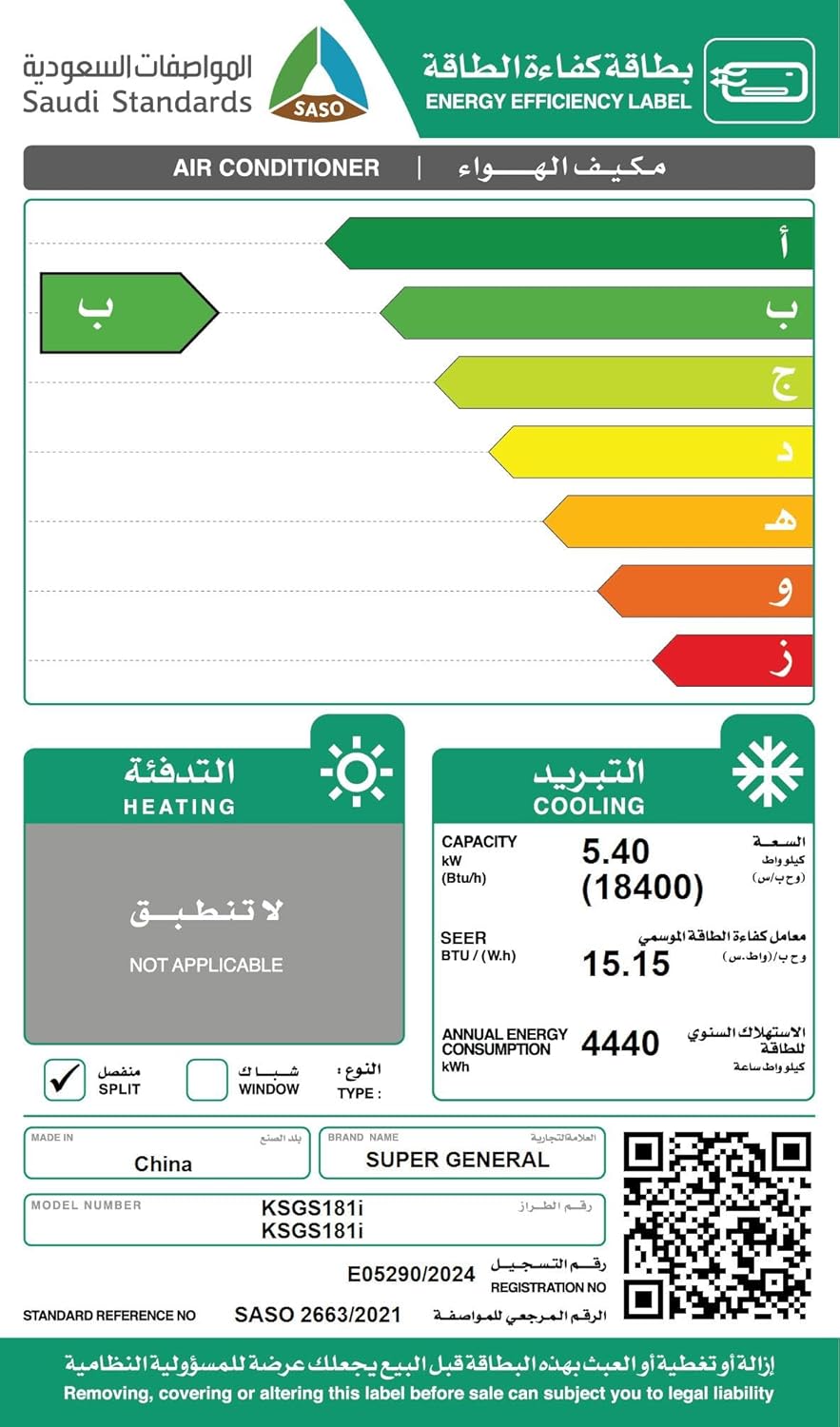
Image: Icons representing key features such as Timer, Jet Cool, 4 Way Swing, Night Display, Sleep Mode, and Follow Me.
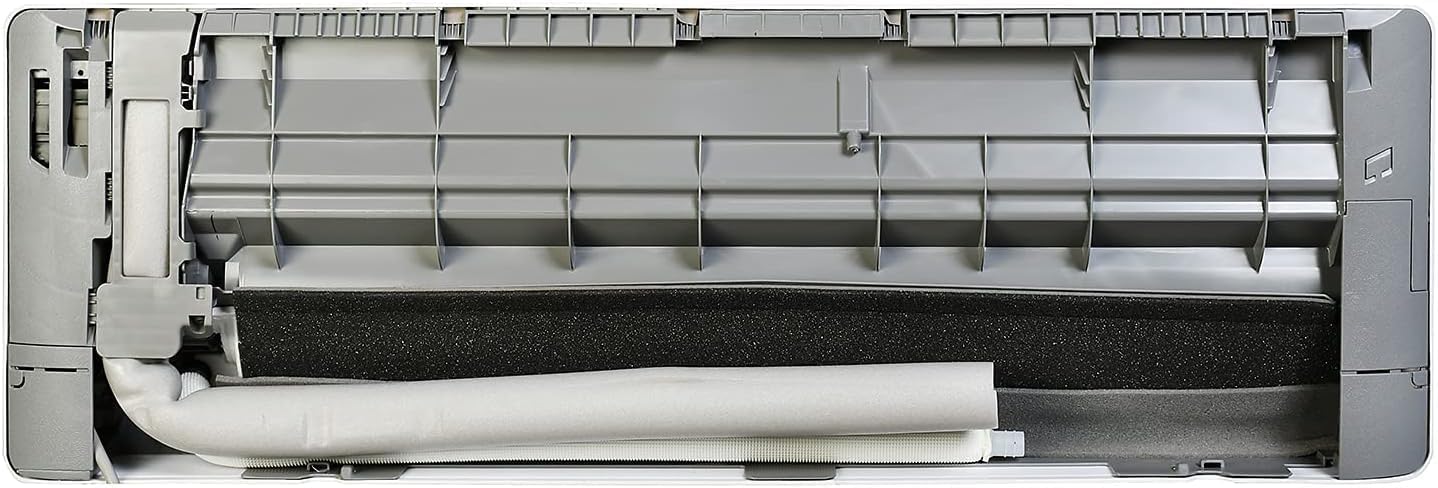
Image: Close-up view of the Gold-Fin anti-corrosive coating on the condenser, designed for durability in extreme weather conditions.
4. Setup & Installation
Installation of this split air conditioner should only be performed by qualified and certified technicians. Improper installation can lead to electric shock, fire, or serious injury. This section provides general information for reference.
4.1. Pre-Installation Checks
- Ensure the installation site can adequately support the weight of both the indoor and outdoor units.
- Verify that the electrical power supply meets the unit's requirements (230 Volts).
- Confirm proper drainage for condensate water can be established.
- Maintain adequate clearance around both units for proper airflow and future maintenance access.
4.2. Basic Installation Steps (Professional Installation Required)
- Mount the indoor unit securely on a wall, ensuring it is perfectly level.
- Install the outdoor unit on a stable, level surface, away from direct sunlight or obstructions.
- Connect the refrigerant piping between the indoor and outdoor units.
- Connect electrical wiring according to the wiring diagram provided by the installer.
- Perform vacuuming of the refrigerant lines and charge with the correct amount of R410a refrigerant.
- Check for any refrigerant leaks and perform a comprehensive test run of the unit.
5. Operating Instructions
Your Super General air conditioner is primarily operated via the provided remote control. Ensure two AAA batteries are correctly installed in the remote.
5.1. Basic Operation
- Power On/Off: Press the power button on the remote control to turn the unit on or off.
- Mode Selection: Use the "Mode" button to cycle through available operating modes. This model primarily functions in "Cool Only" mode.
- Temperature Adjustment: Use the Up/Down arrow buttons to set your desired room temperature.
- Fan Speed: Adjust the fan speed (Low, Medium, High, Auto) using the "Fan" button to control airflow.
- Swing Function: Activate the 4-way swing function to ensure even air distribution throughout the room.
5.2. Special Functions
- Sleep Mode: Activates a quiet operation mode, gradually adjusting the temperature for optimal sleep comfort and energy efficiency.
- Timer Function: Set the unit to turn on or off automatically at a specified time, allowing for pre-cooling or energy saving.
- Follow Me Mode: The unit senses the temperature at the remote control's location and adjusts cooling accordingly, providing personalized comfort.
- Jet Cool: Provides rapid cooling to quickly bring the room to the desired temperature.
- Night Display Off: Press the display button on the remote to turn off the indoor unit's LED display for an undisturbed sleeping environment.
6. Maintenance
Regular maintenance ensures optimal performance, improves air quality, and extends the lifespan of your air conditioner. Always disconnect the power supply before performing any maintenance.
6.1. Air Filter Cleaning
- Open the front panel of the indoor unit.
- Carefully remove the high-density air filters.
- Clean the filters using a vacuum cleaner to remove dust, or wash them gently with lukewarm water and a mild detergent.
- Allow the filters to dry completely in a shaded area before re-installing them.
- Re-install the filters into their slots and securely close the front panel.
6.2. Auto Clean Function
The Auto Clean function helps to prevent mold and bacteria growth inside the indoor unit by drying the evaporator coil after cooling operation. Refer to your remote control instructions for activating this feature.
6.3. Outdoor Unit Maintenance
- Keep the area around the outdoor unit clear of any obstructions, debris, or vegetation to ensure proper airflow.
- Periodically clean the outdoor coil fins from accumulated dust and debris. This task should ideally be performed by a professional service technician.
7. Troubleshooting
Before contacting service, review the following common issues and their potential solutions.
| Problem | Possible Cause | Solution |
|---|---|---|
| Unit does not turn on | No power supply | Check the circuit breaker and ensure the power cord is securely connected. |
| Insufficient cooling | Dirty air filters | Clean the air filters as described in the Maintenance section. |
| Insufficient cooling | Doors or windows open | Ensure all doors and windows in the room are closed. |
| Insufficient cooling | Obstruction of air flow | Remove any obstructions from the indoor or outdoor units. |
| Remote control not working | Dead batteries | Replace the batteries (2 x AAA). |
| Water leakage from indoor unit | Clogged drain pipe | Contact qualified service personnel to clear the drain pipe. |
| Unit displays error code | Internal malfunction | Note the error code displayed and contact Super General service for assistance. |
8. Specifications
The following table outlines the technical specifications for the Super General KSGS181i air conditioner.
| Feature | Specification |
|---|---|
| Model Number | KSGS181i |
| Brand | Super General |
| Capacity | 1.5 Tons (18400 BTU/H) |
| Compressor Type | Inverter |
| Climate Type | T3 |
| Refrigerant Type | R410a |
| Voltage | 230 Volts |
| Wattage | 5.25 KW |
| Annual Energy Consumption | 4440 Kilowatt Hours |
| Noise Level | 37 Decibels |
| SEER | 15.15 |
| Product Dimensions (Indoor Unit) | 22D x 33.5W x 110H cm |
| Item Weight | 49 Kilograms |
| Special Features | Inverter Compressor, Auto Clean, 4 Way Swing, Follow-Me-Mode, Gold Fin |

Image: Saudi Standards, Metrology and Quality Organization (SASO) Energy Efficiency Label for the Super General KSGS181i air conditioner, showing a SEER of 15.15 and annual energy consumption of 4440 kWh. For more details, visit the SASO Certificate Authentication page.
9. Warranty & Support
Your Super General KSGS181i air conditioner comes with a 2-year warranty. For warranty claims, technical support, or service requests, please contact Super General customer service using the details below.
9.1. Contact Information

Image: Super General Service Center contact details, including unified number and additional phone numbers.
- Unified Number: 920009364
- Additional Contact: +966 544351542
- Additional Contact: +966 12 617 8700
- Website: www.meetksa.com
