
Lisowod YG471
Lisowod Mini Projector User Manual
Model: YG471
1. Introduction
Welcome to the Lisowod Mini Projector user manual. This guide provides detailed instructions on how to set up, operate, and maintain your projector, ensuring you get the best possible experience. Please read this manual thoroughly before using the product.
2. Product Overview
2.1 Components
The Lisowod Mini Projector comes with the following main components:
- Lisowod Mini Projector Unit
- 360° Adjustable and Detachable Stand
- Remote Control
- HDMI Cable
- Power Adapter

Figure 2.1: Lisowod Mini Projector with its adjustable stand.

Figure 2.2: The innovative 360° rotatable and detachable stand allows for versatile projection angles.
2.2 Key Features
- 360° Adjustable Stand: Project from any angle, including walls, tables, and ceilings, with quick setup.
- Auto Vertical Keystone Correction & Electric Focus: Ensures perfectly aligned and sharp images with automatic vertical correction (±30°) and one-touch electric focus.
- High-Quality Visuals: True 720P native resolution with 1080P decoding support, 550 ANSI brightness, and a 15,000:1 contrast ratio for vibrant and detailed images.
- Advanced Connectivity: Equipped with WiFi 6 for smooth streaming and two-way Bluetooth 5.2 for enhanced audio.
- Immersive Audio: Dual 8W Hi-Fi stereo speakers deliver cinematic sound.
- Multiple Interfaces: Includes HDMI, USB, and a 3.5mm audio port for wide compatibility with various devices.

Figure 2.3: Visual quality comparison highlighting 1080P HD support and 550 ANSI brightness.

Figure 2.4: The projector's mini portable design, measuring 6.7x5.6x3.14 inches and weighing 1.5 lbs.
3. Setup
3.1 Unpacking
Carefully remove all components from the packaging. Ensure all items listed in Section 2.1 are present and undamaged.
3.2 Placement
The Lisowod Mini Projector's 360° adjustable stand allows for flexible placement. Position the projector on a stable, flat surface. You can adjust the angle to project onto a wall, screen, or even the ceiling.
- For wall or screen projection, ensure the projector is perpendicular to the surface for optimal image alignment.
- To project onto the ceiling, simply rotate the projector within its stand to face upwards.

Figure 3.1: The 360° rotation feature allows for instant projection onto the ceiling.

Figure 3.2: Multiple mounting methods are supported, including tabletop and ceiling installation.
3.3 Power Connection
Connect the power adapter to the projector's power input port and then plug the adapter into a power outlet. The projector will enter standby mode.
4. Operating Instructions
4.1 Powering On/Off
- Power On: Press the power button on the projector or the remote control.
- Power Off: Press the power button again to turn off the projector.
4.2 Basic Navigation
Use the remote control or the buttons on the projector unit to navigate through the menu options. The remote control provides full functionality for settings and source selection.
4.3 Connecting Devices
The projector supports various input sources:
- HDMI: Connect devices like laptops, gaming consoles (PS5, Xbox), TV sticks, or Roku devices using the provided HDMI cable.
- USB: Insert a USB drive to play media files directly.
- Wireless Screen Mirroring: Connect your smartphone (iOS/Android) or tablet wirelessly via WiFi.
Note: Due to HDCP copyright restrictions, wireless screen mirroring is not supported for content from streaming services like Netflix, Hulu, or Disney+. To access these services, you will need to use a TV stick (not included) connected via HDMI.

Figure 4.1: Accessing unlimited content via a TV stick due to copyright restrictions on wireless mirroring for certain apps.
4.4 Display Size Adjustment
The projector supports a massive 220-inch display with a short throw distance of 3-14 feet, making it suitable for various environments.

Figure 4.2: Projection distances and corresponding screen sizes for the 220-inch giant screen capability.
5. Connectivity
5.1 WiFi 6 Connection
The projector features advanced WiFi 6 for fast and stable wireless connectivity. Navigate to the network settings in the projector's menu, select your WiFi network, and enter the password to connect.
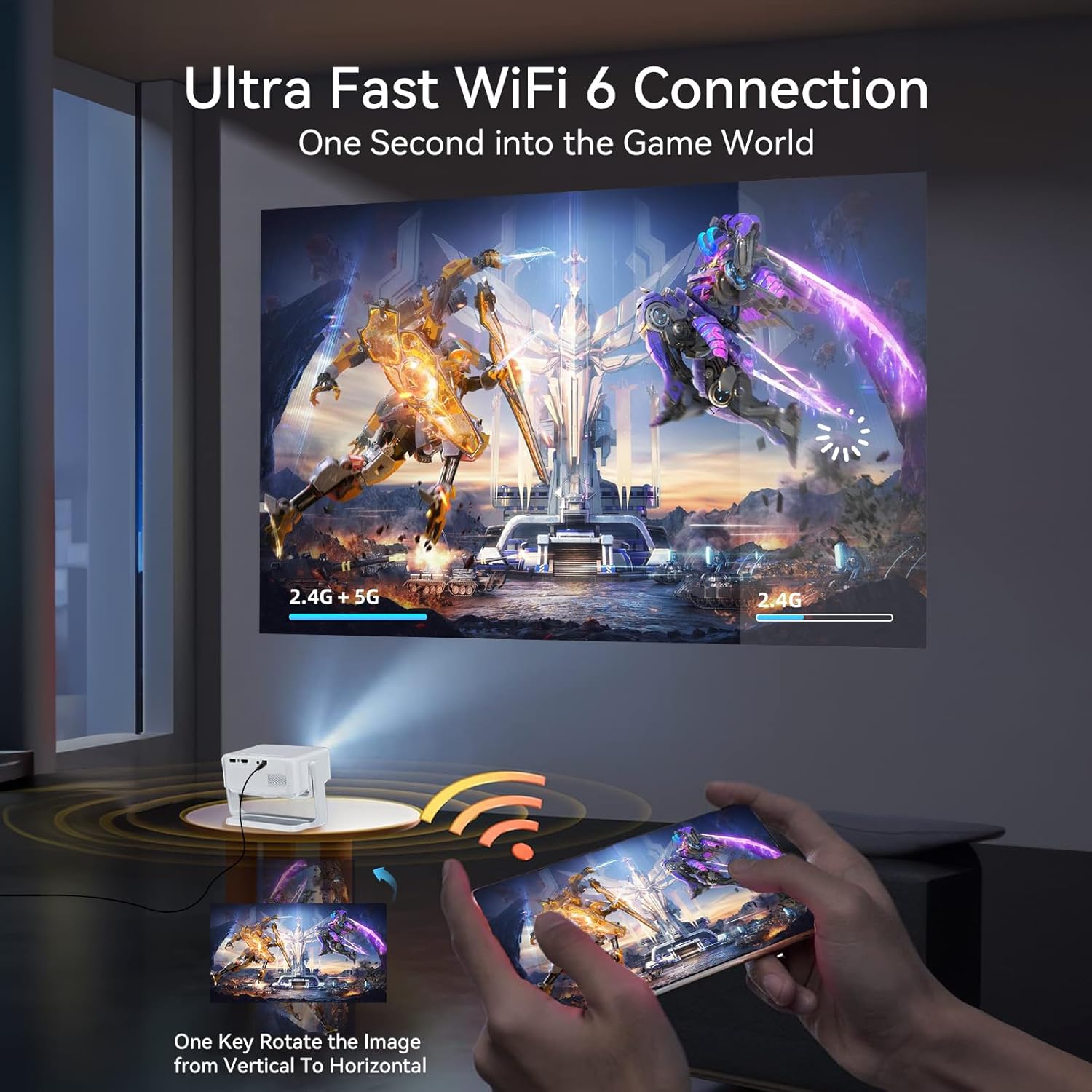
Figure 5.1: Ultra-fast WiFi 6 connection for seamless streaming and gaming.

Figure 5.2: Enjoy smooth streaming and gaming with 5G+2.4G Dual Band WiFi 6.
5.2 Bluetooth 5.2 Connection
The projector supports two-way Bluetooth 5.2, allowing you to connect to external Bluetooth speakers for enhanced audio or use the projector as a Bluetooth speaker itself.
- To connect to an external speaker: Go to Bluetooth settings, enable Bluetooth, and select your speaker from the list of available devices.

Figure 5.3: Two-way Bluetooth 5.2 for connecting to audio devices.

Figure 5.4: Bidirectional Bluetooth 5.2 allows connection to external speakers or use as a Bluetooth speaker.
5.3 Wired Connections (HDMI, USB, 3.5mm Audio)
The projector provides multiple physical ports for connecting various devices:
- HDMI Port: For high-definition video and audio input from devices like laptops, game consoles, or TV boxes.
- USB Port: For connecting USB flash drives to play local media files.
- 3.5mm Audio Port: For connecting external wired headphones or speakers.

Figure 5.5: Multiple interfaces for wide compatibility, including HDMI, USB, and 3.5mm audio.
6. Image Adjustment
6.1 Auto Vertical Keystone Correction
The projector features automatic vertical keystone correction (Auto: ±30°, Manual: ±50°) to ensure your projected image is always rectangular and not distorted, even if the projector is not perfectly aligned with the screen.
6.2 Electric Focus
Achieve a sharp and clear image with the one-touch electric focus function. Use the dedicated focus button on the remote control or the projector unit to adjust the clarity of the image.
6.3 Zoom Function
The projector supports a 70% to 100% zoom function, allowing you to adjust the size of the projected image without moving the projector.

Figure 6.1: Easily achieve a perfect image with auto vertical keystone, electric focus, and zoom.

Figure 6.2: 3-second one-key electric focus and auto vertical keystone correction ensure a perfectly aligned and crystal-clear image.

Figure 6.3: The projector supports 70% to 100% zoom adjustment.
7. Maintenance
To ensure the longevity and optimal performance of your Lisowod Mini Projector, follow these maintenance guidelines:
- Cleaning: Use a soft, dry cloth to clean the exterior of the projector. For the lens, use a specialized lens cleaning cloth and solution. Do not use abrasive cleaners or solvents.
- Ventilation: Ensure the projector's ventilation openings are not blocked to prevent overheating.
- Storage: When not in use for extended periods, store the projector in a cool, dry place, away from direct sunlight and extreme temperatures.
8. Troubleshooting
If you encounter issues with your projector, refer to the following common problems and solutions:
- No Power:
- Check if the power adapter is securely connected to the projector and the power outlet.
- Ensure the power outlet is functional.
- No Image:
- Verify that the correct input source (HDMI, USB, Wireless) is selected in the projector's menu.
- Check all cable connections (HDMI, USB) for looseness or damage.
- Adjust the focus using the electric focus function.
- No Sound:
- Increase the volume on the projector and the connected device.
- If using external speakers, ensure they are properly connected and powered on.
- Check Bluetooth connection if using wireless audio.
- Blurred Image:
- Use the electric focus function to sharpen the image.
- Ensure the projector is placed at an appropriate distance from the projection surface.
- Distorted Image (Trapezoid Shape):
- Utilize the auto vertical keystone correction feature.
- If necessary, manually adjust keystone correction in the settings.
For further assistance, please contact Lisowod Customer Support.
9. Specifications
| Feature | Specification |
|---|---|
| Brand | Lisowod |
| Model | YG471 |
| Part Number | L02 Projector |
| Display Technology | LCD |
| Native Resolution | 1280 x 720 |
| Supported Resolution | 1920 x 1080 |
| Image Brightness | 260 ANSI lm (550 ANSI mentioned in feature bullets, using the more conservative spec from table) |
| Image Contrast Ratio | 15000:1 |
| Aspect Ratio | 16:9 |
| Noise Level | 35 dB |
| Connectivity Technology | 3.5mm Audio, HDMI, Memory Stick, USB, WiFi 6, Bluetooth 5.2 |
| Special Features | Internet Built-In, Auto Vertical Keystone, Electric Focus, 360° Adjustable Stand |
| Product Dimensions | 17.2 x 8 x 14.3 cm; 700 g |
| Mounting Type | Tabletop Mount (also supports ceiling mount) |
10. Warranty and Support
Lisowod is committed to providing exceptional after-sales service for your mini portable projector. Your purchase includes:
- 24/7 Support: Assistance is available around the clock for any concerns or issues.
- 3-Year Warranty: Comprehensive warranty coverage for three years from the date of purchase.
- Lifetime Customer Care: Ongoing support for the lifetime of the product.
For customer support, please contact: support_us@lisowod.com
Related documentsYG471


Ask a question about this manual
Ask about setup, troubleshooting, compatibility, parts, safety, or missing instructions. Manuals+ will review the question and use this page’s manual context to help answer it.