
Introduction
Welcome to the user manual for your new Bialetti Gioia Plus Espresso Coffee Machine. This innovative machine features an exclusive and compact design, offering convenient functions for a consistently perfect coffee. It includes temperature and coffee length regulators, along with indicator lights for machine status (low water, full capsule drawer, descaling required). The new Bialetti 2.0 extraction system ensures a creamy and velvety coffee. This manual provides essential information for safe and efficient operation, maintenance, and troubleshooting. Please read it thoroughly before first use and keep it for future reference.
Safety Instructions
Please observe the following safety precautions to prevent injury or damage to the appliance.
- Read all instructions before using the appliance.
- Do not immerse the appliance, power cord, or plug in water or other liquids.
- Keep the appliance out of reach of children.
- Always unplug the appliance from the power outlet before cleaning or when not in use.
- Do not operate any appliance with a damaged cord or plug, or after the appliance malfunctions or has been damaged in any manner.
- Use only original Bialetti 'il Caffè d'Italia' aluminum capsules.
- Ensure the water tank is filled before operating the machine.
- Do not open the capsule compartment during brewing.
- Hot surfaces: Avoid contact with hot parts of the machine, such as the coffee outlet and drip tray, during and immediately after operation.
Product Overview
Familiarize yourself with the components of your Bialetti Gioia Plus machine.
- Water Tank
- Capsule Compartment Lever
- Capsule Compartment
- Coffee Outlet
- Drip Tray
- Used Capsule Drawer
- Control Panel (On/Off button, Coffee length selection buttons, Indicator lights)

Figure 1: Overview of the Bialetti Gioia Plus Espresso Coffee Machine, showing its compact design, a freshly brewed cup of coffee, and accompanying coffee capsule boxes.
Setup
1. Unpacking and Initial Placement
Carefully remove all packaging materials. Place the machine on a stable, flat, and heat-resistant surface, away from water sources and heat. Ensure adequate ventilation around the machine.
2. First Use and Priming
- Fill the water tank with fresh, cold drinking water up to the MAX level.
- Place a container (at least 150ml) under the coffee outlet.
- Plug the machine into a grounded power outlet. The indicator lights will flash.
- Press any coffee button. The machine will start a priming cycle, dispensing water into the container. This process removes air from the system.
- Once the water stops flowing and the lights become steady, the machine is ready for use.
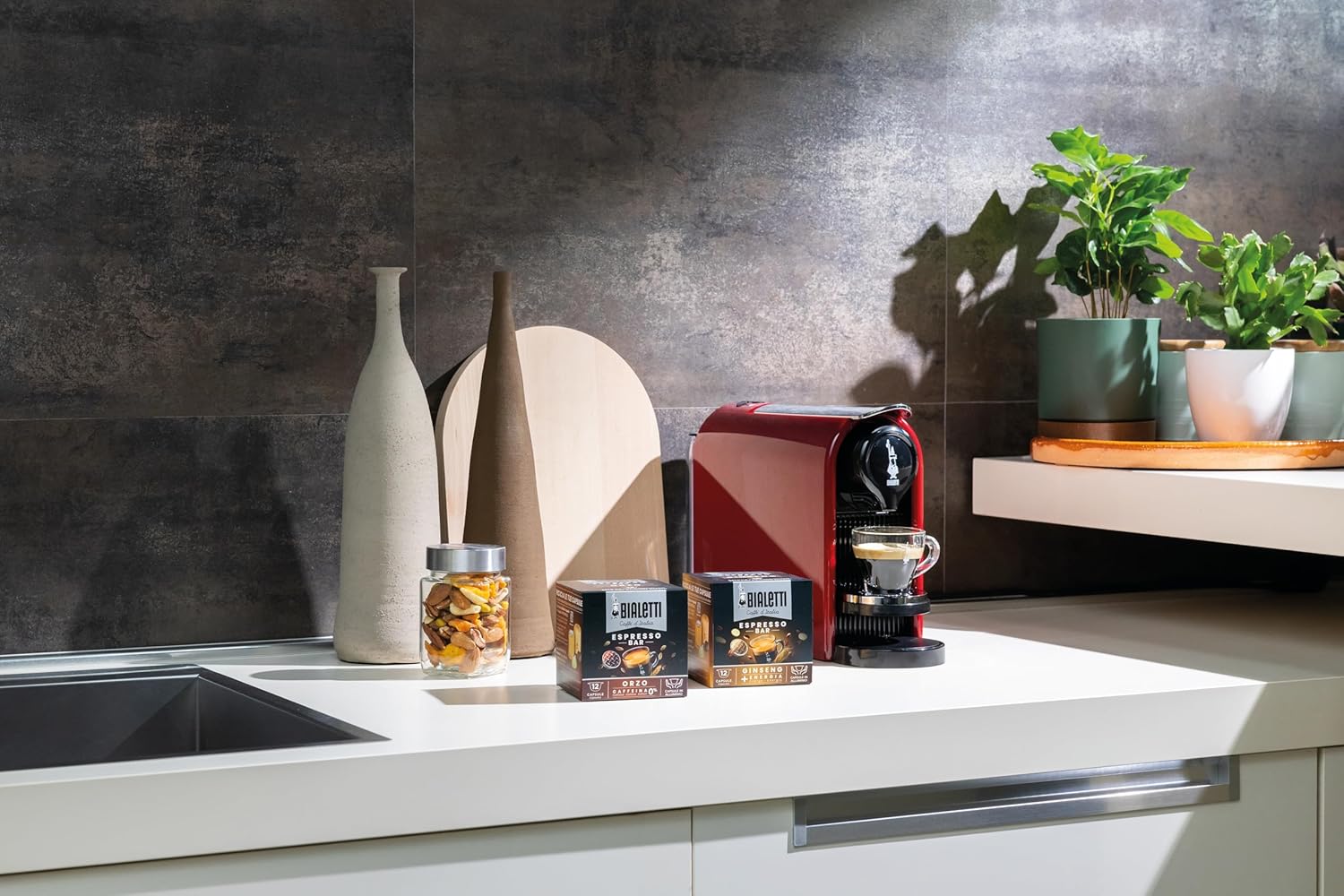
Figure 2: The Bialetti Gioia Plus machine positioned on a kitchen counter, ready for use.
Operating Instructions
1. Filling the Water Tank
Lift the water tank lid and fill the tank with fresh, cold drinking water. Do not exceed the MAX fill line. Ensure the tank is properly seated before use.

Figure 3: Icon indicating the water tank or water level.
2. Brewing Coffee
- Ensure the machine is turned on and the indicator lights are steady.
- Lift the capsule compartment lever.
- Insert a Bialetti 'il Caffè d'Italia' aluminum capsule into the compartment.
- Close the lever firmly.
- Place a cup under the coffee outlet.
- Select your desired coffee length by pressing the corresponding button (e.g., short espresso, long espresso).
- The machine will start brewing. The brewing process will stop automatically.
- After brewing, lift the lever again to eject the used capsule into the internal drawer.

Figure 4: A user inserting a coffee capsule into the top compartment of the Bialetti Gioia Plus machine.
3. Adjusting Coffee Length
You can customize the volume of your coffee:
- Insert a capsule and place a cup.
- Press and hold the desired coffee button (e.g., short or long).
- Release the button when the coffee reaches your preferred volume. The machine will remember this setting for future brews with that button.
Maintenance
Regular maintenance ensures optimal performance and longevity of your coffee machine. Always unplug the machine before cleaning.
1. Daily Cleaning
- Drip Tray and Used Capsule Drawer: Empty and rinse the drip tray and used capsule drawer daily. Wash them with warm soapy water and dry thoroughly.
- Water Tank: Rinse the water tank daily and refill with fresh water.
- Machine Exterior: Wipe the exterior of the machine with a soft, damp cloth. Do not use abrasive cleaners or solvents.

Figure 5: Icon indicating the used capsule drawer, which should be emptied regularly.
2. Descaling
The machine will indicate when descaling is required via an indicator light. Descaling should be performed regularly, depending on water hardness and usage, to prevent limescale buildup.
- Empty the water tank and used capsule drawer.
- Fill the water tank with a descaling solution specifically designed for coffee machines, following the manufacturer's instructions.
- Place a large container (at least 500ml) under the coffee outlet.
- Initiate the descaling cycle as per the machine's specific instructions (refer to the full manual for detailed steps, as this often involves a specific button combination).
- After the descaling solution has run through, rinse the water tank thoroughly and fill it with fresh water.
- Run several cycles with fresh water to rinse the machine completely.

Figure 6: Icon symbolizing the descaling or cleaning process for the coffee machine.
Troubleshooting
If you encounter issues with your Bialetti Gioia Plus, consult the table below for common problems and solutions.
| Problem | Possible Cause | Solution |
|---|---|---|
| Machine does not turn on. | Not plugged in; power outage; faulty outlet. | Check power cord connection; check power supply; try a different outlet. |
| No coffee dispenses. | Water tank empty; capsule not inserted correctly; machine needs descaling. | Fill water tank; ensure capsule is properly seated; perform descaling. |
| Water leakage. | Water tank not properly seated; drip tray full. | Ensure water tank is correctly positioned; empty and clean drip tray. |
| Coffee is cold or not hot enough. | Machine not preheated; cups not preheated. | Allow machine to fully preheat; preheat cups with hot water. |
| Indicator light for descaling is on. | Limescale buildup. | Perform descaling procedure as described in the Maintenance section. |
| Indicator light for capsule drawer is on. | Used capsule drawer is full. | Empty and clean the used capsule drawer. |
Specifications
| Feature | Detail |
|---|---|
| Brand | Bialetti |
| Model Name | Gioia Plus |
| Model Number | 098150542 |
| Color | Red |
| Product Dimensions (L x W x H) | 24 x 40 x 31 cm |
| Item Weight | 5.1 Kilograms |
| Special Features | Advanced extraction system, Temperature and coffee length regulation |
| Coffee Maker Type | Espresso Machine |
| Compatible Capsules | Bialetti 'il Caffè d'Italia' aluminum capsules |
Warranty and Support
Warranty Information
Your Bialetti Gioia Plus Espresso Coffee Machine is covered by a manufacturer's warranty. Please refer to the warranty card included in your product packaging for specific terms, conditions, and duration. Keep your proof of purchase for warranty claims.
Customer Support
For technical assistance, spare parts, or any questions regarding your Bialetti Gioia Plus machine, please contact Bialetti customer support. Contact details can typically be found on the official Bialetti website or in the product packaging.
