
1. Introduction
This manual provides essential information for the safe and effective operation of your Haxiaoer HXT200P AC DC Pro TIG Welder. Please read it thoroughly before use to ensure proper setup, operation, and maintenance.
The HXT200P AC DC Pro is a versatile multi-process synergic welder designed for various welding applications, including AC TIG, AC Pulsed TIG, DC TIG, DC Pulsed TIG, STICK, and SPOT TIG. It features a large LED display for precise control and monitoring of welding parameters.
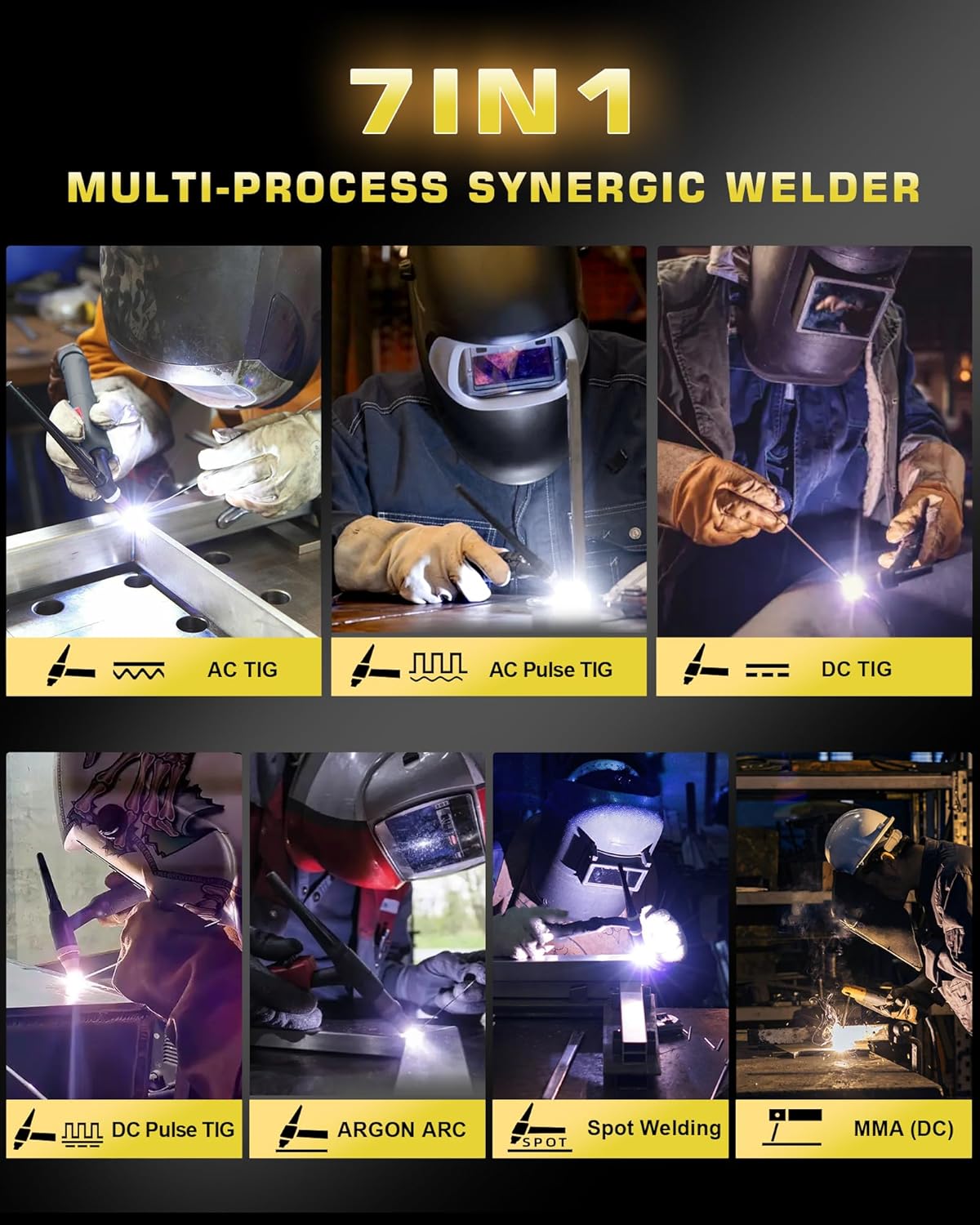
Image: The Haxiaoer HXT200P AC DC Pro TIG Welder highlighting its 7-in-1 multi-process capabilities, including AC TIG, AC Pulse TIG, DC TIG, DC Pulse TIG, Argon Arc, Spot Welding, and MMA (DC).
2. Safety Information
WARNING: Welding can be dangerous. Always follow safety precautions to prevent injury or death. Read and understand all safety warnings and instructions before operating this equipment.
- Always wear appropriate personal protective equipment (PPE), including a welding helmet with proper shade, flame-resistant clothing, welding gloves, and safety shoes.
- Ensure adequate ventilation in the work area to avoid inhaling welding fumes.
- Protect bystanders from arc rays and hot metal.
- Do not weld near flammable materials.
- Ensure the welding machine is properly grounded.
- Disconnect power before performing any maintenance or service.
- Never touch live electrical parts.
3. Package Contents
Verify that all items listed below are included in your package:
- Haxiaoer AC/DC TIG Welder Unit
- TIG Torch
- Electrode Holder
- Earth Clamp
- Argon Gas Regulator and Hose
- 3 Nozzles
- 3 Collets
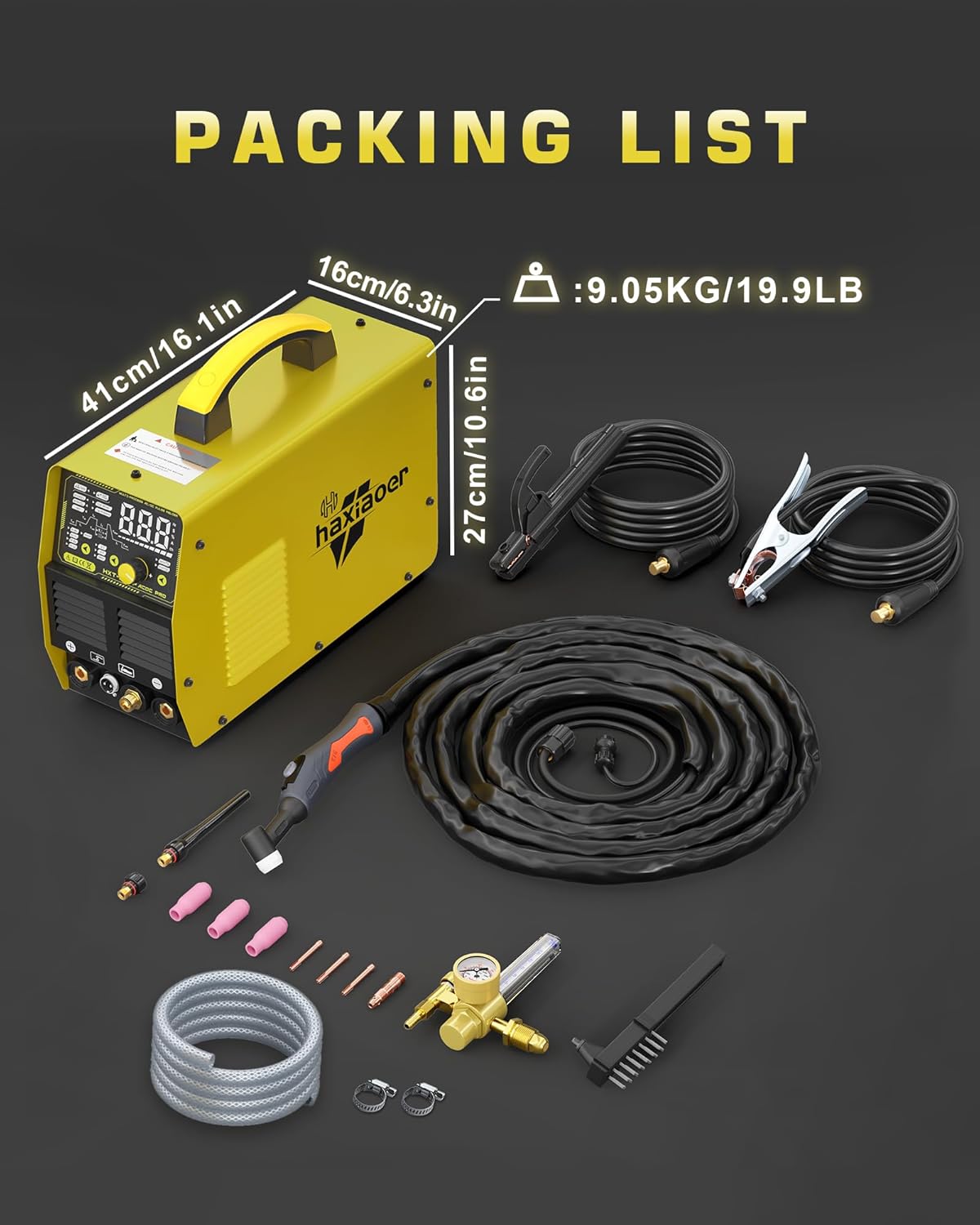
Image: The Haxiaoer HXT200P AC DC Pro TIG Welder with all included accessories, such as the TIG torch, electrode holder, earth clamp, argon gas regulator, hose, nozzles, and collets.
4. Setup
Follow these steps to set up your welding machine:
- Placement: Place the welder on a stable, level surface with adequate ventilation. Ensure there is sufficient space around the machine for airflow.
- Power Connection: Connect the welder to a 240V AC power supply. Ensure the power source matches the machine's requirements.
- Ground Clamp Connection: Attach the earth clamp securely to the workpiece or a clean, bare metal part of the welding table.
- TIG Torch Connection: Connect the TIG torch to the designated port on the front panel.
- Gas Connection: Connect the argon gas regulator to your argon gas cylinder. Attach the gas hose from the regulator to the gas inlet on the welder. Ensure all connections are tight to prevent leaks.
- Electrode Holder (for STICK welding): If performing STICK welding, connect the electrode holder to the appropriate terminal.
5. Controls and Display
The HXT200P AC DC Pro features a large LED display for clear parameter visibility and intuitive controls.

Image: A close-up view of the Haxiaoer HXT200P AC DC Pro TIG Welder's large LED display screen, showing various welding parameters and settings such as current, frequency, balance, and pulse settings.
- Large LED Display: Provides clear readings of welding parameters including start current, upslope time, peak current, base current, downslope time, end current, AC frequency, AC balance, pulse frequency, and pulse duty cycle.
- Control Knob: Used to adjust parameter values.
- Mode Selection Buttons: Select between AC TIG, AC Pulsed TIG, DC TIG, DC Pulsed TIG, STICK, and SPOT TIG modes.
- 2T/4T/Spot Modes: Buttons for selecting trigger modes for the TIG torch.
- Memory Function: The machine can store up to 10 sets of welding parameters for quick recall.

Image: The Haxiaoer HXT200P AC DC Pro TIG Welder's display showing the "DATA" and "READ" functions for saving and recalling up to 10 sets of welding parameters.
6. Operating Modes
The HXT200P AC DC Pro offers multiple welding modes to suit various materials and applications.
- AC TIG / AC Pulsed TIG: Ideal for welding aluminum alloys, magnesium alloys, and other non-ferrous metals. AC TIG helps reduce discoloration and deformation in precision metals.
- DC TIG / DC Pulsed TIG: Suitable for welding stainless steel, carbon steel, copper, and other DC weldable metals.
- STICK (MMA): For general-purpose welding with coated electrodes. Features ARC FORCE and HOT START for stable and powerful arc ignition, suitable for heavy workpieces.
- SPOT TIG: For precise spot welding applications.
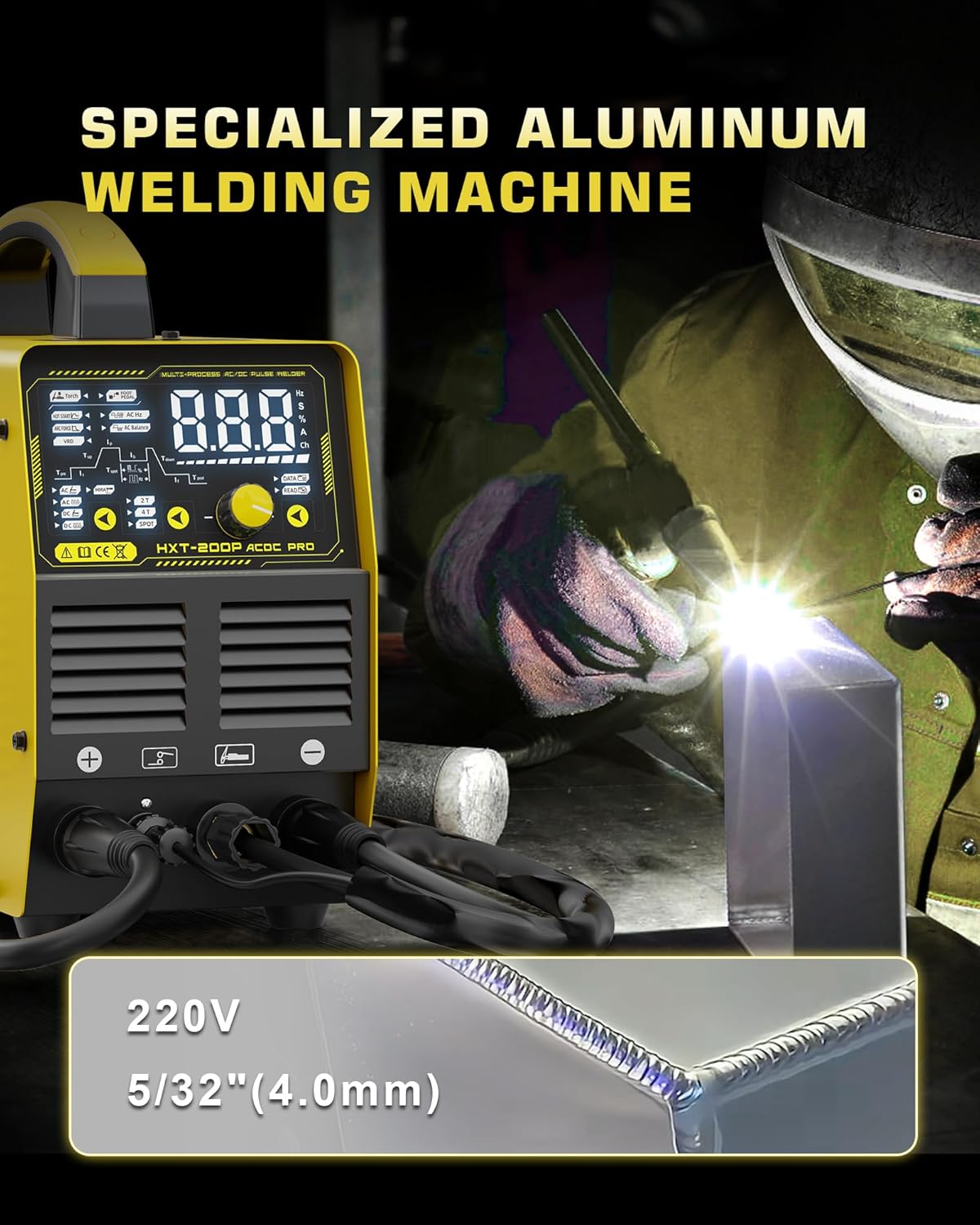
Image: The Haxiaoer HXT200P AC DC Pro TIG Welder in operation, demonstrating its capability for specialized aluminum welding, showing a clean weld bead on an aluminum piece.
7. Welding Parameters
Precise control over welding parameters is crucial for quality welds. The HXT200P AC DC Pro allows adjustment of the following:
- Start Current (Is): Initial current at arc ignition.
- Upslope Time (Tup): Time taken for current to rise from start current to peak current.
- Peak Current (Ip): Maximum welding current during pulse or main welding phase.
- Base Current (Ib): Minimum welding current during pulse welding.
- Downslope Time (Tdown): Time taken for current to fall from peak current to end current.
- End Current (If): Final current before arc extinction.
- AC Frequency (AC Hz): Frequency of the AC waveform, affecting arc focus and penetration.
- AC Balance (AC Balance): Controls the cleaning action and penetration in AC TIG welding.
- Pulse Frequency (Pulse Hz): Number of pulses per second in pulsed TIG.
- Pulse Duty Cycle (Pulse %): Ratio of peak current time to total pulse period.
- Pre-flow (Tpre): Time gas flows before arc ignition.
- Post-flow (Tpost): Time gas flows after arc extinction.
The machine also supports remote current regulation via a foot pedal (not included) for precise control during welding.

Image: The Haxiaoer HXT200P AC DC Pro TIG Welder demonstrating remote current regulation capability, showing a foot pressing a pedal to adjust welding current (foot pedal sold separately).
8. Maintenance
Regular maintenance ensures the longevity and optimal performance of your welding machine.
- Cleaning: Periodically clean the machine's exterior with a dry cloth. Use compressed air to blow out dust from inside the machine, especially from cooling vents, to prevent overheating. Ensure the machine is unplugged before cleaning.
- Cable Inspection: Regularly inspect all welding cables, torch, and ground clamp for damage, cuts, or loose connections. Replace damaged components immediately.
- Gas System: Check gas hoses and connections for leaks. Ensure the gas regulator is functioning correctly.
- Torch Consumables: Inspect and replace TIG torch consumables (collets, collet bodies, nozzles, tungsten electrodes) as needed to maintain arc quality.
- Storage: Store the welder in a clean, dry environment when not in use.
9. Troubleshooting
This section provides solutions to common issues you might encounter.
| Problem | Possible Cause | Solution |
|---|---|---|
| No power | Power cord unplugged, circuit breaker tripped, machine switch off. | Check power connections, reset circuit breaker, turn on machine switch. |
| No arc ignition | Poor ground connection, incorrect tungsten preparation, gas flow issue, incorrect settings. | Ensure good ground, sharpen tungsten, check gas supply, verify welding parameters. |
| Poor weld quality | Incorrect current, improper gas shielding, contaminated workpiece, wrong travel speed. | Adjust current, check gas flow and purity, clean workpiece, adjust travel speed. |
| Overheat protection activated | Exceeded duty cycle, blocked ventilation. | Allow machine to cool down, ensure clear ventilation paths. |
If you encounter issues not listed here or if solutions do not resolve the problem, contact Haxiaoer customer support.
10. Specifications
Key technical specifications for the Haxiaoer HXT200P AC DC Pro TIG Welder:
- Model Number: HXT200P AC DC Pro
- Manufacturer: Haxiaoer
- Power Type: AC
- Input Voltage: 240V
- Welding Current: 200A
- Welding Thickness (Aluminum): 0.5 mm to 5 mm
- Welding Thickness (Other Metals): 0.5 mm to 10 mm
- Package Dimensions: 53.2 x 39.4 x 28.1 cm
- Item Weight: 13.99 kg
- Included Components: TIG torch, electrode holder, earth clamp, argon gas regulator and hose, 3 nozzles, 3 collets.
11. Warranty and Support
Haxiaoer Direct offers a 2-year quality service for this product. For technical support, warranty claims, or service inquiries, please contact Haxiaoer customer service through their official channels.
Please retain your proof of purchase for warranty validation.