
Mobvoi Mobvoi Home Walking Treadmill Edge
Mobvoi Walking Pad Treadmill Edge User Manual
Model: Mobvoi Home Walking Treadmill Edge
Brand: Mobvoi
Introduction
The Mobvoi Walking Pad Treadmill Edge is a compact and portable fitness solution designed for both home and office environments. This 2-in-1 under-desk treadmill allows you to integrate walking and jogging into your daily routine, promoting an active lifestyle regardless of the weather. With its robust motor, shock-absorbing running belt, and smart connectivity features, it offers a comfortable and efficient workout experience.

Figure 1: Mobvoi Walking Pad Treadmill Edge in a home setting, demonstrating its use for both walking and under-desk exercise.
Important Safety Information
Please read all instructions carefully before using the Mobvoi Walking Pad Treadmill Edge. Keep this manual for future reference. Failure to follow these safety guidelines may result in injury or damage to the product.
- Ensure the treadmill is placed on a flat, stable surface.
- Keep children and pets away from the treadmill during operation.
- Do not operate the treadmill if it has a damaged cord or plug, or if it is not working properly.
- Wear appropriate athletic footwear when using the treadmill.
- Do not step on or off the treadmill while the belt is moving.
- Always use the safety key during operation.
- Unplug the treadmill from the power outlet when not in use or before cleaning.
- Consult a physician before starting any new exercise program.
Package Contents
Verify that all items listed below are included in your package:

Figure 2: All components included in the Mobvoi Walking Pad Treadmill Edge package.
- Mobvoi Walking Pad Treadmill Edge x1
- Instruction Manual x1
- Remote Control x1
- 5.9 ft Power Cord x1
- Adjustable Foot x2
- Lubricant Oil x1
- 5mm & 6mm L-shaped Wrench Set x1
- Open Wrench x1
Setup
The Mobvoi Walking Pad Treadmill Edge comes largely pre-assembled for your convenience. Minimal setup is required before first use.
- Unpacking: Carefully remove the treadmill and all accessories from the packaging.
- Placement: Place the treadmill on a flat, hard surface. Ensure there is adequate clear space around the treadmill for safe operation (at least 2 feet from walls or furniture).
- Attach Adjustable Feet: Locate the two adjustable feet and screw them into the designated holes at the rear of the treadmill. These can be adjusted to level the unit on uneven surfaces.
- Power Connection: Connect the power cord to the treadmill's power input port and then plug it into a grounded electrical outlet.
- Remote Control Setup: Insert the provided batteries into the remote control. The remote is essential for operating the treadmill.
Operating Instructions
Familiarize yourself with the treadmill's controls and display before beginning your workout.
LED Display and Remote Control
The integrated LED display provides real-time exercise data, while the remote control offers convenient operation.

Figure 3: The LED display and remote control for monitoring and adjusting your workout.
- Power On/Off: Use the main power switch on the treadmill.
- Start/Stop: Press the 'Start/Stop' button on the remote to begin or end your workout. The treadmill will typically count down before starting.
- Speed Adjustment: Use the '+' and '-' buttons on the remote to increase or decrease the speed. The speed range is 1-4 mph.
- Display Metrics: The LED display cycles through Speed, Time, Distance, and Calories burned.
- Mute Function: The remote control may include a mute button to silence operational beeps.
Usage Modes
The treadmill supports various modes to suit your activity level:

Figure 4: Different speed ranges for various exercise modes.
- Working Mode: Ideal for use under a standing desk (1.0-1.5 mph).
- Walking Mode: Suitable for light exercise (1.0-2.5 mph).
- Jogging Mode: For a more intense cardio workout (2.6-3.2 mph).
- Running Mode: For higher intensity exercise (3.2-4.0 mph).
Key Features
- Powerful and Quiet Motor: Equipped with a 1.65 HP peak motor, supporting up to 265 lbs. Operates at less than 60 dB, ensuring a peaceful workout environment.
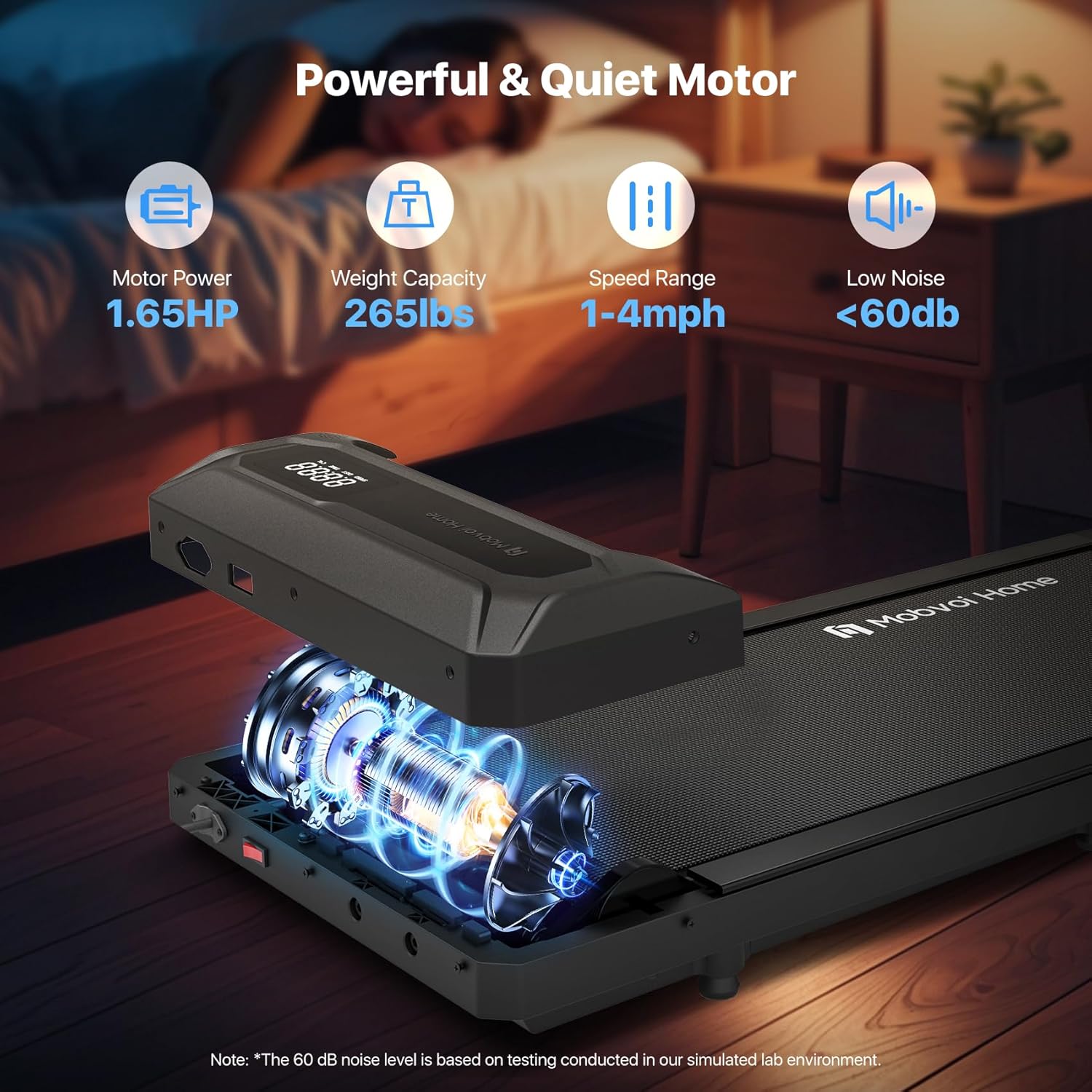
Figure 5: Illustration of the treadmill's motor power and low noise operation.
- 5-Layer Anti-Slip Shock Absorption Running Belt: Designed for comfort and joint protection, the multi-layer belt (38x90cm area) provides effective cushioning and reduces noise.
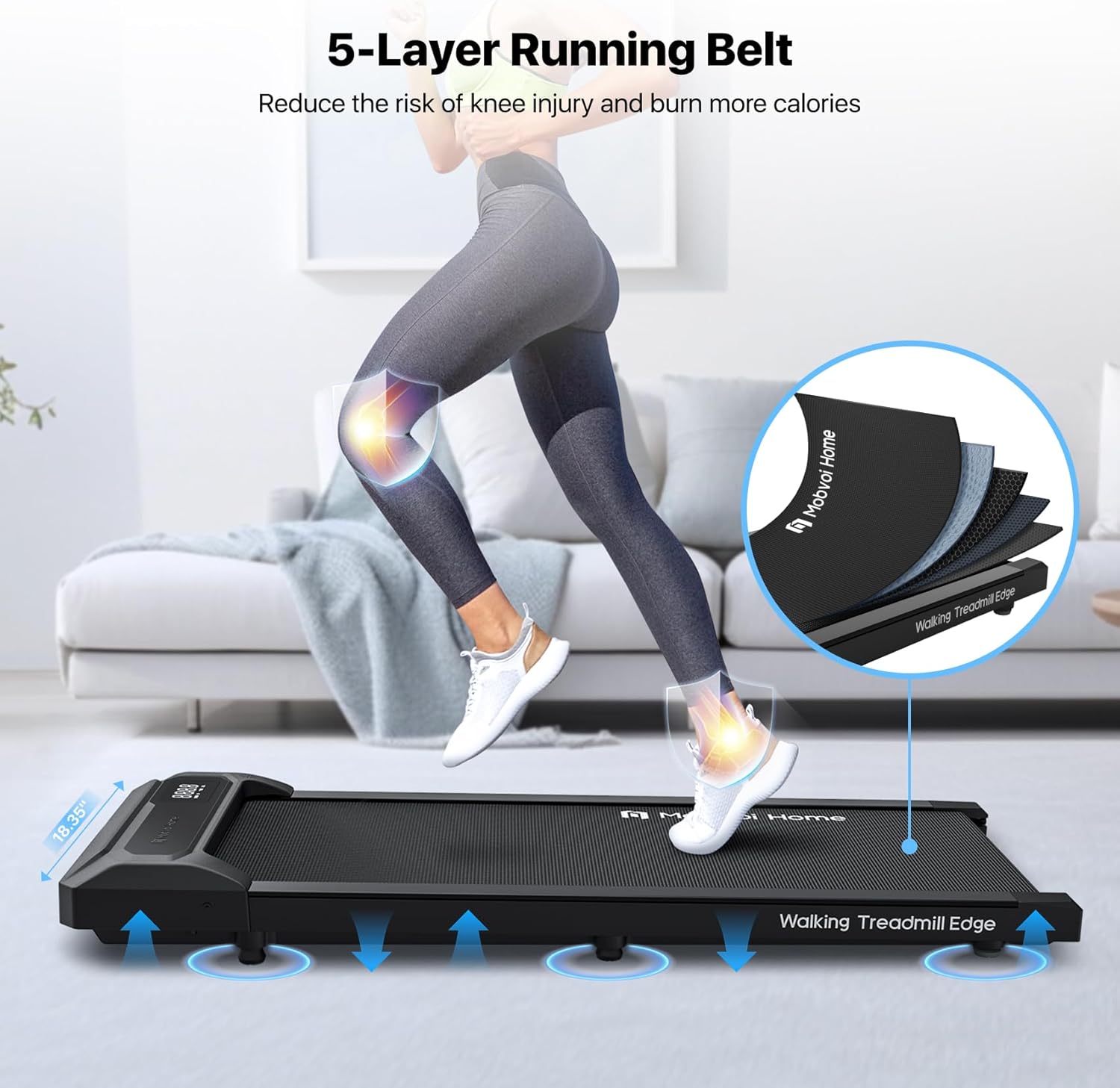
Figure 6: Detailed view of the 5-layer running belt for enhanced comfort and safety.
- Smartwatch Connection: Seamlessly connect your Wear OS by Google-powered smartwatch to sync exercise data, including distance, speed, and duration. Integrate with heart rate, steps, and calories tracked by your smartwatch for a comprehensive overview.

Figure 7: Smartwatch connectivity for integrated fitness tracking.
- Virtual Training Experience: Enhance indoor workouts by connecting to virtual trails for real-time walking and jogging games, transforming your routine into an immersive journey.
- Easy to Move & Store: Its compact design (4.63 inches height, 18.4 inches width, 43 inches length) and light weight (28.7 lbs) make it easy to move and store, saving valuable home space.
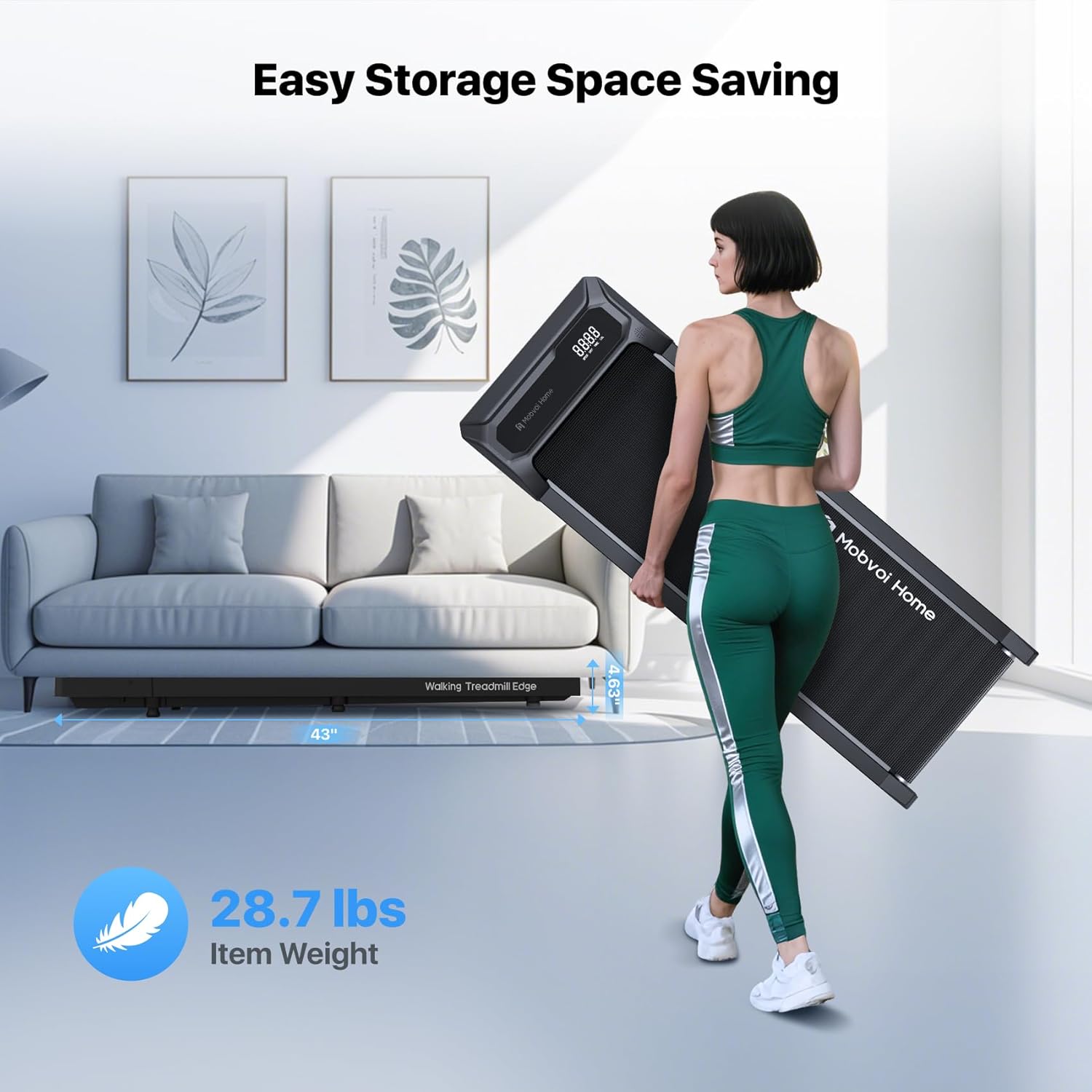
Figure 8: The treadmill's compact size and light weight allow for easy storage.
Maintenance
Regular maintenance ensures the longevity and optimal performance of your treadmill.
- Cleaning: Wipe down the treadmill with a damp cloth after each use to remove sweat and dust. Do not use abrasive cleaners.
- Belt Lubrication: The running belt requires periodic lubrication to reduce friction and extend its lifespan. Use the provided lubricant oil. Refer to the specific instructions in the included manual for frequency and application method.
- Belt Tension and Alignment: Periodically check the tension and alignment of the running belt. Adjust as needed using the included wrenches, following the detailed instructions in the main manual.
- Storage: When not in use, store the treadmill in a dry, cool place, away from direct sunlight and extreme temperatures. Its compact design allows for storage under furniture or upright against a wall.
Troubleshooting
If you encounter any issues with your Mobvoi Walking Pad Treadmill Edge, refer to the following common problems and solutions:
| Problem | Possible Cause | Solution |
|---|---|---|
| Treadmill does not power on. | Power cord not properly connected; power switch off; circuit breaker tripped. | Ensure power cord is securely plugged in. Check if the main power switch is ON. Reset the circuit breaker if necessary. |
| Running belt stops or slips. | Belt too loose; insufficient lubrication; motor overload. | Adjust belt tension (refer to manual). Apply lubricant oil. Reduce user weight or intensity. |
| Unusual noise during operation. | Loose components; belt misalignment; motor issue. | Check for loose screws and tighten. Adjust belt alignment. If noise persists, contact customer support. |
| Remote control not responding. | Dead batteries; remote not paired. | Replace remote control batteries. Refer to manual for remote pairing instructions. |
For issues not listed here, or if troubleshooting steps do not resolve the problem, please contact Mobvoi customer support.
Specifications
| Feature | Detail |
|---|---|
| Brand | Mobvoi |
| Model Name | Mobvoi Home Walking Treadmill Edge |
| Color | Black |
| Product Dimensions | 43"D x 18.4"W x 4.63"H |
| Item Weight | 13.4 Kilograms (29.5 lbs) |
| Material | Acrylonitrile Butadiene Styrene (ABS) |
| Maximum Speed | 4 Miles per Hour |
| Minimum Speed | 1 Miles per Hour |
| Maximum Horsepower | 1.65 Horsepower |
| Maximum Weight Recommendation | 120 Kilograms (265 lbs) |
| Running Area (Deck Length x Width) | 35.4 Inches x 15 Inches |
| Display Type | LED |
| Metrics Measured | Speed, Calories Burned, Time, Distance |
| Connectivity Technology | Bluetooth |
| Power Source | Corded Electric |
| Assembly Required | No (minimal setup) |
Warranty and Support
Warranty Description: The Mobvoi Walking Pad Treadmill Edge comes with a 1-year warranty.
For technical support, warranty claims, or any other inquiries, please visit the official Mobvoi website or contact their customer service department. Refer to the contact information provided on the product packaging or the Mobvoi official website.
Online Resources:
- Mobvoi Official Website: www.mobvoi.com
- Mobvoi Store on Amazon: Mobvoi Store
Related documentsMobvoi Home Walking Treadmill Edge


Ask a question about this manual
Ask about setup, troubleshooting, compatibility, parts, safety, or missing instructions. Manuals+ will review the question and use this page’s manual context to help answer it.