
Makayuron CS09pro
Makayuron Smart Door Lock CS09pro User Manual
Model: CS09pro
1. Introduction
Welcome to the Makayuron Smart Door Lock CS09pro user manual. This guide provides detailed instructions for the installation, operation, and maintenance of your new smart door lock. Please read this manual thoroughly before installation and use to ensure proper function and security.
2. Product Overview
The Makayuron CS09pro is a versatile smart door lock offering multiple keyless entry options for enhanced security and convenience. It is designed for various applications including homes, hotels, offices, and apartments.
Key Features:
- 5-in-1 Unlocking Methods: Fingerprint, IC Card (6 included), Passcode, Mobile App (TUYA Bluetooth), and Mechanical Key (2 included).
- Fast Fingerprint Recognition: Up to 98% recognition rate, unlocking in approximately 1 second. Supports up to 50 unique fingerprints.
- TUYA Bluetooth App Control: Lock/unlock remotely, share temporary E-codes, view access logs, receive alerts, and manage users. (Note: This is a Bluetooth-only connection, not Wi-Fi. No subscription fees for the app.)
- Automatic Locking: Configurable auto-lock feature engages 5 seconds after the door closes.
- One-Key Anti-Lock: Provides an additional layer of privacy and security from the inside.
- Easy Installation: Designed for straightforward installation without the need for drilling, fitting most standard left and right-handed doors.
Components:
The package includes the smart door lock unit, IC cards, mechanical keys, and necessary installation hardware. Batteries are included.

Image 1: Makayuron Smart Door Lock CS09pro showing its various components and accessories, including the charging port, mobile app interface, IC cards, and batteries.
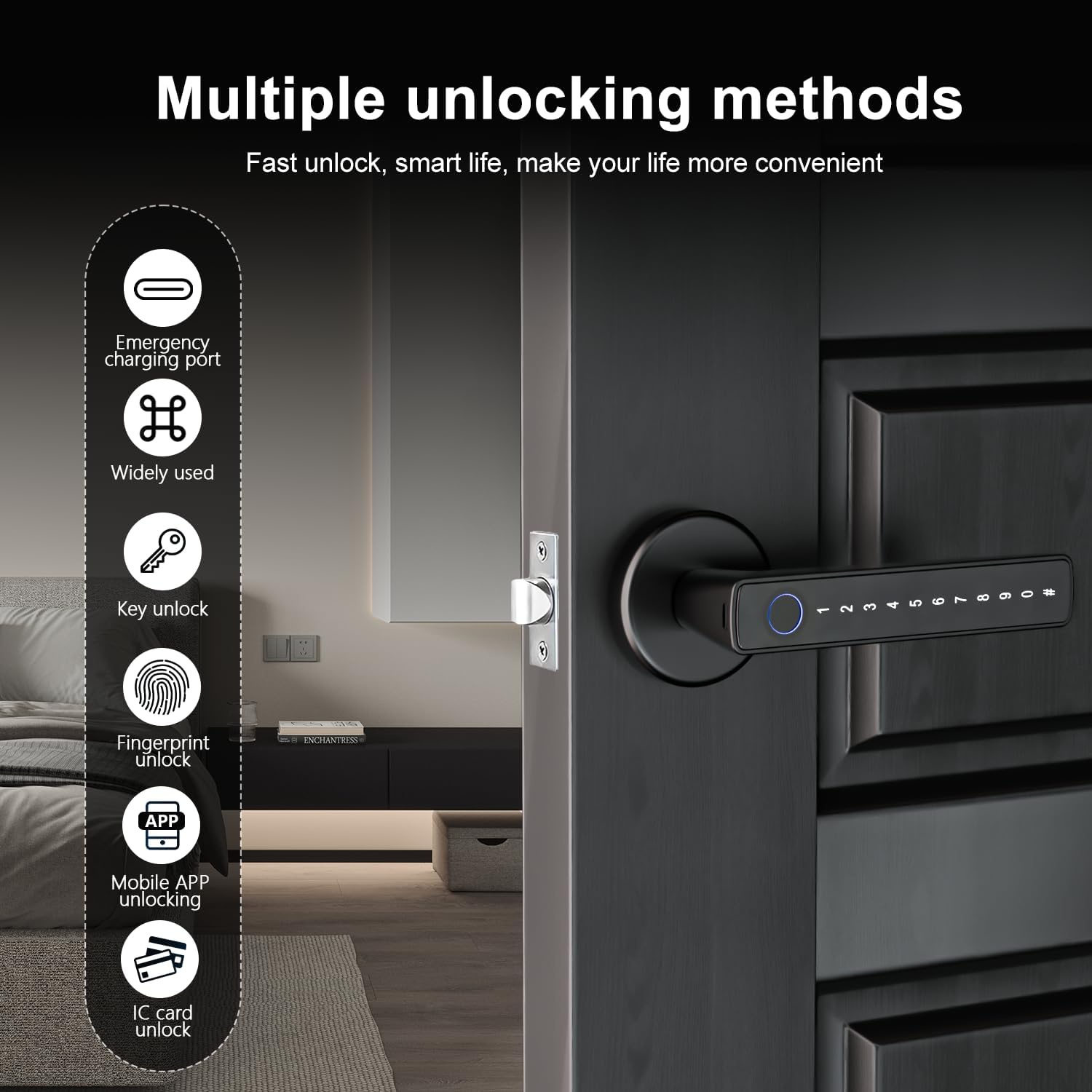
Image 2: Visual representation of the multiple unlocking methods: emergency charging port, key unlock, fingerprint unlock, mobile app unlocking, and IC card unlock.

Image 3: A user interacting with the TUYA mobile application to control the smart door lock, demonstrating app-based management.
3. Specifications
| Feature | Detail |
|---|---|
| Manufacturer | Makayuron |
| Model Number | CS09pro |
| Item Weight | 750 g |
| Product Dimensions | 6.5 x 3 x 15 cm |
| Color | Black |
| Material | Aluminum |
| Lock Type | Biometric |
| Special Features | Auto-Lock, Fingerprint, Passcode Unlock |
| Power Source | Alkaline Batteries (Included) |
| Recommended Uses | Home, Hotel, Office, Apartment, Bedroom |

Image 4: The Makayuron Smart Door Lock with handle, highlighting its modern design and integrated fingerprint sensor.

Image 5: A detailed diagram explaining the semiconductor fingerprint recognition technology used in the lock for secure and fast access.
4. Setup and Installation
The Makayuron CS09pro smart door lock is designed for easy installation, often without the need for drilling, and includes a voice guide to assist you through the process. It is compatible with most standard left-handed and right-handed doors.
Before Installation:
- Ensure your door's dimensions are compatible with the lock's specifications.
- Confirm all components listed in the product overview are present.
- Prepare a Phillips head screwdriver and any other basic tools as indicated in the voice guide.
Installation Steps:
- Prepare the Door: Remove any existing door hardware.
- Install Latch: Insert the latch into the door edge and secure it.
- Install Exterior Assembly: Mount the exterior handle assembly, ensuring the spindle is correctly aligned.
- Install Interior Assembly: Connect the interior handle assembly, ensuring cables are properly routed and connected.
- Insert Batteries: Install the included Alkaline batteries into the designated compartment.
- Test Operation: Perform initial tests using a mechanical key to ensure smooth operation.
Refer to the included voice guide for step-by-step audio instructions during installation.
5. Operating Instructions
The Makayuron CS09pro offers multiple convenient ways to unlock your door.
5.1 Unlocking Methods
- Fingerprint Unlock:
Place your registered finger on the fingerprint sensor. The lock will unlock within 0.2 seconds upon successful recognition. Note: Wake up the lock first by touching the keypad or sensor before attempting fingerprint unlock. - Passcode Unlock:
Enter your registered passcode on the keypad, followed by the '#' key. Note: Wake up the lock first by touching the keypad before entering the passcode. - IC Card Unlock:
Tap your registered IC card against the designated card reader area on the lock. - Mobile App Unlock (TUYA Bluetooth):
Open the TUYA app on your smartphone. Ensure Bluetooth is enabled and you are within range of the lock. Follow the in-app instructions to unlock the door. - Mechanical Key Unlock:
Insert the mechanical key into the keyhole and turn to unlock the door. This method is primarily for emergency access.
5.2 TUYA App Management
The TUYA Bluetooth App allows for comprehensive control and management of your smart lock:
- Lock/Unlock: Remotely lock or unlock the door via the app when within Bluetooth range.
- User Management: Add, modify, or delete fingerprints, passcodes, and IC cards for various users.
- E-Code Sharing: Generate and share temporary passcodes for guests or service providers.
- Log Records: View a history of lock activity, including who unlocked the door and when.
- Alerts: Receive notifications for low battery, unauthorized access attempts, or other security events.
5.3 Auto-Lock and Anti-Lock Functions
- Auto-Lock: The lock can be configured to automatically lock 5 seconds after the door is closed. This feature provides convenience and peace of mind.
- One-Key Anti-Lock: Located on the backside of the interior handle, this function allows you to engage an anti-lock mechanism, providing privacy and preventing external access even by registered users (except administrators).
6. Maintenance
Regular maintenance ensures the longevity and optimal performance of your smart door lock.
- Cleaning: Wipe the lock's surface with a soft, dry cloth. Avoid abrasive cleaners or solvents that may damage the finish or electronic components.
- Battery Replacement: The lock will provide a low battery warning. Replace all Alkaline batteries promptly to avoid being locked out. Use high-quality Alkaline batteries for best performance.
- Keyhole Maintenance: Keep the mechanical keyhole clean and free of debris. Do not lubricate with oil-based products, as this can attract dirt.
- Firmware Updates: Check the TUYA app periodically for any available firmware updates for your lock to ensure you have the latest features and security enhancements.
7. Troubleshooting
If you encounter issues with your Makayuron Smart Door Lock, refer to the following common problems and solutions:
- Lock not responding:
Check battery levels. Replace batteries if low. Ensure the lock is 'woken up' by touching the keypad or sensor before attempting entry. - Fingerprint not recognized:
Ensure your finger is clean and dry. Try re-registering your fingerprint in the app. Ensure you are placing your finger correctly on the sensor. - Passcode not working:
Verify the passcode is correct. Ensure you press '#' after entering the passcode. Check if the lock is 'woken up'. - App connection issues:
Ensure Bluetooth is enabled on your phone. Make sure you are within close proximity to the lock. Restart the TUYA app. - Auto-lock not engaging:
Check the settings in the TUYA app to ensure auto-lock is enabled and configured correctly. Verify the door sensor (if applicable) is clean and unobstructed. - Mechanical key not working:
Ensure the key is fully inserted and turned correctly. Check for any obstructions in the keyhole.
If problems persist, contact customer support for further assistance.
8. Warranty and Support
Makayuron offers a minimum of 1 year product warranty from the date of purchase. This warranty covers manufacturing defects and ensures reliable operation of your smart door lock.
For technical support, warranty claims, or any questions regarding your Makayuron Smart Door Lock CS09pro, please refer to the contact information provided with your purchase or visit the official Makayuron website.
Ask a question about this manual
Ask about setup, troubleshooting, compatibility, parts, safety, or missing instructions. Manuals+ will review the question and use this page’s manual context to help answer it.