
VIHELM C-600
VIHELM C-600 7-in-1 Water Quality Tester User Manual
Model: C-600
Introduction
This manual provides detailed instructions for the operation, maintenance, and troubleshooting of the VIHELM C-600 7-in-1 Water Quality Tester. This device is designed to accurately measure pH, TDS, EC, ORP, Salinity, Specific Gravity (S.G), and Temperature.
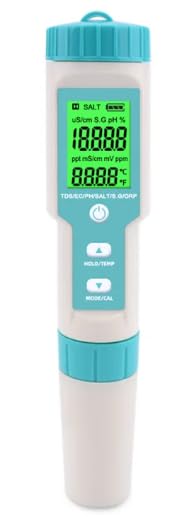
Image: The VIHELM C-600 7-in-1 Water Quality Tester, showing its compact design and digital display.
Product Overview and Components
The VIHELM C-600 is a versatile water quality testing instrument. Familiarize yourself with its main components:
- Digital Display: Shows measurement readings and indicators.
- Control Buttons: For power, hold/temperature, and mode/calibration functions.
- Electrode Probe: The sensing element for water quality parameters.
- Protective Cap: Covers the electrode when not in use.
- Battery Compartment: Located at the top, for battery installation.
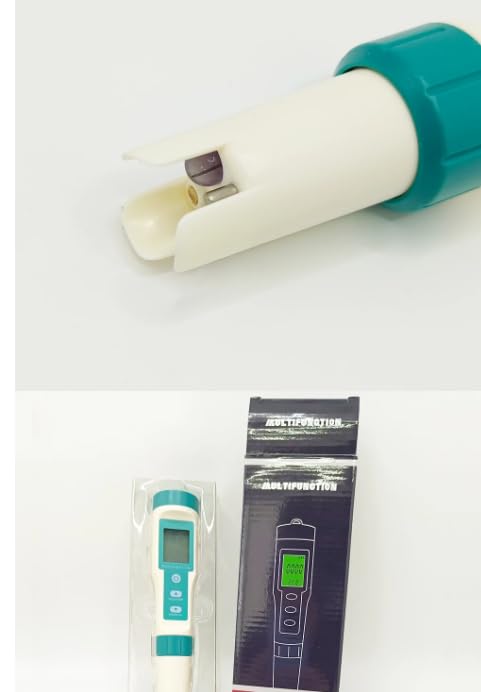
Image: A close-up view of the highly sensitive electrode probe of the C-600 meter, designed for accurate measurements.
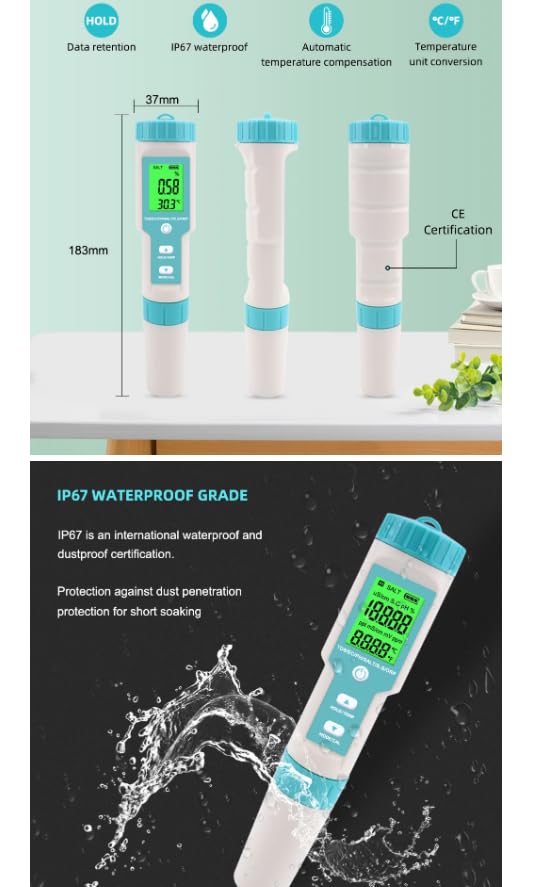
Image: Diagram illustrating the dimensions of the C-600 meter (183mm height, 37mm width) and highlighting key features such as data retention (HOLD), IP67 waterproof rating, automatic temperature compensation, and temperature unit conversion (°C/°F).
Setup
Battery Installation
The C-600 meter uses 3 x 1.5V (LR44) button cell batteries. To install or replace batteries:
- Unscrew the top cap of the meter.
- Remove the old batteries if present.
- Insert new LR44 batteries, ensuring correct polarity.
- Securely screw the top cap back on.
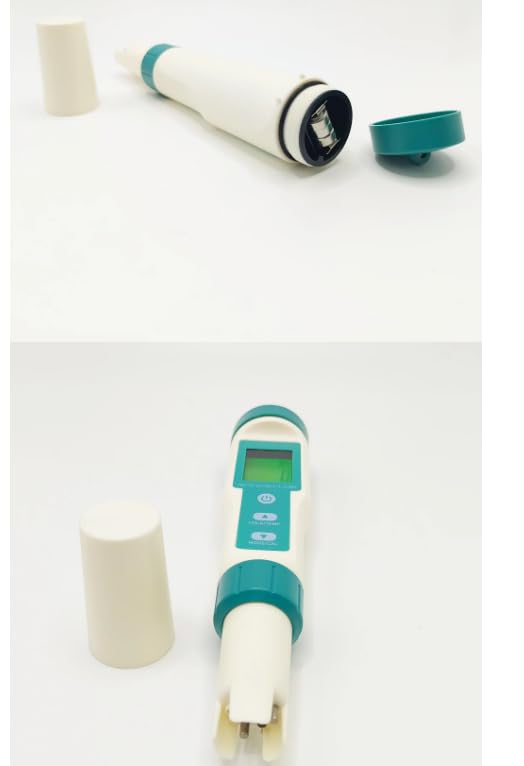
Image: The VIHELM C-600 meter with its protective cap and top cap removed, illustrating access to the battery compartment and the electrode area.
Initial Preparation
Before first use, or after prolonged storage:
- Remove the protective cap from the electrode.
- Rinse the electrode with distilled water.
- Gently blot dry with a clean tissue. Do not rub.
Operating Instructions
Power On/Off
Press the POWER button to turn the meter on or off.
Mode Selection
Press the MODE/CAL button to cycle through the different measurement modes: pH, TDS, EC, ORP, Salinity, S.G, and Temperature.
Taking a Measurement
- Ensure the meter is clean and calibrated.
- Immerse the electrode into the sample solution, ensuring the sensor is fully submerged.
- Gently stir the meter to remove air bubbles and allow the reading to stabilize.
- Read the stable value on the digital display.
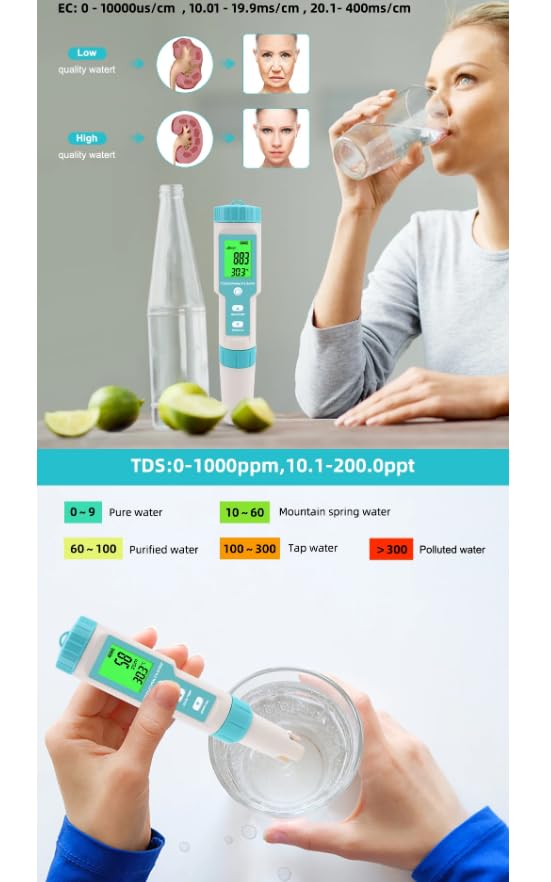
Image: The C-600 meter being used to measure water quality, with a pH scale reference chart and ORP value reference table displayed. The meter is shown submerged in a glass of water and in a hydroponic system.
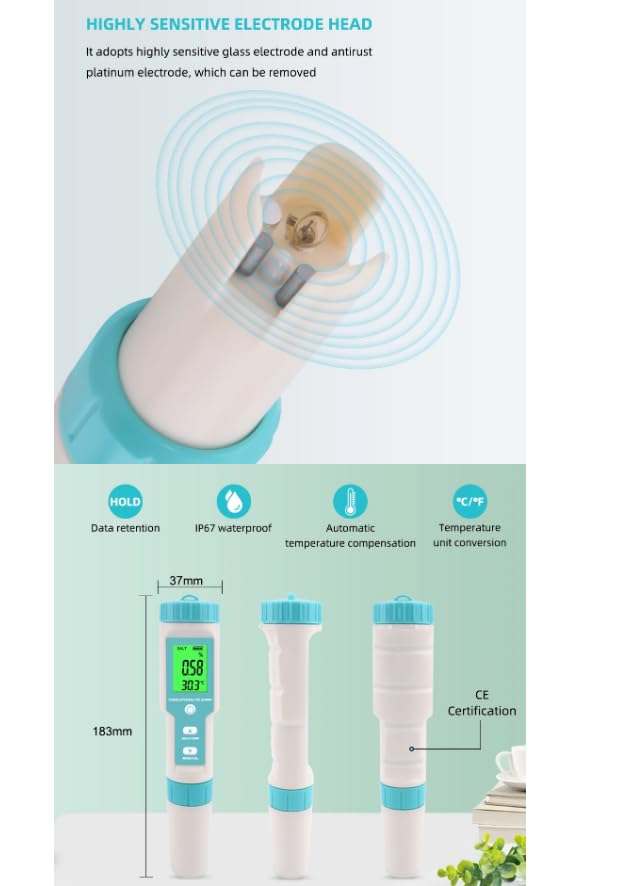
Image: The C-600 meter in use, demonstrating its ability to measure EC (Electrical Conductivity) and TDS (Total Dissolved Solids). The image includes charts for interpreting EC and TDS values, categorizing water quality from pure to polluted.
Hold Function
Press the HOLD/TEMP button to freeze the current reading on the display. Press again to release.
Temperature Unit Conversion
While in measurement mode, press and hold the HOLD/TEMP button to switch between Celsius (°C) and Fahrenheit (°F).
Calibration
Regular calibration ensures accuracy. Refer to the specific calibration procedures for each parameter (pH, EC, TDS, Salinity) in the specifications section or the included quick guide.
To enter calibration mode, press and hold the MODE/CAL button.
Maintenance
Electrode Cleaning
After each use, rinse the electrode thoroughly with distilled water to prevent contamination and buildup. If the electrode is heavily soiled, use a soft brush and a mild cleaning solution specifically designed for pH electrodes, then rinse thoroughly.
Important: Always clean the electrode after use to maintain accuracy and prolong its lifespan.
Storage
Always replace the protective cap on the electrode when not in use. For long-term storage, ensure the electrode is kept moist, ideally in a storage solution or pH 4 buffer solution. Do not store dry.
Battery Replacement
Replace batteries when the low battery indicator appears on the display or when the meter fails to power on. Refer to the "Battery Installation" section under Setup.
Troubleshooting
| Problem | Possible Cause | Solution |
|---|---|---|
| Meter does not power on | Dead or incorrectly installed batteries. | Check battery polarity; replace batteries. |
| Inaccurate readings | Electrode is dirty or dry; meter needs calibration; expired calibration solution. | Clean electrode; recalibrate meter; use fresh calibration solutions. |
| Slow response time | Electrode is dirty or aged. | Clean electrode thoroughly; consider electrode replacement if issue persists. |
| Display shows "Err" or "---" | Measurement out of range; sensor malfunction. | Ensure sample is within measurement range; contact support if persistent. |
Specifications
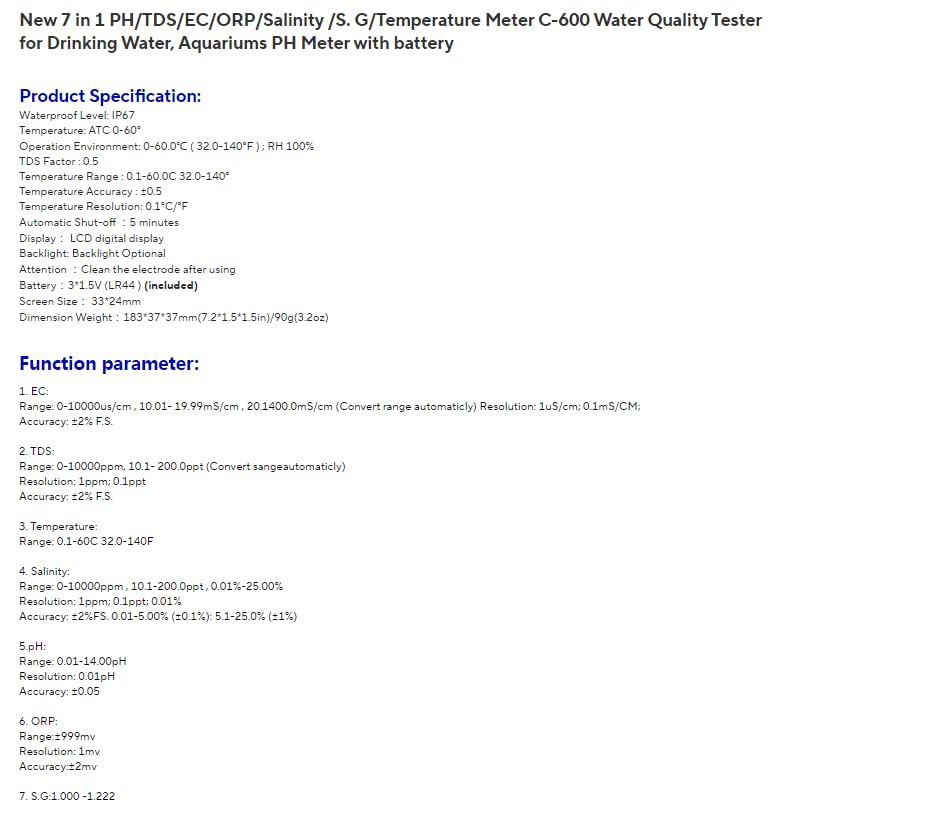
Image: Detailed product specification sheet for the VIHELM C-600, outlining parameters such as waterproof level, operation environment, temperature range, accuracy, automatic shut-off, display type, backlight, battery type, screen size, and dimensions.
| Parameter | Range | Resolution | Accuracy |
|---|---|---|---|
| EC | 0-10000µS/cm, 10.01-19.99mS/cm, 20.1-400mS/cm | 1µS/cm, 0.1mS/cm | ±2% F.S. |
| TDS | 0-10000ppm, 10.1-200.0ppt | 1ppm, 0.1ppt | ±2% F.S. |
| Salinity | 0-10000ppm, 10.1-200.0ppt, 0.01-25.00% | 1ppm, 0.1ppt, 0.01% | ±2% F.S., 0.01-5.00% (±0.1%), 5.1-25.0% (±1%) |
| pH | 0.01-14.00pH | 0.01pH | ±0.05 |
| ORP | 0-±999mV | 1mV | ±2mV |
| S.G | 1.000-1.222 | N/A | N/A |
| Temperature | 0.1-60.0°C (32.0-140°F) | 0.1°C/°F | ±0.5°C/°F |
- Waterproof Level: IP67
- Operation Environment: 0-60°C (32-140°F); RH 100%
- Automatic Shut-off: 5 minutes
- Display: LCD digital display
- Backlight: Optional
- Battery: 3*1.5V (LR44) (included)
- Screen Size: 33*24mm
- Dimension Weight: 183*37*37mm (7.2*1.5*1.5in) / 90g (3.2oz)
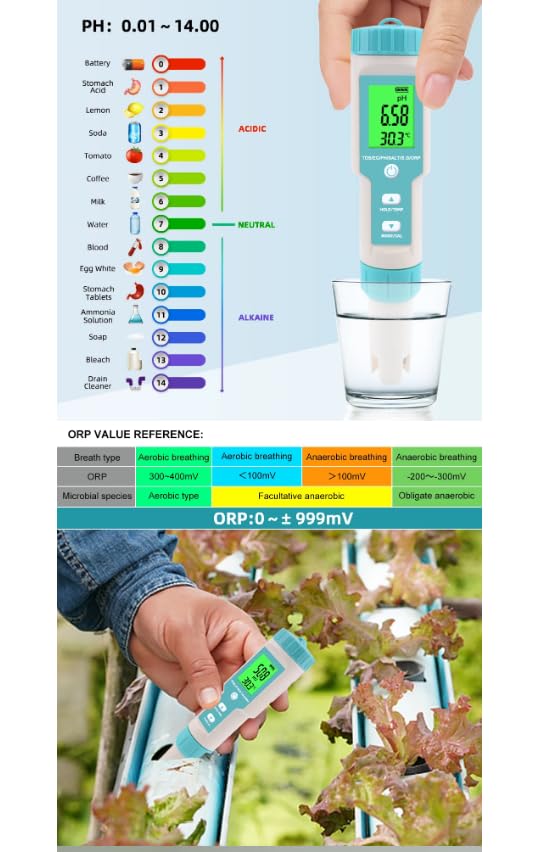
Image: An infographic detailing the application areas of the C-600 meter, such as aquaculture, drinking water, swimming pools, hydroponics, aquariums, and laboratories. It also visually summarizes the seven measurement parameters: EC, Salinity, TDS, pH, ORP, S.G, and Temperature.
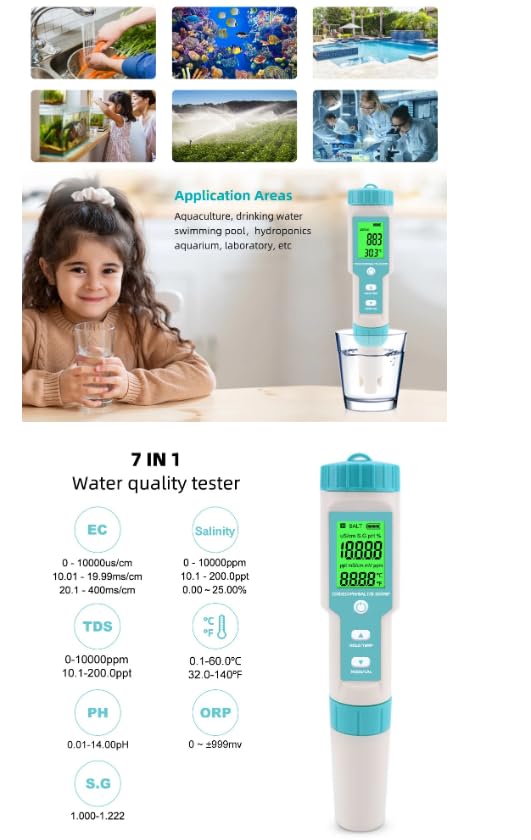
Image: The VIHELM C-600 meter displayed alongside its product packaging, showing the device and its retail box.
Image: A visual representation of the C-600's IP67 waterproof rating, indicating protection against dust penetration and short soaking, with water splashing around the meter.
Warranty and Support
For warranty information and technical support, please refer to the manufacturer's official website or contact the seller directly. Keep your purchase receipt for warranty claims.
Manufacturer: VIHELM
Model Number: C-600
ASIN: B0DPCDMVCQ
Date First Available: November 30, 2024
Related Documents - C-600
 |
Water Quality Tester C-600: User Manual and Specifications Comprehensive guide for the Water Test C-600 7-in-1 water quality tester, covering operation, calibration, technical specifications, and warranty information. |
 |
Noyafa Water Quality Meter Operation Manual Operation manual for Noyafa pen-type water quality meters, covering troubleshooting, attention points, warranty, return authorization, and detailed parameter specifications for various models. |
 |
Pen Type Water Quality Meter Operation Manual: pH, TDS, EC, SALT, ORP Measurement Comprehensive operation manual for the pen-type water quality meter. Covers troubleshooting, calibration, parameters, and usage for measuring pH, TDS, EC, SALT, ORP, H2, and S.G. Includes detailed guides for models like EZ9901, C-600, and more. |
 |
CCO85 Product Manual: Gravity Sensing Rotating Screen Touch Type-C Tester User manual for the CC085 Gravity Sensing Rotating Screen Touch Type-C Tester, detailing its interface functions, product specifications, and frequently asked questions for accurate usage and troubleshooting. |
 |
KOWSI KWS-1902L Type-C USB Tester: Voltage, Current, Power Meter Detailed overview of the KOWSI KWS-1902L Type-C USB Tester, a digital display voltage, current, and power meter with real-time charging status detection, power failure storage, and bidirectional testing capabilities for Type-C devices. |
 |
Aideepen 10 USB & Type-C Digital Tester: Features, Specifications, and Operation Comprehensive details on the Aideepen 10 USB and Type-C digital tester, including its features, measurement parameters, dimensions, operating instructions, and supported fast charging protocols. |
Ask a question about this manual
Ask about setup, troubleshooting, compatibility, parts, safety, or missing instructions. Manuals+ will review the question and use this page’s manual context to help answer it.