
1. Product Overview
The LQWELL Foldable Night Light is an innovative lighting solution designed for comfort and convenience. It features a compact, foldable plug for easy storage and portability, making it ideal for various settings. Equipped with a smart twilight sensor, the light automatically activates at dusk and deactivates at dawn, ensuring optimal illumination when needed while conserving energy. Users can also manually adjust the maximum brightness to achieve the perfect ambiance.
This night light emits a soft, warm white light (3000K-3500K) that is gentle on the eyes, providing a non-dazzling glow suitable for children's rooms, hallways, and other living spaces.
2. Setup and Installation
The LQWELL Night Light is designed for simple plug-and-play installation. No charging or complicated wiring is required.
- Unpack: Carefully remove the night light from its packaging.
- Unfold Plug: Extend the foldable plug to the 90-degree position for insertion into an electrical outlet. The plug can be adjusted to 0, 45, or 90 degrees for compact storage or use.
- Plug In: Insert the night light into a standard electrical outlet. For optimal performance of the twilight sensor, ensure the side with the sensor is facing downwards. This design also helps to keep the second outlet free for other devices.


3. Operating Instructions
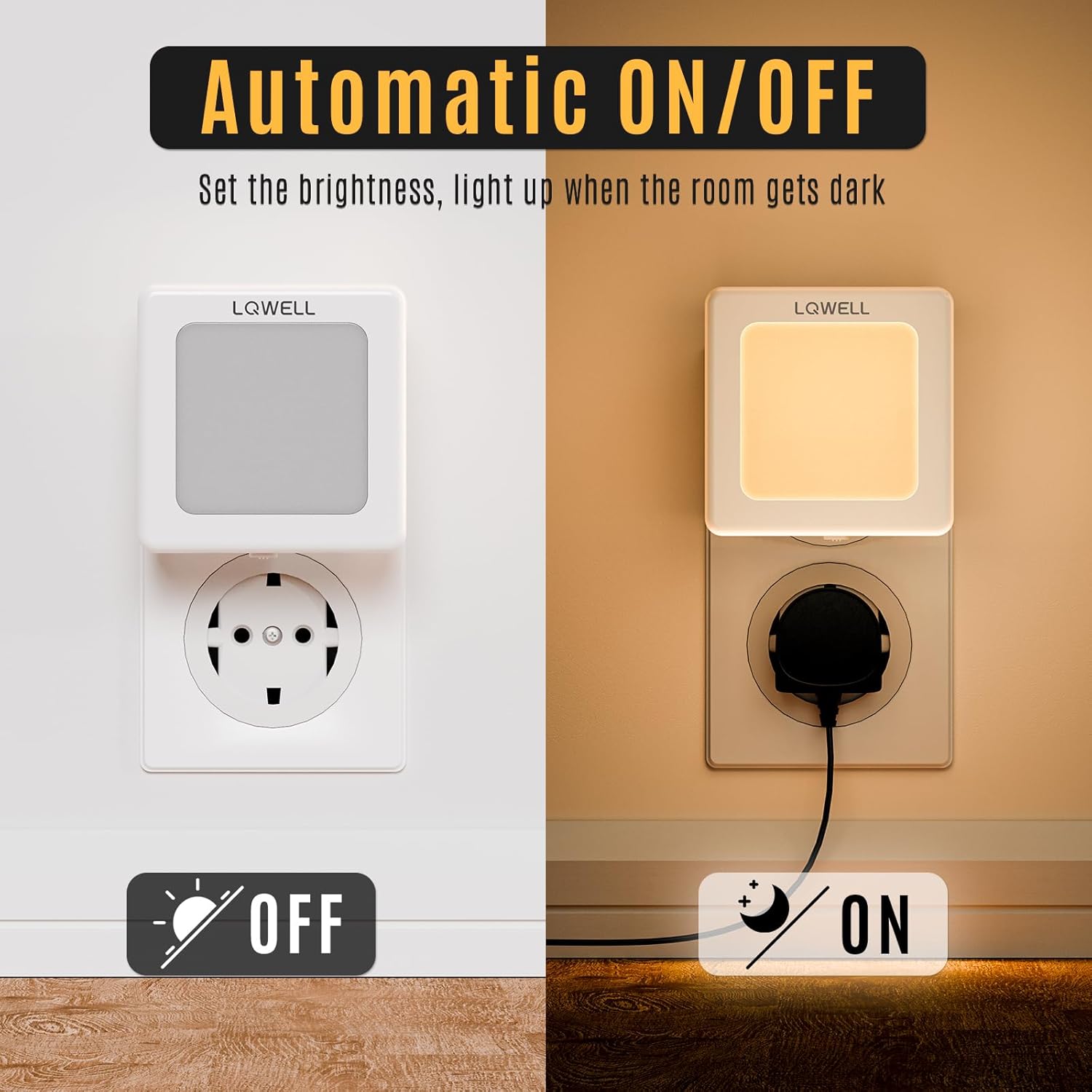
Automatic On/Off Function
The night light is equipped with a twilight sensor that detects ambient light levels. It will automatically turn on when the room becomes dark and turn off when sufficient light is present. This feature ensures energy efficiency and hands-free operation.
Adjusting Brightness
You can manually adjust the maximum brightness of the night light to suit your preference. Locate the brightness adjustment slider on the side of the unit.
- Locate Slider: Find the small slider switch on the top edge of the night light.
- Adjust Brightness: Slide the control from 0% (minimum brightness) to 100% (maximum brightness) to set your desired light intensity. The night light will then operate automatically within this set maximum brightness level.

Versatile Application
The LQWELL Night Light is suitable for various indoor environments, providing gentle illumination where needed:
- Bedrooms
- Living Rooms
- Kitchens
- Bathrooms
- Hallways
- Stairwells
- Garages


4. Maintenance
The LQWELL Night Light requires minimal maintenance.
- Cleaning: To clean the device, unplug it from the electrical outlet. Use a soft, dry cloth to wipe the surface. Do not use liquid cleaners or abrasive materials, as these may damage the unit.
- Storage: When not in use, unplug the night light and fold the plug for compact storage. Store in a cool, dry place away from direct sunlight.
5. Troubleshooting
If you encounter any issues with your LQWELL Night Light, please refer to the following common solutions:
| Problem | Possible Cause | Solution |
|---|---|---|
| Light does not turn on automatically in the dark. | 1. Insufficient darkness detected by the sensor. 2. Sensor is obstructed. 3. Brightness slider set to minimum. | 1. Ensure the room is sufficiently dark. The sensor requires a certain level of darkness to activate. 2. Check that the sensor (small black dot) is not covered and is facing downwards. 3. Adjust the brightness slider to a higher level. |
| Light stays on during the day. | 1. Insufficient ambient light detected by the sensor. 2. Sensor is obstructed. | 1. Ensure the room has adequate natural or artificial light during the day. 2. Check that the sensor is not covered. |
| Light is too dim or too bright. | Brightness slider is not set to desired level. | Adjust the brightness slider on the side of the unit to increase or decrease the light intensity. |
| Light flickers. | Unstable power supply or faulty unit. | Try plugging the night light into a different outlet. If flickering persists, contact customer support. |
6. Specifications
| Feature | Detail |
|---|---|
| Model Number | NL-1 (90459) |
| Brand | LQWELL |
| Light Source | LED |
| Brightness | 10 lm (Lumen) |
| Color Temperature | 3000K - 3500K (Warm White) |
| Special Features | Dimmable (Adjustable Brightness), Foldable Plug, Twilight Sensor, Portable, Wireless (Plug-in) |
| Power Source | AC Plug-in (Electric Cable) |
| Material | Plastic |
| Color | White |
| Product Dimensions (L x W x H) | 6.9 x 7.1 x 2.4 cm |
| Item Weight | 120 grams |
| Energy Efficiency Label | A |
7. Warranty and Support
Warranty Information
LQWELL products are manufactured to high-quality standards. For specific warranty details regarding your night light, please refer to the product packaging or contact LQWELL customer support. Typically, a standard manufacturer's warranty covers defects in materials and workmanship under normal use.
Customer Support
If you have any questions, require technical assistance, or need to report an issue that cannot be resolved using the troubleshooting guide, please contact LQWELL customer support. Contact information can usually be found on the product packaging or the official LQWELL website.
For further assistance, you may also visit the LQWELL Brand Store on Amazon.
