
1. Product Overview
The Weyot 4G SOS Smartwatch is designed to provide safety and health monitoring for seniors. This device integrates GPS tracking, an SOS emergency call function, fall detection, and various health reminders. A SIM card is required for full communication functionality (SIM card not included).
Key Features:
- Multiple Positioning Methods: Supports GPS, Beidou, LBS, WIFI, and TDOA for accurate location tracking.
- Safety Geofencing: Define safe zones and receive alerts when the wearer enters or exits these areas.
- One-Key SOS Call: Press and hold the SOS button to automatically dial pre-set emergency contacts.
- Health Reminders: Includes medication, hydration, and sedentary reminders.
- Fall Detection: Intelligently recognizes accidental falls and sends automatic alerts.
- Two-Way Communication: Supports voice calls and micro chat intercom.
- IP67 Waterproof: Resistant to splashes and brief immersion.

Image 1.1: Overview of the Weyot SOS Smartwatch's main functions.
2. Setup Guide
2.1. SIM Card Installation
This smartwatch requires a 4G Nano SIM card for communication features. The SIM card is not included with the product. Ensure the SIM card is active and has a data plan before insertion.
- Locate the SIM card slot on the side of the smartwatch.
- Carefully insert the Nano SIM card into the slot with the metal contacts facing upwards, following the diagram on the device.
- Gently push the SIM card until it clicks into place.
2.2. Initial Charging
Before first use, fully charge the smartwatch. Connect the provided charging cable to the charging port on the device and plug the other end into a compatible USB power adapter (not included).
- A full charge typically takes approximately 2-3 hours.
- The battery capacity is 600 mAh, providing approximately 5 days of usage time depending on usage patterns.
2.3. App Pairing and Configuration
To utilize all features, including remote monitoring, emergency contacts, and geofencing, download the dedicated companion application on a smartphone. The app allows for comprehensive device management.
- Scan the QR code provided in the smartwatch packaging or search for the official app in your smartphone's app store.
- Follow the on-screen instructions to create an account and pair the smartwatch with your smartphone.
- Configure emergency contacts, safe zones, and health reminders within the app.

Image 2.1: The smartwatch supports health monitoring features.
3. Operating Instructions
3.1. Power On/Off
- To Power On: Press and hold the power button (usually on the side of the watch) until the screen illuminates.
- To Power Off: Press and hold the power button, then select 'Power Off' on the screen, or follow the prompts.
3.2. Touchscreen Navigation
The smartwatch features a touchscreen display for interaction.
- Swipe: Swipe left, right, up, or down to navigate through menus and screens.
- Tap: Tap an icon or option to select it.
- Press and Hold: Some functions may require a press and hold gesture for activation (e.g., SOS button).
3.3. Language Settings
The smartwatch supports multiple languages. You can change the language setting through the device's menu or the companion app.

Image 3.1: The smartwatch supports multiple languages for user convenience.
4. Health Monitoring and Safety Features
4.1. Health Monitoring
The smartwatch offers several health monitoring functions:
- Body Temperature Detection: The device can measure body temperature.
- Heart Rate and Blood Pressure: Real-time detection using the PWTT algorithm. Data can be viewed on the watch and remotely via the mobile app.
- Sedentary Reminder: Alerts the wearer to move after prolonged periods of inactivity.
- Medication Reminder: Set up personalized medication schedules through the app to receive timely alerts on the watch.
4.2. SOS Emergency Function
In case of an emergency, the SOS button provides immediate assistance.
- Activation: Press and hold the dedicated SOS button on the side of the smartwatch for 3 seconds.
- Action: The watch will automatically dial the pre-set emergency numbers configured in the companion app.
- Configuration: Up to three emergency numbers can be stored in the app.
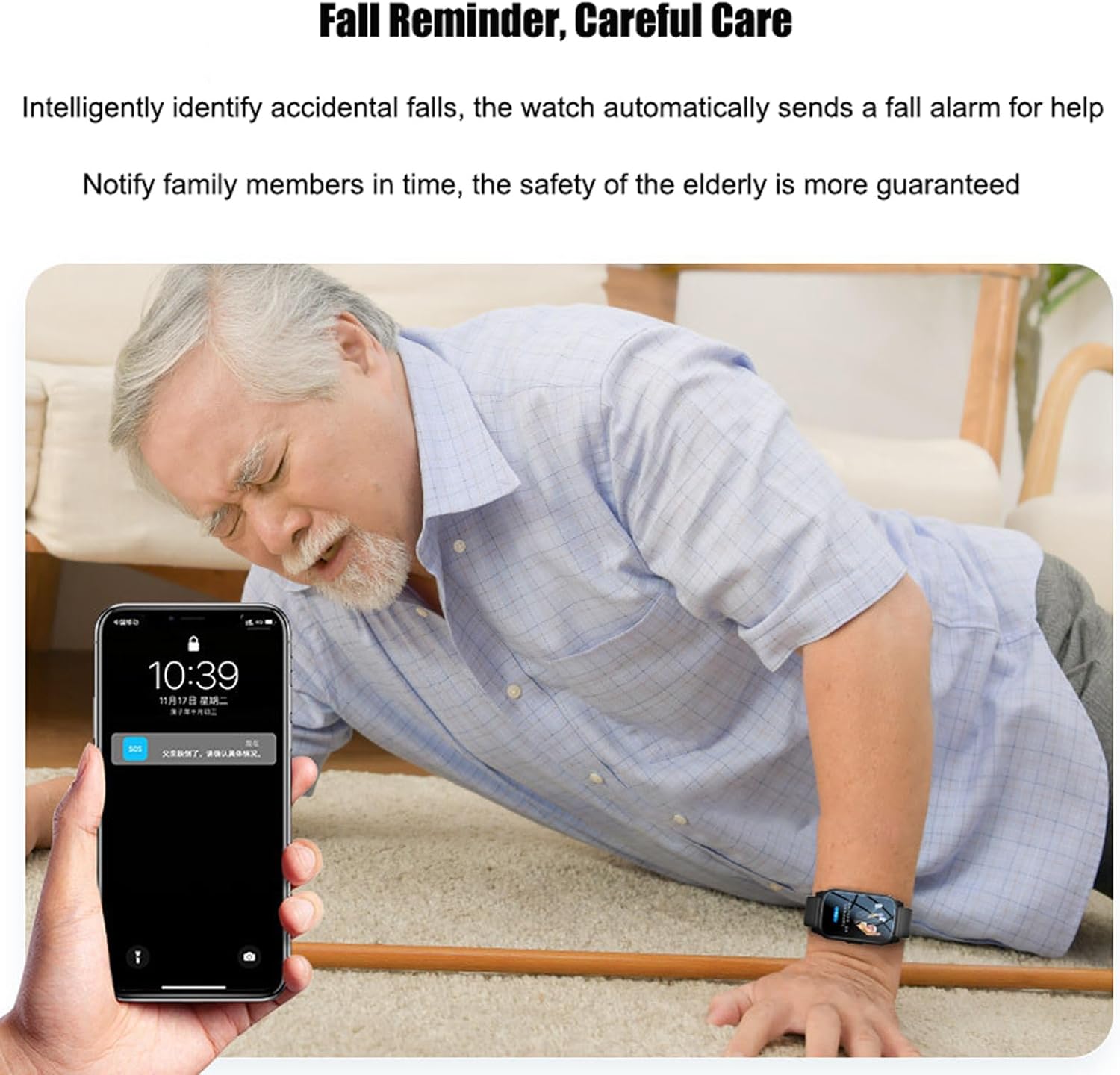
Image 4.1: The smartwatch provides fall detection and alerts.
4.3. Fall Detection
The smartwatch is equipped with intelligent fall detection technology.
- Automatic Alert: If an accidental fall is detected, the smartwatch automatically sends an alarm for help.
- Notification: Family members or designated contacts receive immediate notifications via the app.
4.4. GPS Positioning and Geofencing
The device uses multiple positioning technologies for accurate location tracking.
- Accurate Positioning: Supports GPS, Beidou, LBS, WIFI, and TDOA, providing positioning accuracy of 5-15 meters in open outdoor areas.
- Geofencing: Through the companion app, you can define safe zones (e.g., home, park). The app will send alerts when the wearer enters or exits these predefined areas.
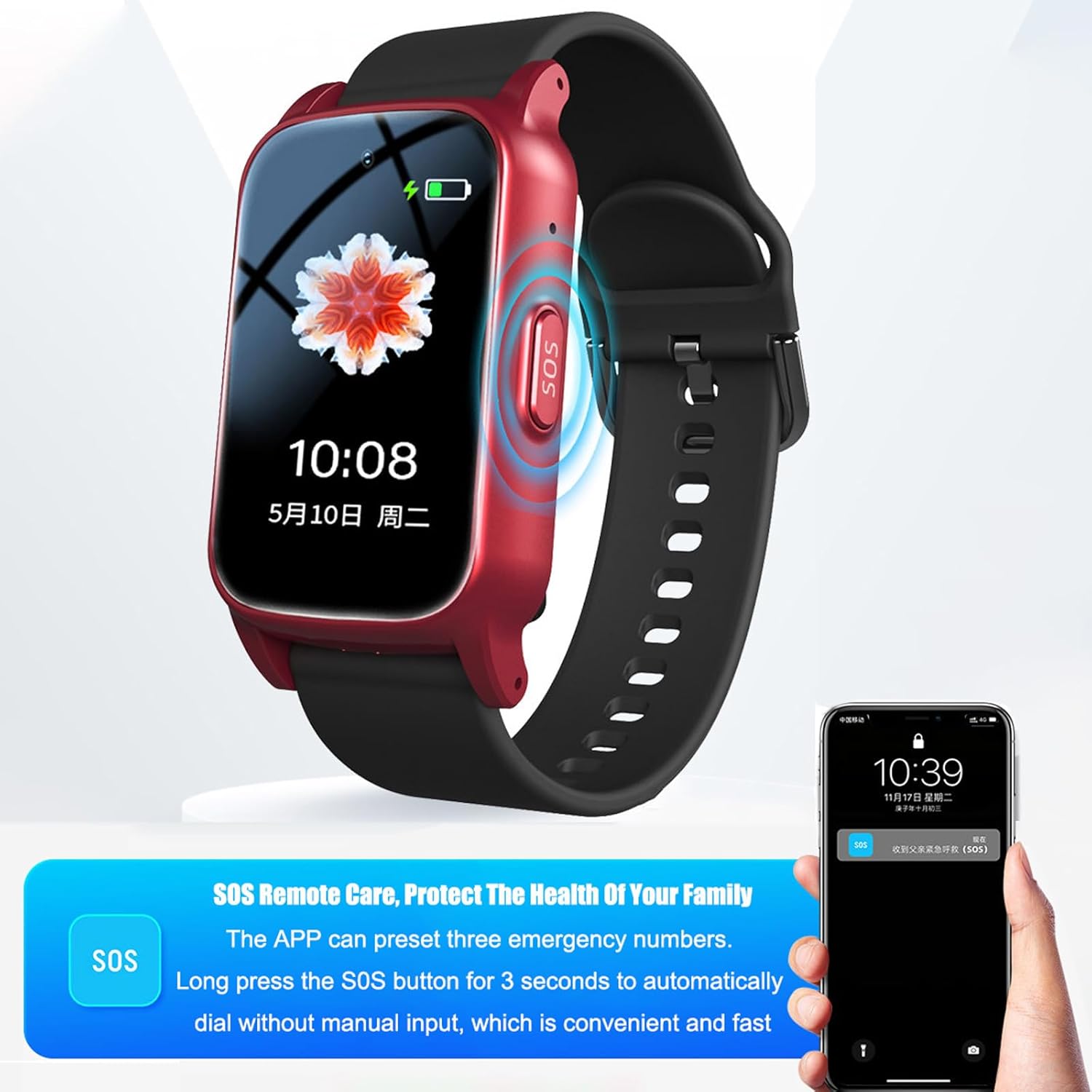
Image 4.2: The SOS button allows for quick emergency calls to pre-set contacts.
5. Communication Features
The Weyot SOS Smartwatch functions as a 4G emergency phone, enabling two-way communication.
5.1. Voice Calls
- Making Calls: Use the dialer on the smartwatch or select a contact from the address book (configured via the app) to initiate a call.
- Receiving Calls: Answer incoming calls directly from the smartwatch. The device supports HD voice calls with both vibration and ringing reminders.
- Automatic Answering: This feature can be enabled in the app for convenience.
- Reject Unknown Calls: The smartwatch can be configured to reject calls from numbers not in the contact list.
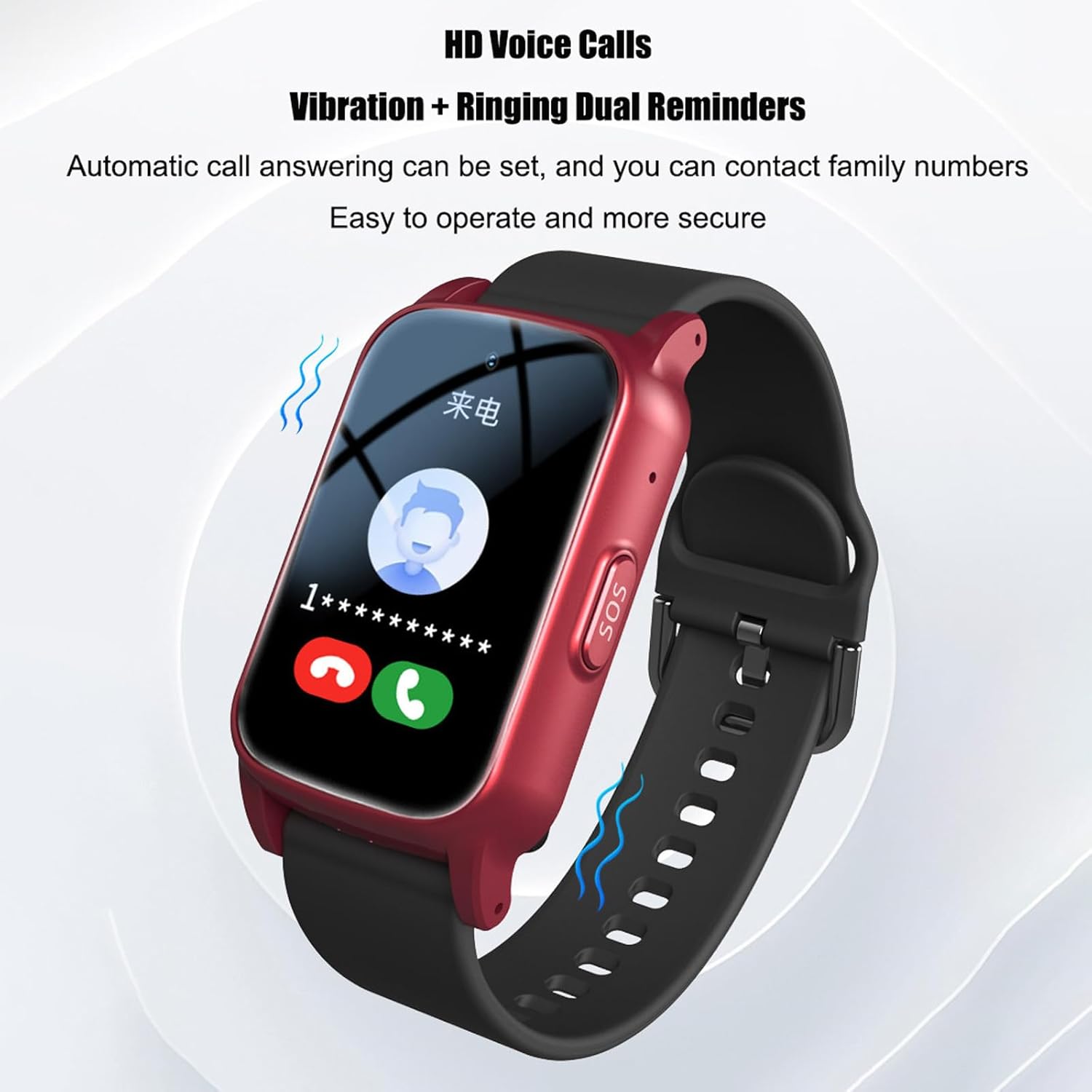
Image 5.1: The smartwatch supports HD voice calls with dual reminders.
5.2. Micro Chat Intercom
The micro chat intercom feature allows for quick voice messages between the smartwatch and the paired smartphone app.
- Sending Messages: Record and send short voice messages from the smartwatch.
- Receiving Messages: Listen to voice messages received from the app directly on the smartwatch.
5.3. HD Video Calls
The smartwatch features a built-in HD camera that supports real-time HD video calls, allowing visual communication with family members.
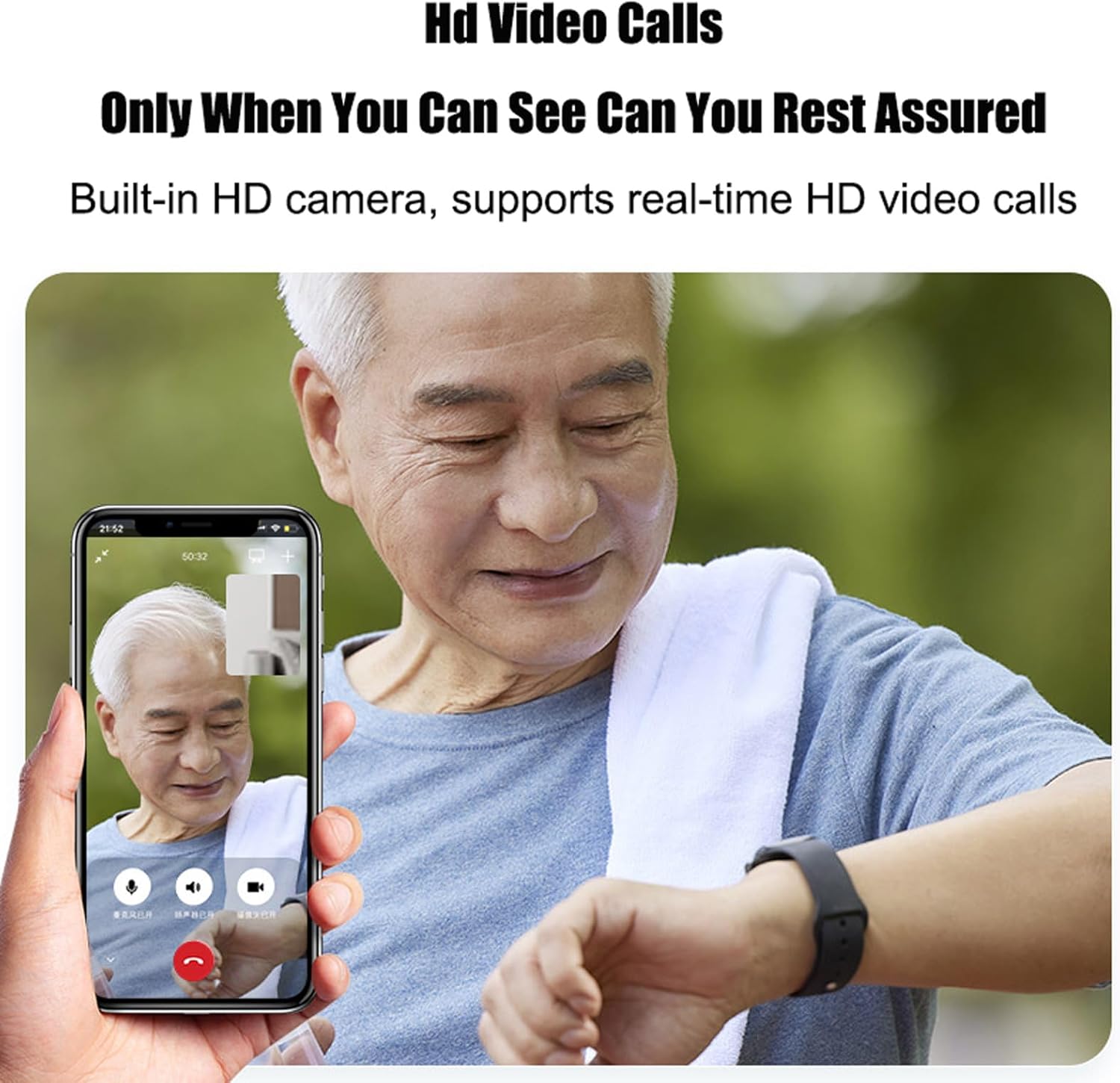
Image 5.2: The smartwatch supports HD video calls for visual communication.
6. Maintenance
6.1. Water Resistance
The smartwatch has an IP67 water resistance rating. This means it is protected against dust and can withstand immersion in water up to 1 meter for up to 30 minutes. It is suitable for daily activities like washing hands or light rain.
- Do NOT wear the smartwatch while swimming, showering, or in a sauna.
- Avoid exposing the device to hot water or steam.
- If the watch gets wet, dry it thoroughly with a soft cloth before charging or using buttons.
6.2. Cleaning
- Clean the smartwatch and strap regularly with a soft, dry, lint-free cloth.
- Avoid using harsh chemicals, abrasive cleaners, or solvents, as these can damage the device.
6.3. Battery Care
- To prolong battery life, avoid fully discharging the battery frequently.
- Charge the device regularly, even if not in constant use.
- Avoid exposing the smartwatch to extreme temperatures (hot or cold), as this can degrade battery performance.
7. Troubleshooting
7.1. "No SIM" Error or No Network Connection
- Check SIM Card: Ensure the Nano SIM card is correctly inserted into the slot and has clicked into place.
- SIM Activation: Verify that the SIM card is active and has a valid 4G data plan from your mobile carrier.
- Restart Device: Power off the smartwatch, wait a few seconds, and then power it back on.
- Network Coverage: Ensure you are in an area with good 4G network coverage.
7.2. GPS Positioning Inaccurate or Not Working
- Outdoor Use: GPS works best in open outdoor environments with a clear view of the sky. Positioning may be less accurate indoors or in dense urban areas.
- App Settings: Check the location service settings within the companion app to ensure they are enabled and configured correctly.
- Network Connection: Ensure the smartwatch has a stable 4G network connection, as LBS and WIFI positioning also rely on network data.
7.3. Battery Not Holding Charge or Draining Quickly
- Charging Cable/Adapter: Verify that the charging cable and USB power adapter are functioning correctly. Try using a different compatible charger.
- Charging Port: Ensure the charging port on the smartwatch is clean and free of debris.
- Background Apps/Features: Excessive use of features like video calls, frequent GPS updates, or high screen brightness can drain the battery faster. Adjust settings in the app to optimize battery life.
- Contact Support: If the issue persists after checking these points, contact customer support.
7.4. General Device Unresponsiveness
- Restart: Perform a soft reset by powering off and then powering on the device.
- Factory Reset: If issues persist, a factory reset may be necessary (this will erase all data on the watch). Consult the app or support for instructions on how to perform a factory reset.
8. Specifications
| Feature | Detail |
|---|---|
| Model Number | 7066241936358 |
| Brand | Weyot |
| Operating System | Wear OS |
| Connectivity Technology | Bluetooth, Cellular (4G), Wi-Fi |
| GPS | Integrated GPS, BeiDou support |
| Special Features | SOS Button, Fall Detection, Geofencing, Temperature Measurement, IP67 Waterproof |
| Battery Capacity | 600 mAh |
| Estimated Usage Time | Approximately 5 days |
| Water Resistance Level | IP67 (1 Meter depth) |
| Strap Material | Silicone |
| Color | Black |
| User Interface | Touchscreen |
| Screen Resolution | 320 x 320 |
| Working Temperature | -20°C ~ +45°C |
| Working Humidity | 5% ~ 95% RH |
| Machine Size | 32 x 14.5 x 56.5 mm (including strap length 258 mm) |
| Net Weight | 42g |

Image 8.1: Physical dimensions and key technical specifications of the smartwatch.
9. Warranty and Support
9.1. Warranty Information
The Weyot SOS Smartwatch comes with a lifetime warranty.
9.2. Customer Support
For any questions, technical assistance, or issues encountered during the use of your Weyot SOS Smartwatch, please contact customer support. Refer to the product packaging or the companion application for specific contact details.