
Fudajo 65291
Fudajo Self-Cleaning Cat Litter Box 76L
Model: 65291
Brand: Fudajo
1. Introduction
The Fudajo Self-Cleaning Cat Litter Box offers an advanced solution for maintaining a hygienic environment for your feline companion. With its large 76L capacity and 13L waste bin, it minimizes the need for frequent manual intervention. This device supports both automatic and manual operation modes, controllable via a dedicated mobile application or an intuitive touchscreen panel.

Image: The Fudajo Self-Cleaning Cat Litter Box, showcasing its sleek design and front entrance.
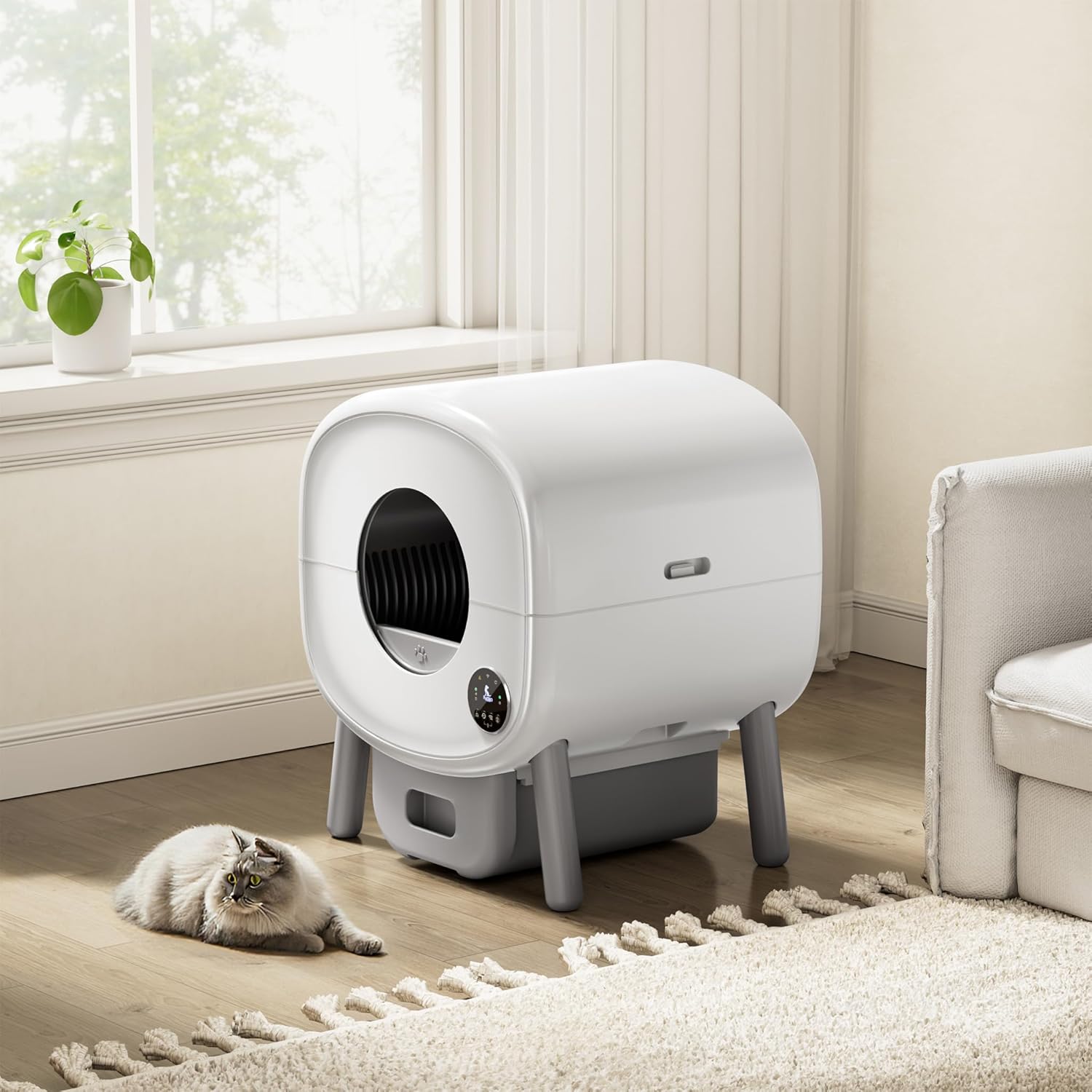
Image: The litter box integrated into a modern home environment, with a cat resting nearby.
2. Safety Information
Your safety and the safety of your pet are paramount. Please read and understand all safety instructions before operating the device.
- Advanced Safety System: The litter box is equipped with an anti-trap protection system and an automatic stop function that activates if the cat enters during operation. This safety system ensures the animal is protected at all times, reducing the risk of accidents and providing peace of mind.
- Keep the device on a stable, level surface.
- Do not immerse the unit in water or expose it to excessive moisture.
- Ensure the power cord is not damaged or pinched.
- Keep children and unauthorized persons away from the device during operation.
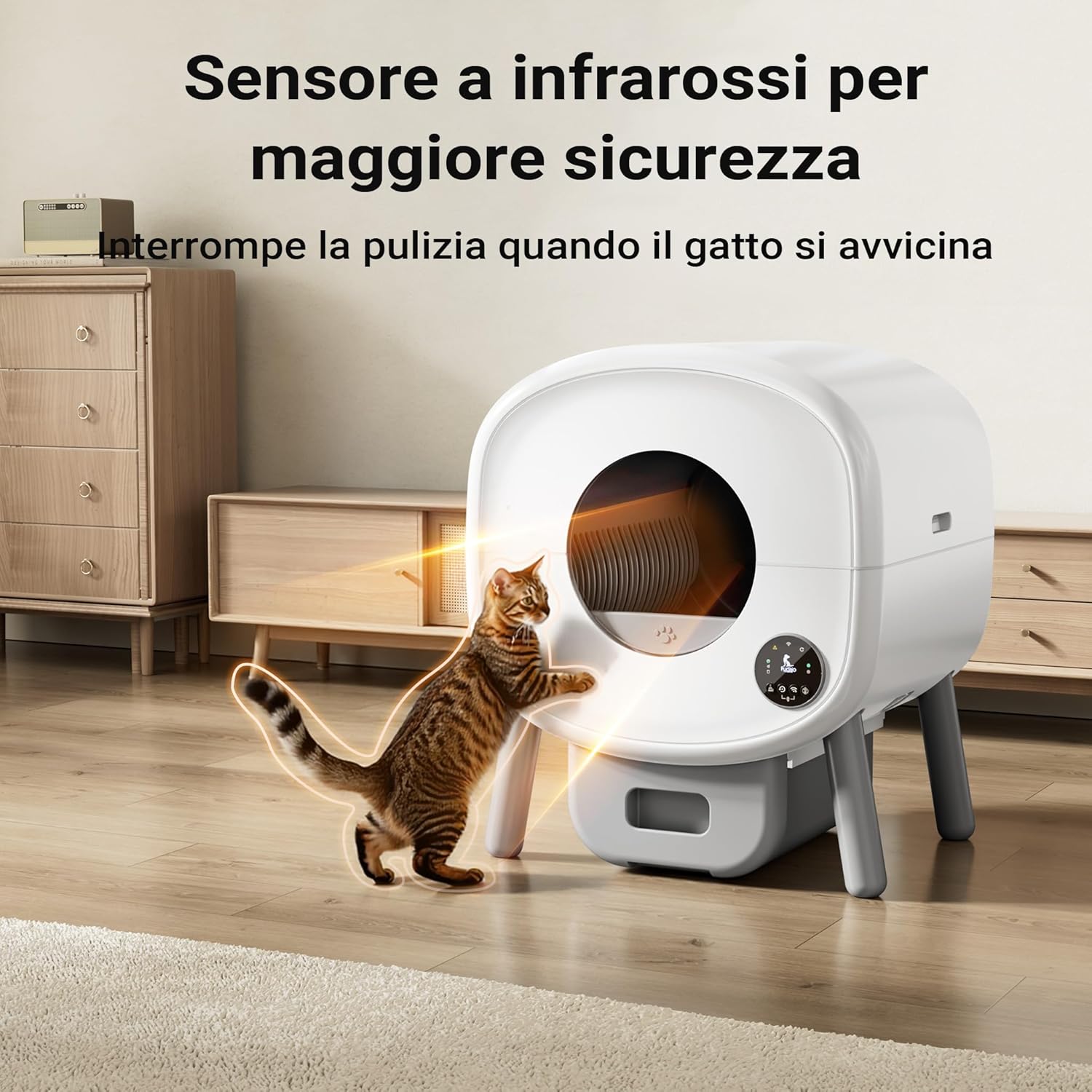
Image: The infrared sensor system, designed to detect cat presence and ensure safety during operation.
3. Components Overview
Familiarize yourself with the main components of your Fudajo Self-Cleaning Cat Litter Box:
- Main Unit: The primary housing containing the rotating drum and control mechanisms.
- Waste Bin: A removable drawer located at the bottom for collecting waste.
- Control Panel: An intuitive touchscreen interface on the front for manual operation and settings.
- Power Adapter: For connecting the unit to an electrical outlet.
- Rotating Drum: The internal component that sifts and separates waste from clean litter.
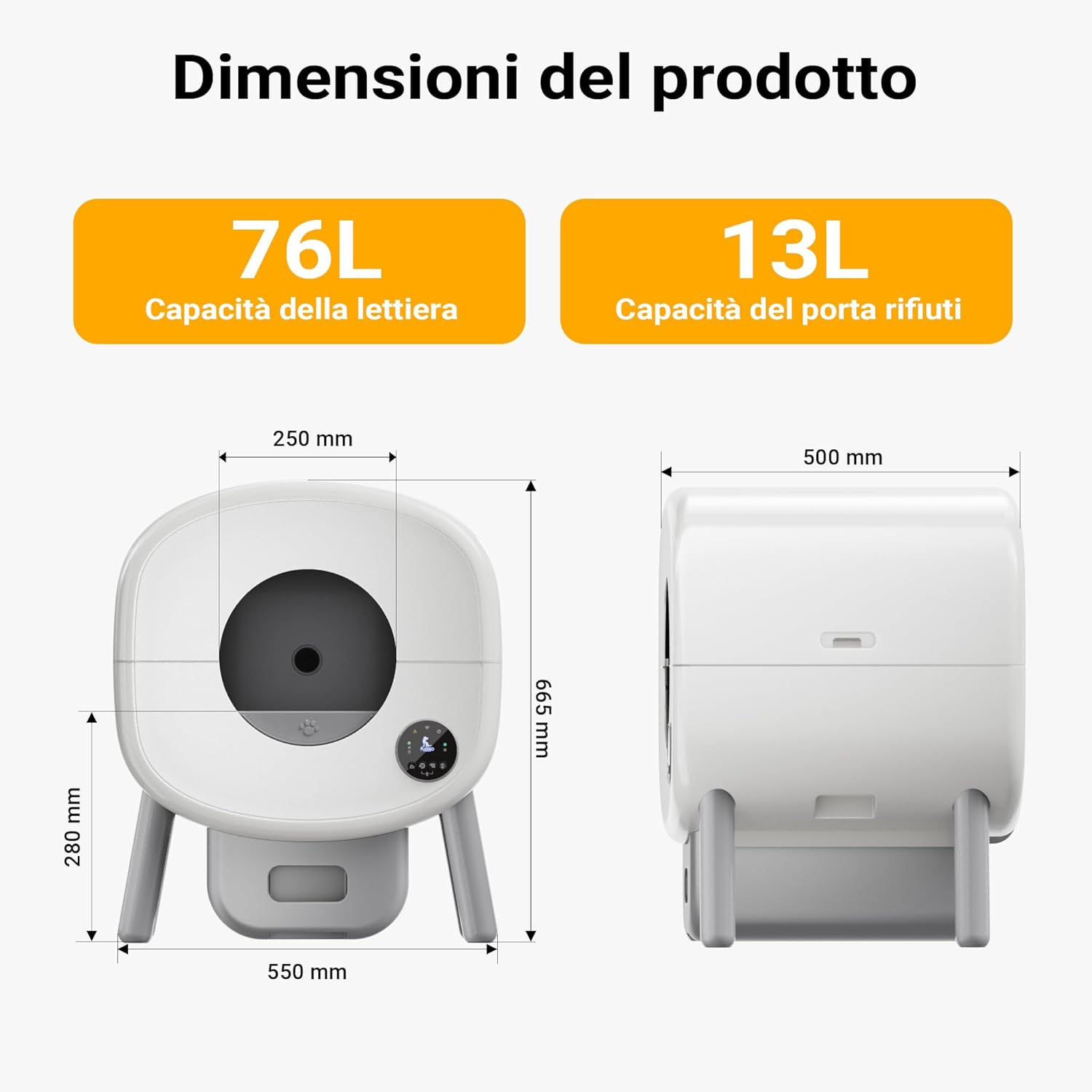
Image: Detailed product dimensions, illustrating the overall size and key measurements of the litter box.

Image: The litter box showing the manual cleaning option, highlighting its versatility.
4. Setup Guide
- Unpack the Unit: Carefully remove all components from the packaging. Retain packaging for future transport or storage.
- Placement: Place the litter box on a firm, level surface in a dry area, away from direct sunlight or heat sources. Ensure there is enough space around the unit for proper ventilation and access.
- Install Waste Bag: Pull out the waste bin drawer from the bottom of the unit. Line the waste bin with a suitable litter bag. Push the drawer back into place until it clicks securely.
- Add Cat Litter: Open the top lid or access panel (if applicable) and pour clumping cat litter into the rotating drum. Do not exceed the MAX fill line. The litter box has a capacity of up to 76 liters.
- Connect Power: Plug the power adapter into the designated port on the back of the unit, then plug the other end into a standard electrical outlet. The unit will power on and perform an initial calibration cycle.
5. Operating Instructions
5.1. Automatic Cleaning via App
The Fudajo litter box can be fully controlled and monitored through its dedicated mobile application. This allows for convenient remote management and real-time updates.
- Download the App: Search for the 'Fudajo Smart Pet' app (or similar, as specified in packaging) on your smartphone's app store (iOS/Android).
- Connect to Wi-Fi: Follow the in-app instructions to connect your litter box to your home Wi-Fi network.
- Automatic Cleaning: Once connected, the litter box will automatically detect when your cat uses it and initiate a cleaning cycle after a set delay. You can adjust this delay and other settings within the app.
- Remote Control: Manually initiate a cleaning cycle, empty the waste bin, or pause operation directly from the app, no matter where you are.
- Notifications & Tracking: Receive real-time notifications on cleaning status, waste bin levels, and track your cat's usage patterns, including weight (if sensor equipped) and frequency of use.

Image: The user-friendly mobile application interface, showing various control and monitoring options for the litter box.

Image: A close-up of the touchscreen control panel, detailing the functions for cleaning, reset, network configuration, and settings.
5.2. Manual Operation
For direct control, the litter box features an intuitive touchscreen panel:
- Clean Button: Press to initiate a manual cleaning cycle.
- Reset Button: Used for resetting the device or clearing certain errors.
- Network Configuration: For setting up or reconfiguring Wi-Fi connection.
- Settings: Access various device settings, such as cleaning delay or light preferences.
6. Maintenance
6.1. Emptying the Waste Bin
The 13-liter waste container offers sufficient space for prolonged use, reducing the frequency of emptying. The app will notify you when the bin is full.
- Pull out the waste bin drawer from the bottom of the unit.
- Carefully tie and remove the full litter bag.
- Insert a new litter bag and push the drawer back into place until it is securely closed.

Image: Visual guide demonstrating the simple steps for emptying and replacing the waste bag.
6.2. Odor Removal
The unit is designed with a closed waste container and includes a deodorizer to effectively neutralize unpleasant odors, ensuring a fresh environment.

Image: Illustration of the odor removal system, highlighting the sealed waste bin and deodorizer component.
6.3. General Cleaning
Periodically wipe down the exterior of the unit with a damp cloth. For deeper cleaning, refer to the app or specific instructions for disassembling the drum (if applicable).
7. Troubleshooting
If you encounter any issues with your Fudajo Self-Cleaning Cat Litter Box, please refer to the following common solutions:
- Unit Not Responding: Check if the power adapter is securely plugged into both the unit and the electrical outlet. Try a different outlet.
- Cleaning Cycle Not Starting: Ensure the waste bin is properly inserted. Check for any obstructions in the drum or entrance. Verify that the litter level is not too high.
- App Connectivity Issues: Ensure your home Wi-Fi network is active and the signal is strong. Restart the litter box and your router. Re-attempt the Wi-Fi setup process in the app.
- Unusual Noises: Check for any foreign objects inside the drum. Ensure the unit is on a stable, level surface.
- Odor Persists: Ensure the waste bin is sealed correctly and the deodorizer is active/replaced as needed.
For persistent issues, consult the in-app help section or contact Fudajo customer support.
8. Specifications
| Feature | Detail |
|---|---|
| Brand | Fudajo |
| Model | 65291 |
| Color | White |
| Material | Plastic |
| Product Dimensions | 66.5L x 66.5H cm |
| Litter Box Type | Self-Cleaning Litter Box |
| Litter Capacity | 76 Liters |
| Waste Bin Capacity | 13 Liters |
| Suitable Cat Weight | 1.5 kg to 12.5 kg |
| Noise Level (Operation) | Approx. 36 dB (usage) to 50 dB (cleaning) |
| Country of Origin | China |
| First Available Date | May 21, 2025 |

Image: The litter box is suitable for cats of various sizes, from small kittens to large adult cats, weighing between 1.5 kg and 12.5 kg.

Image: A graphic illustrating the quiet operation of the litter box, with noise levels ranging from 36 dB during use to 50 dB during cleaning.
9. Warranty and Support
Warranty Information: This product comes with a standard manufacturer's warranty. For detailed information regarding warranty coverage, terms, and conditions, please refer to the documentation included with your purchase or visit the official Fudajo website.
Returns Policy: If you wish to return a product within 30 days of receipt due to a change of mind, please consult the retailer's return policy. For defective or damaged products, please refer to the retailer's specific guidelines for such cases. For purchases made through a marketplace, consult their dedicated help pages for return and warranty procedures.
Customer Support: For technical assistance, troubleshooting, or any other inquiries, please contact Fudajo customer support through the contact information provided on the official website or within the product's mobile application.
Related documents65291


Ask a question about this manual
Ask about setup, troubleshooting, compatibility, parts, safety, or missing instructions. Manuals+ will review the question and use this page’s manual context to help answer it.