
Introduction
Thank you for choosing ARTIX CL750 USB C Wired Headphones. These headphones are designed to provide clear audio and reliable performance for a variety of USB-C compatible devices. This manual provides essential information for setting up, operating, maintaining, and troubleshooting your new headphones.
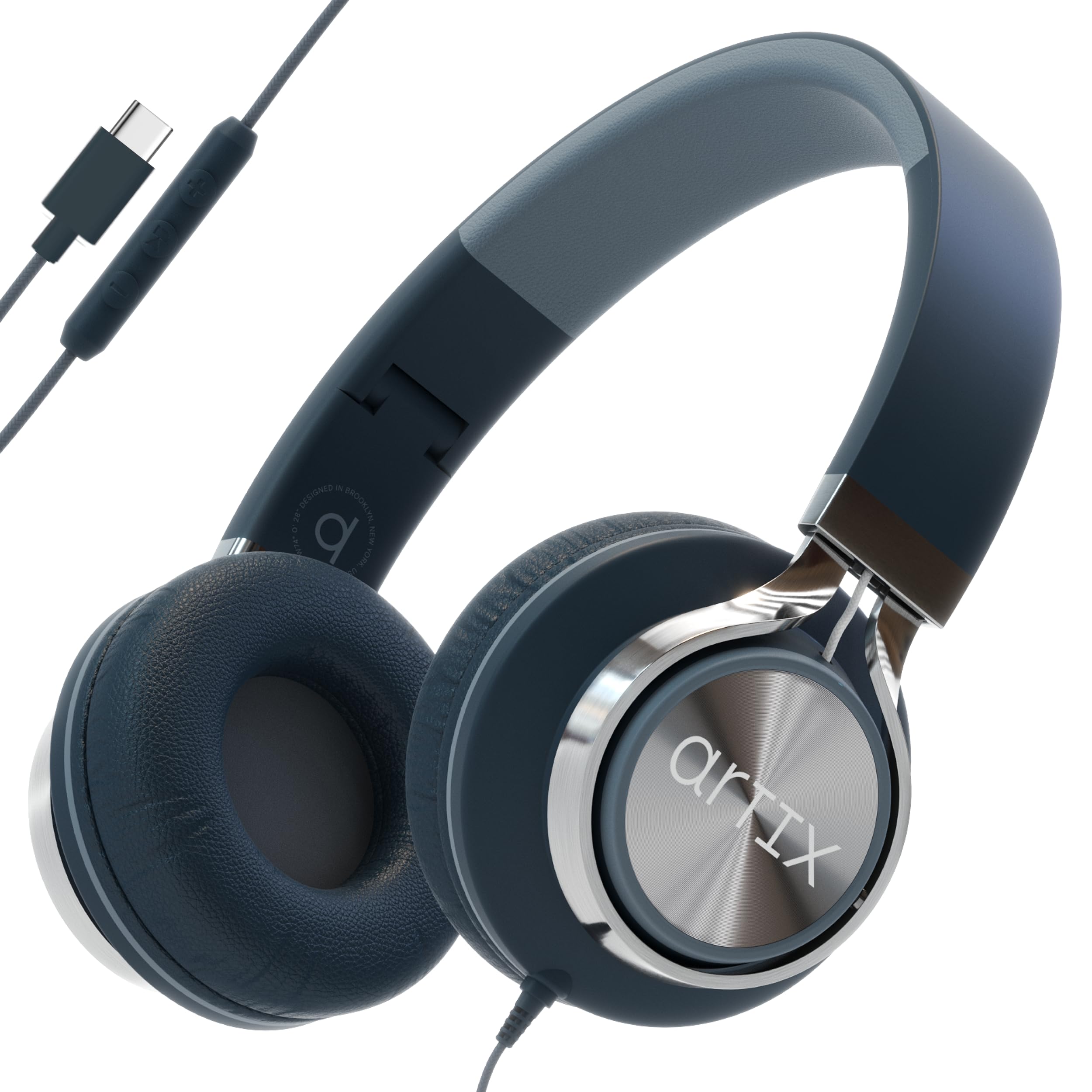
Image: ARTIX CL750 USB C Wired Headphones, Graphite color.
Key Features
- Plug-and-Play Compatibility: Designed for direct connection to USB-C devices without additional drivers or adapters.
- Integrated Microphone: Enables hands-free calls and voice commands.
- Inline Controls: Convenient access to volume adjustment and media playback.
- Noise Isolation: Passive noise isolation helps reduce ambient sound for focused listening.
- Foldable Design: Allows for compact storage and portability.
- Durable Cable: Fabric-wrapped, tangle-free cord for enhanced longevity and ease of use.
- Adjustable Headband: Ensures a comfortable fit for various head sizes.
Setup
The ARTIX CL750 USB C Wired Headphones are designed for simple plug-and-play operation. No software installation or battery charging is required.
- Identify USB-C Port: Locate the USB-C port on your device (smartphone, tablet, laptop, computer, or gaming device).
- Connect Headphones: Insert the USB-C connector of the headphones firmly into your device's USB-C port.
- Adjust Fit: Place the headphones on your ears and adjust the headband for a comfortable and secure fit.
- Begin Audio Playback: Once connected, your device should automatically recognize the headphones. You can now play audio or make calls.

Image: Compatibility overview for USB-C headphones, illustrating connection to various devices.
Operating Instructions
The ARTIX CL750 headphones feature an inline remote control for easy management of audio and calls.
- Volume Control: Use the '+' and '-' buttons on the inline remote to increase or decrease the audio volume.
- Play/Pause: Press the center button once to play or pause audio playback.
- Next Track: Double-press the center button to skip to the next audio track.
- Previous Track: Triple-press the center button to go back to the previous audio track.
- Answer/End Call: Press the center button once to answer an incoming call or end an active call.
- Reject Call: Press and hold the center button to reject an incoming call.
- Microphone Use: The built-in microphone automatically activates during calls or when using voice commands. Ensure the microphone is not obstructed for clear communication.

Image: Multifunctional inline remote with USB-C jack and microphone for hands-free control.
Audio Quality and Noise Isolation
The ARTIX CL750 headphones are engineered to deliver clear stereo sound with a balanced frequency response. The on-ear design provides passive noise isolation, which helps to reduce external distractions, allowing for a more immersive listening experience.

Image: Visual representation of quality stereo sound with Hi-Res Audio branding.

Image: Premium passive noise cancellation for seamless listening.
Maintenance
Proper care will extend the life and performance of your ARTIX CL750 headphones.
- Cleaning: Use a soft, dry cloth to wipe the earcups and headband. Avoid using harsh chemicals or abrasive materials.
- Storage: When not in use, fold the headphones for compact storage. Store them in a clean, dry place away from extreme temperatures and direct sunlight.
- Cable Care: The fabric-wrapped cable is designed to be tangle-free. Avoid sharp bends or excessive pulling on the cable to prevent damage.
- Moisture: Keep the headphones away from water and high humidity.

Image: Foldable and adjustable design for compact travel and storage.
Troubleshooting
If you encounter issues with your headphones, please refer to the following common solutions:
- No Sound:
- Ensure the USB-C connector is fully inserted into your device.
- Check your device's volume settings and ensure it is not muted.
- Test the headphones with another USB-C compatible device to rule out a device-specific issue.
- Microphone Not Working:
- Verify that the microphone is not obstructed.
- Check your device's privacy settings to ensure microphone access is granted to the application you are using.
- Ensure the headphones are fully plugged in.
- Volume Drops to Zero:
- This may indicate a connection issue or a fault with the inline remote. Try unplugging and re-plugging the headphones.
- Ensure there is no pressure on the volume down button.
- Test on another device to determine if the issue is with the headphones or the original device.
- Poor Sound Quality:
- Ensure the audio source is of good quality.
- Check for any damage to the cable or connector.
- Clean any debris from the headphone jack on your device.
Specifications
| Brand | ARTIX |
| Model Number | CL750 USB C |
| Color | Graphite |
| Ear Placement | On Ear |
| Impedance | 32 Ohms |
| Frequency Range | 20Hz - 20,000Hz |
| Connectivity Technology | Wired |
| Headphone Jack | USB-C |
| Item Weight | 0.26 Kilograms |
| Noise Control | Sound Isolation |
| Compatible Devices | Laptops, Desktops, Tablets, Smartphones (iPhone 15, 16, 17, Samsung, Android) |
| Additional Features | Tangle Free Cord, Noise Isolation, Microphone Included, Adjustable Headband, Inline Remote Control |
Warranty Information
ARTIX CL750 USB C Wired Headphones come with a 1-year warranty from the date of purchase. This warranty covers manufacturing defects and ensures the product is free from defects in material and workmanship under normal use. Please retain your proof of purchase for warranty claims.
Customer Support
For further assistance, technical support, or warranty inquiries, please contact ARTIX customer service through the retailer where the product was purchased or visit the official ARTIX brand store online. Please have your model number (CL750 USB C) and proof of purchase ready when contacting support.
You can find more information and support resources at the ARTIX Brand Store.