
1. Introduction
This manual provides essential information for the safe assembly, operation, and maintenance of your Umatoll Toddler Tricycle. Please read these instructions carefully before use and retain them for future reference. The Umatoll Tricycle is designed to provide a stable and engaging riding experience for toddlers, featuring durable construction and interactive elements.

Image 1.1: The Umatoll Toddler Tricycle, ready for use.
2. Safety Information
Your child's safety is paramount. Always supervise children while they are using the tricycle. Ensure all parts are securely fastened before each ride. This tricycle is intended for children aged 24 months and up. Do not use on public roads or near motor vehicles. Always wear appropriate safety gear, including a helmet.
3. What's in the Box
Carefully unpack all components and verify that all items are present:
- Tricycle Frame (main body)
- Front Wheel Assembly (with fork and pedals)
- Rear Wheel Assembly (with two wheels)
- Handlebars
- Adjustable Seat
- Front Basket
- Rear Basket
- Assembly Manual (this document)

Image 3.1: All parts included in the Umatoll Tricycle package.
4. Assembly Instructions
The Umatoll Tricycle is designed for quick and easy assembly without the need for complex tools. Follow these steps to assemble your tricycle:
- Attach the Front Wheel Assembly: Insert the front wheel fork into the main frame until it clicks securely into place. Ensure the pedals are facing forward.
- Attach the Rear Wheel Assembly: Connect the rear axle with its two wheels to the back of the main frame. Listen for a click to confirm it is locked.
- Install the Handlebars: Slide the handlebars into the top of the front fork stem. Ensure they are aligned and securely fastened.
- Mount the Seat: Place the adjustable seat onto the designated mounting points on the frame. Secure it with the provided fasteners.
- Attach Baskets: Clip the front basket onto the handlebars and the rear basket onto its position at the back of the tricycle.
For a visual guide, please refer to the official assembly video below:
Video 4.1: Official Umatoll Tricycle Assembly Guide. This video demonstrates the step-by-step process of assembling the tricycle, including attaching the wheels, handlebars, seat, and baskets.

Image 4.2: Attaching the front wheel assembly during setup.
5. Features and Operation
5.1 Adjustable Seat
The tricycle features a 3-position adjustable seat to accommodate your child's growth. To adjust the seat, locate the adjustment mechanism beneath the seat, release it, slide the seat to the desired position, and secure it firmly. This ensures a comfortable and ergonomic fit as your child learns to pedal and steer.
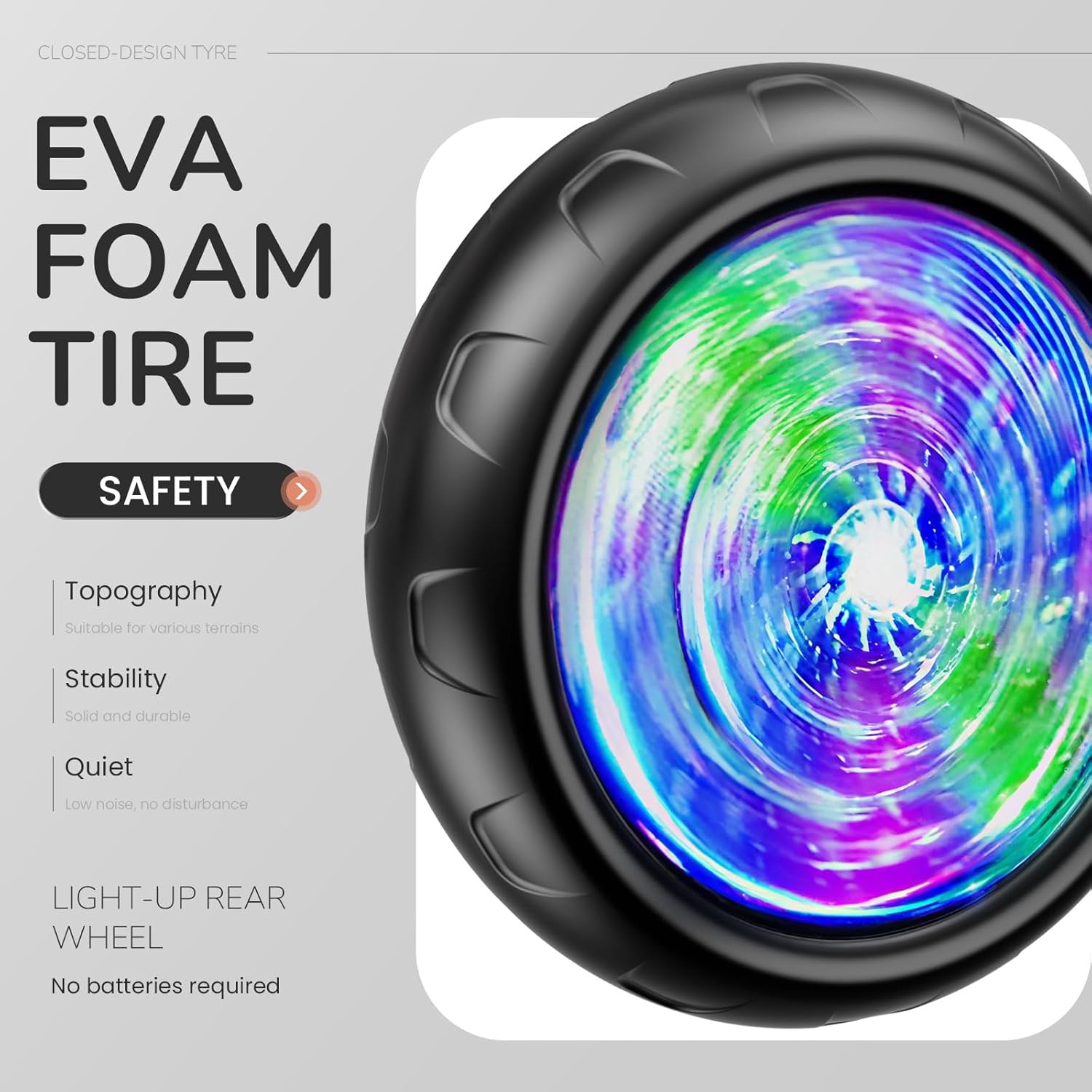
Image 5.1: Illustrates the three adjustable positions of the tricycle seat.
5.2 Light-Up Rear Wheels
The rear wheels are equipped with motion-activated LED lights that illuminate as the tricycle moves. No batteries are required for this feature, as the lights are powered by kinetic energy generated during rotation. This adds an element of fun and enhances visibility during play.

Image 5.2: The light-up rear wheel feature in action.
5.3 Dual Storage Baskets
The tricycle includes both a front and a rear basket. The front basket is ideal for small items like snacks or a water bottle, keeping them within easy reach. The rear basket provides additional storage for toys or other treasures your child may wish to carry during their adventures.

Image 5.3: Front and rear baskets for carrying items.
5.4 Durable and Stable Design
Constructed from high-quality carbon steel, the tricycle offers a robust and long-lasting structure. The extended rear wheels and wide wheelbase are engineered to prevent tipping, providing a stable and secure ride for your child. Non-slip handles and anti-slip footrests further enhance safety and control.
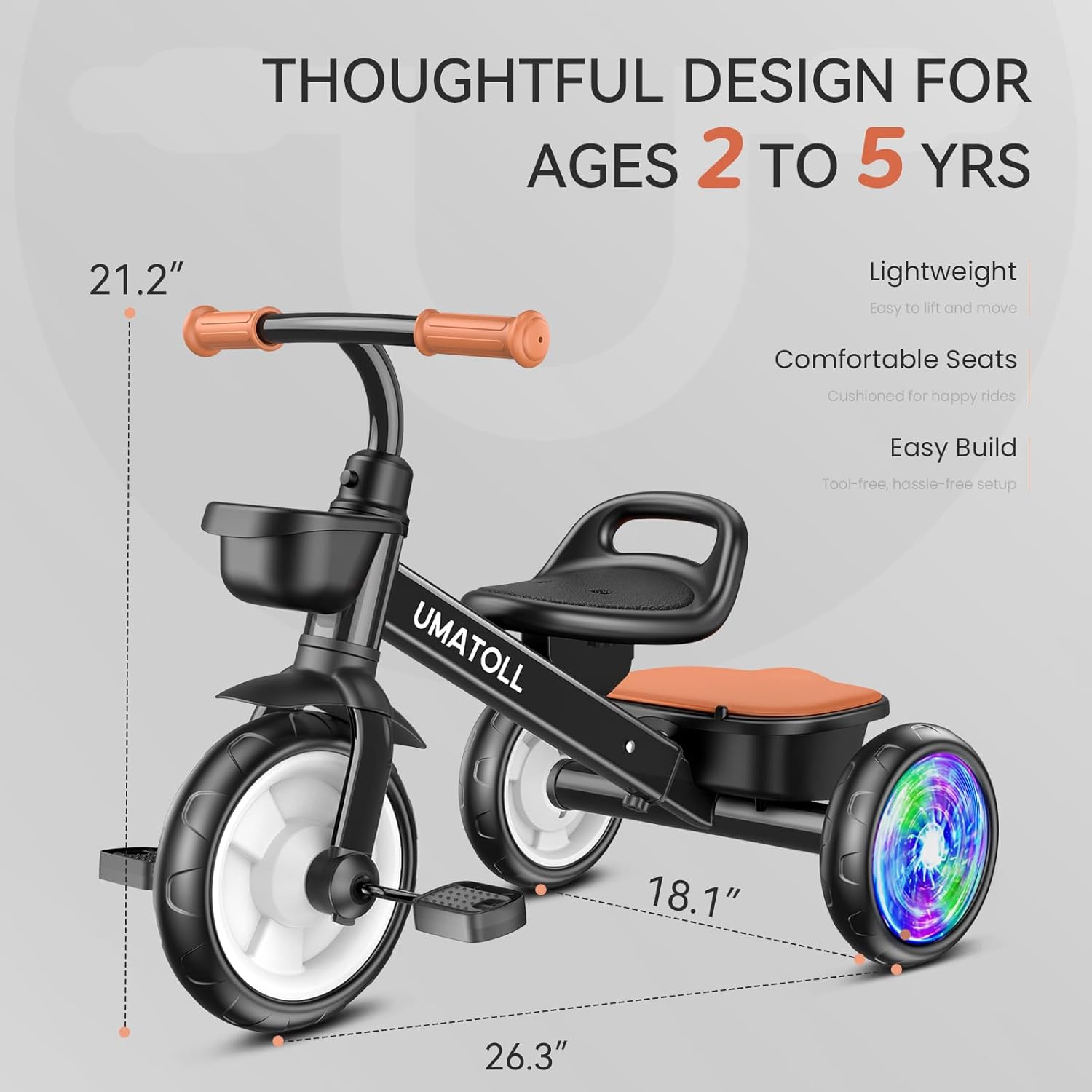
Image 5.4: Key design elements for durability and safety.
6. Maintenance
Regular maintenance ensures the longevity and safe operation of your Umatoll Tricycle:
- Cleaning: Wipe down the tricycle with a damp cloth and mild soap as needed. Avoid harsh chemicals.
- Inspection: Periodically check all screws, bolts, and connections to ensure they are tight. Inspect wheels and tires for wear or damage.
- Storage: Store the tricycle in a dry, covered area to protect it from weather elements.
7. Troubleshooting
If you encounter any issues with your Umatoll Tricycle, consider the following common solutions:
- Loose Parts: If any part feels wobbly, check the connections and tighten any loose screws or bolts.
- Wheels Not Spinning Freely: Ensure no debris is caught in the wheel axles. Check for proper assembly of the wheels.
- Light-Up Wheels Not Working: The lights are motion-activated. Ensure the wheels are spinning at a sufficient speed. If the issue persists, contact customer support.
For persistent problems, please refer to the contact information in the Support section.
8. Specifications
| Feature | Detail |
|---|---|
| Product Dimensions | 26.38 x 18.11 x 21.26 inches |
| Item Weight | 9.59 pounds |
| Recommended Age | 24 months and up |
| Material | Carbon Steel Frame |
| Wheel Type | EVA Foam Tires with Light-Up Rear Wheels |

Image 8.1: Tricycle dimensions for reference.
9. Warranty and Support
Umatoll products are designed for quality and durability. For any questions, concerns, or warranty claims, please contact Umatoll customer support through the retailer where the product was purchased or visit the official Umatoll website. Please retain your proof of purchase for warranty purposes.

