
1. Introduction
Thank you for choosing the CYCLAMI A2S Electric Mini Bike Pump. This compact and portable pump is designed for efficient and precise tire inflation for various bicycles, featuring a digital manometer and automatic stop function. Please read this manual carefully before use to ensure proper operation and to maximize the lifespan of your device.
2. Package Contents
Verify that all items are present in your package:
- 1 x CYCLAMI A2S Electric Mini Bike Pump
- 1 x Silicone Protective Cover
- 1 x Schrader Valve Adapter
- 1 x Presta Valve Adapter
- 1 x Ball Needle Adapter
- 1 x Inflatable Hose (Schrader compatible)
- 1 x USB Type-C Charging Cable

Image 2.1: Contents of the CYCLAMI A2S package, including the pump, silicone cover, various valve adapters, ball needle, hose, and USB-C cable.
3. Product Features
- Compact and Portable: Weighs only 136g and measures 7.6 x 4.5 x 2.8 cm, making it easy to carry and store.
- Digital Manometer: Equipped with a professional LED digital manometer displaying real-time pressure with an accuracy of ±1 PSI. Supports PSI and Bar units.
- Fast Inflation: Inflates from 0 to 80 PSI in approximately 50 seconds, with a maximum air pressure of 120 PSI.
- Automatic Stop: Automatically stops inflation once the preset pressure is reached, preventing over-inflation.
- Dual Valve Compatibility: Compatible with both Schrader and Presta valves (2-in-1 design).
- Rechargeable Battery: 500mAh battery, capable of inflating up to 6 tires on a full charge.
- USB Type-C Charging: Quick charging, full in approximately 45 minutes.
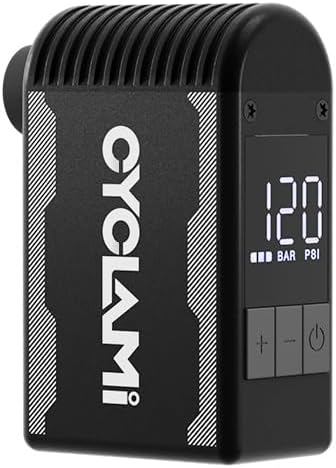
Image 3.1: The CYCLAMI A2S Electric Mini Bike Pump, showcasing its compact design and digital display.

Image 3.2: The pump held in a hand, illustrating its compact and lightweight design (approx. 136g) for easy portability.
4. Safety Information
- The pump may become hot during prolonged use. Handle with caution.
- The pump produces a certain level of noise (over 80dB). Use in appropriate environments.
- Do not leave the pump unattended while operating.
- Keep out of reach of children.
- Do not expose to water or extreme temperatures.
- Ensure the correct pressure is set for your tire to avoid over-inflation and potential damage or injury. Refer to your tire's sidewall for recommended pressure.
5. Setup
5.1 Charging the Pump
- Connect the provided USB Type-C cable to the charging port on the pump.
- Connect the other end of the cable to a USB power source (e.g., wall adapter, power bank, computer).
- The LED display will indicate charging status. A full charge takes approximately 45 minutes.

Image 5.1: The CYCLAMI A2S pump being charged via its USB Type-C port, indicating a full charge in 45 minutes.
5.2 Attaching the Valve Adapter
The pump is compatible with both Schrader (AV) and Presta (FV) valves. The inflatable hose is primarily for Schrader valves, and a separate adapter is provided for Presta valves.
- For Schrader Valves: Directly screw the inflatable hose onto the pump's output port, then firmly attach the other end of the hose to the tire's Schrader valve.
- For Presta Valves: First, screw the Presta adapter onto the tire's Presta valve. Then, attach the inflatable hose to the Presta adapter.

Image 5.2: The pump connected to a tire valve using the extension hose for stable inflation.
6. Operating Instructions
6.1 Power On/Off
- Press and hold the power button (⏻) to turn the pump on or off.
6.2 Setting Desired Pressure
- Once powered on, the digital display will show the current tire pressure.
- Use the '+' and '-' buttons to adjust the target pressure. The display will show the preset value.
- Refer to your tire's sidewall for the recommended pressure range.
6.3 Starting and Stopping Inflation
- After setting the desired pressure, press the power button (⏻) to start inflation.
- The pump will automatically stop once the preset pressure is reached.
- To manually stop inflation at any time, press the power button (⏻) again.
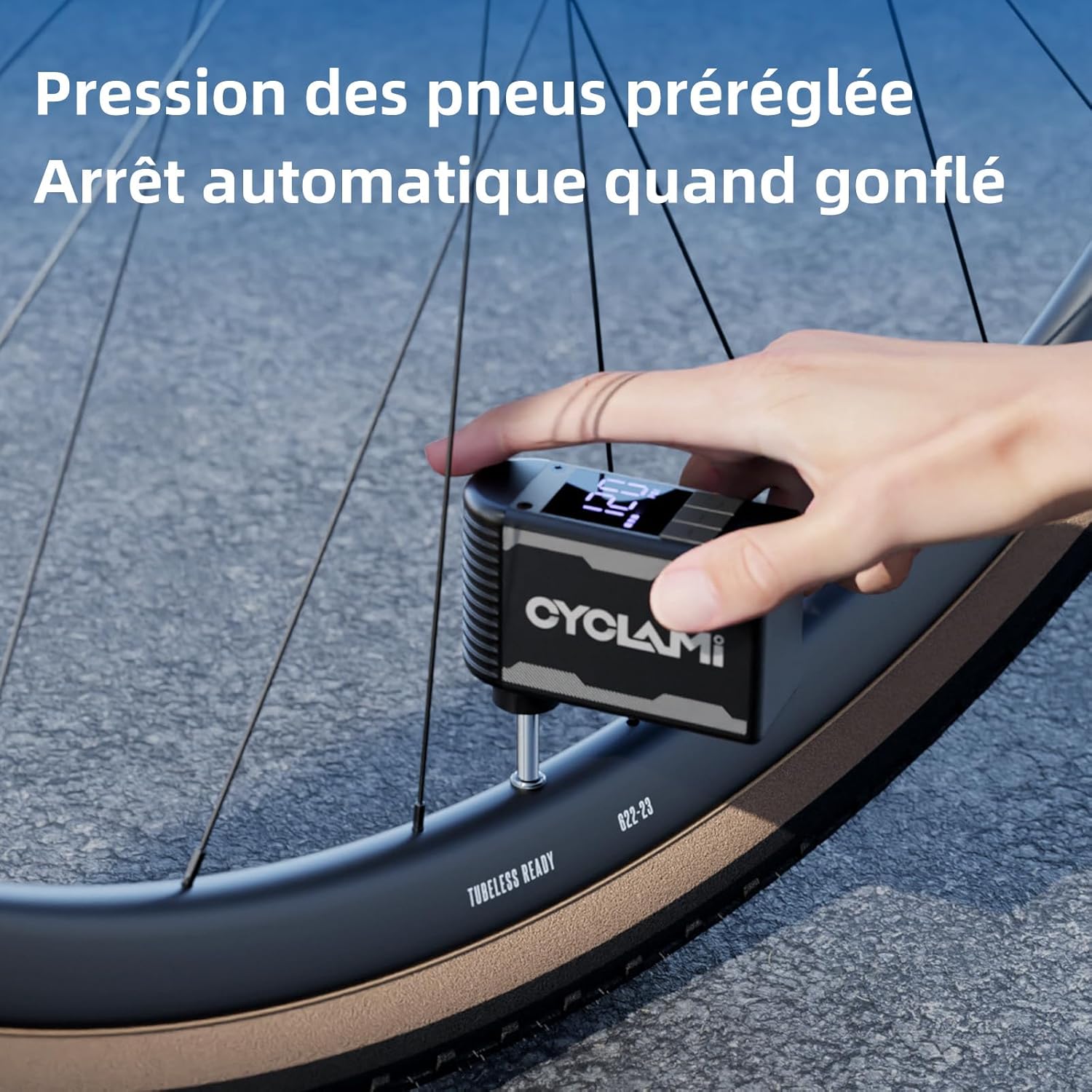
Image 6.1: The pump in operation, inflating a tire to a preset pressure, with the digital display showing the current status.
7. Maintenance
- Cleaning: Wipe the pump with a soft, dry cloth. Do not use harsh chemicals or immerse in water.
- Storage: Store the pump in a cool, dry place away from direct sunlight and extreme temperatures.
- Battery Care: For optimal battery life, charge the pump fully before long-term storage and recharge every 3-6 months if not in use.
8. Troubleshooting
| Problem | Possible Cause | Solution |
|---|---|---|
| Pump does not turn on | Low battery; Power button not pressed correctly | Charge the pump; Press and hold the power button for 2-3 seconds |
| Pump inflates slowly or not at all | Valve not properly connected; Hose leak; Obstruction | Ensure secure connection; Check hose for damage; Inspect valve for debris |
| Pump gets hot during use | Normal operation during prolonged use | Allow pump to cool down between uses; Use the silicone protective cover |
| Inaccurate pressure reading | Valve connection not secure; Sensor issue | Ensure secure connection; Contact customer support if issue persists |
9. Specifications
- Model: A2S
- Brand: CYCLAMI
- Material: Aluminum
- Color: Black
- Dimensions: 7.6 x 4.5 x 2.8 cm (approx.)
- Weight: 136 grams (approx.)
- Max Pressure: 120 PSI
- Battery Capacity: 500mAh
- Charging Port: USB Type-C
- Power Source: Battery Powered

Image 9.1: Dimensions of the mini pump, highlighting its compact size.
10. Warranty and Support
For warranty information or technical support, please refer to the product packaging or contact CYCLAMI customer service directly through their official website or the retailer where the product was purchased. Keep your purchase receipt as proof of purchase.


