
DEVAISE ASJZ022
DEVAISE 48 Inch Electric Standing Desk Instruction Manual
Model: ASJZ022
Introduction
Thank you for choosing the DEVAISE 48 Inch Electric Standing Desk. This manual provides essential information for the safe and efficient assembly, operation, and maintenance of your new adjustable height desk. Please read these instructions thoroughly before use and retain them for future reference.
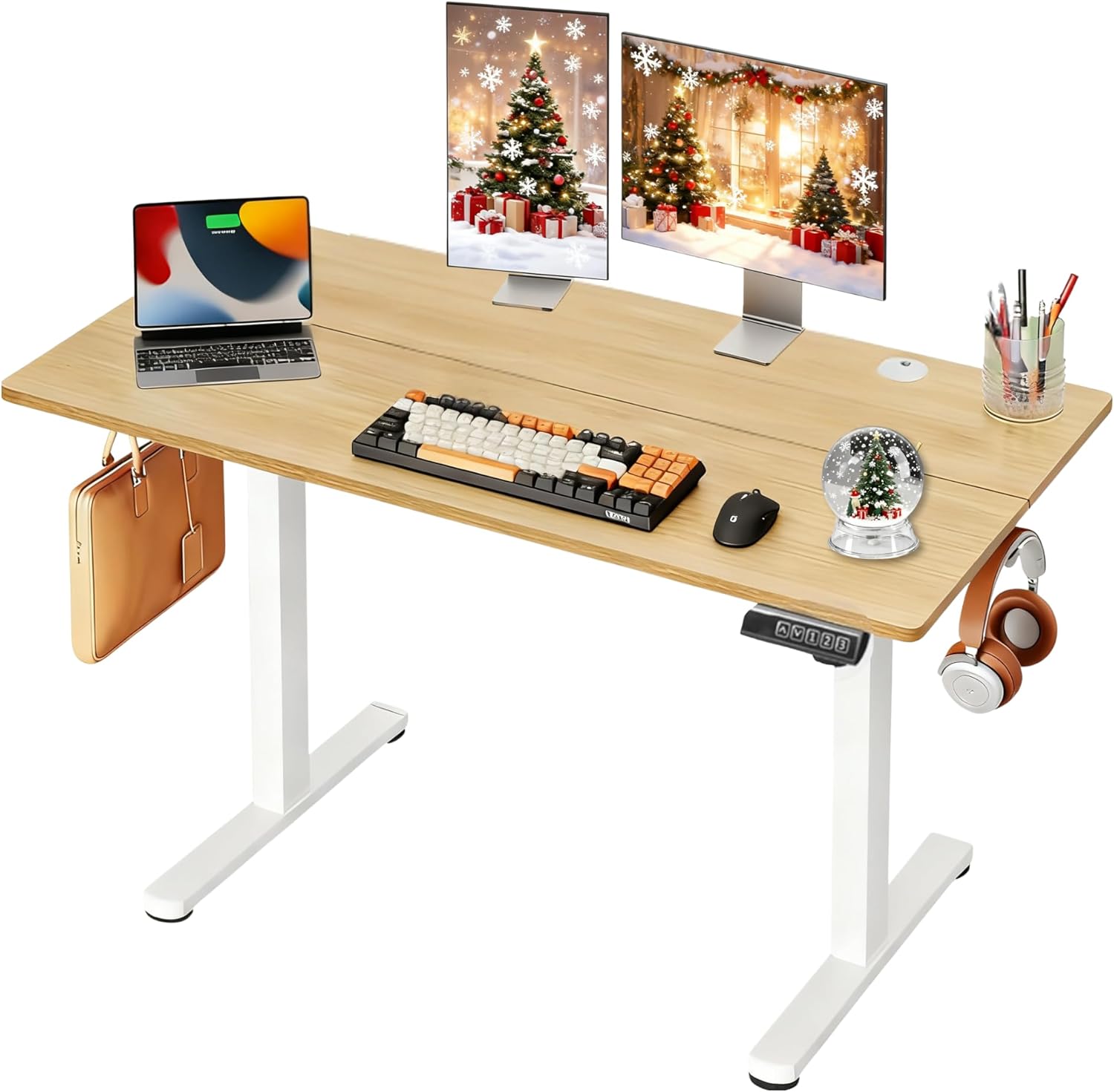
Image: The DEVAISE 48 Inch Electric Standing Desk, showcasing its spacious maple desktop and white frame, equipped for a modern workspace.
Important Safety Information
To ensure safe operation and prevent damage, please observe the following:
- The desk has a maximum weight recommendation of 180 pounds. Do not exceed this limit.
- Ensure all components are securely fastened before use.
- Keep children and pets away from the desk during height adjustments.
- Avoid placing liquids directly on the control panel or near electrical components.
- The desk features an anti-collision mechanism. However, always ensure a clear path during movement to prevent injury or damage.
Setup and Assembly
The DEVAISE Electric Standing Desk is designed for straightforward assembly with pre-drilled screw holes and clearly labeled parts. An average assembly time is approximately 15 minutes.
Assembly Steps Overview
- Unpack Components: Carefully remove all parts from the packaging. Verify all components are present against the parts list in the included manual.
- Assemble the Frame: Attach the crossbar to the lifting columns using the provided screws and tools.
- Install Feet: Secure the desk feet to the bottom of the lifting columns.
- Connect Drive Rod: Insert and secure the drive rod between the two lifting columns to synchronize movement.
- Attach Desktop: Carefully place the desktop onto the assembled frame, aligning the pre-drilled holes. Secure the desktop with the provided screws.
- Connect Control Panel and Power: Attach the LED touchscreen control panel and connect all necessary power cables to the motor and power adapter.
- Final Touches: Install the headphone hook and cable management grommets.

Image: Visual guide illustrating the streamlined assembly process with pre-labeled parts.
Assembly Video Guides
For a detailed visual walkthrough of the assembly process, please refer to the official installation videos:
Video: DEVAISE Electric Standing Desk Detailed Installation Guide (Duration: 0:54). This video provides a step-by-step visual guide to assembling your desk.
Video: DEVAISE Detailed Installation Guide of Standing Desk (Duration: 3:13). A more comprehensive video demonstrating the full assembly process.
Operating Instructions
Your DEVAISE Electric Standing Desk features an intuitive LED touchscreen control panel for effortless height adjustments.
Control Panel Functions

Image: The multi-function control panel with LED display, up/down arrows, and memory preset buttons.
- Up/Down Arrows: Press and hold the Up or Down arrow buttons to manually adjust the desk height. The LED display will show the current height in real-time.
- Memory Presets (1, 2, 3): The desk allows you to store three personalized height settings. To save a height: adjust the desk to your desired position, then press the S button (Set) followed by the desired number button (1, 2, or 3). To recall a saved height: simply press the corresponding number button.
- Quiet and Smooth Operation: The tri-motor system ensures whisper-quiet height transitions (below 50dB), minimizing disruption in your workspace.
- Anti-Collision Feature: The desk is equipped with an anti-collision system that automatically stops movement if an obstruction is detected.

Image: The desk operates with a quiet and smooth lift, ensuring a peaceful environment.
Maintenance
Regular maintenance helps prolong the life and performance of your DEVAISE Electric Standing Desk:
- Cleaning: Wipe the desktop and frame with a soft, damp cloth. Avoid harsh chemicals or abrasive cleaners.
- Cable Management: Periodically check and organize cables to prevent tangles and damage. Utilize the included headphone hook and cable grommets for a tidy setup.
- Screw Tightness: Occasionally check all screws and bolts to ensure they remain tight. Retighten if necessary.
- Motor Inspection: Ensure the motor and drive rod are free from obstructions and debris.
Troubleshooting
If you encounter any issues with your desk, please refer to the following common solutions:
- Desk Not Moving: Check if the power cable is securely plugged into both the desk and the wall outlet. Ensure the control panel cable is properly connected.
- Uneven Movement: Verify that the drive rod is correctly installed and fully extended. Ensure the desk is placed on a level surface.
- Error Code on Display: Refer to the detailed troubleshooting section in your printed manual for specific error code interpretations and solutions.
- Anti-Collision Activated: If the desk stops unexpectedly, check for any obstructions in its path. Remove the obstruction and try adjusting the height again.
Specifications
| Feature | Detail |
|---|---|
| Model Number | ASJZ022 |
| Desktop Dimensions | 47.24"W x 23.62"D (48 Inch) |
| Adjustable Height Range | 28.35" - 46.45" |
| Maximum Weight Capacity | 180 lbs |
| Motor System | Tri-motor for quiet and smooth operation (<50dB) |
| Control Panel | LED Touchscreen with 3 Memory Presets |
| Frame Material | Heavy-duty Solid Steel (Iron Base) |
| Desktop Material | Eco-engineered Thickened Wood (FSC-Certified) |
| Special Features | Adjustable Height, Electric, Anti-Collision, Headphone Hook |
Warranty and Support
Your DEVAISE Electric Standing Desk comes with a Limited Warranty. For specific terms and conditions, please refer to the warranty card included with your product.
Should you have any questions regarding assembly, operation, or product selection, please do not hesitate to contact our U.S.-based product support team. Contact information can be found in your product packaging or on the official DEVAISE website.
Related documentsASJZ022

Ask a question about this manual
Ask about setup, troubleshooting, compatibility, parts, safety, or missing instructions. Manuals+ will review the question and use this page’s manual context to help answer it.