
Introduction
Thank you for choosing the SIEDiNLAR Solar Barn Light. This manual provides essential information for the safe installation, operation, and maintenance of your new solar lights. Please read these instructions thoroughly before use and retain them for future reference.

The SIEDiNLAR Solar Barn Light, designed for outdoor use.
Safety Information
- Ensure the solar panel receives direct sunlight for optimal charging.
- Do not attempt to disassemble or modify the product, as this may void the warranty and pose safety risks.
- Keep the product away from open flames or extreme heat sources.
- Dispose of batteries according to local regulations.
- This product is designed for outdoor use and is waterproof, but avoid submerging it in water.
Package Contents
Verify that all components are present before installation:
- Solar Barn Light Unit(s)
- Edison Style Bulb(s)
- Mounting Hardware (screws, anchors)
- Remote Control
- Instruction Manual
Product Features
- Solar Powered: Equipped with high-capacity solar panels and a 2000mAh battery for extended runtime.
- Dual Lighting Options: Choose between warm white (3000K) or cool white (6000K) lighting.
- Three Sensor Modes: Constant ON, Dim to Bright with motion, and OFF to Bright with motion.
- Remote Control: Easy adjustment of modes and lighting options from a distance.
- Motion Sensor: Detects movement within a 16-22 feet range and a 120-degree angle.
- Durable Construction: Crafted from metal and PC materials, featuring UV resistance and anti-corrosion properties.
- Weather Resistant: IP44 waterproof rating ensures reliability in various weather conditions.
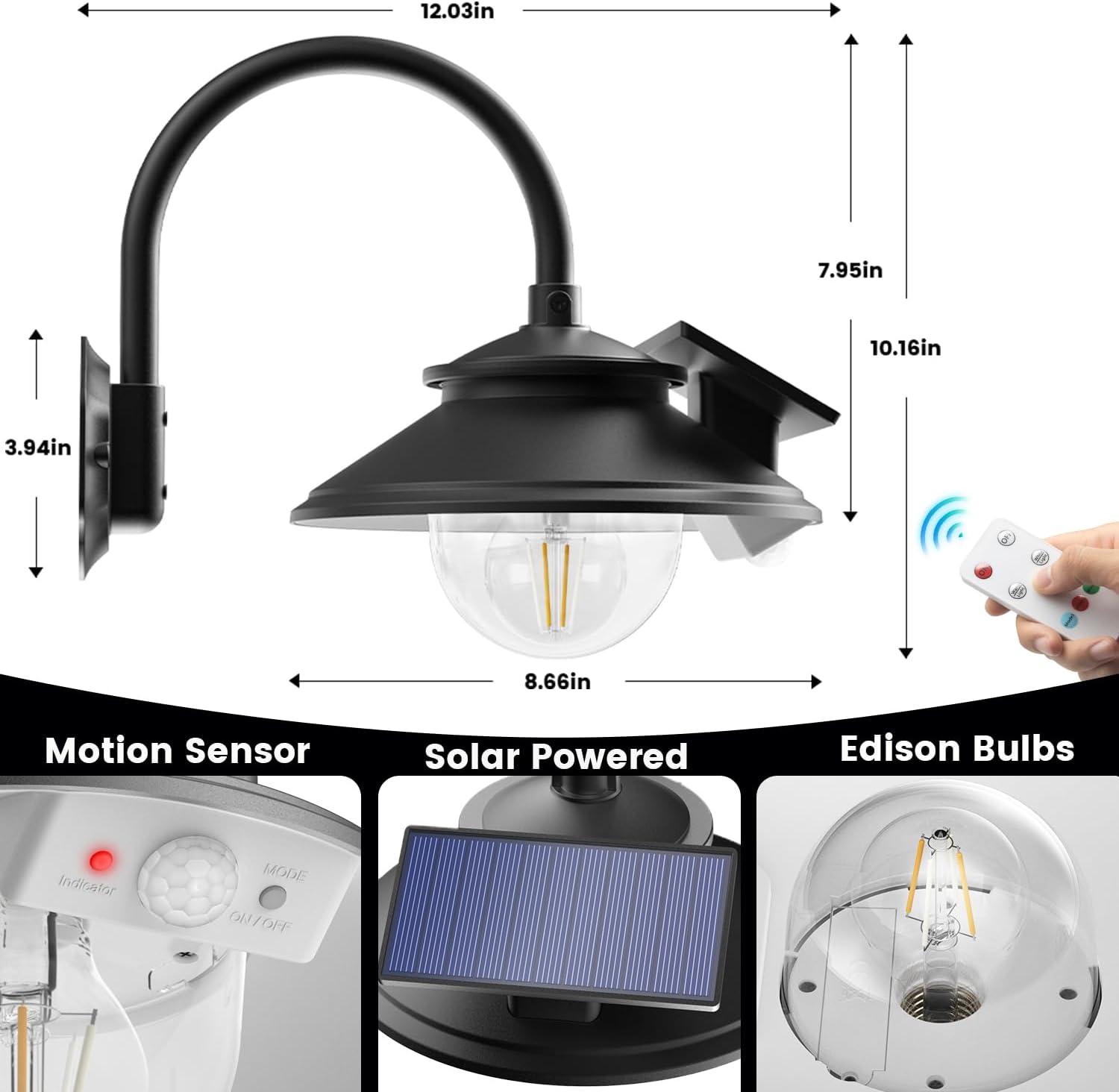
Key components and dimensions of the solar barn light.
Setup and Installation
No wiring is needed for installation. For optimal performance, place the solar barn light in a location that receives direct sunlight for at least 6-8 hours daily.
Installation Steps:
- Choose Location: Select a wall or surface where the light can be securely mounted and the solar panel can receive maximum sunlight.
- Mark Drill Holes: Use the light's mounting base as a template to mark the positions for drilling.
- Drill Holes: Drill holes at the marked positions. Insert the provided anchors into the drilled holes.
- Mount the Base: Secure the light's mounting base to the wall using the provided screws.
- Attach Light Fixture: Attach the main light fixture to the mounted base.
- Activate Switch: For the first use, ensure the "ON/OFF" switch on the lamp body is activated to enable remote control functionality.
Video demonstrating the installation process for the SIEDiNLAR Solar Barn Light.
Operating Instructions
Your solar barn light features a remote control for convenient operation and multiple lighting modes.
Remote Control Functions:
- ON/OFF: Turns the light on or off.
- Warm Light: Switches the light to warm white (3000K).
- White Light: Switches the light to cool white (6000K).
- Mode 1 (Blue Indicator): Constant ON at nighttime (50% brightness).
- Mode 2 (Red Indicator): Dim to Bright with motion at night. Stays on at 30% brightness, brightens to 100% for 20-25 seconds upon motion detection.
- Mode 3 (Green Indicator): OFF to Bright with motion at night. Stays off, brightens to 100% for 20-25 seconds upon motion detection, then turns off again.

Visual representation of the three operating modes.

Choose between cool white and warm white lighting to suit your preference.
Video demonstrating the remote control functions and lighting modes.
Maintenance
Regular maintenance ensures the longevity and optimal performance of your solar barn light.
- Clean Solar Panel: Periodically wipe the solar panel with a soft, damp cloth to remove dust, dirt, or debris. A clean panel ensures efficient charging.
- Inspect Fixture: Check the light fixture and mounting hardware regularly for any signs of wear, damage, or looseness. Tighten screws if necessary.
- Battery Care: The integrated battery is designed for long-term use. If the light's performance significantly decreases over time, ensure the solar panel is clean and receiving adequate sunlight.
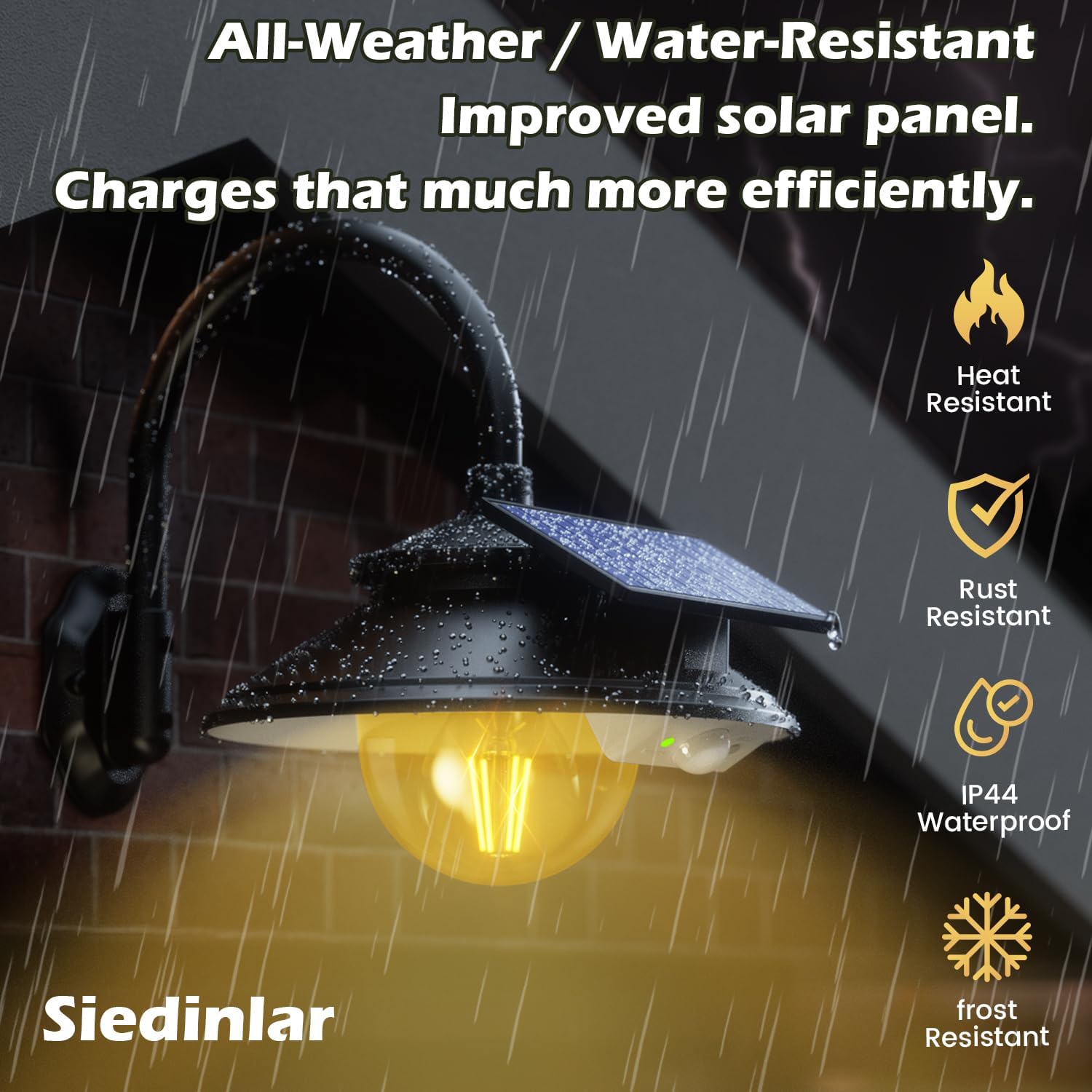
The light is built to withstand various weather conditions, including rain.
Troubleshooting
| Problem | Possible Cause | Solution |
|---|---|---|
| Light does not turn on at night. | Solar panel not receiving enough sunlight. Battery not charged. ON/OFF switch not activated. | Ensure solar panel is in direct sunlight for 6-8 hours. Clean the solar panel. Verify the ON/OFF switch on the lamp body is in the 'ON' position. |
| Light duration is short. | Insufficient charging due to cloudy weather or shaded panel. | Relocate the light to an area with more direct sunlight. Ensure the solar panel is clean. |
| Motion sensor not detecting. | Sensor obstructed or dirty. Object outside detection range/angle. | Clean the motion sensor lens. Ensure objects are within 16-22 feet and 120-degree angle. |
| Remote control not working. | Battery in remote is dead. Light's ON/OFF switch not activated. | Replace remote control battery. Ensure the ON/OFF switch on the lamp body is activated. |
Specifications
| Feature | Detail |
|---|---|
| Brand | SIEDiNLAR |
| Model Number | SD034B-2PK |
| Color | Black |
| Material | Metal, Polycarbonate |
| Power Source | Solar Powered |
| Voltage | 3.7 Volts |
| Wattage | 4 watts |
| Brightness | 100 Lumens |
| Light Color | Warm White (3000K), Cool White (6000K) |
| Control Method | Remote Control |
| Motion Sensor Range | 16-22 feet |
| Motion Sensor Angle | 120 degrees |
| Water Resistance Level | Waterproof (IP44) |
| Item Dimensions (L x W x H) | 12.03"L x 8.66"W x 10.16"H |
| Item Weight | 1.66 Kilograms |
Warranty and Support
SIEDiNLAR products are designed for quality and durability. This product comes with a limited warranty. For specific warranty details or if you encounter any issues not covered in this manual, please contact SIEDiNLAR customer support through the retailer where the product was purchased or visit the official SIEDiNLAR website for assistance.
Our customer support team is ready to help with any questions or concerns you may have.