
1. Safety Information
Please read and understand all instructions before beginning installation. Failure to follow these instructions could result in electric shock, fire, or personal injury.
- Ensure the power is disconnected at the circuit breaker before installation or servicing.
- All wiring must be in accordance with national and local electrical codes. If you are unfamiliar with wiring, consult a qualified electrician.
- The mounting structure must be capable of supporting the weight of the fan (approximately 12 pounds).
- Do not operate the fan with damaged blades or housing.
- Keep hands, clothing, and other objects clear of the fan blades when the fan is in operation.
- This fan is designed for indoor use only.
2. Product Overview and Components
The LEDLUX 52" Smart Ceiling Fan (Model: SYCF5205) is a modern ceiling fan featuring a gold and black finish, three solid wood blades, and an integrated dimmable LED light. It offers multiple control options and a reversible DC motor for year-round comfort.
Key Features:
- Size: 52 inches
- Blades: 3 Solid Wood Blades
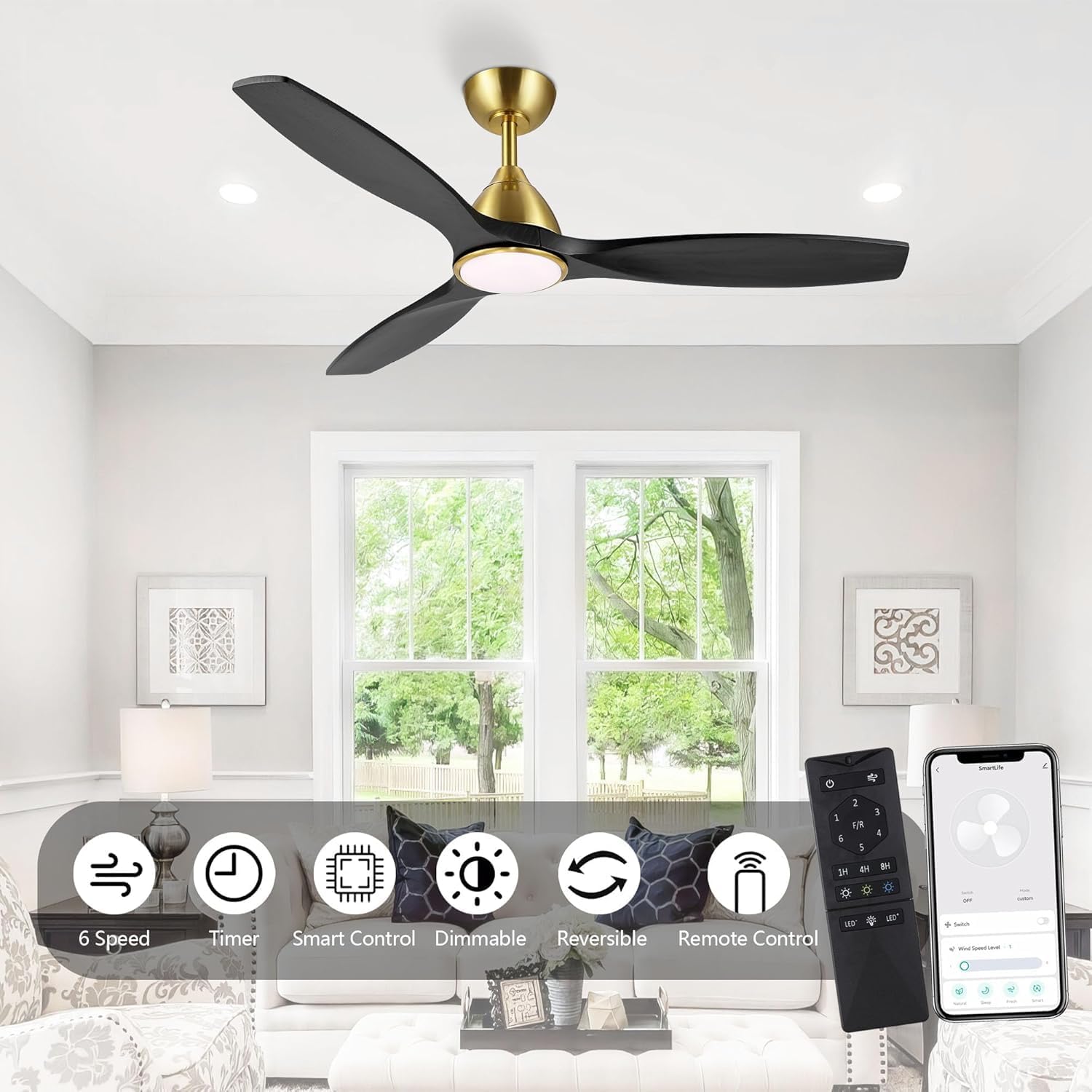
- Motor: Reversible DC Motor (6-speed)
- Light: Integrated Dimmable LED Light (3000K/4500K/6000K color temperatures, 10%-100% brightness adjustment)
- Control: Remote Control, Mobile APP Control, Voice Control (Compatible with Amazon Alexa and Google Assistant)
- Timer: 1h, 4h, 8h settings
Components:
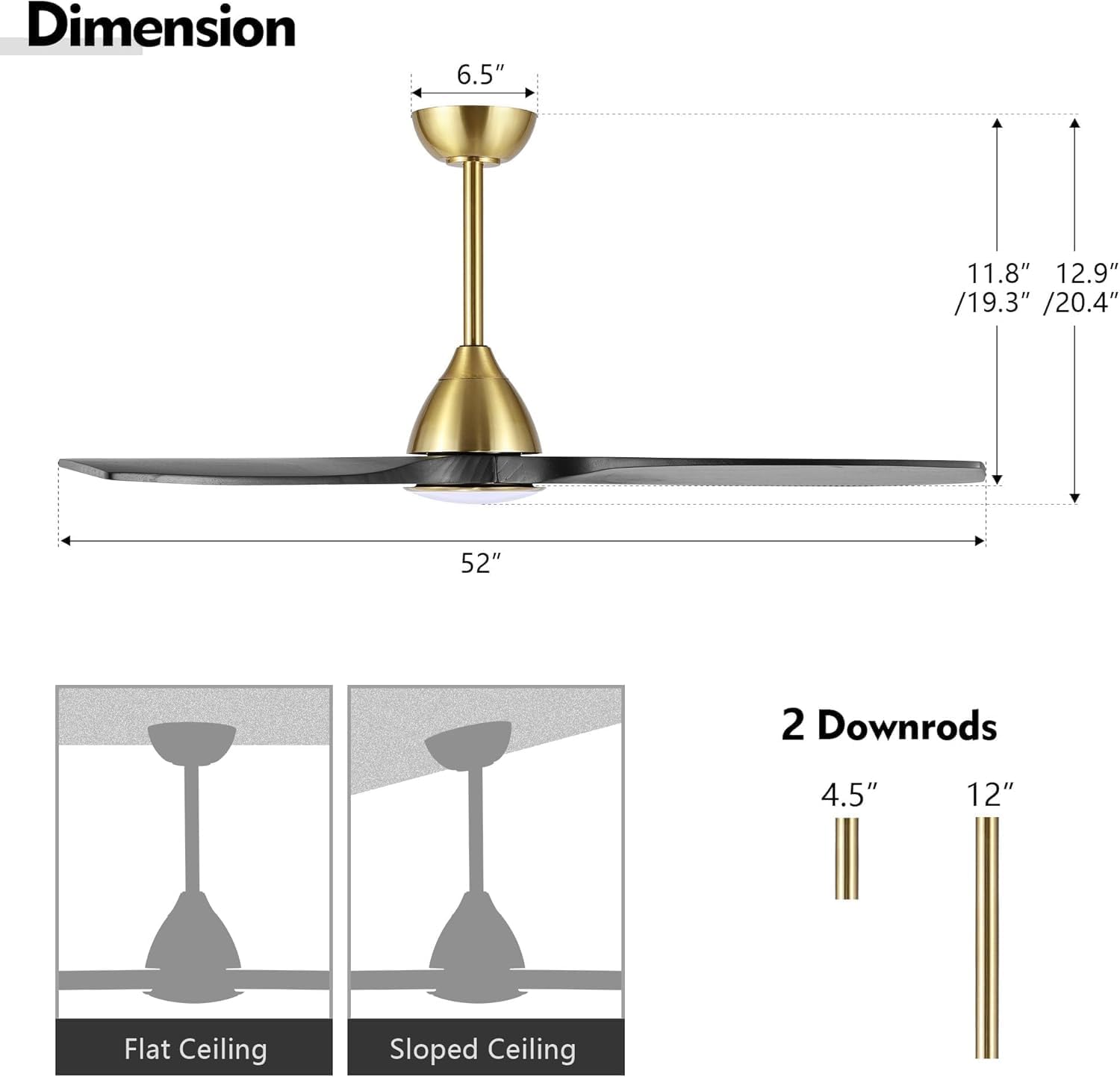
The package includes the fan motor housing, blades, downrods (4.5" and 12"), mounting bracket, remote control, and necessary hardware.

3. Setup and Installation
This ceiling fan is designed for DIY installation. For safety and proper function, ensure all steps are followed carefully. If you have any doubts, consult a professional electrician.
Before Installation:
- Inspect Contents: Unpack all components and verify against the packing list.
- Power Disconnection: Turn off power at the main circuit breaker.
- Mounting Location: Ensure the ceiling joist or support structure can hold the fan's weight and that there is adequate clearance for the blades.
Installation Steps:
- Mounting Bracket Installation: Secure the mounting bracket to the ceiling junction box.
- Downrod Assembly: Choose the appropriate downrod (4.5" or 12") for your ceiling height. Attach the downrod to the fan motor assembly.
- Wiring: Connect the fan's electrical wires to the household wiring according to the provided wiring diagram. Ensure all connections are secure.
- Fan Housing Attachment: Carefully lift the fan assembly and hang it on the mounting bracket. Secure the fan housing to the bracket.
- Blade Installation: Attach the three solid wood blades to the fan motor housing.
- Light Kit Installation: Connect and secure the LED light kit to the bottom of the fan.
- Power Restoration: Once installation is complete and all connections are checked, restore power at the circuit breaker.
4. Operating Instructions
Your LEDLUX Smart Ceiling Fan offers multiple ways to control its functions.
4.1 Remote Control
The included remote control allows you to manage all fan and light functions.
- Power On/Off: Press the power button to turn the fan and light on or off.
- Fan Speed: Select from 6 fan speeds using the dedicated speed buttons.
- Light On/Off: Toggle the light independently.
- Light Color Temperature: Cycle through 3000K (Warm White), 4500K (Natural White), and 6000K (Cool White) settings.
- Light Dimming: Adjust brightness from 10% to 100%.
- Reversible Motor: Change the blade direction for summer or winter mode.
- Timer: Set the fan to turn off after 1 hour, 4 hours, or 8 hours.
4.2 Mobile APP Control
Download the designated mobile application (e.g., "Smart Life" APP) to control your fan from your smartphone or tablet.
- Download the APP from your device's app store.
- Register an account and log in.
- Follow the in-app instructions to add your LEDLUX ceiling fan.
- Once connected, you can control all fan and light functions, including speed, light color, brightness, and timer settings.
4.3 Voice Control (Alexa & Google Assistant)
Integrate your fan with Amazon Alexa or Google Assistant for convenient voice commands.
- Ensure your fan is successfully connected to the mobile APP.
- Open the Alexa or Google Home app on your device.
- Enable the skill/service for the fan's mobile APP (e.g., "Smart Life").
- Discover devices. Your LEDLUX fan should appear.
- You can now use voice commands such as:
- "Alexa, turn on the living room fan."
- "Hey Google, set fan speed to 3."
- "Alexa, change fan light to warm white."

4.4 Reversible DC Motor Function
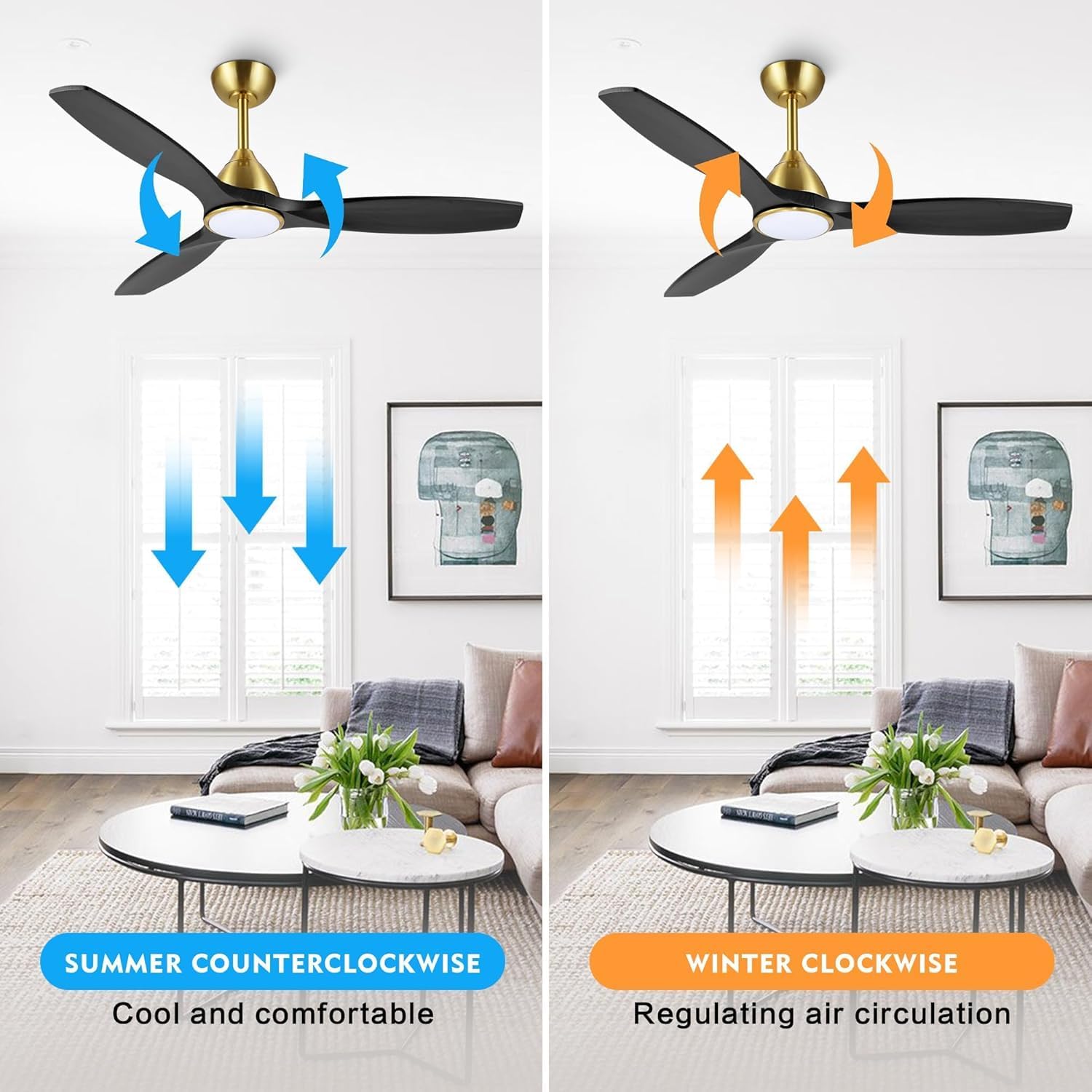
The reversible DC motor allows you to optimize air circulation for different seasons.
- Summer Mode (Counter-clockwise): Blades rotate counter-clockwise, pushing air downwards to create a cooling breeze.
- Winter Mode (Clockwise): Blades rotate clockwise, drawing air upwards to circulate warm air trapped near the ceiling, helping to regulate room temperature.
4.5 LED Light Settings
The integrated LED light offers customizable illumination.
- Color Temperatures: Choose between 3000K (warm), 4500K (neutral), and 6000K (cool) to suit your preference or activity.
- Dimmable: Adjust the light brightness from 10% to 100% to create the desired ambiance.

5. Maintenance
Regular maintenance ensures the longevity and optimal performance of your ceiling fan.
- Cleaning: Periodically wipe the fan blades and motor housing with a soft, damp cloth. Do not use abrasive cleaners or solvents.
- Blade Inspection: Check blades for any cracks or damage. Replace damaged blades immediately.
- Tighten Screws: Over time, screws may loosen. Periodically check and tighten all screws on the fan and mounting bracket.
- No Lubrication Needed: The DC motor is permanently lubricated and does not require additional oiling.
Always ensure the power is off at the circuit breaker before performing any cleaning or maintenance.
6. Troubleshooting
If you encounter issues with your fan, refer to the following common problems and solutions.
| Problem | Possible Cause | Solution |
|---|---|---|
| Fan does not start | No power supply; Loose wiring; Remote control battery low. | Check circuit breaker; Verify all wiring connections; Replace remote control batteries. |
| Light does not work | Loose wiring to light kit; LED module failure. | Check light kit wiring connections; Contact customer support if LED module is faulty. |
| Fan wobbles | Loose blades; Uneven blade balance; Loose mounting bracket. | Ensure all blade screws are tight; Use a balancing kit (not included) if needed; Tighten mounting bracket screws. |
| Remote control not working | Low battery; Remote not paired. | Replace remote batteries; Refer to pairing instructions in the full manual (if applicable). |
| Fan makes noise | Loose screws; Blades hitting an obstruction; Motor issue. | Check and tighten all screws; Ensure no obstructions are near blades; Contact customer support if motor noise persists. |
If problems persist after attempting these solutions, please contact LEDLUX customer support.
7. Specifications
| Feature | Detail |
|---|---|
| Brand | LEDLUX |
| Model Number | SYCF5205 |
| Color | Gold/Black |
| Product Dimensions | 52"D x 52"W x 15"H |
| Item Weight | 12 pounds |
| Power Source | DC |
| Wattage | 45 watts |
| Voltage | 12 Volts (DC) |
| Number of Power Levels | 6 (Fan Speeds) |
| Motor Type | Brushless DC Motor |
| Indoor/Outdoor Usage | Indoor |
| Control Method | Remote, APP, Voice (Alexa, Google Assistant) |
| Special Feature | LED Light (Dimmable, 3 Color Temperatures) |
| Mounting Type | Downrod Mount |
8. Warranty and Support
Your LEDLUX 52" Smart Ceiling Fan comes with a 1-Year Warranty from the date of purchase.
For any questions regarding installation, operation, troubleshooting, or warranty claims, please contact LEDLUX customer support through Amazon mail. Our team is available to assist you.
Contact Information: Refer to your Amazon purchase details for direct contact options with LEDLUX.