
1. Introduction
Thank you for choosing the eppfun AKC Air Conduction Bluetooth Headset. This manual provides essential information for setting up, operating, and maintaining your device. Please read it carefully before use.
Key Features
- Open-Ear Design: Enjoy comfortable listening without blocking your ear canal, reducing the risk of inner ear hearing issues and maintaining awareness of your surroundings for enhanced safety during activities like running or driving.
- Enhanced Sound Quality: Equipped with APTX/APTX LL/APTX HD Audio decoding for powerful bass and rich sound, allowing you to enjoy music with added impact and punch.
- Advanced Noise Cancellation: Features cutemeet 350 noise-canceling technology, effectively reducing echo and external environmental noise by up to 60dB for clear calls.
- Reduced Sound Leakage: Concentrated low-frequency vibration reduces sound leakage by up to 90% compared to other open-ear headphones, ensuring privacy.
- Long Battery Life: Up to 10 hours of music playback and calls on a single 2-hour charge.
- IP67 Waterproof: Fully sweatproof and waterproof, ideal for workouts, fitness, running, cycling, gym, and meetings (not suitable for swimming).

The eppfun AKC headset is designed for active lifestyles, allowing you to enjoy audio while remaining aware of your surroundings.
2. Package Contents
Please check that all items are present in your package:
- eppfun AKC Air Conduction Bluetooth Headset
- USB Charging Cable
- User Manual
3. Setup
3.1 Charging the Headset
- Connect the USB charging cable to the charging port on the headset.
- Connect the other end of the cable to a USB power adapter (not included) or a computer's USB port.
- The LED indicator will show the charging status. A full charge takes approximately 2 hours.
- Once fully charged, the LED indicator will change (refer to LED indicator section for details) and you can disconnect the cable.
3.2 Bluetooth Pairing
- Ensure the headset is turned off.
- Press and hold the Power/Multi-function button until the LED indicator flashes red and blue alternately, indicating pairing mode.
- On your device (smartphone, tablet, computer), enable Bluetooth and search for available devices.
- Select "eppfun AKC" from the list of found devices.
- Once connected, the LED indicator will flash blue slowly, and you will hear a confirmation tone.
- If pairing fails, turn off the headset and repeat the steps.
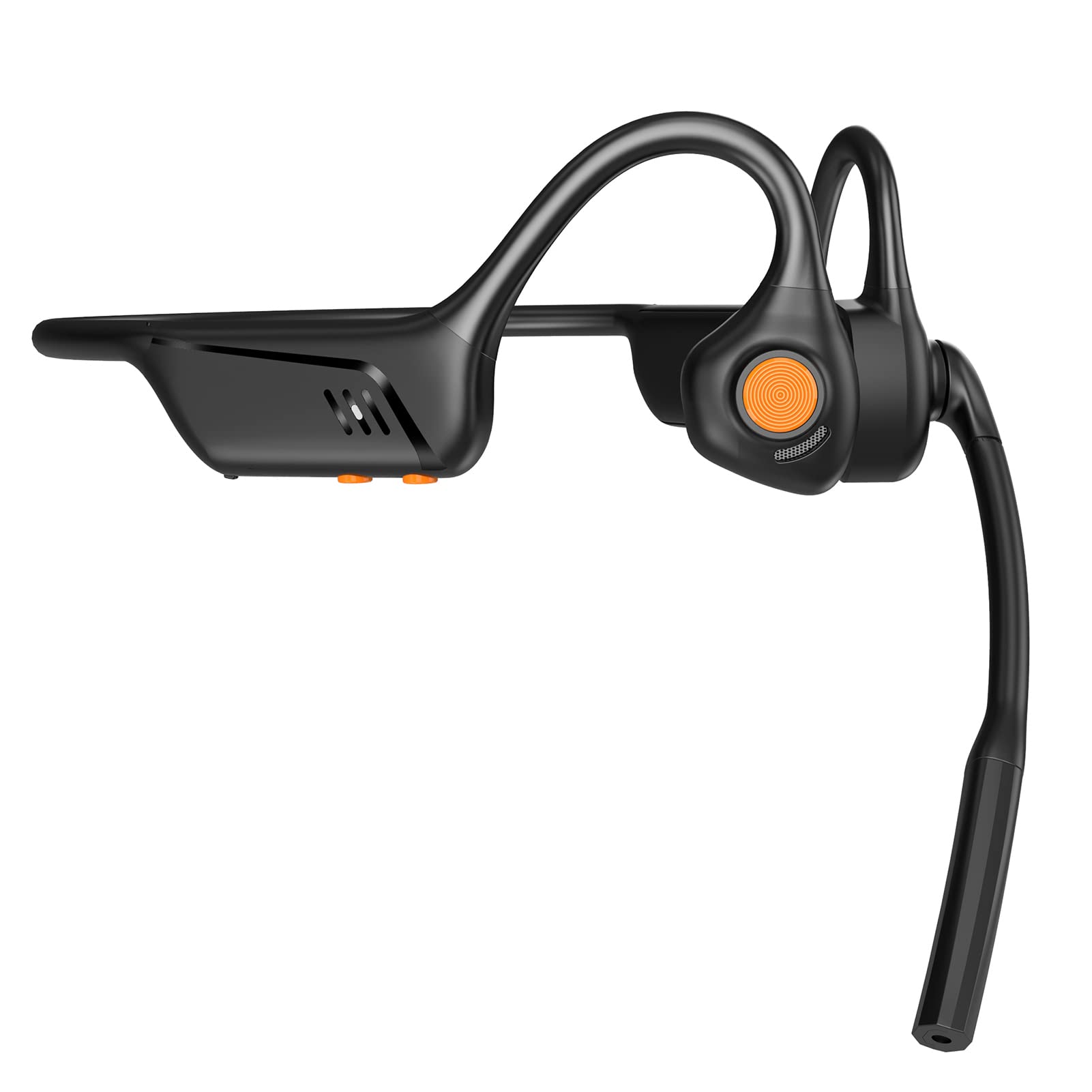
Front view of the eppfun AKC headset, showing its ergonomic design.
4. Operating Instructions
4.1 Power On/Off
- Power On: Press and hold the Power/Multi-function button for 2 seconds until the LED indicator flashes blue.
- Power Off: Press and hold the Power/Multi-function button for 3 seconds until the LED indicator flashes red and then turns off.
4.2 Music Playback
- Play/Pause: Press the Power/Multi-function button once.
- Next Track: Press and hold the Volume Up button for 2 seconds.
- Previous Track: Press and hold the Volume Down button for 2 seconds.
4.3 Call Management
- Answer Call: Press the Power/Multi-function button once.
- End Call: Press the Power/Multi-function button once during a call.
- Reject Call: Press and hold the Power/Multi-function button for 2 seconds when an incoming call rings.
- Activate Voice Assistant: Double-press the Power/Multi-function button.
4.4 Volume Control
- Volume Up: Press the Volume Up button.
- Volume Down: Press the Volume Down button.
4.5 Microphone Usage
The integrated microphone with CVC 8.0 noise cancellation ensures clear communication during calls and online meetings.

The headset features CVC 8.0 Call Noise Cancelling for clear conversations.

Ideal for remote meetings and telework, compatible with iPhone and Android devices.
5. Maintenance
5.1 Cleaning
- Wipe the headset with a soft, dry cloth.
- Do not use abrasive cleaners, solvents, or chemical sprays.
5.2 Storage
- Store the headset in a cool, dry place away from direct sunlight and extreme temperatures.
- Avoid placing heavy objects on the headset.
5.3 Water Resistance
The eppfun AKC headset has an IP67 waterproof rating, meaning it is protected against dust and can withstand immersion in water up to 1 meter for 30 minutes. It is sweatproof and suitable for various sports activities. However, it is not suitable for swimming or prolonged submersion in water.
6. Troubleshooting
If you encounter issues with your headset, please refer to the following common problems and solutions:
| Problem | Solution |
|---|---|
| Headset does not power on | Ensure the headset is fully charged. Press and hold the Power button for a longer duration. |
| Cannot pair with device | Ensure the headset is in pairing mode (LED flashing red and blue). Turn off and on your device's Bluetooth. Move the headset closer to your device. |
| No sound or low volume | Check the volume levels on both the headset and your connected device. Ensure the headset is properly connected. |
| Call quality issues | Ensure the microphone is not obstructed. Move to an area with less background noise. Check your device's network connection. |
| Headset not charging | Verify the charging cable is securely connected to both the headset and the power source. Try a different USB port or power adapter. |
7. Specifications
| Feature | Detail |
|---|---|
| Brand | eppfun |
| Model Number | AKC |
| Color | Black |
| Headphone Type | Truly Wireless, Open-Ear |
| Bluetooth Version | 5.1 |
| Impedance | 32 Ohms |
| Waterproof Rating | IP67 (Sweatproof, not for swimming) |
| Compatible Devices | Game Consoles, Laptops, Mobile Phones |
| Special Features | Microphone, Lightweight, Sweatproof, Volume Control, Fast Charging |
| Material | Acrylonitrile Butadiene Styrene (ABS), Metal |
| GTIN | 710421188002 |

The headset supports aptX Low Latency for minimal audio delay, ideal for video and gaming.
8. Warranty and Support
eppfun provides professional after-sales service for your product.
- Warranty Period: Your eppfun AKC headset comes with a 1-year warranty from the date of purchase.
- Refund Policy: A 90-day refund policy is available.
- Lifetime Support: We offer lifetime technical support for our products.
- Contact Us: For any questions, concerns, or technical assistance, please do not hesitate to contact our customer support team. We commit to responding and resolving all issues within 12 hours.
Please refer to the contact information provided with your purchase or visit the official eppfun website for support details.