
SYLSTAR GZ035-OG
SYLSTAR 360° Rechargeable Work Light Instruction Manual
Model: GZ035-OG
Brand: SYLSTAR
Introduction
Thank you for choosing the SYLSTAR 360° Rechargeable Work Light. This versatile and powerful lighting solution is designed for various applications, including job sites, workshops, camping, sports, and emergency situations. Featuring a telescopic stand, ultra-bright illumination, multiple color temperatures, and a long-lasting rechargeable battery, this work light provides reliable and adaptable lighting wherever you need it. Please read this manual thoroughly before operating the device to ensure safe and optimal performance.
Product Overview
The SYLSTAR 360° Rechargeable Work Light (Model GZ035-OG) is engineered for superior illumination and portability. Key features include:
- Telescopic Stand: Extends from 2.3 feet to 8.4 feet, providing adjustable height for various lighting needs.
- 360° Illumination: Delivers shadow-free lighting across a wide area.
- Ultra-Bright Output: Up to 3000 lumens for powerful light coverage.
- 3 Color Temperatures (3CCT): Offers 3000K (warm), 4000K (natural), and 6000K (cool daylight) options.
- Dimmable: 10 dimming levels for precise brightness control.
- Long Battery Life: Equipped with a 6000mAh battery, providing up to 48 hours of light on low brightness.
- USB-C Charging: Convenient and fast recharging.
- Remote Control: Adjust settings from up to 33 feet away.
- Portable Design: Weighs only 4.7 lbs and collapses for easy transport in the included carrying case.
- Durable Construction: Made with aluminum alloy and carbon fiber for lightweight strength, and water-resistant for outdoor use.
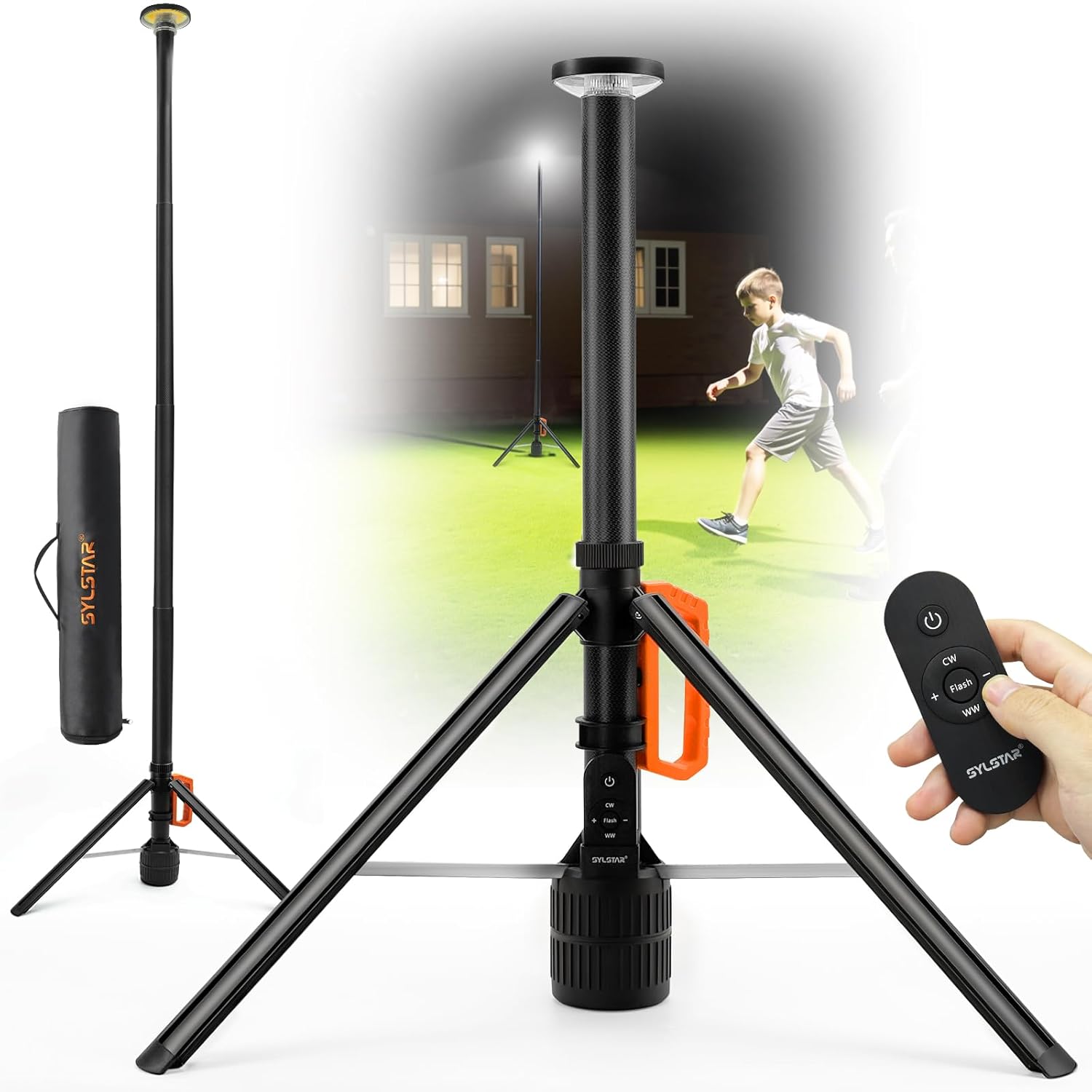
Figure 1: SYLSTAR 360° Rechargeable Work Light with its telescopic stand and remote control.
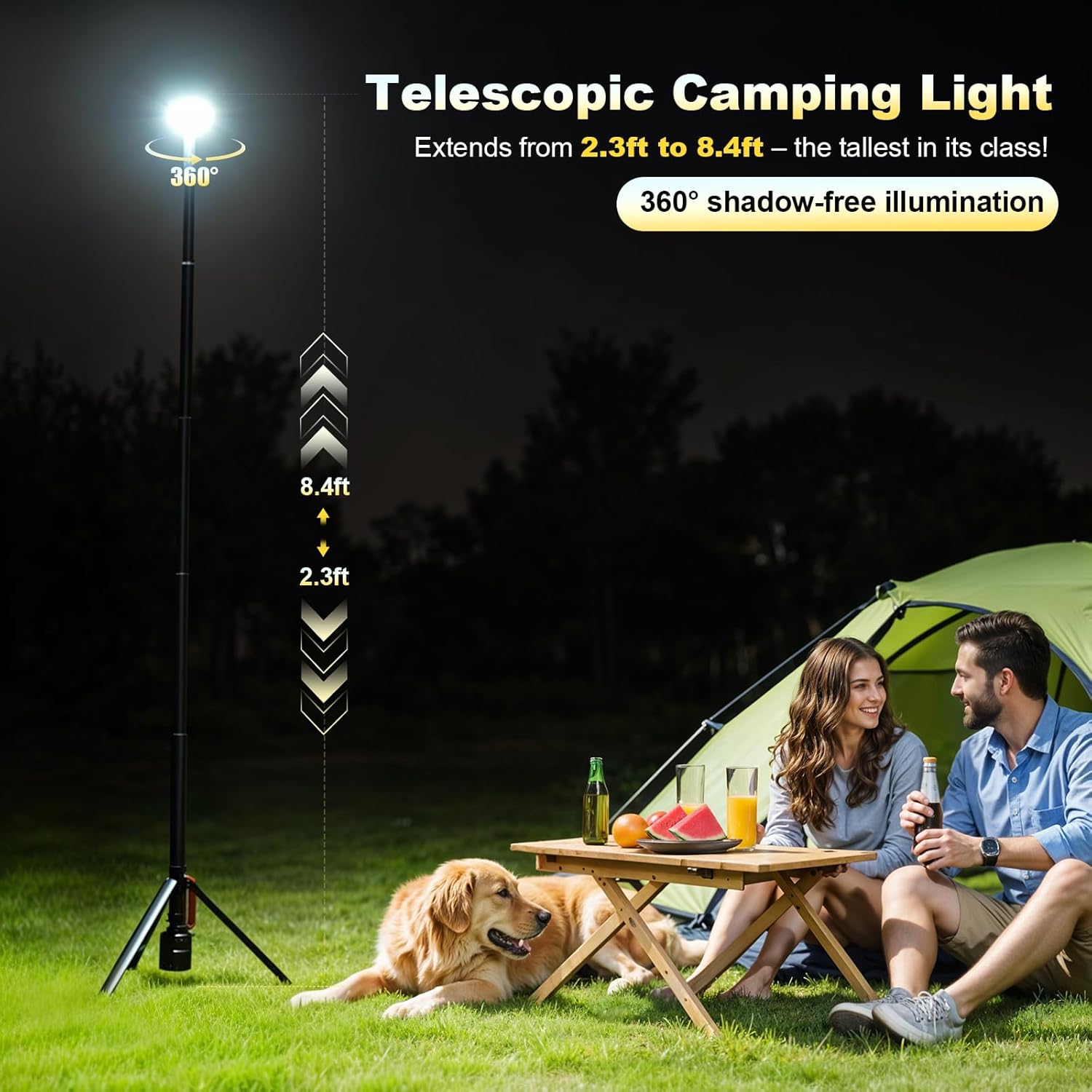
Figure 2: The light's telescopic feature, extending from 2.3ft to 8.4ft for versatile use.
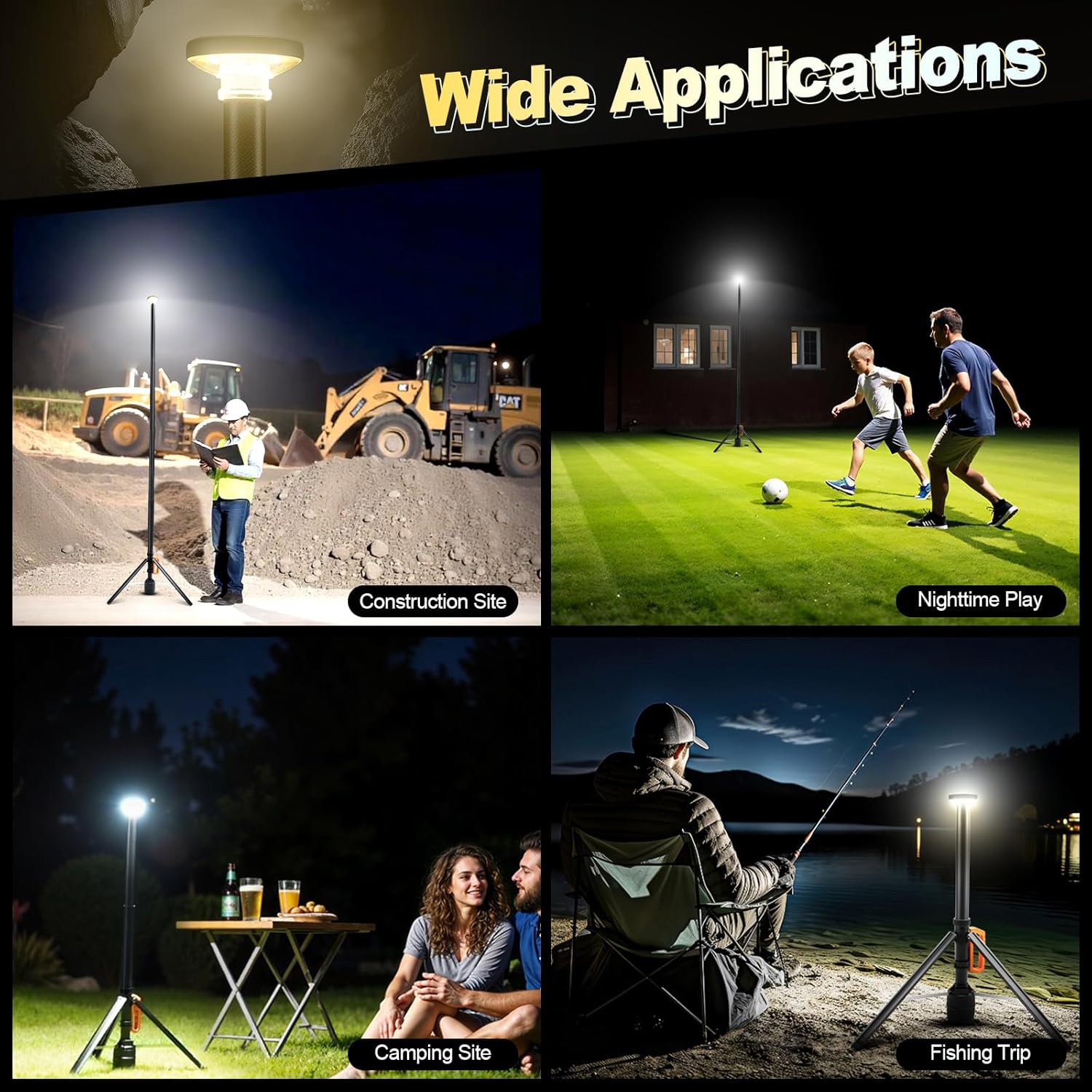
Figure 3: Wide range of applications for the SYLSTAR Work Light, including job sites, sports, camping, and fishing.
Setup and Assembly
Follow these steps to set up your SYLSTAR Work Light:
- Unpack: Carefully remove all components from the packaging, including the work light unit, remote control, USB-C charging cable, and carrying case.
- Unfold the Tripod:
- Loosen the lock collar by turning it counter-clockwise.
- Pull the tripod legs open until they are fully extended and stable.
- Tighten the lock collar by turning it clockwise to secure the tripod in place.
- Extend the Light Pole:
- Hold both sections of the lamp pole.
- Rotate the upper section to unlock.
- Pull the lamp head out to extend the pole to your desired height (from 2.3 ft to 8.4 ft).
- Rotate the upper section back to lock the pole at the chosen height. Repeat for each section.
- Positioning: Place the work light on a flat, stable surface. Ensure the tripod legs are fully spread for maximum stability.
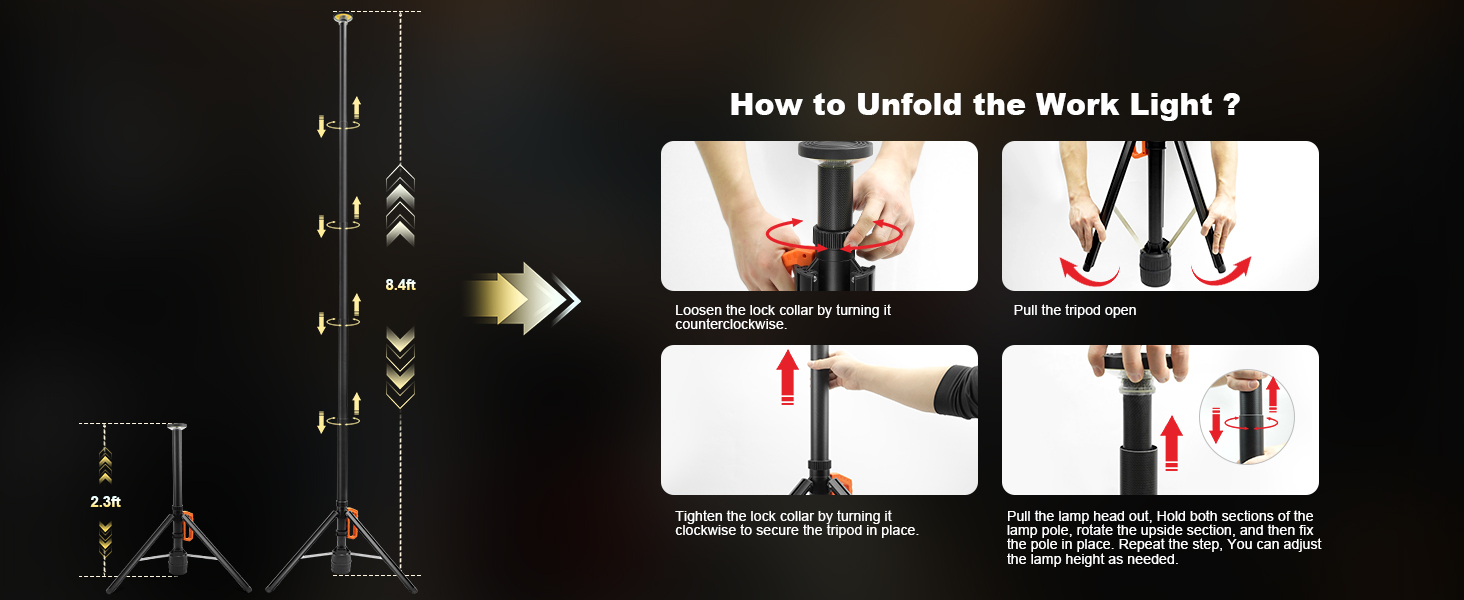
Figure 4: Step-by-step guide on how to unfold and extend the work light.
Operating Instructions
The SYLSTAR Work Light can be operated using the integrated control panel on the unit or the included remote control.
Using the Unit Control Panel:
- Power On/Off: Press the power button (⏻) once to turn the light on or off.
- Change Color Temperature (CCT): Press the "CW" (Cool White) or "WW" (Warm White) buttons to cycle through 3000K, 4000K, and 6000K.
- Adjust Brightness: Use the "+" and "-" buttons to increase or decrease the brightness level (10 dimming levels available).
- Flash Mode: Press the "Flash" button to activate the flashing light mode for emergencies or signaling.
Using the Remote Control:
The remote control allows for convenient operation from up to 33 feet away.
- Power On/Off: Press the power button (⏻) on the remote.
- Change Color Temperature (CCT): Press the "CW" or "WW" buttons to cycle through the three color temperature modes.
- Adjust Brightness: Use the "+" and "-" buttons to adjust the brightness across 10 dimming levels.
- Flash Mode: Press the "Flash" button to activate the flashing light mode.

Figure 5: Multiple lighting modes (3000K, 4000K, 6000K) for various environments.
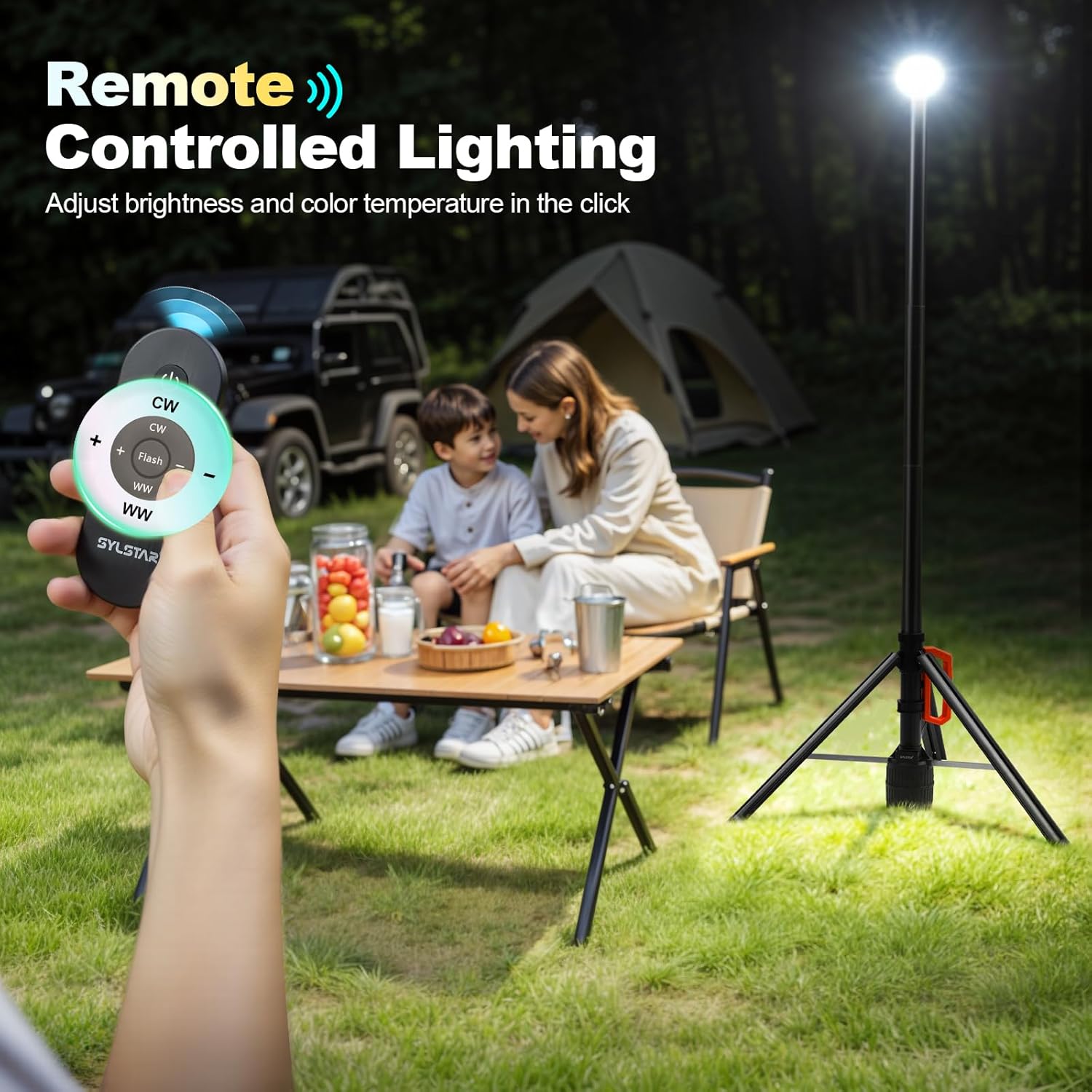
Figure 6: Remote control functionality for adjusting brightness and color temperature.
Charging the Battery
The SYLSTAR Work Light is equipped with a 6000mAh rechargeable Lithium-Ion battery. To charge the device:
- Locate the USB-C charging port on the unit.
- Connect the provided USB-C cable to the charging port.
- Connect the other end of the USB-C cable to a compatible USB power adapter (not included) or a power bank.
- The power indicator lights on the unit will show the charging status. A full charge typically takes approximately 5.5 hours.
- Once fully charged, disconnect the charging cable.
Battery Life: The light can operate for 2 hours at maximum brightness (3000lm) or up to 48 hours at low brightness (500lm).

Figure 7: Battery life and charging details, showing the 6000mAh capacity and USB-C charging.
Maintenance
Proper maintenance ensures the longevity and optimal performance of your SYLSTAR Work Light:
- Cleaning: Wipe the light and stand with a soft, damp cloth. Do not use abrasive cleaners or solvents.
- Storage: When not in use, collapse the light and store it in its carrying case in a cool, dry place, away from direct sunlight and extreme temperatures.
- Battery Care: For best battery health, charge the light fully before long-term storage and recharge it every 3-6 months if not in regular use.
- Inspection: Periodically check for any signs of damage to the stand, light head, or cables. Do not operate if damaged.
Troubleshooting
If you encounter issues with your SYLSTAR Work Light, refer to the following common problems and solutions:
| Problem | Possible Cause | Solution |
|---|---|---|
| Light does not turn on. | Battery is depleted. | Charge the battery using the USB-C cable. |
| Light is dim or flickers. | Low battery or incorrect brightness setting. | Recharge the battery. Increase brightness using the '+' button on the unit or remote. |
| Remote control not working. | Remote battery depleted or out of range. Obstruction between remote and light. | Ensure remote battery is functional. Move closer to the light (within 33ft). Remove any obstructions. |
| Telescopic pole does not extend or retract smoothly. | Lock collar not fully loosened or tightened. Debris in pole sections. | Ensure lock collars are properly loosened/tightened. Clean pole sections if visible debris is present. Avoid forcing the pole. |
| Light gets hot during operation. | Normal operation at high brightness. | This is normal for high-lumen LED lights. Avoid direct contact with the light head during prolonged use. Ensure adequate ventilation. |
If the problem persists after attempting these solutions, please contact SYLSTAR customer support for further assistance.
Specifications
| Feature | Detail |
|---|---|
| Model Name | GZ035-OG |
| Brightness | 3000 Lumens (Max) |
| Color Temperatures | 3000K (Warm), 4000K (Natural), 6000K (Daylight) |
| Battery Capacity | 6000mAh Lithium Ion |
| Run Time | 2 hours (High Brightness), 48 hours (Low Brightness) |
| Charging Time | Approx. 5.5 hours via USB-C |
| Telescopic Height | 2.3 ft (collapsed) to 8.4 ft (extended) |
| Weight | 4.7 lbs (approx. 2.13 kg) |
| Product Dimensions | 27 x 5.5 x 4 inches (collapsed) |
| Control Method | On-unit buttons, Infrared Remote Control |
| Water Resistance Level | Water Resistant |
| Included Components | Work light, Remote Control, USB-C Charging Cable, Carrying Case |
Safety Information
Please observe the following safety precautions to prevent injury or damage to the product:
- Do not look directly into the light source when it is on, as it can cause eye strain or damage.
- Keep the device away from extreme heat sources, open flames, and highly flammable materials.
- Do not immerse the unit in water. While water-resistant, it is not designed for submersion.
- Do not attempt to disassemble, modify, or repair the unit yourself. Refer all servicing to qualified personnel.
- Keep out of reach of children and pets.
- Use only the provided charging cable or a certified USB-C cable for charging.
- Ensure the tripod is stable on a level surface before extending the pole to its full height, especially in windy conditions.
- Avoid dropping the unit or subjecting it to strong impacts.
Warranty and Customer Support
SYLSTAR is committed to providing high-quality products. For warranty information, product registration, or technical support, please refer to the contact details provided with your purchase or visit the official SYLSTAR website. Please have your model number (GZ035-OG) and purchase date ready when contacting support.
For general inquiries or to explore other SYLSTAR products, visit the SYLSTAR Store on Amazon.
Ask a question about this manual
Ask about setup, troubleshooting, compatibility, parts, safety, or missing instructions. Manuals+ will review the question and use this page’s manual context to help answer it.