
1. Introduction
Thank you for purchasing the Dolphin Audio DR30 Diver Sport Portable Speaker. This manual provides essential information for the safe and efficient operation of your device. Please read it thoroughly before use and retain it for future reference. The DR30 Diver Sport is a robust, waterproof portable speaker designed for various environments, featuring Bluetooth 5.3 connectivity, True Wireless Stereo (TWS) pairing, and integrated LED lights.
2. What's in the Box
- Dolphin Audio DR30 Diver Sport Portable Speaker
- USB-C Charge Cable
- Auxiliary (AUX) Cable
- User Manual (this document)
- Warranty Card
3. Product Overview
Familiarize yourself with the speaker's components and controls.

Figure 3.1: Front view of the Dolphin DR30 Diver Sport speaker, demonstrating its waterproof design.

Figure 3.2: Overview of key features and specifications including connectivity options and battery performance.
Controls and Ports
The DR30 speaker features intuitive controls, typically located on the top or side panel, and various input ports for versatile playback.
- Power Button: Press and hold to turn the speaker on or off.
- Play/Pause Button: Press to play or pause audio.
- Volume Buttons (+/-): Press to adjust volume. Hold to skip tracks.
- Mode Button: Press to switch between Bluetooth, USB, MicroSD, FM Radio, and AUX input modes.
- Light Button: Press to cycle through or turn off the flashing LED light modes.
- USB Port: For USB drive playback and charging.
- MicroSD Card Slot: For MicroSD card playback.
- AUX Input (3.5mm): For connecting external audio devices via the included AUX cable.
- USB-C Charging Port: For charging the speaker's internal battery.
4. Setup
4.1 Charging the Speaker
Before first use, fully charge the speaker. Use the provided USB-C cable to connect the speaker to a compatible USB power adapter (not included) or a computer's USB port.
- The charging indicator light will illuminate during charging.
- The light will turn off or change color once charging is complete.
- Operating time is up to 7 hours at medium volume; standby time is up to 40 hours.

Figure 4.1: Charging the speaker and connecting an auxiliary device.
4.2 Power On/Off
Press and hold the Power button for approximately 3 seconds to turn the speaker on or off. A sound indicator will confirm the action.
4.3 Bluetooth Pairing
- Turn on the DR30 speaker. It will automatically enter Bluetooth pairing mode, indicated by a flashing LED light.
- On your mobile device, enable Bluetooth and search for available devices.
- Select "Dolphin DR30" from the list of devices.
- Once paired, the speaker will emit a confirmation tone, and the LED light will stop flashing.
- The Bluetooth range is approximately 32 ft. to 49 ft. (10-15 meters).
4.4 True Wireless Stereo (TWS) Pairing
The WaveSync TWS technology allows you to pair two DR30 speakers (sold separately) for a stereo audio experience.
- Ensure both DR30 speakers are powered on and not connected to any Bluetooth device.
- On one speaker (this will be the primary speaker), press and hold the TWS button (if available, or a combination of buttons as per specific model instructions) until you hear a pairing tone.
- The two speakers will automatically connect to each other. A confirmation tone will sound once connected.
- Now, connect your mobile device to the primary speaker via Bluetooth as described in Section 4.3. Audio will play in stereo through both speakers.
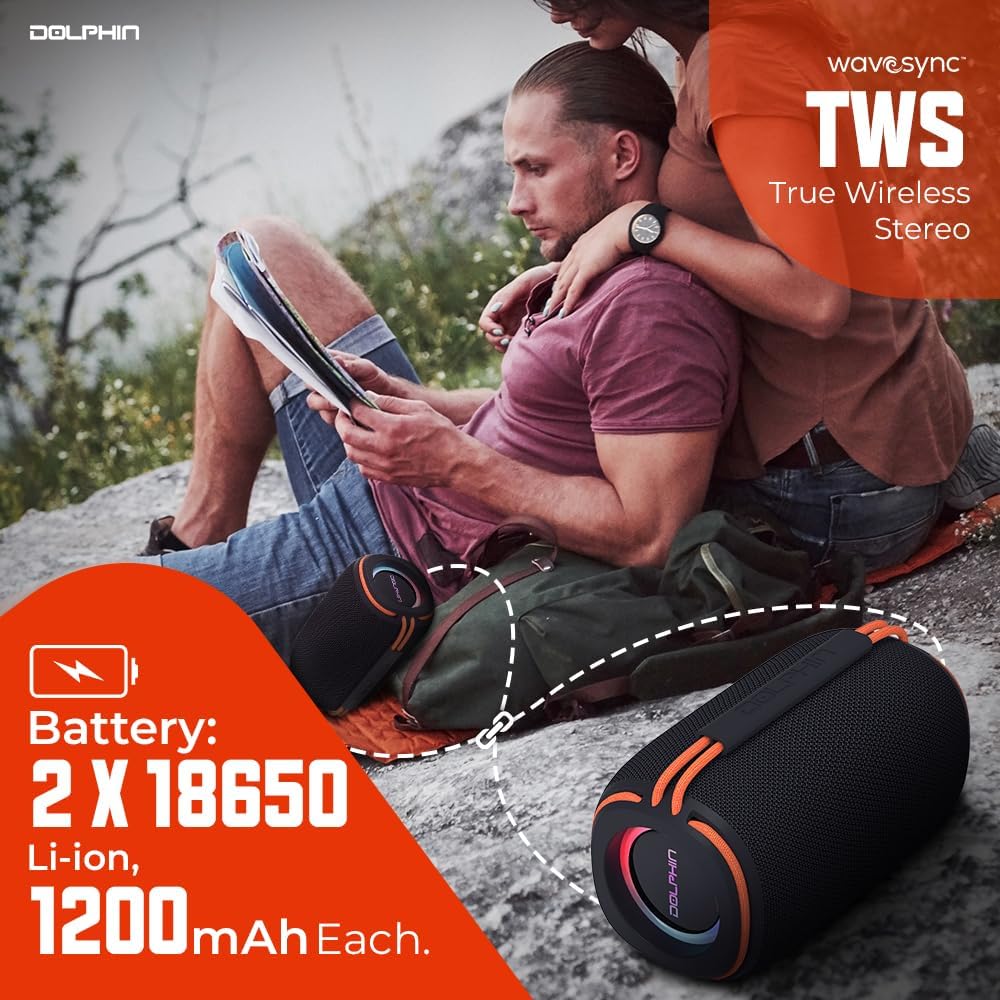
Figure 4.2: Two DR30 speakers connected via TWS for stereo sound.
4.5 Other Playback Modes
Press the Mode button to cycle through available input sources:
- USB Playback: Insert a USB drive into the USB port. The speaker will automatically switch to USB mode and begin playing supported audio files (WAV, MP3) up to 64 GB.
- MicroSD Card Playback: Insert a MicroSD card into the MicroSD card slot. The speaker will automatically switch to MicroSD mode and play supported audio files (WAV, MP3) up to 64 GB.
- FM Radio: In FM mode, the speaker will automatically scan and save available radio stations. Use the volume buttons to navigate between stations.
- AUX Input: Connect an external audio device (e.g., MP3 player, smartphone) to the 3.5mm AUX input using the provided AUX cable. The speaker will switch to AUX mode.
5. Operating Instructions
5.1 Basic Audio Controls
- Volume Up/Down: Press the '+' or '-' buttons.
- Next/Previous Track: Hold the '+' button for the next track, and the '-' button for the previous track.
- Play/Pause: Press the Play/Pause button.
5.2 LED Light Modes
The DR30 features flashing side LED lights. Press the dedicated Light button to cycle through different light patterns or to turn the lights off.
5.3 Waterproof Guidelines (IPX6)
The DR30 Diver Sport speaker is rated IPX6 waterproof. This means it is protected against powerful water jets from any direction. It is suitable for use by the pool, at the beach, or in rainy conditions. However, it is not designed for submersion in water. Ensure all port covers are securely closed before exposing the speaker to water.
6. Maintenance
- Cleaning: Wipe the speaker with a soft, damp cloth. Do not use abrasive cleaners or solvents.
- Storage: Store the speaker in a cool, dry place away from direct sunlight and extreme temperatures.
- Battery Care: To prolong battery life, avoid fully discharging the battery frequently. Charge the speaker regularly, even if not in use for extended periods.
- Port Covers: Always ensure the rubber port covers are firmly sealed to maintain the speaker's waterproof rating.
7. Troubleshooting
| Problem | Possible Cause | Solution |
|---|---|---|
| Speaker does not power on | Low battery; Power button not held long enough | Charge the speaker; Press and hold the Power button for 3 seconds |
| No sound | Volume too low; Incorrect input mode; Device not connected | Increase volume; Press Mode button to select correct input; Re-pair Bluetooth or check cable connection |
| Bluetooth not connecting | Speaker not in pairing mode; Device too far; Interference | Ensure speaker is in pairing mode; Move device closer; Turn off other Bluetooth devices |
| TWS pairing fails | Speakers already connected to another device; Too far apart | Disconnect speakers from other devices; Ensure speakers are close to each other during pairing |
8. Specifications

Figure 8.1: Physical dimensions and weight of the DR30 speaker.
| Feature | Detail |
|---|---|
| Model Number | DR-30 |
| Power Output | 15 Watts RMS (30 Watts Max) |
| Frequency Response | 40 Hz to 18 kHz |
| Bluetooth Version | v5.3 |
| Bluetooth Range | 32 ft. to 49 ft. (10-15 meters) |
| Driver Size | Single 3-inch full-range driver |
| Waterproof Rating | IPX6 |
| Playback Options | Bluetooth, USB, MicroSD (up to 64 GB, WAV/MP3), FM Radio, 3.5mm AUX |
| Battery Type | Built-in Li-Ion (2 x 18650, 1200mAh each) |
| Operating Time | Up to 7 hours (at medium volume) |
| Standby Time | Up to 40 hours |
| Charging Port | USB-C |
| Product Dimensions (D x W x H) | 3.5" x 3.5" x 6.5" (8.9 cm x 8.9 cm x 16.5 cm) |
| Item Weight | 1.2 lbs (0.54 kg) |
| Material | Plastic |
| Control Method | Touch buttons |
9. Warranty Information
The Dolphin Audio DR30 Diver Sport Portable Speaker comes with a limited warranty. Please refer to the included warranty card for detailed terms, conditions, and registration information. Retain your proof of purchase for any warranty claims.
10. Support
For technical assistance, troubleshooting beyond this manual, or general inquiries, please contact Dolphin Audio customer support. Refer to the warranty card or the official Dolphin Audio website for contact details.
