
1. Introduction
The Portronics Vayu 4.0 is a versatile 2-in-1 tyre inflator designed for efficient inflation of car, bike, and cycle tyres, as well as sports balls. It features both rechargeable battery and corded 12V car power options, ensuring readiness for various situations. Key features include smart preset inflation modes, a clear digital display for accurate pressure readings, an automatic shut-off function to prevent over-inflation, and a built-in LED flashlight for emergency use in low-light conditions. Its compact and portable design makes it an ideal companion for travel and daily use.
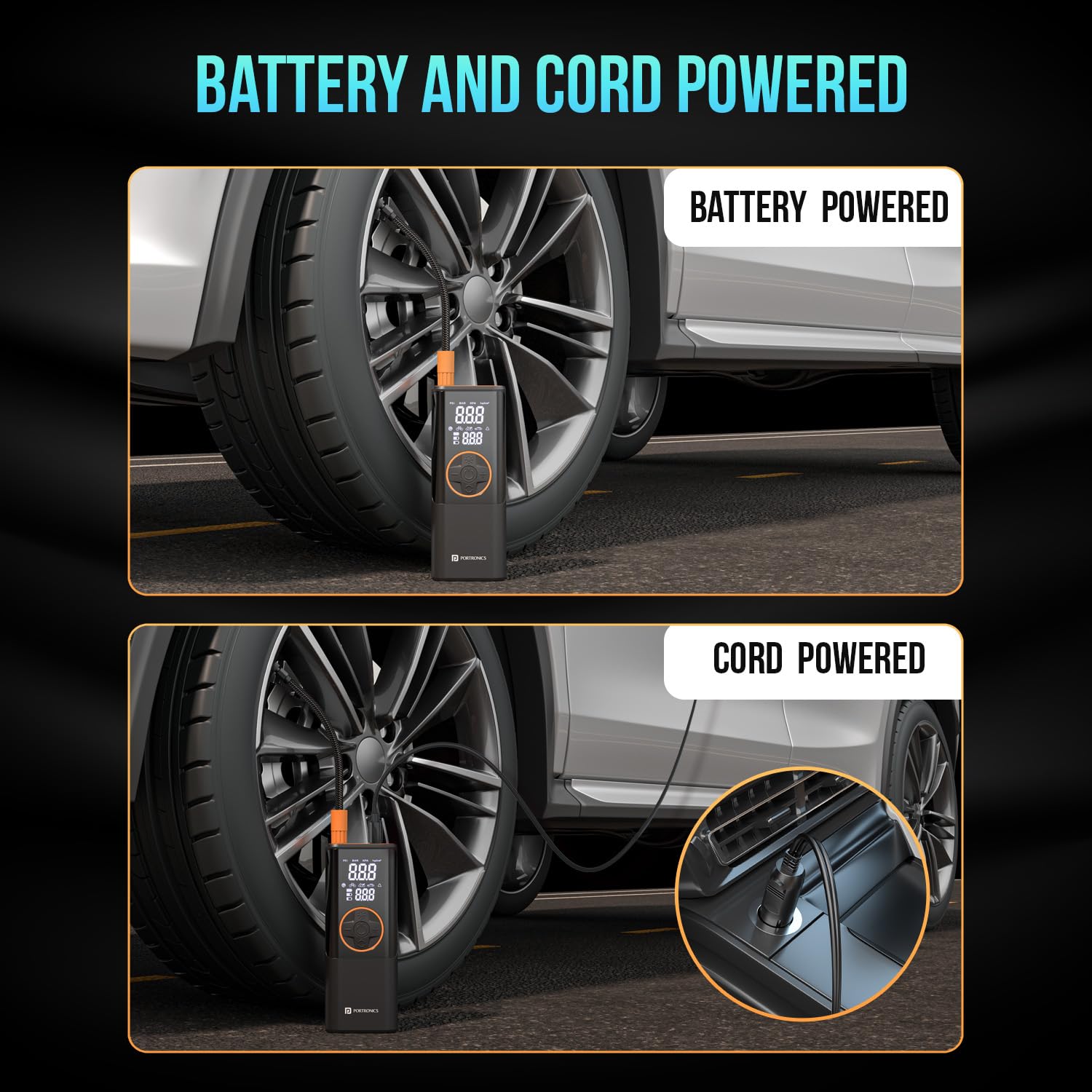
Image 1.1: The Portronics Vayu 4.0 Tyre Inflator shown with its included accessories.
Video 1.1: An overview of the Portronics Vayu 4.0 Tyre Inflator's features and compatibility.
2. What's in the Box
Upon opening the package, ensure all the following items are present:
- Portable Tyre Inflator (1 N)
- Charging Cable (1 N)
- User Manual (1 N)

Image 2.1: The Portronics Vayu 4.0 Tyre Inflator and its included accessories.
3. Setup
3.1 Charging the Device
The Portronics Vayu 4.0 is equipped with a built-in rechargeable Lithium-ion battery. Before first use, fully charge the device. Use a 5V (5-10W) charging adapter with the provided charging cable. Note that the device may not charge with chargers rated 15W or above.
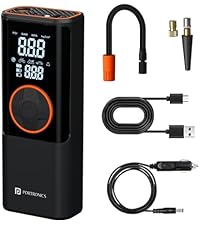
Image 3.1: Charging the Portronics Vayu 4.0 using the provided USB cable.
3.2 Power Options
The inflator offers two power options:
- Rechargeable Battery: For cordless operation, ideal for on-the-go use.
- 12V Car Outlet: Connect the device to your car's 12V power outlet using the provided car power cord for continuous operation, especially useful for longer inflation tasks or when the internal battery is low.

Image 3.2: The inflator can be powered by its internal battery or a 12V car outlet.
3.3 Connecting the Air Hose
Attach the air hose to the inflator and securely thread the other end onto the tire valve stem. Ensure a tight connection to prevent air leakage during inflation.
4. Operating Instructions
4.1 Powering On/Off
Press and hold the power button to turn the device on or off. The digital display will illuminate upon activation.
4.2 Selecting Inflation Modes
The Vayu 4.0 features smart preset modes for common inflation tasks:
- Motorcycle: Default 45 PSI
- Car: Default 36 PSI
- Bicycle: Default 45 PSI
- Sports Balls: Default 8 PSI
- Custom: Allows setting pressure from 0-150 PSI.
Use the mode selection button to cycle through these presets. The digital display will show the selected mode and its default pressure.

Image 4.1: Preset modes for motorcycle, car, bicycle, and sports balls, along with a custom setting.
4.3 Setting Desired Pressure
After selecting a mode, use the '+' and '-' buttons to adjust the target pressure. The digital display allows switching between PSI, BAR, and KPA units for convenience.
4.4 Starting and Stopping Inflation
Press the inflation button to begin pumping air. The device will automatically stop once the set pressure is reached, thanks to its auto shut-off function. This prevents over-inflation and ensures safe tyre maintenance.

Image 4.2: The inflator in action, demonstrating quick inflation with 17 L/Min air flow.
4.5 Using the LED Flashlight
The built-in LED light can be activated by pressing the flashlight button. This is useful for illuminating the work area during nighttime or in low-light conditions, making roadside emergencies safer and easier to handle. It also includes an SOS flash mode.

Image 4.3: The digital display and LED flashlight feature for visibility in dark conditions.
5. Maintenance
- Cleaning: Wipe the device with a soft, dry cloth. Do not use harsh chemicals or abrasive cleaners.
- Storage: Store the inflator in a cool, dry place away from direct sunlight and extreme temperatures.
- Battery Care: For optimal battery life, charge the device regularly, even if not in frequent use. Avoid completely draining the battery for extended periods.
6. Troubleshooting
- Device not charging: Ensure you are using a 5V (5-10W) charger. Chargers rated 15W or above may not be compatible. Check the charging cable connection.
- Air leakage during connection/disconnection: The air hose uses a thread-type lock system. Some air loss is normal when unthreading. To compensate, you may inflate the tire by an additional 0.5 PSI.
- Hose/Connector gets hot: It is normal for the connector tube and metal terminals to become quite hot during prolonged inflation. Exercise caution when handling after use to avoid burns.
- Inaccurate pressure readings: Ensure the hose is securely connected to the tire valve. If issues persist, consult the manufacturer for calibration or service.
- Device not turning on: Check if the battery is charged. If using corded power, ensure the 12V car outlet is functioning correctly.
7. Specifications
| Feature | Specification |
|---|---|
| Brand | Portronics |
| Model Name | Vayu 4.0 |
| Model Number | POR-2154 |
| Colour | Black |
| Material | ABS Plastic |
| Item Weight | 690 Grams |
| Product Dimensions | 9L x 22W x 10.6H Centimeters |
| Power Source | Battery Powered, Corded Electric |
| Air Flow Capacity | 17 Liters Per Minute (LPM) |
| Operation Mode | Battery |
| Battery Type | Lithium-ion (Li-ion) |
| Batteries Included | Yes (1 Lithium Ion battery required, included) |
| Country of Origin | China |
8. Safety Information
- Keep the device out of reach of children.
- Do not operate the inflator near flammable liquids or gases.
- Avoid over-inflating tires. Always refer to the manufacturer's recommended tire pressure.
- The air hose and connectors can become hot during use. Handle with care to prevent burns.
- Do not leave the device unattended while in operation.
- If the device shows signs of damage or malfunction, discontinue use immediately and contact support.
9. Warranty and Support
This product may be eligible for an extended warranty. Please refer to your purchase documentation for details on warranty coverage. For technical support, service, or any inquiries, please contact Portronics Digital Pvt Ltd:
- Email: help@portronics.com
- Phone: +91 9555-245-245
- Address: First Floor Property No D 8 Upper Basement Sector 8 Noida Uttar Pradesh 201301

