
1. Introduction
The EFFORTWAY BC-200 Pro is an intelligent battery charger designed for charging and maintaining various 12V and 24V batteries. It supports 12V LiFePO4 batteries and 12V/24V lead-acid batteries, including WET, MF, EFB, GEL, and AGM types. This charger features a 6-stage charging process, trickle charge mode, and multiple safety protections, making it suitable for a wide range of vehicles and applications.
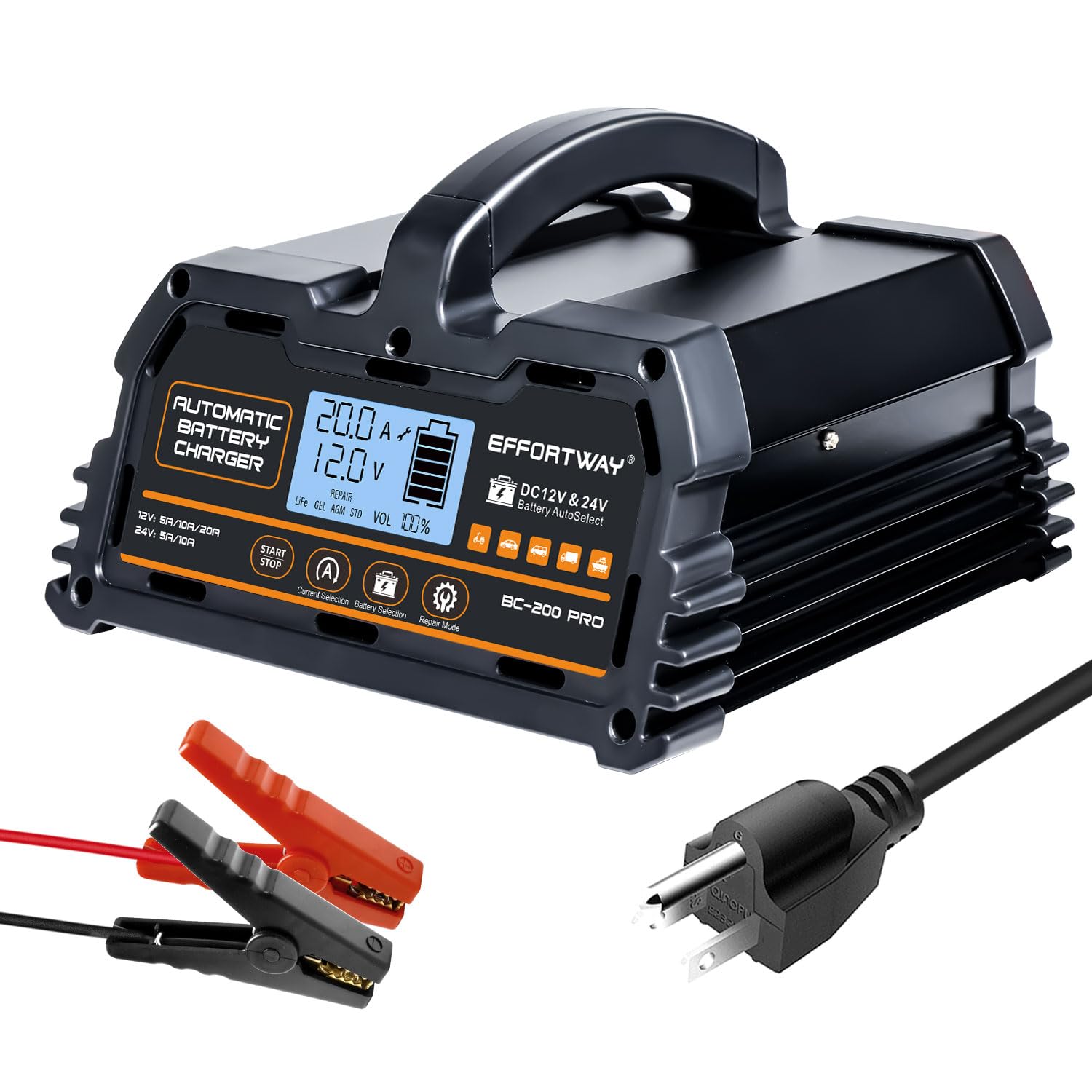
Figure 1: EFFORTWAY BC-200 Pro Smart Battery Charger
2. Safety Information
Read all safety instructions before using the charger. Failure to follow these instructions may result in electric shock, fire, or serious injury.
- Electrical Safety: Ensure the charger is connected to a properly grounded outlet. Do not expose the charger to rain or wet conditions.
- Battery Safety: Batteries can produce explosive gases. Ensure adequate ventilation when charging. Avoid open flames or sparks near the battery.
- Eye and Skin Protection: Always wear eye protection and gloves when working with batteries. Battery acid is corrosive.
- Reverse Polarity Protection: The charger includes reverse connection protection, but always double-check connections before starting.
- Children and Pets: Keep the charger and batteries out of reach of children and pets.
- Damaged Equipment: Do not operate the charger if it has been damaged. Contact support for assistance.
3. Package Contents
Verify that all items are present in the package:
- EFFORTWAY BC-200 Pro Smart Battery Charger Unit
- Battery Clamps (Red for Positive, Black for Negative)
- AC Power Cord
- User Manual
4. Product Features
- Universal Compatibility: Charges 12V LiFePO4 and 12V/24V Lead-acid batteries (WET/MF/EFB/GEL/AGM). Suitable for marine and deep-cycle batteries with capacities from 15AH-150AH.
- Variable Charging Currents: Offers charging currents of 12V (5A, 10A, 20A) and 24V (5A, 10A). For batteries under 100AH, a charging current less than 20A is recommended.
- 6-Stage Charging Process: Ensures safer and more efficient charging. Automatically transitions to trickle/float charging mode once fully charged to maintain battery health.
- Multi-functionality: Functions as a charger, maintainer, trickle charger, desulfator, and reconditioner.
- Auto-off Mode: Stops charging when the battery is full to prevent overcharging.
- Repair Mode: Can initiate charging for batteries with 0V voltage. Effective for sulfated, undervoltage, and long-term idle batteries.
- Automatic Voltage Identification: Automatically identifies 12V/24V battery systems and allows current selection.
- Intelligent LCD Display: Shows current, voltage, battery type, battery capacity, and charging mode.
- Intelligent Protection: Adapts to temperature changes, adjusting charging speed. Provides short circuit, reverse connection, low voltage, overheating (with smart cooling fan), and leakage protection.

Figure 2: All-in-one smart charger compatibility
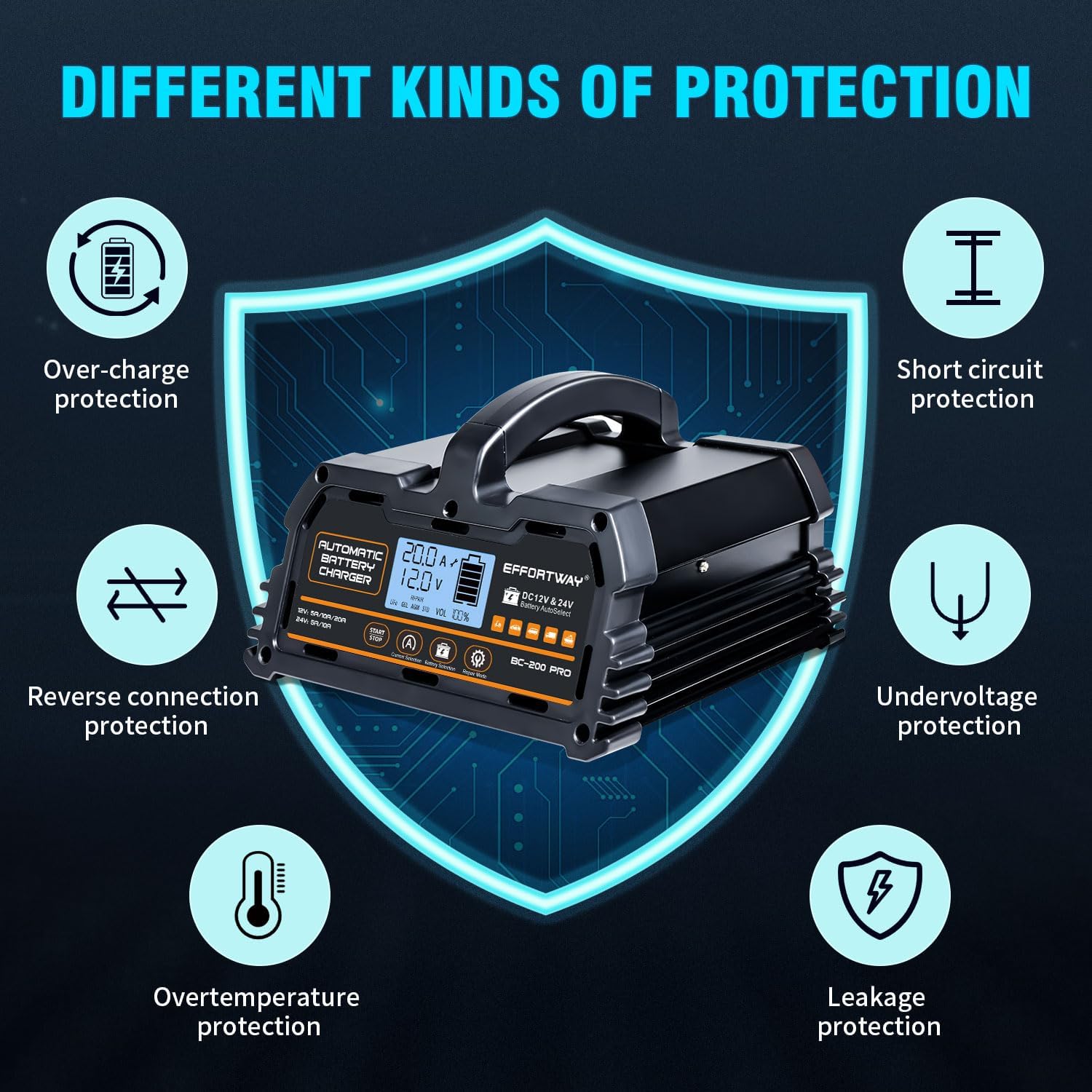
Figure 3: Intelligent protection features

Figure 4: Temperature adaptive charging
5. Setup Instructions
Follow these steps to set up your EFFORTWAY BC-200 Pro battery charger:
- Connect to AC Power: Plug the charger's AC power cord into a standard 110V AC wall outlet. The charger's display will illuminate.
- Turn On the Charger: Locate the power switch on the back of the charger and turn it to the 'ON' position.
- Connect Battery Clamps:
- Connect the RED (+) clamp to the positive terminal of the battery.
- Connect the BLACK (-) clamp to the negative terminal of the battery.
Ensure a secure connection. Avoid touching the clamps together once connected to the battery.
- Select Battery Type: Press the "Battery Selection" button to cycle through the available battery types (LiFePO4, GEL, AGM, Standard). Select the type that matches your battery.
- Select Charging Current: Press the "Current Selection" button to choose the desired charging current (e.g., 5A, 10A, 20A).
- Start Charging: Press the "Start/Stop" button to begin the charging process. The LCD display will show charging status, voltage, and current.
Video 1: Demonstrates the setup and operation of the EFFORTWAY BC-200 Pro battery charger, including connecting to power, turning on, connecting battery clamps, selecting battery type and current, and starting the charging process.
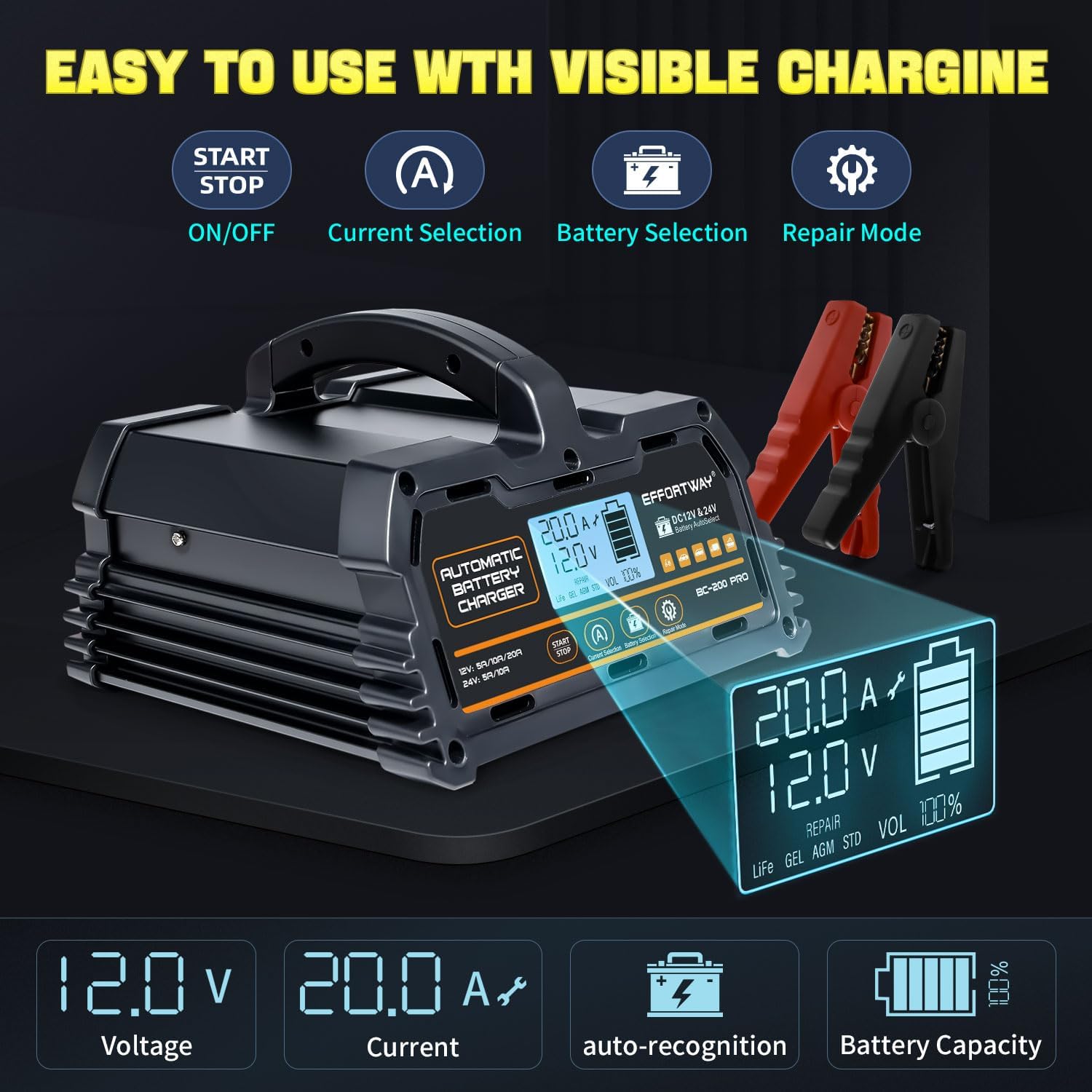
Figure 5: Front panel controls and LCD display

Figure 6: Rear panel with power switch and intelligent temperature control fan
6. Operating Instructions
The BC-200 Pro offers various modes for optimal battery care:
6.1. Charging Mode
Once charging begins, the charger automatically enters a 6-stage charging process. The LCD will display real-time charging information. When the battery reaches approximately 85% charge, it will enter a slower charging mode to protect the battery and ensure a full charge.

Figure 7: 6-stage automatic charging process
6.2. Trickle/Float Charge Mode
After the battery is fully charged, the charger automatically switches to trickle/float charge mode. This mode maintains the battery at an optimal charge level, preventing overcharging and ensuring the battery is ready for use, even during long periods of inactivity.
6.3. Repair Mode
The repair mode is designed to recondition sulfated, undervoltage, or long-term idle batteries. If a battery voltage is 0V, the repair mode can be used to attempt to initiate charging. To activate, select the repair mode option on the charger's interface.
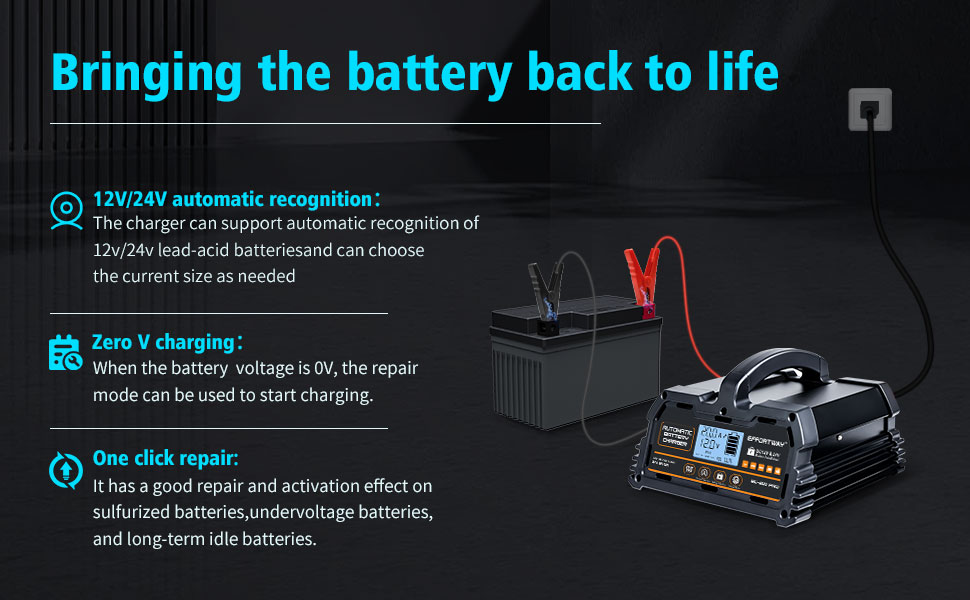
Figure 8: Repair mode functionality
7. Maintenance
Proper maintenance ensures the longevity and optimal performance of your charger:
- Cleaning: Disconnect the charger from power and the battery before cleaning. Use a dry, soft cloth to wipe the exterior. Do not use harsh chemicals or abrasives.
- Storage: Store the charger in a cool, dry place when not in use. Ensure cables are neatly coiled and not kinked.
- Inspection: Regularly inspect the charger, cables, and clamps for any signs of damage, wear, or corrosion. Replace damaged components immediately.
- Ventilation: Ensure the charger's cooling fan and vents are free from obstructions during operation to prevent overheating.
8. Troubleshooting
If you encounter issues with your charger, refer to the following common problems and solutions:
| Problem | Possible Cause | Solution |
|---|---|---|
| Charger not turning on | No AC power; Power switch off | Check AC outlet; Ensure power switch is ON. |
| No charging activity | Incorrect battery connection; Battery too deeply discharged; Incorrect battery type selected | Verify clamp connections (red to +, black to -); Try Repair Mode for deeply discharged batteries; Select correct battery type. |
| Error message on display | Reverse polarity; Short circuit; Overheating | Disconnect and re-connect clamps correctly; Check for short circuits in cables; Allow charger to cool down. |
| Charger stops prematurely | Battery fully charged; Overheating; Internal fault | Check battery charge level; Ensure proper ventilation; Contact support if issue persists. |
9. Specifications
| Feature | Specification |
|---|---|
| Brand | EFFORTWAY |
| Model Number | BC-200 Pro |
| Color | Black |
| Product Dimensions (D x W x H) | 6.69" x 7.68" x 4.72" |
| Item Weight | 2.9 Pounds |
| Input Voltage | 110 Volts |
| Output Voltage | 12 Volts, 24 Volts |
| Current Rating | 20 Amps |
| Amperage | 20 Amps |
| Connector Type | Battery Clamp Connector |
| Specification Met | FCC, UL |
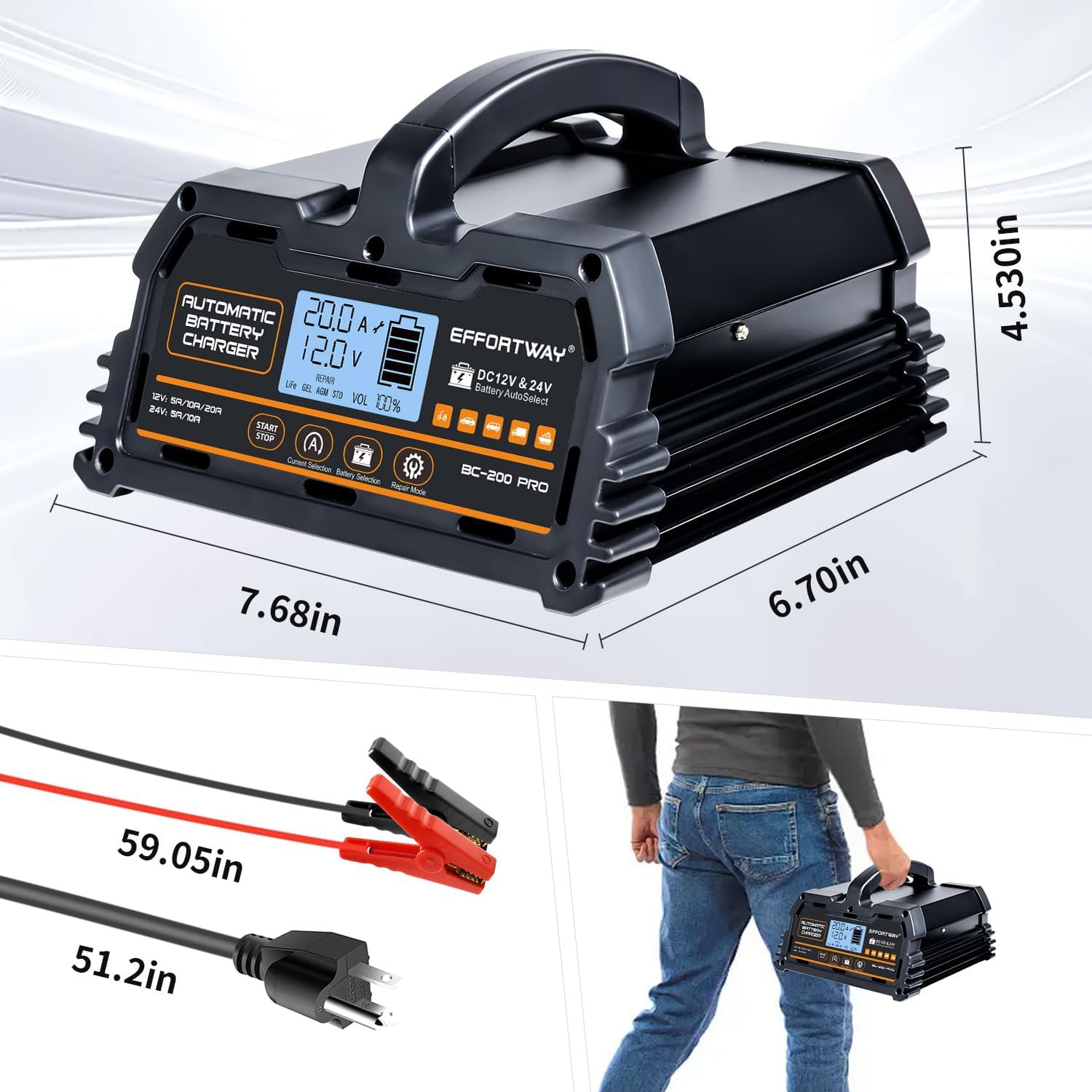
Figure 9: Product dimensions
10. Warranty and Support
10.1. Warranty Information
The EFFORTWAY BC-200 Pro Smart Battery Charger comes with a 1-Year Manufacturer Warranty. This warranty covers defects in materials and workmanship under normal use. Please retain your proof of purchase for warranty claims.
10.2. Customer Support
For technical assistance, troubleshooting, or warranty inquiries, please contact EFFORTWAY customer support through the retailer's platform or visit the official EFFORTWAY website for contact details.