1. Introduction
This manual provides detailed instructions for the installation, operation, and maintenance of your Yealink WH63 E2 DECT Wireless Headset. Please read this manual thoroughly before using the product to ensure proper function and to maximize its capabilities. The Yealink WH63 E2 is a professional DECT wireless headset designed for office environments, offering wide compatibility, advanced noise cancellation, and flexible wearing styles.
2. Package Contents
Verify all items are present in your package. If any item is missing or damaged, please contact your vendor.
- WH63 E2 Convertible Headset & Base
- Earhook & Eartips & Headband (for multiple wearing styles)
- 1.2m USB C 2.0 Cable (x2)
- Power Adapter
- User Manual (this document)

Image: Illustration of the Yealink WH63 E2 package contents, showing the headset, base, various ear tips, earhook, headband, two USB-C cables, power adapter, and user manual.
3. Product Features
- Wide Compatibility: Microsoft Teams and Zoom certified, compatible with various Unified Communications (UC) platforms including Google, RingCentral, Genesys, 8x8, 3CX, Unify, and Netsapiens. This ensures a seamless experience across different work scenarios.
- Noise Cancelling Microphone: Equipped with a next-generation algorithm, enhanced speaker, and two noise-cancelling microphones, the WH63 E2 effectively reduces background noise for clear voice transmission during calls, even in noisy environments.
- Extended Wireless Freedom: The DECT range extends up to 185 meters (607 feet), providing freedom of movement with reliable performance. Enjoy up to 8 hours of talk time and 71 hours of standby time on a single charge.
- Multiple Wearing Styles: Choose from three comfortable wearing styles: Eartip, Earhook, or Headband. Users can select the most suitable accessory for their work environment, ensuring comfort during long periods of use.
- Multi-device Connectivity: Supports simultaneous connection to both a desk phone and a PC. This allows for mixed-mode conferencing and quicker online meetings. Compatible with various Yealink, Teams, Poly, and Snom IP phones.
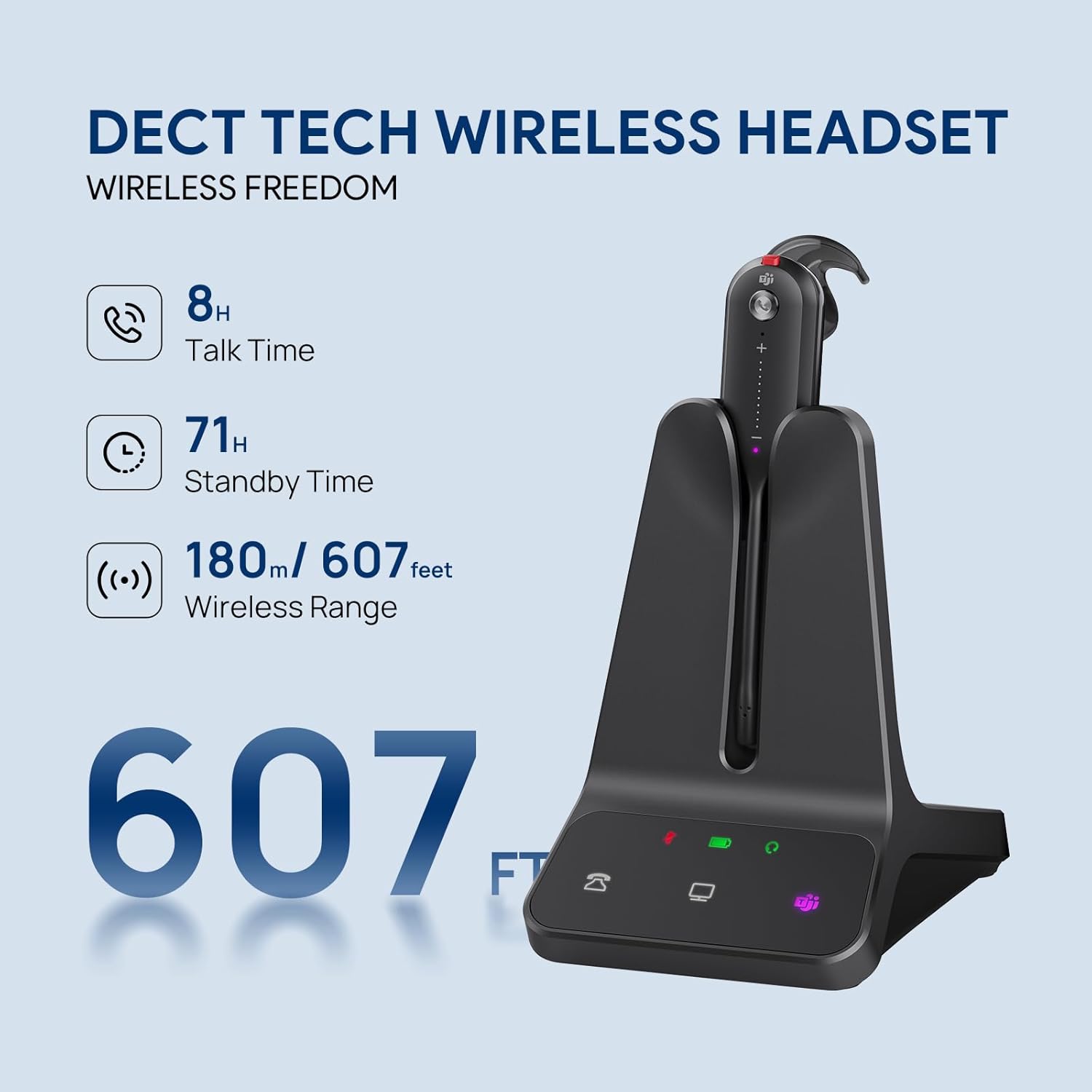
Image: Visual representation of the headset's wireless capabilities, highlighting 8 hours talk time, 71 hours standby time, and a 607-foot wireless range.

Image: A user wearing the headset, demonstrating the effectiveness of the dual noise-cancelling microphones for clear communication.
4. Setup
4.1 Connecting the Base
- Connect the power adapter to the base and then to a power outlet.
- To connect to a PC: Use one of the provided USB-C 2.0 cables to connect the base to your computer's USB port.
- To connect to a Desk Phone: Use the other provided USB-C 2.0 cable to connect the base to your desk phone's USB port. For some 3rd-party desk phones, an EHS62 adapter or a telephone cable (sold separately) may be required.
4.2 Charging the Headset
Place the headset into the charging cradle on the base. The headset will begin charging automatically. Ensure the headset is properly seated. A full charge typically takes approximately 2.5 hours.

Image: The Yealink WH63 E2 headset docked in its base, illustrating the charging and connection status indicators.

Image: The headset base connected to both a laptop and a desk phone, showcasing its multi-device connection capability.
5. Operating Instructions
5.1 Basic Call Functions
- Answer/End Call: Press the Call Control button on the headset.
- Mute/Unmute: Press the Mute button on the headset.
- Volume Adjustment: Slide your finger along the volume control area on the headset to increase or decrease volume.
5.2 Switching Between Devices
The base features dedicated buttons for desk phone and PC connections. Press the corresponding button on the base to switch the active audio channel between your desk phone and PC.
5.3 Microsoft Teams Integration
For Microsoft Teams certified models, a dedicated Teams button on the base allows for quick access to Teams functions, such as joining meetings or checking notifications.
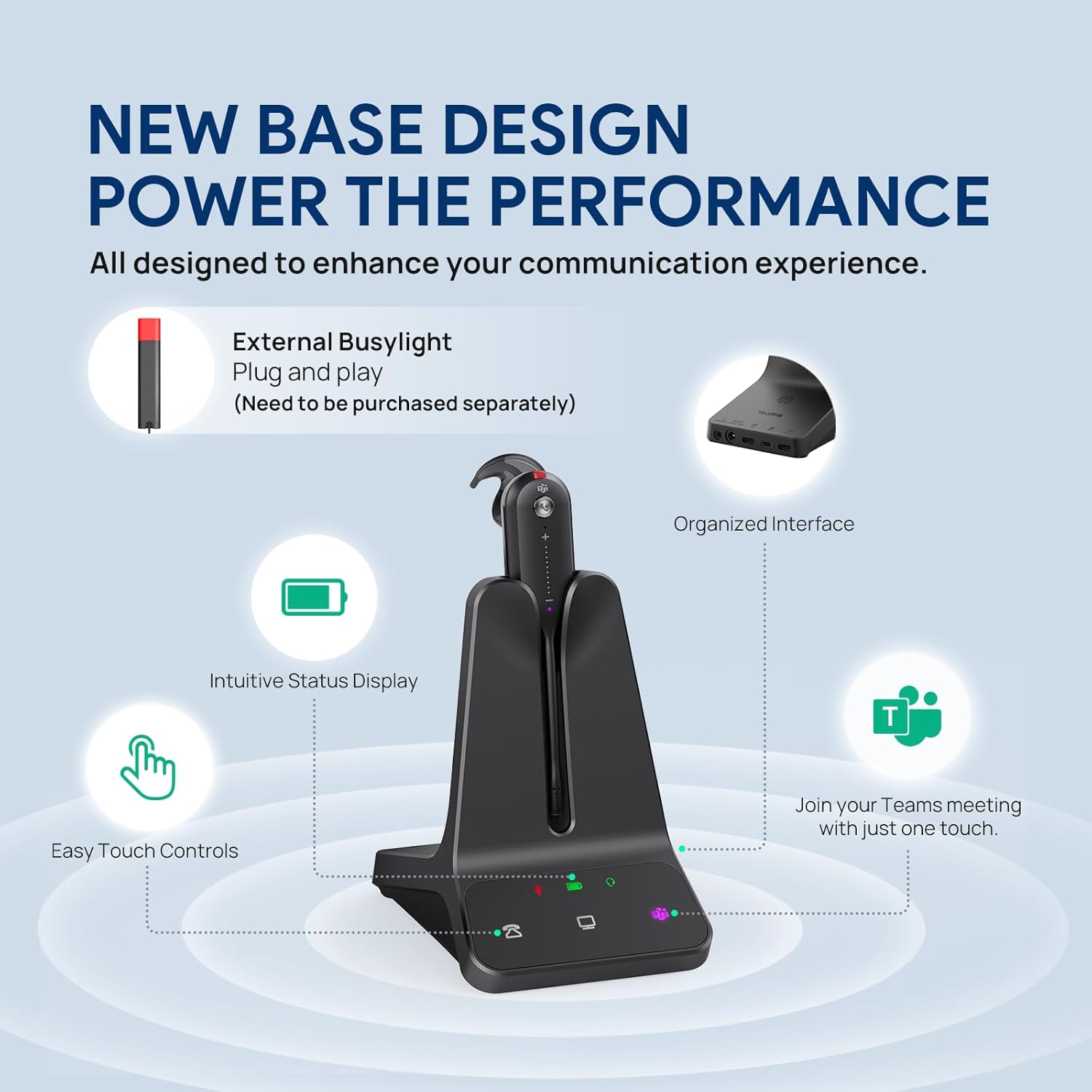
Image: Overview of the base unit's design and functionality, including status indicators and control buttons.
6. Wearing Styles
The Yealink WH63 E2 offers three customizable wearing styles to suit individual preferences and comfort needs:
- Eartip: For a discreet, in-ear fit.
- Earhook: Provides a secure fit over the ear.
- Headband: For traditional over-the-head wear, offering stability and comfort.
To change the wearing style, carefully detach the headset from its current accessory and attach it to the desired earhook, eartip, or headband accessory. Ensure it clicks securely into place.

Image: Visual guide to the three available wearing styles: eartip, earhook, and headband, demonstrating the versatility of the headset.
7. Multi-device Connectivity
The WH63 E2 base unit is designed to connect to both your desk phone and your computer simultaneously, allowing you to manage calls from either device seamlessly. The base unit features dedicated buttons to switch between the desk phone and PC audio channels.
7.1 Compatible Devices
The headset is compatible with a wide range of devices and platforms:
- Desk Phones: Yealink T4XS/T4XU/T53/T5XW/T58A/VP59/T58A, Teams Phones MP52/MP54/MP56/MP58, POLY IP Phone VVX401/411/450/600/601, SNOM IP Phone D765/385, and others via EHS62 or telephone cable (optional accessories).
- Computer Softphones: Microsoft Teams, Zoom, Google, RingCentral, Genesys, 8x8, 3CX, Unify, Netsapiens, etc.

Image: A visual representation of the headset's broad compatibility with leading Unified Communications platforms.
8. Troubleshooting
If you encounter issues with your Yealink WH63 E2 headset, refer to the following common problems and solutions:
- No Audio / Poor Audio Quality:
- Ensure the headset is fully charged and properly seated in the base.
- Check that the correct audio device is selected in your computer's sound settings or on your desk phone.
- Verify the headset is within range of the base (up to 607 feet).
- Adjust the volume on both the headset and the connected device.
- Headset Not Connecting to Base:
- Ensure the base is powered on and connected to your device(s).
- Re-seat the headset in the base.
- If issues persist, consult the full user manual for re-pairing instructions (if applicable).
- Short Battery Life:
- Ensure the headset is charging correctly when docked.
- Battery performance may degrade over time with extensive use.
- Out of Range Warning:
- A voice prompt will indicate when the headset moves out of range. Move closer to the base to re-establish connection.
9. Specifications
| Feature | Detail |
|---|---|
| Model Name | WH63 E2 Teams |
| Connectivity Technology | Wireless |
| Wireless Communication Technology | DECT |
| Noise Control | Active Noise Cancellation |
| Battery Life | 8 Hours (Talk Time) |
| Standby Time | 71 Hours |
| Wireless Range | Up to 185m / 607 feet |
| Frequency Range | 20Hz - 20,000Hz |
| Microphone | Noise Cancelling (Two-mic) |
| Wearing Styles | Eartip, Earhook, Headband |
| Compatible Devices | Desk Phone, Desktops, Laptop Computer, PC, Softphone |
| Control Method | Push Button, Touch Slide (Volume) |
| Material | Plastic |
| Item Weight | 1.38 pounds |
| ASIN | B0DP6QGGDD |
| UPC | 841885125934 |
10. Warranty and Support
10.1 Warranty Information
Yealink products typically come with a standard manufacturer's warranty. Please refer to the warranty card included with your product or visit the official Yealink website for specific warranty terms and conditions applicable to the WH63 E2 headset.
10.2 Technical Support
For technical assistance, troubleshooting beyond this manual, or product inquiries, please contact Yealink customer support through their official website or your local distributor. Ensure you have your product model (WH63 E2) and serial number ready when seeking support.


