
MZYMI S07
MZYMI S07 Wireless Earbuds User Manual
This manual provides detailed instructions for the setup, operation, and maintenance of your MZYMI S07 Wireless Earbuds.
1. Introduction
Thank you for choosing MZYMI S07 Wireless Earbuds. To ensure optimal performance and longevity of your device, please read this manual carefully before use. Keep this manual for future reference.
2. What's in the Box
- MZYMI S07 Wireless Earbuds (Left and Right)
- Charging Case
- USB Charging Cable
- User Manual
3. Product Overview
The MZYMI S07 Wireless Earbuds are designed for a comfortable listening experience with advanced features.

Image 3.1: MZYMI S07 Wireless Earbuds in their open charging case, showcasing the earbuds and charging contacts.

Image 3.2: A person demonstrating the smart touch control feature on an earbud, highlighting ease of access to functions.

Image 3.3: A detailed diagram illustrating the high-performance Bluetooth 5.4 chip, emphasizing stable and fast connection.
4. Setup
4.1 Charging the Earbuds and Case
- Place the earbuds into the charging case. Ensure the charging contacts align.
- Connect the USB charging cable to the charging port on the case and to a power source.
- The LED indicator on the charging case will illuminate to show charging status. A full charge for the case takes approximately 2 hours.
- The earbuds will charge automatically when placed in the case.
Note: The charging case provides approximately 60 hours of total playtime, with individual earbuds offering 5-10 hours per charge depending on usage.
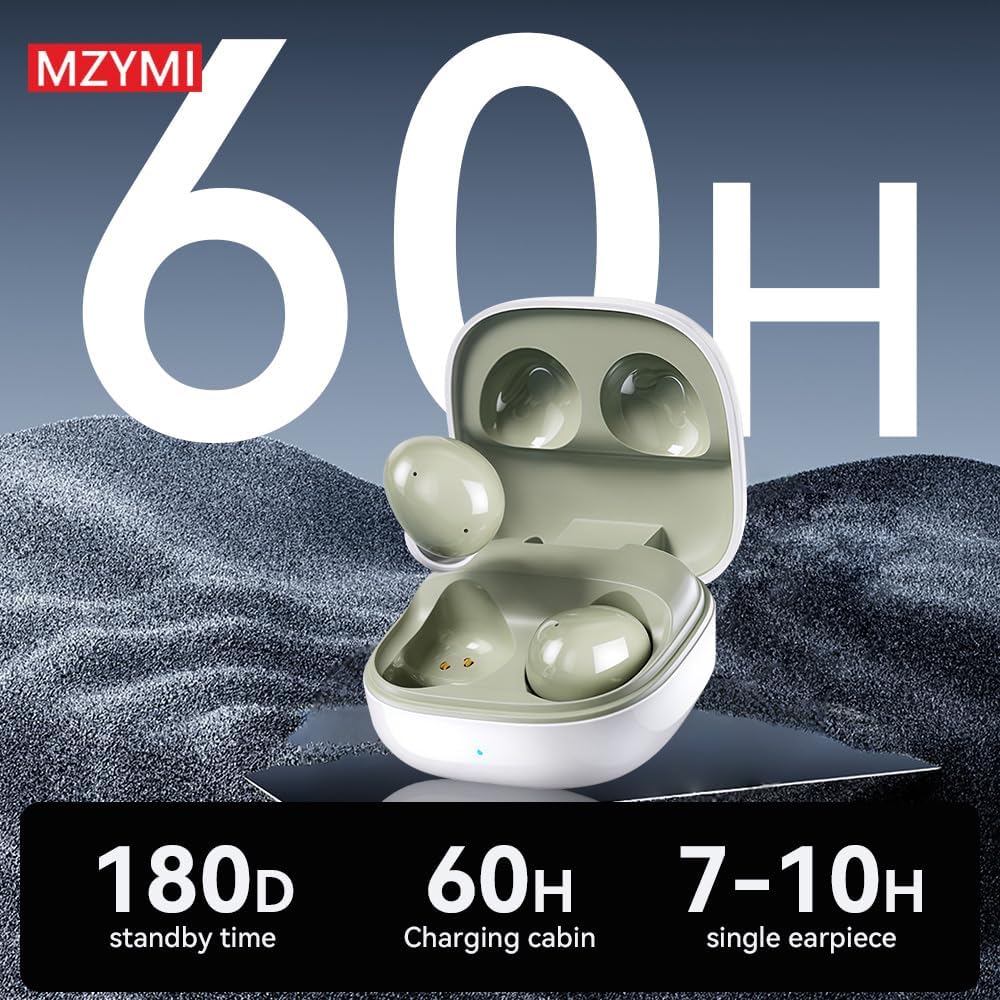
Image 4.1: Visual representation of the MZYMI S07's battery life, indicating 180 days standby, 60 hours with the charging case, and 7-10 hours for a single earbud.
4.2 Bluetooth Pairing
- Ensure the earbuds are charged.
- Open the lid of the charging case. The earbuds will automatically enter pairing mode.
- On your device (smartphone, tablet, laptop), enable Bluetooth.
- Search for available Bluetooth devices and select "MZYMI S07" from the list.
- Once connected, you will hear a confirmation tone, and the earbuds will be ready for use.
- The earbuds will automatically reconnect to the last paired device when removed from the case.
4.3 App Installation
The MZYMI S07 earbuds support a companion application for enhanced control and customization. Please refer to the QR code or instructions provided in your physical user manual to download and install the official MZYMI application on your smartphone.

Image 4.2: Screenshots of the MZYMI companion app, showing features like EQ regulation, noise reduction settings, and key settings for customizable controls.
5. Operating Instructions
5.1 Power On/Off
- Power On: Open the charging case, and the earbuds will automatically power on.
- Power Off: Place the earbuds back into the charging case and close the lid. They will automatically power off and begin charging.
5.2 Touch Controls
The MZYMI S07 earbuds feature smart touch controls on each earbud. The specific functions can often be customized via the companion app.
- Single Tap: Play/Pause music. Answer/End call.
- Double Tap: Next track (Right earbud), Previous track (Left earbud).
- Triple Tap: Volume Up (Right earbud), Volume Down (Left earbud).
- Press and Hold: Cycle through ANC (Active Noise Cancellation) modes (ANC On, Transparency Mode, ANC Off). Reject incoming call.
5.3 Active Noise Cancellation (ANC) and Transparency Mode
The earbuds are equipped with ANC technology to reduce environmental noise and ENC for clear calls.
- ANC On: Reduces ambient noise, ideal for noisy environments.
- Transparency Mode: Allows you to hear your surroundings while listening to audio.
- ANC Off: Standard audio mode without noise cancellation or transparency.
Cycle through these modes by pressing and holding the touch area on either earbud.

Image 5.1: A visual representation of the earbud's -42dB noise reduction capability, showing how it suppresses low-frequency and weakens mid-to-high frequency noise.

Image 5.2: An overview of the ANC+ENC features, detailing -42dB noise reduction, ENC call noise reduction, HiFi sound quality, and Bluetooth V5.4.
6. Maintenance
6.1 Cleaning
- Regularly clean the earbuds and charging case with a soft, dry, lint-free cloth.
- Do not use abrasive cleaners, alcohol, or chemical solvents.
- Ensure charging contacts on both earbuds and case are clean and free of debris to maintain proper charging.
6.2 Storage
- When not in use, store the earbuds in their charging case to protect them and keep them charged.
- Avoid storing in extreme temperatures, direct sunlight, or high humidity.
7. Troubleshooting
| Problem | Possible Solution |
|---|---|
| Earbuds not pairing |
|
| No sound or low volume |
|
| Charging issues |
|
| ANC not effective |
|
8. Specifications
| Feature | Detail |
|---|---|
| Model Name | S07 MZYMI |
| Connectivity Technology | Wireless (Bluetooth 5.4) |
| Noise Control | Sound Isolation, ANC (Active Noise Cancellation) |
| Water Resistance Level | Waterproof (IPX8) |
| Battery Life (Earbuds) | Up to 5 Hours |
| Battery Life (with Charging Case) | Up to 60 Hours |
| Charging Time | Approximately 2 Hours |
| Bluetooth Range | Up to 10 Meters |
| Material | Silicone |
| Item Weight | 50 Grams (1.76 ounces) |
| Frequency Response | 20000 Hz |
| Audio Driver Type | Dynamic Driver |
9. Warranty and Support
9.1 Warranty Information
Warranty details for your MZYMI S07 Wireless Earbuds are typically provided with your purchase documentation or can be obtained from the retailer or manufacturer. Please retain your proof of purchase for warranty claims.
9.2 Customer Support
For further assistance, technical support, or inquiries regarding your MZYMI S07 Wireless Earbuds, please contact the seller or manufacturer through their official support channels. Refer to the packaging or product listing for contact information.
Ask a question about this manual
Ask about setup, troubleshooting, compatibility, parts, safety, or missing instructions. Manuals+ will review the question and use this page’s manual context to help answer it.