
HAUSHOF HH24121
HAUSHOF Mobile Air Conditioner 9000BTU User Manual
Model: HH24121
Brand: HAUSHOF
1. Introduction
Thank you for choosing the HAUSHOF Mobile Air Conditioner. This 4-in-1 unit is designed to provide efficient cooling, dehumidification, ventilation, and a comfortable sleep mode for your living spaces. Please read this manual carefully before operation to ensure proper use, maintenance, and safety.
2. Safety Instructions
Always follow basic safety precautions when using electrical appliances to reduce the risk of fire, electric shock, and injury.
- Ensure the power supply matches the voltage specified on the unit's rating label.
- Do not operate the unit with a damaged cord or plug.
- Keep the unit away from water and direct sunlight.
- Ensure proper ventilation around the unit. Do not block air inlets or outlets.
- The appliance contains R290 refrigerant. Handle with care and ensure proper disposal.
- Do not insert objects into the air outlet.
- Unplug the unit before cleaning or maintenance.
3. Product Overview
The HAUSHOF Mobile Air Conditioner is a compact and versatile unit designed for various indoor environments.

Figure 3.1: HAUSHOF Mobile Air Conditioner and included accessories.
Key Components:
- Control Panel: Located on top for easy access to settings.
- Air Outlet: Adjustable louvers for directing airflow.
- Air Filter: Removable and washable for easy maintenance.
- Drainage Port: For continuous water drainage.
- Caster Wheels: 360° swivel wheels for easy mobility.

Figure 3.2: Detailed view of unit features including manual airflow adjustment, removable filter, drainage, and swivel wheels.
4. Setup and Installation
For optimal performance, allow the unit to stand upright for at least 24 hours before first use if it has been transported horizontally.
4.1 Exhaust Hose Installation
The exhaust hose is crucial for expelling hot air outside the room.
- Attach the hose connector to one end of the exhaust hose.
- Extend the hose and insert it into the insulated hose sleeve.
- Connect the window kit adapter to the other end of the hose.
- Install the window sealing kit according to the instructions provided in the manual. This kit is suitable for both tilt and turn windows.
- Connect the hose to the air outlet on the back of the air conditioner.
- Adjust the length of the exhaust hose to maintain a minimum distance of 70 cm from the window and 90 cm from the floor for efficient operation.

Figure 4.1: Easy installation with the included window sealing kit, compatible with various window types.

Figure 4.2: Step-by-step guide for exhaust hose and window kit installation.
5. Operating Modes
The HAUSHOF Mobile Air Conditioner offers four versatile operating modes:

Figure 5.1: Overview of the 4-in-1 functions.
5.1 Cooling Mode
Provides powerful cooling for rooms up to 30 m².
- Cooling Capacity: 9000 BTU/h (2.6 kW)
- Adjustable Temperature: 16°C to 32°C
- Airflow: 330 m³/h
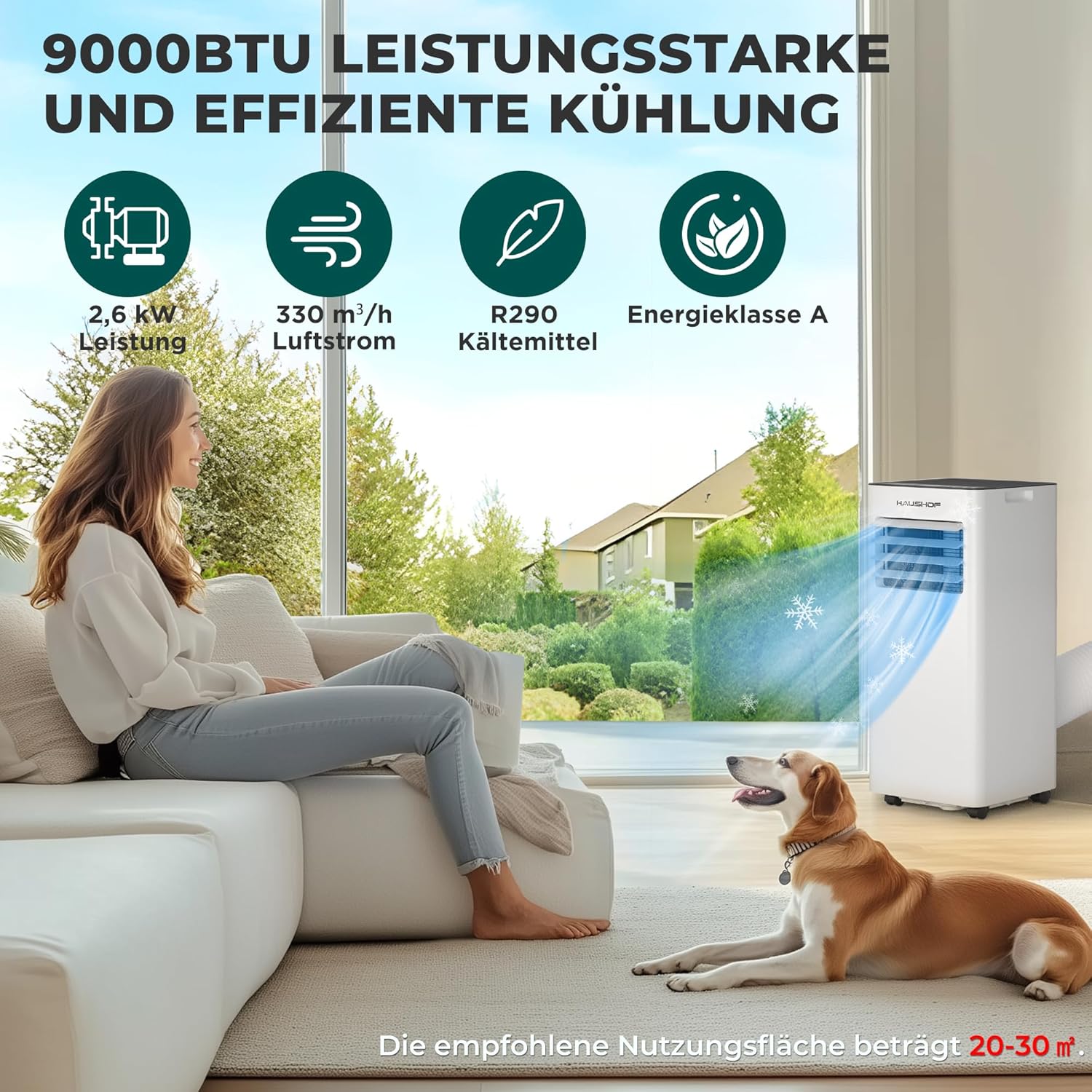
Figure 5.2: Powerful 9000BTU cooling for effective room temperature reduction.
5.2 Dehumidifying Mode
Removes excess moisture from the air, ideal for humid seasons.
- Dehumidification Capacity: Up to 25 liters per day.

Figure 5.3: Dehumidifying mode for reducing humidity, especially in damp environments.
5.3 Fan Mode
Circulates air without cooling, providing a refreshing breeze.
- Airflow: 330 m³/h
- Speed Settings: High and Low.

Figure 5.4: Fan mode ensures constant air circulation for comfort.
5.4 Sleep Mode
Designed for quiet and comfortable operation during sleep.
- Automatic Temperature Adjustment: Temperature increases by 1°C after 1 hour and again after 2 hours, then remains constant.
- Dimmed LED Display: Reduces light disturbance.
- Automatic Shut-off: After 12 hours for safe operation.
- Low Noise Level: Approximately 55 dB.

Figure 5.5: Sleep mode provides a quiet and comfortable environment for restful sleep.
6. Controls
The unit can be controlled via the integrated touch panel or the remote control.
6.1 Touch Panel
The intuitive touch panel on top of the unit allows for direct control of all functions.

Figure 6.1: Dual control via touch panel and remote control.
6.2 Remote Control
The remote control provides convenient operation from a distance.
- Range: Up to 5 meters.
- Functions: Power on/off, mode selection, temperature adjustment, fan speed, timer, child lock.
- Child Lock: Press and hold the 'Lock' button for 5 seconds to activate/deactivate.
- 24-Hour Timer: Set the unit to turn on or off automatically.

Figure 6.2: Remote control and touch panel with function icons.
7. Maintenance
Regular maintenance ensures optimal performance and longevity of your air conditioner.
7.1 Cleaning the Air Filter
The air filter should be cleaned regularly (e.g., every two weeks) to prevent dust buildup and maintain airflow efficiency.
- Unplug the unit from the power outlet.
- Remove the filter from its slot (refer to Figure 3.2).
- Wash the filter with lukewarm water and a mild detergent.
- Rinse thoroughly and allow it to air dry completely before reinserting.
7.2 Water Drainage
The unit will accumulate condensate during cooling and dehumidifying operations. The internal water tank needs to be emptied periodically, or continuous drainage can be set up.
- When the internal tank is full, the unit will stop operating and indicate a full tank.
- To drain, place a suitable container under the drainage port (refer to Figure 3.2) and remove the drain plug.
- For continuous drainage, connect the included drain hose to the drainage port and direct it to a floor drain or a larger container. Ensure the hose is sloped downwards for gravity drainage.
8. Troubleshooting
If you encounter issues with your air conditioner, refer to the table below for common problems and solutions.
| Problem | Possible Cause | Solution |
|---|---|---|
| Unit does not turn on | No power supply; Power cord unplugged; Full water tank. | Check power connection; Empty water tank. |
| Insufficient cooling | Air filter clogged; Exhaust hose blocked or improperly installed; Room too large; Doors/windows open. | Clean air filter; Check exhaust hose for kinks/blockages and proper installation; Close doors/windows. |
| Unit is noisy | Unit not on a flat surface; Air filter clogged. | Place on a flat, stable surface; Clean air filter. |
| Water leakage | Drain plug loose; Drain hose not properly connected or blocked. | Secure drain plug; Check drain hose for proper connection and clear any blockages. |
If the problem persists after trying these solutions, please contact customer support.
9. Specifications
| Feature | Specification |
|---|---|
| Model Number | HH24121 |
| Cooling Capacity | 9000 BTU/h (2.6 kW) |
| Power Consumption | 1005 Watt |
| Voltage | 240 Volt |
| Airflow Volume | 330 m³/h |
| Refrigerant | R290 |
| Noise Level (Sleep Mode) | 55 dB |
| Dehumidification Capacity | Up to 25 L/day |
| Recommended Room Size | 20-30 m² |
| Dimensions (H x W x D) | 67 cm x 30 cm x 29 cm |
| Weight | 21.5 kg |
| Energy Efficiency Class | A |
| Included Accessories | Exhaust hose (1.5m), Insulated hose sleeve, Window sealing kit, Remote control, Drain hose. |
For more detailed product information, please refer to the EPREL database: https://eprel.ec.europa.eu/qr/2365876
10. Product Video
Watch the official product video for a visual guide on the HAUSHOF Mobile Air Conditioner's features and operation.
Video: HAUSHOF Mobile Air Conditioner 9000BTU 4-IN-1 overview.
11. Warranty and Support
Your HAUSHOF Mobile Air Conditioner comes with a standard manufacturer's warranty. Please retain your proof of purchase for warranty claims.
Customer Support:
- Email: vickie.liang@ceviconn.com
- Phone: +49-1575-6870327
For further assistance or technical inquiries, please contact our customer support team.
Ask a question about this manual
Ask about setup, troubleshooting, compatibility, parts, safety, or missing instructions. Manuals+ will review the question and use this page’s manual context to help answer it.