1. Introduction
Thank you for choosing the Aiwa AWS-T2W-02 Sound Tower. This powerful audio system is designed to deliver a high-fidelity sound experience with deep bass, clear mid-range, and crisp treble. Featuring 2300W RMS power, dual 10-inch woofers, Bluetooth 5.3 connectivity, RGB LED lighting, and multiple input options, this manual will guide you through its setup, operation, and maintenance to ensure optimal performance.

Image 1.1: Front view of the Aiwa AWS-T2W-02 Sound Tower, showcasing its dual woofers with colorful RGB lighting and top control panel.
2. Safety Information
Please read all safety instructions carefully before using this product. Retain this manual for future reference.
- Power Source: Connect the unit only to the specified power supply as indicated on the rating label.
- Ventilation: Ensure adequate ventilation. Do not block any ventilation openings.
- Water and Moisture: Do not expose the unit to rain, moisture, dripping, or splashing. Do not place objects filled with liquids, such as vases, on the apparatus.
- Heat: Do not place near heat sources such as radiators, heat registers, stoves, or other apparatus (including amplifiers) that produce heat.
- Cleaning: Unplug the unit from the wall outlet before cleaning. Use a dry cloth for cleaning.
- Servicing: Do not attempt to service this product yourself. Refer all servicing to qualified service personnel.
- Placement: Place the unit on a stable, flat surface to prevent it from falling.
3. Package Contents
Carefully unpack your Aiwa AWS-T2W-02 Sound Tower and ensure all items are present:
- 1 x Aiwa AWS-T2W-02 Sound Tower
- 1 x Power Cable
- 1 x Instruction Manual (this document)
4. Product Features
The Aiwa AWS-T2W-02 Sound Tower is equipped with advanced features for an immersive audio experience:
- High Power Output: 2300W RMS for robust and clear sound.
- High Definition Sound: Features two 10-inch woofers for deep bass, two mid-range drivers for clear vocals, and two tweeters for crisp highs.
- Bluetooth 5.3: Provides a faster, more stable wireless connection with lower power consumption for streaming audio from compatible devices.
- RGB LED Color Lights: Dynamic multi-colored lights with 8 modes that pulsate and alternate, enhancing the atmosphere.
- Double Strobo Light: Creates vibrant and engaging luminous effects.
- Multiple Connections: Includes USB port, auxiliary cable input, RCA connector, two microphone inputs, and one musical instrument input.
- App Control: Manage equalization and activate the BOOST function via a dedicated mobile application (available on Google Play and Apple App Store).
- TWS (True Wireless Sound) Function: Allows pairing two AWS-T2W-02 Sound Towers for a stereo sound experience.
- Portability: Equipped with wheels for easier transportation.

Image 4.1: The Aiwa AWS-T2W-02 Sound Tower with text emphasizing its 2300W RMS power output, indicating its high performance capabilities.

Image 4.2: The Aiwa AWS-T2W-02 Sound Tower with text detailing its high-definition sound components: two 10-inch woofers, two midranges, and two tweeters.

Image 4.3: The Aiwa AWS-T2W-02 Sound Tower in a dimly lit room, demonstrating its dual strobo lights and vibrant RGB LED color lights in action.
5. Setup
- Unpacking: Carefully remove the Sound Tower from its packaging.
- Placement: Place the Sound Tower on a stable, flat surface. Ensure there is adequate space around the unit for proper ventilation.
- Power Connection: Connect the provided power cable to the AC IN port on the back of the Sound Tower, then plug the other end into a suitable wall outlet.
- Initial Power On: Press the Power button on the control panel to turn on the unit.
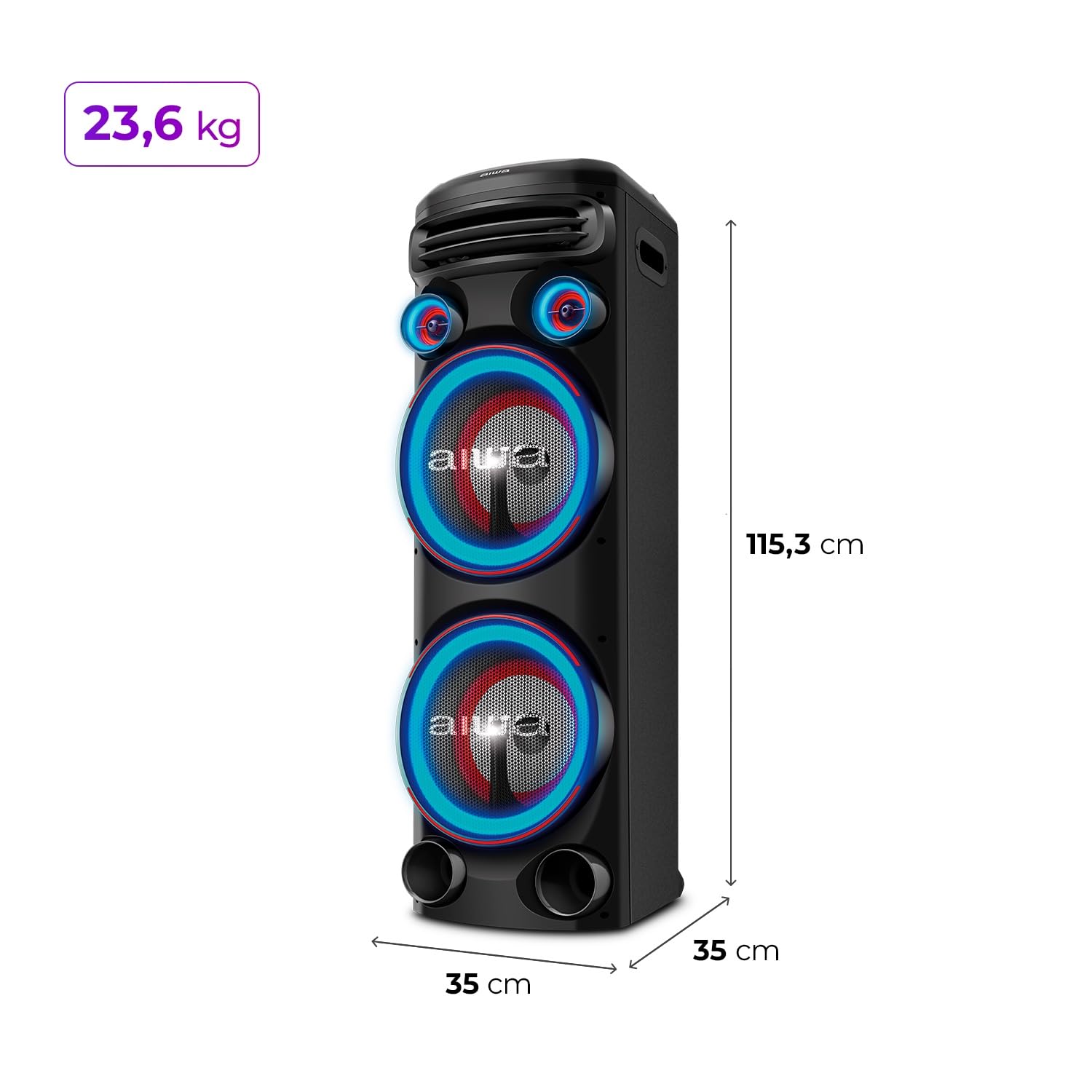
Image 5.1: The Aiwa AWS-T2W-02 Sound Tower with its dimensions (35D x 35W x 115.3H cm) and weight (23.6 kg) indicated, illustrating its physical size and portability features like wheels.
6. Operating Instructions
6.1 Control Panel Overview
The main controls are located on the top panel of the Sound Tower. Refer to the image below for a visual guide:

Image 6.1: Detailed view of the Aiwa AWS-T2W-02 Sound Tower's top control panel, with labels for various functions including USB inputs, equalizer/TWS, power, bass control, echo control, DJ effects, mic/guitar control, strobo light, treble control, light control, and voice canceling.
6.2 Bluetooth Connection
- Turn on the Sound Tower.
- Press the 'Mode' button on the control panel until 'Bluetooth' mode is selected. The Bluetooth indicator will flash.
- Enable Bluetooth on your smartphone or other device.
- Search for 'AWS-T2W-02' in the list of available devices and select it to pair.
- Once connected, the Bluetooth indicator will stop flashing, and you can play audio from your device.

Image 6.2: The Aiwa AWS-T2W-02 Sound Tower with text emphasizing Bluetooth 5.3 for faster, more stable connection and lower power consumption, and the TWS Stereo function for pairing two units.
6.3 TWS (True Wireless Sound) Pairing
To achieve a stereo sound experience, you can pair two Aiwa AWS-T2W-02 Sound Towers:
- Ensure both Sound Towers are powered on and in Bluetooth mode.
- On one of the Sound Towers (this will be the primary unit), press and hold the 'TWS' button (often combined with the Equalizer button).
- The primary unit will search for the secondary unit. Once connected, you will hear a confirmation sound, and the TWS indicator will illuminate.
- Connect your Bluetooth device to the primary Sound Tower as described in Section 6.2. Audio will now play in stereo through both units.
6.4 USB Playback
- Insert a USB flash drive containing audio files into one of the USB ports on the control panel.
- Press the 'Mode' button to select 'USB' mode.
- The unit will automatically begin playing audio files from the USB drive. Use the playback controls (Play/Pause, Next/Previous Track) to manage your music.
6.5 FM Radio
- Press the 'Mode' button to select 'FM' mode.
- Press and hold the 'Play/Pause' button to initiate an automatic scan for available FM stations. The unit will save detected stations.
- Use the 'Next/Previous Track' buttons to navigate through the saved FM stations.
6.6 Microphone and Musical Instrument Inputs
The Sound Tower features dedicated inputs for microphones and musical instruments:
- Connect up to two microphones to the 'MIC 1' and 'MIC 2' ports.
- Connect a musical instrument (e.g., guitar) to the 'INSTRUMENT' port.
- Adjust the volume for microphones and instruments using the dedicated 'MIC/GUITAR' control knob on the control panel.
- Use the 'ECHO' control to add echo effects to microphone input.

Image 6.3: Rear view of the Aiwa AWS-T2W-02 Sound Tower, clearly showing the multiple connection ports including two microphone inputs, one instrument input, USB input, AUX input, and RCA input.
6.7 App Control
Enhance your control over the Sound Tower by downloading the exclusive Aiwa app:
- Download the 'Aiwa' app from Google Play Store (for Android devices) or Apple App Store (for iOS devices).
- Ensure your Sound Tower is powered on and your smartphone's Bluetooth is enabled.
- Open the app and follow the on-screen instructions to connect to your AWS-T2W-02.
- Through the app, you can control equalization settings (bass, mid, treble) and activate the 'BOOST' function for more powerful bass, especially at higher volumes.
- The app may also offer control over DJ effects and lighting modes.

Image 6.4: A smartphone screen displaying the Aiwa app interface, showing controls for equalization (bass, mid, treble), a BOOST function, DJ effects, and a timer, with icons for App Store and Google Play for download.
6.8 Lighting Control
The Sound Tower features dynamic RGB LED lights and double strobo lights:
- Press the 'Light Control' button on the control panel to cycle through different RGB LED lighting modes.
- Press the 'Strobo Light' button to activate or deactivate the strobo effects.
- Some lighting effects may also be controllable via the Aiwa app.
7. Maintenance
Proper maintenance ensures the longevity and optimal performance of your Sound Tower:
- Cleaning: Always unplug the unit before cleaning. Use a soft, dry cloth to wipe the exterior surfaces. Do not use liquid cleaners, aerosols, or abrasive materials.
- Ventilation: Keep the ventilation openings clear of dust and debris to prevent overheating.
- Storage: If storing the unit for an extended period, unplug it from the power outlet and store it in a cool, dry place, away from direct sunlight and extreme temperatures.
8. Troubleshooting
If you encounter any issues with your Aiwa AWS-T2W-02 Sound Tower, refer to the following troubleshooting guide:
| Problem | Possible Cause | Solution |
|---|---|---|
| No power | Power cable not connected; Power outlet not working; Unit is off. | Ensure power cable is securely connected. Test the power outlet with another device. Press the Power button to turn on the unit. |
| No sound | Volume is too low; Incorrect input mode selected; Audio source issue. | Increase the volume. Select the correct input mode (Bluetooth, USB, AUX, FM). Check the audio source device. |
| Bluetooth pairing fails | Device is too far; Bluetooth not enabled on device; Incorrect pairing procedure. | Move device closer to the Sound Tower. Ensure Bluetooth is enabled on your device. Follow the pairing steps in Section 6.2. |
| TWS pairing fails | Units are too far apart; Incorrect TWS pairing procedure. | Ensure both Sound Towers are within close proximity. Follow the TWS pairing steps in Section 6.3. |
| USB playback not working | USB drive not formatted correctly; Incompatible file types; USB drive damaged. | Ensure USB drive is formatted to FAT32. Use compatible audio file types (e.g., MP3). Try a different USB drive. |
9. Specifications
| Feature | Specification |
|---|---|
| Model Name | AWS-T2W-02 |
| Speaker Type | Tower Speaker, Subwoofer |
| RMS Power Output | 2300 Watts |
| Subwoofer Diameter | 10 Inches (x2) |
| Connectivity Technology | Bluetooth 5.3, USB, AUX, RCA |
| Special Features | RGB LED Light, Double Strobo Light, App Control, TWS Function |
| Control Method | App, On-unit controls |
| Compatible Devices | Smartphones, Tablets, Laptops, Microphones, Musical Instruments |
| Material | MDF XS |
| Product Dimensions (D x W x H) | 35D x 35W x 115.3H Centimeters |
| Item Weight | 23.6 Kilograms |
| Power Source | Electrical Wire |
| Frequency Response | 20 KHz (Max) |
10. Warranty and Support
For warranty information and customer support, please refer to the warranty card included with your product or visit the official Aiwa website. Keep your purchase receipt as proof of purchase for any warranty claims.
Manufacturer: AIWA
Date First Available: 18 January 2025


