
Introduction
The sofirn H35R LED Headlamp is a versatile and powerful lighting solution designed for various outdoor and indoor activities. Featuring both a super bright white light (1500 Lumens) and a specialized 660nm deep red light, it offers reliable illumination and preserves night vision. Its lightweight, comfortable, and IPX6 waterproof design ensures durability in diverse environments, making it perfect for camping, hiking, night running, or household repairs.
Accessory List
- 1 x sofirn H35R Headlamp
- 1 x Battery (included)
- 1 x USB-C Charging Cable
- 1 x Headband
- 1 x User Manual
Setup
Battery Installation & Charging
Before first use, ensure the battery is fully charged.
- Unscrew the cap on one end of the headlamp to reveal the hidden USB-C charging port.
- Insert the included USB-C cable into the port. Connect the other end of the cable to a compatible USB power source.
- The charging indicator light will be red while charging and turn green when fully charged.
- To remove the battery for external charging or replacement, unscrew the cap on the opposite end of the headlamp.

Figure 1: Hidden USB-C Charging Port and Indicator
Attaching the Headband
The headlamp unit can be easily clipped into the headband mount. Adjust the elastic strap for a comfortable and secure fit on your head.

Figure 2: Adjustable Headband for Comfortable Fit
Video 1: Sofirn H35R Operation Guide
Operating Instructions
Basic Operation
- Turn On White Light: From OFF, click the button once. The light will turn on to the last used white light mode.
- Turn On Red Light: From OFF, long press the button. The light will turn on to the last used red light mode.
- Adjust Brightness (White/Red Light): When the light is ON, long press the button to cycle through the modes: Moonlight/Low/Medium/High/Turbo. Release the button to select the desired brightness.
- Turn Off: Click the button once from any mode to turn off the light.

Figure 3: Light Mode Operation Diagram
Features
- 1500 Lumens White Light: Provides powerful illumination for various tasks and activities, with an impressive beam distance of 112 meters.
- 660nm Deep Red Light: Ideal for preserving night vision, stargazing, wildlife observation, or emergency signaling.
- Lightweight and Comfortable: Weighing just 80g, the H35R is designed for extended wear without discomfort.
- IPX6 Waterproof Rating: Ensures reliable performance in rain, snow, and other challenging outdoor conditions.
- USB-C Rechargeable: Features a hidden USB-C port for convenient and sustainable charging.
- Smart Charging Indicators: Red light indicates charging, green light indicates full charge.
- Durable Aluminum Construction: Built to withstand tough environments.
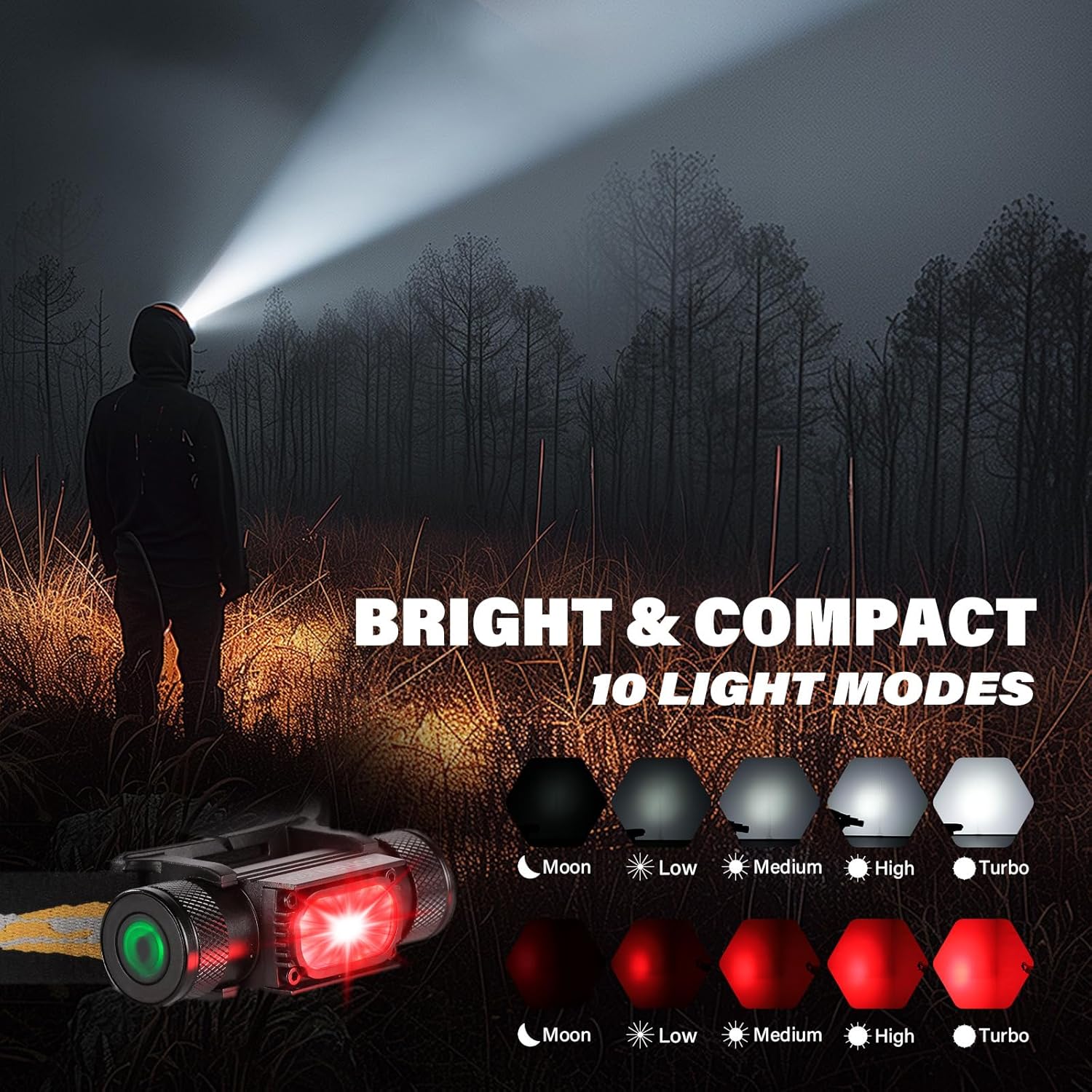
Figure 4: 660nm Deep Red Light in Use

Figure 5: IPX6 Waterproof Feature
Video 2: Sofirn H35R Headlamp Overview
Specifications
| Feature | Value |
|---|---|
| Special Feature | Rechargeable |
| Color | Black |
| Power Source | Battery Powered |
| Light Source Type | LED |
| Material | Aluminum |
| White Brightness | 1500 Lumens |
| Light Path Distance | 112 Meters |
| Item Weight | 80 Grams (2.82 ounces) |
| Water Resistance Level | Waterproof (IPX6) |
| Product Dimensions | 1.42"D x 3.31"W x 0.91"H |
| Recommended Uses | Camping, Hiking, Running, Stargazing, Household Tasks, Outdoor Work |
Maintenance
Cleaning
Wipe the headlamp body with a soft, damp cloth. Do not use abrasive cleaners.
Battery Care
Store the battery in a cool, dry place when not in use for extended periods. Recharge regularly to maintain battery health.
Water Resistance
Ensure the end caps are securely tightened before exposing the headlamp to water to maintain its IPX6 rating.
Troubleshooting
Light not turning on:
- Check if the battery is properly inserted and fully charged.
- Ensure the insulating paper (if present from new) has been removed from the battery terminals.
Light flickering or dimming unexpectedly:
- The battery might be low. Recharge the headlamp.
- Ensure the end caps are tightly screwed on.
Warranty and Support
Warranty
The sofirn H35R headlamp comes with a limited warranty. Please refer to the included user manual for specific warranty terms and conditions.
Customer Support
For any questions, technical assistance, or warranty claims, please contact sofirn customer support through their official website or the retailer where the product was purchased.
