
1. Introduction
This manual provides essential information for setting up, operating, and maintaining your GMKtec Mini PC G10. Please read these instructions carefully before using the device to ensure optimal performance and longevity.
2. Package Contents
Verify that all items are present in the package:
- GMKtec Nucbox G10 Mini PC
- Power Adapter and Cable
- HDMI Cable
- VESA Mount and Screws
- User Manual

Image: Contents of the GMKtec Mini PC G10 package, including the mini PC, power adapter, HDMI cable, VESA mount, and user manual.
3. Product Overview and Interfaces
The GMKtec Mini PC G10 features a compact design with a variety of ports for connectivity. Familiarize yourself with the available interfaces:
Front Panel:
- 1x CTIA Audio Jack
- 2x USB 3.2 (5Gbps) Ports
- 1x Power Button
Rear Panel:
- 1x USB-C Power Input (PD Only)
- 1x USB-C (Full-function: DisplayPort, Data, Power Delivery)
- 1x USB 2.0 Port
- 1x 2.5G Gigabit Ethernet (LAN) Port
- 1x HDMI 2.1 (4K@60Hz) Port
- 1x DisplayPort 1.4 (4K@60Hz)
- 1x Kensington Lock Slot

Image: Detailed view of the front and rear ports of the GMKtec Mini PC G10, illustrating USB, HDMI, DisplayPort, Ethernet, and power connections.
4. Setup
Follow these steps to set up your GMKtec Mini PC G10:
- Connect to Display: Connect your monitor(s) to the Mini PC using the HDMI, DisplayPort, or USB-C (DisplayPort Alt Mode) outputs. The device supports up to three displays simultaneously.
- Connect Peripherals: Plug in your keyboard, mouse, and other USB devices into the available USB ports.
- Network Connection: For a wired connection, connect an Ethernet cable to the 2.5G LAN port. For wireless, ensure Wi-Fi is enabled in the operating system settings after initial boot.
- Power On: Connect the power adapter to the Mini PC's USB-C power input and then to a power outlet. Press the power button on the front panel to turn on the device.
- Initial Setup: Follow the on-screen instructions to complete the Windows 11 Pro setup.
5. Operating System
The GMKtec Mini PC G10 comes pre-installed with Windows 11 Pro. It is also compatible with Windows 10 and various Linux distributions.
Windows 11 Pro Features:
- Enhanced security features.
- BitLocker device encryption.
- Remote Desktop capabilities.
- Domain Join and Group Policy management.
Ensure your operating system is regularly updated for security and performance improvements.
6. Performance and Storage
The Mini PC G10 is designed for efficient daily computing and light gaming, featuring robust components for smooth operation.
Processor:
Equipped with an AMD Ryzen 5 3500U Processor, a 64-bit quad-core CPU with 8 threads, based on AMD's 12nm Zen+ architecture. It offers a base frequency of 2.1 GHz and a boost frequency of up to 3.7 GHz, with a TDP of 15W (configurable up to 35W for higher performance).
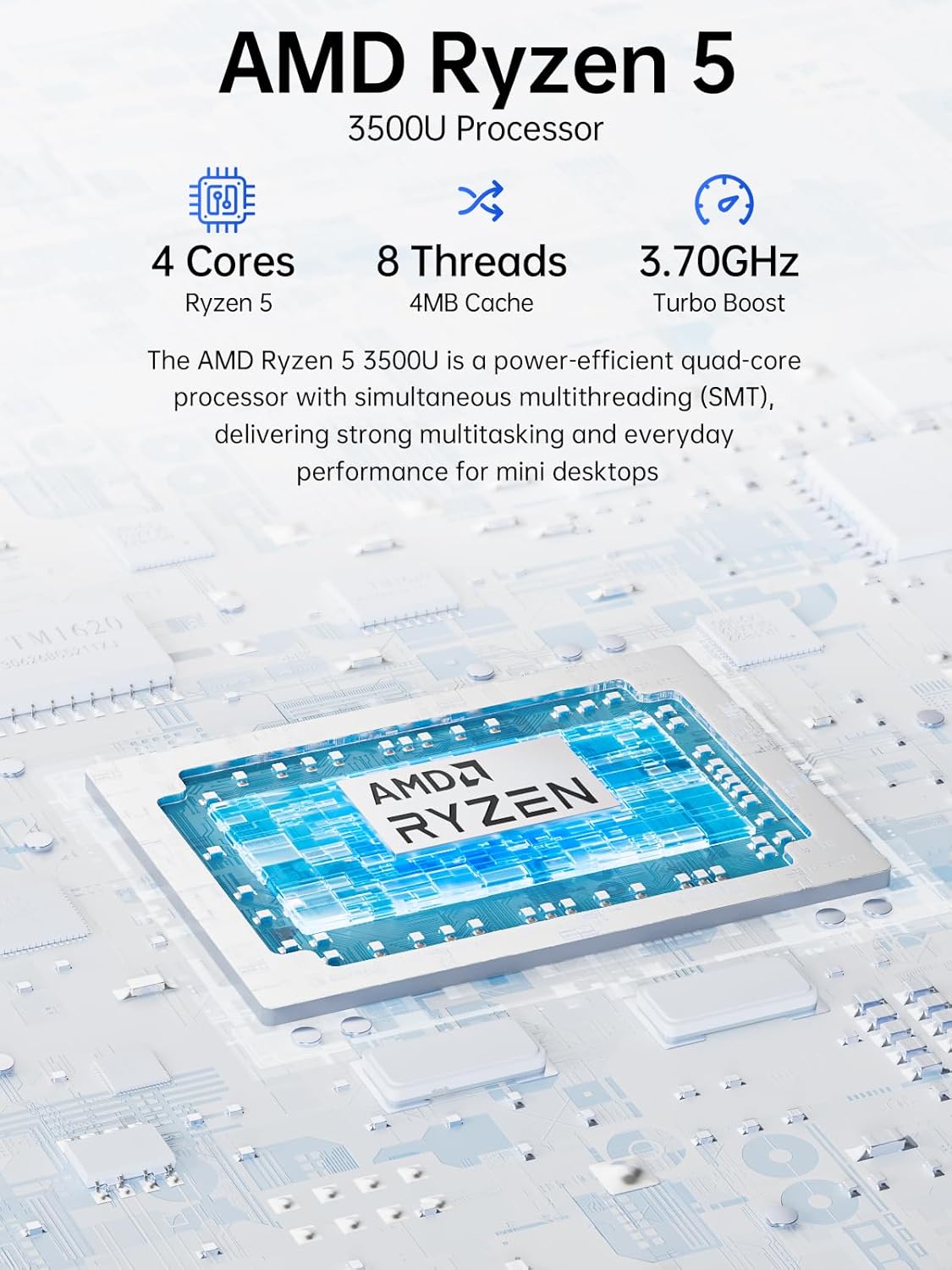
Image: Visual representation of the AMD Ryzen 5 3500U processor, highlighting its 4 cores, 8 threads, 4MB cache, and 3.70GHz turbo boost.
Graphics:
Integrated Radeon Vega 8 Graphics (up to 1.2 GHz) provides capable performance for video editing, multimedia playback, and casual gaming.
Memory (RAM):
The system includes 16GB of DDR4 SO-DIMM dual-channel RAM (2 x 8GB). The memory is expandable up to 32GB.
Storage:
Features a 1TB PCIe 3.0 x4 NVMe SSD, offering significantly faster data transfer speeds (up to 3500 MB/s) compared to traditional SATA SSDs. This results in quicker boot times, faster application loading, and smoother file transfers.
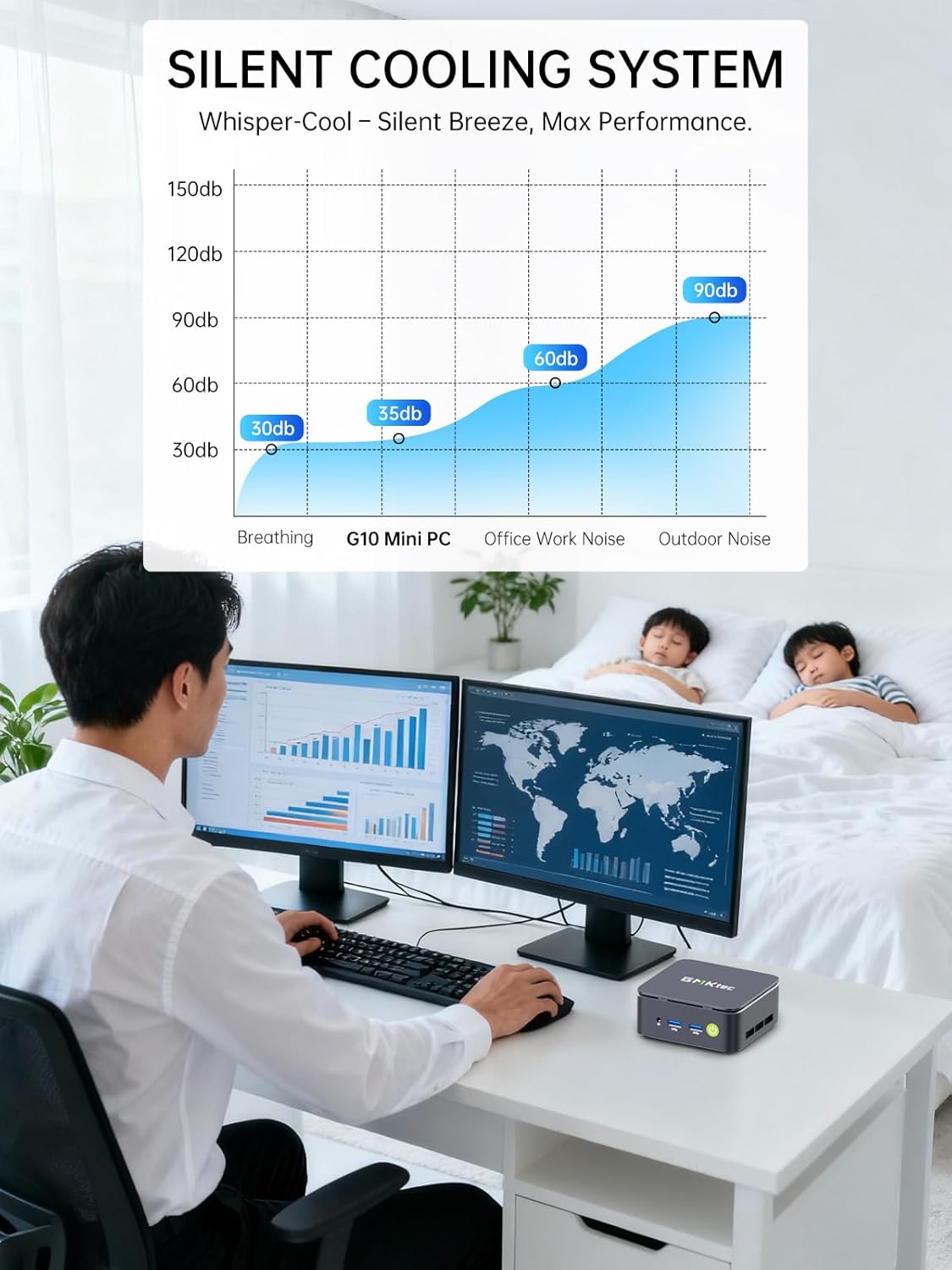
Image: Comparison illustrating the speed advantage of PCIe 3.0 NVMe SSDs (up to 3500 MB/s) over SATA SSDs (up to 550 MB/s).
Storage Expansion:
The Mini PC G10 is equipped with two M.2 2280 PCIe 3.0 slots, allowing for storage expansion up to 16TB (with 2 x 8TB SSDs, not included).

Image: Diagram showing the dual SO-DIMM DDR4 slots for RAM expansion up to 64GB and two M.2 2280 SSD slots for storage expansion up to 16TB.
7. Display Configuration
The GMKtec Mini PC G10 supports a triple display setup, allowing for enhanced productivity and immersive multimedia experiences.
- Connect up to three monitors simultaneously using the HDMI 2.1, DisplayPort 1.4, and full-function USB-C ports.
- All display outputs support 4K resolution at 60Hz.

Image: An illustration of a triple monitor setup connected to the Mini PC, demonstrating its multi-display capability for a productive workspace.
8. Connectivity
The Mini PC G10 offers versatile connectivity options for both wired and wireless networks and peripherals.
- Wi-Fi 5: Provides fast wireless internet access.
- Bluetooth 5.0: For connecting wireless peripherals such as keyboards, mice, and headphones.
- 2.5 Gigabit Ethernet: An ultra-fast wired network connection for high-speed data transfer and low-latency applications.

Image: A visual representation of the Mini PC connected wirelessly via Wi-Fi and Bluetooth, and wired via 2.5GbE Ethernet, highlighting its comprehensive connectivity.
9. Silent Cooling System
The GMKtec Mini PC G10 incorporates a silent turbo cooling fan designed to maintain optimal operating temperatures while minimizing noise output. This ensures stable performance even under load.

Image: An exploded view of the Mini PC G10 showing the internal silent turbo cooling fan and its airflow path.
10. Maintenance
Regular maintenance helps ensure the longevity and optimal performance of your Mini PC.
- Cleaning: Periodically clean the exterior of the Mini PC with a soft, dry cloth. Use compressed air to clear dust from ventilation openings. Ensure the device is powered off and unplugged before cleaning.
- Software Updates: Keep your operating system and drivers updated to the latest versions. This improves security, stability, and performance.
- Ventilation: Ensure the Mini PC is placed in a well-ventilated area and that its vents are not obstructed. Proper airflow is crucial for cooling.
- Storage Management: Regularly manage your storage by deleting unnecessary files and applications to maintain optimal SSD performance.
11. Troubleshooting
If you encounter issues with your GMKtec Mini PC G10, refer to the following common troubleshooting steps:
No Power / System Not Starting:
- Ensure the power adapter is securely connected to both the Mini PC and a working power outlet.
- Verify the power outlet is functional by plugging in another device.
- Press the power button firmly.
No Display Output:
- Check that the HDMI, DisplayPort, or USB-C cable is securely connected to both the Mini PC and the monitor.
- Ensure the monitor is powered on and set to the correct input source.
- Try a different display cable or monitor if available.
No Wi-Fi / Bluetooth Connection:
- Check if Wi-Fi or Bluetooth is enabled in the Windows settings.
- Restart the Mini PC and your router/modem.
- Ensure drivers are up to date.
Slow Performance:
- Close unnecessary applications running in the background.
- Check for sufficient free storage space on the SSD.
- Ensure the Mini PC is well-ventilated to prevent thermal throttling.
- Run a system scan for malware or viruses.
If these steps do not resolve the issue, please contact GMKtec customer support.
12. Specifications
Detailed technical specifications for the GMKtec Mini PC G10:
| Feature | Specification |
|---|---|
| Brand | GMKtec |
| Model | Nucbox G10 |
| Operating System | Windows 11 Pro |
| CPU Model | AMD Ryzen 5 3500U |
| CPU Speed | 2.1 GHz (Boost up to 3.7 GHz) |
| Number of Processors | 4 (8 Threads) |
| Graphics Coprocessor | Radeon Vega 8 |
| RAM Installed | 16 GB DDR4 |
| Max RAM Size | 64 GB |
| RAM Speed | 2400 MHz |
| Storage Capacity | 1 TB SSD (PCIe 3.0 x4 NVMe) |
| Storage Expansion | 2x M.2 2280 PCIe 3.0 slots (up to 16TB total) |
| Video Output Interface | HDMI 2.1, DisplayPort 1.4, USB-C (DP Alt Mode) |
| Max Display Resolution | 3840 x 2160 (4K) @ 60Hz |
| Wireless Technology | Wi-Fi 5 (802.11ac), Bluetooth 5.0 |
| Wired Connectivity | 2.5 Gigabit Ethernet |
| USB Ports | 2x USB 3.2, 1x USB 2.0, 1x USB-C (full-function) |
| Audio Output | 1x CTIA Audio Jack |
| Power Input | USB-C (PD) |
| Year of Model | 2023 |
13. Warranty and Support
GMKtec provides comprehensive warranty and support for your Mini PC G10.
- Warranty: Each Mini PC comes with a limited 3-year warranty from the date of purchase. This includes replacement during the first year and repair services for the subsequent two years, covering design and manufacturing defects.
- Customer Support: For any inquiries or technical assistance, you can contact GMKtec's professional after-sales team.
Contact Information:
- Amazon Support: Log in to your Amazon account, navigate to "Your Orders," and select "Ask Product Question" for direct assistance.
- After-Sales Email: Send an email to eu-cs@gmktec.com for 24/7 customer support.

Image: Details on GMKtec's warranty and support, including contact methods for Amazon support and the after-sales email address.


