
TOHETO A4-D60
TOHETO Rechargeable A4 Light Pad (Model A4-D60) Instruction Manual
Model: A4-D60
Introduction
Thank you for choosing the TOHETO Rechargeable A4 Light Pad. This ultra-bright, cordless light pad is designed to enhance your creative projects such as diamond painting, tracing, drawing, stenciling, 2D animation, calligraphy, and more. Featuring a high-capacity battery, adjustable light colors, and brightness levels, it provides a comfortable and efficient working experience.
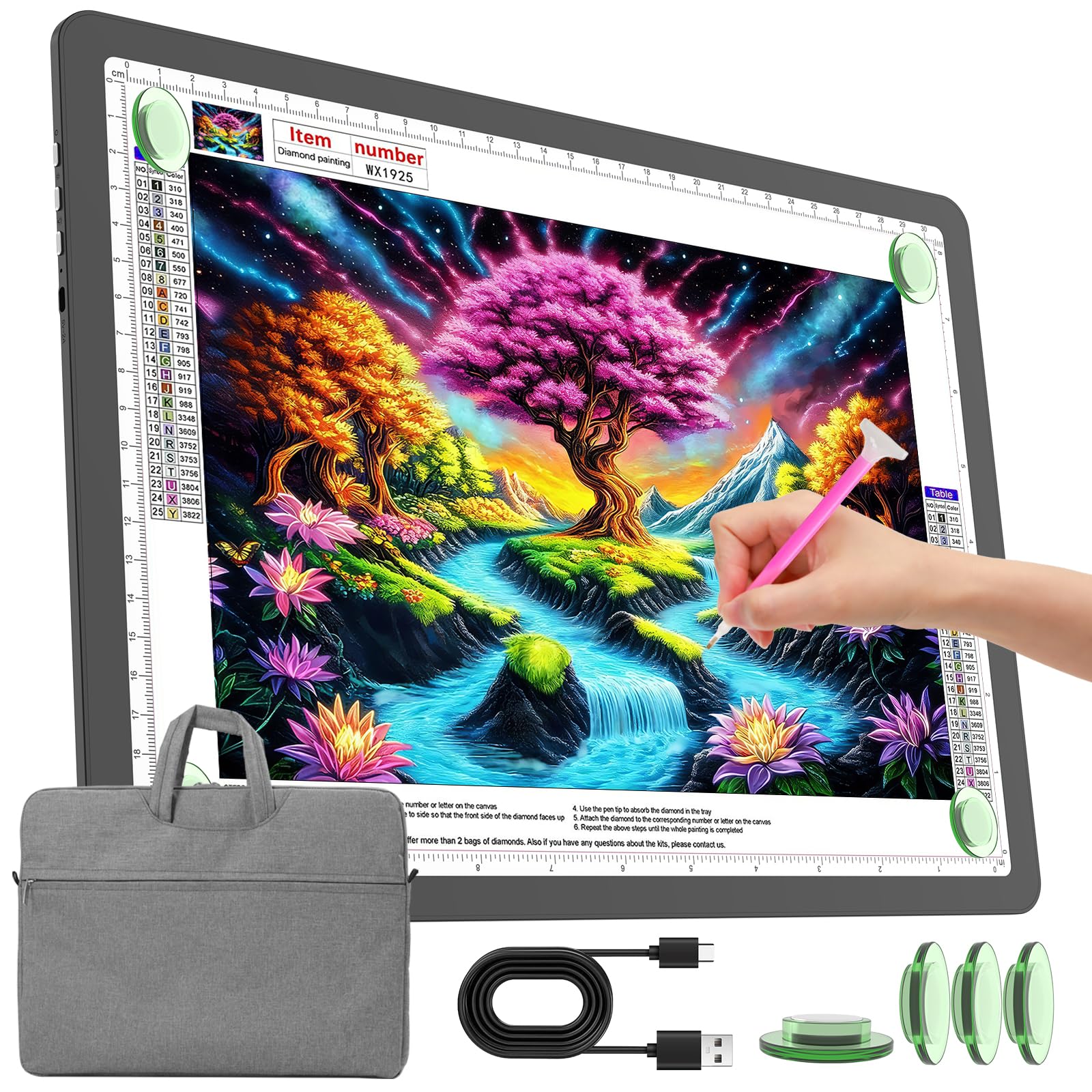
Image: The TOHETO Rechargeable A4 Light Pad, shown with its protective carry bag.
Product Features
- Rechargeable Design: Equipped with a 4000mAh lithium battery for up to 5 hours of wireless use at maximum brightness.
- Physical Buttons: Side-mounted physical buttons prevent accidental touches, offering precise control over power, light color, and brightness.
- Adjustable Lighting: Three light color modes (White, Warm, Mixed Light) and six brightness levels, plus stepless dimming.
- Memory Function: Automatically recalls the last used brightness setting.
- Eye-Caring Technology: Provides soft, uniform, and flicker-free illumination to protect your eyes during extended use.
- Magnetic Surface: Integrated magnets and included magnet pins securely hold your paper in place.
- Standard A4 Size: Visual working area of 31.6 x 21.8 cm (12.5 x 8.6 inches) with CM-INCH double scale.
- Protective Carry Bag: Padded and lined with anti-scratch fabric, includes a shoulder strap for portability.

Image: Overview of the TOHETO A4 Light Pad highlighting its eye-caring, battery, dimming, color modes, and physical button features.
Package Contents
Ensure all items are present upon unboxing:
- TOHETO Rechargeable A4 Light Pad
- Protective Carry Bag
- USB Type-C Charging Cable
- 4 x Magnetic Pins
- User Manual (this document)

Image: The TOHETO A4 Light Pad, carry bag, USB cable, and magnet pins as included in the package.
Setup
1. Initial Charging
Before first use, fully charge the light pad. Connect the provided USB Type-C cable to the light pad's Type-C port and the other end to a compatible 5V/3A USB power source (e.g., wall adapter, power bank, computer USB port). The LED indicator will show a red light during charging and turn blue when fully charged. A full charge typically takes about 3.5 hours.

Image: Charging the light pad using the Type-C cable from various power sources.
2. Using the Carry Bag
The included carry bag protects your light pad and provides convenient storage for accessories. Place the light pad inside the main compartment. Use the additional pocket for small tools like the USB cable or magnet pins.

Image: Features of the protective carry bag, including storage for small tools and portability.
Operating Instructions
1. Power On/Off
Locate the physical power button on the side of the light pad. Press it once to turn the device on or off.

Image: Detail of the physical buttons on the side of the light pad.
2. Adjusting Light Color
The light pad offers three color modes: White, Warm, and Mixed Light. Press the light color button (indicated by a sun icon) on the side to cycle through these modes. The sequence is typically White → Mixed → Warm → Off.

Image: Visual representation of the three light color modes.
3. Adjusting Brightness
There are two ways to adjust brightness:
- 6 Levels of Brightness: Short press the brightness adjustment button (indicated by a light bulb icon) to cycle through 6 distinct brightness levels.
- Stepless Dimming: Long press the brightness adjustment button to smoothly increase or decrease the brightness. Release the button when the desired brightness is reached.
The light pad will remember your last brightness setting when turned off and on again.

Image: Illustration of 6-level and stepless brightness adjustment.
4. Securing Your Work
Place your paper or material on the light pad. Use the included magnetic pins to secure it firmly to the light pad's surface. The magnetic design ensures your work stays in place without clips.

Image: Using magnetic pins to secure paper on the light pad.
Maintenance
- Cleaning: Wipe the surface of the light pad with a soft, dry cloth. For stubborn marks, use a slightly damp cloth and immediately dry. Avoid abrasive cleaners or solvents.
- Storage: When not in use, store the light pad in its protective carry bag to prevent scratches and dust accumulation. Keep it in a cool, dry place away from direct sunlight and extreme temperatures.
- Battery Care: To prolong battery life, avoid fully discharging the battery frequently. Charge it regularly, even if not in constant use.
- Handling: Handle the light pad with care to avoid dropping or impacting it, which could damage internal components or the screen.
Troubleshooting
| Problem | Possible Cause | Solution |
|---|---|---|
| Light pad does not turn on. | Battery is depleted. | Connect the light pad to a power source using the Type-C cable and charge it. |
| Light pad does not charge. | Faulty cable or power adapter. | Try a different USB Type-C cable and a different 5V/3A power adapter. Ensure connections are secure. |
| Brightness is too low/high. | Incorrect brightness setting. | Short press the brightness button to cycle through levels or long press for stepless dimming. |
| Light color is not desired. | Incorrect color mode selected. | Press the light color button to cycle through White, Warm, and Mixed Light modes. |
| Paper slides on the surface. | Magnetic pins not used or misplaced. | Use the provided magnetic pins to secure the paper at the corners or edges. |
Specifications
| Feature | Detail |
|---|---|
| Model Number | A4-D60 |
| Overall Size | 35.2 x 25.4 x 0.9 cm (13.9 x 10.0 x 0.35 inches) |
| Visual Working Area | 31.6 x 21.8 cm (12.5 x 8.6 inches) |
| Material | Acrylonitrile Butadiene Styrene (ABS) |
| Power Source | Battery Powered (4000mAh Lithium Battery) |
| Charging Port | USB Type-C |
| Light Source Type | Light Emitting Diode (LED) |
| Max Brightness | Up to 9000 Lux |
| Light Color Modes | 3 (White, Warm, Mixed Light) |
| Brightness Levels | 6 levels + Stepless Dimming |
| Battery Life | Up to 5 hours (at max brightness) |

Image: Detailed dimensions of the A4 Light Pad.
Official Product Video
Video: Official product overview of the TOHETO Rechargeable A4 Light Pad (Model A4-D60-B), demonstrating its features and use.
Warranty and Support
Warranty Information
This TOHETO product comes with a 1 Year Manufacturer Warranty. This warranty covers defects in materials and workmanship under normal use. It does not cover damage caused by misuse, accidents, unauthorized modifications, or normal wear and tear.
Customer Support
For any questions, technical assistance, or warranty claims, please contact TOHETO customer support. You can typically find contact information on the product packaging, the official TOHETO website, or through your purchase platform (e.g., Amazon seller page).
When contacting support, please have your product model number (A4-D60) and proof of purchase ready.
For Amazon purchases, you can visit the TOHETO US seller page for direct contact options.
Ask a question about this manual
Ask about setup, troubleshooting, compatibility, parts, safety, or missing instructions. Manuals+ will review the question and use this page’s manual context to help answer it.