
1. Introduction
Thank you for choosing the Karbeen 7.0 Cu Ft Digital Keypad Safe Box. This manual provides essential information for the safe and proper use, installation, and maintenance of your new safe. Please read it thoroughly before operation and retain it for future reference.
This safe is designed to protect your valuables with advanced security features, including a digital keypad, dual alarm system, and robust construction. Its spacious interior and double-door design offer versatile storage solutions for various items.
2. Product Features
- Extra Large Capacity: 7.0 cubic feet, external size 14.17"D x 15.75"W x 33.46"H, with a double-door design for separate access.
- Digital Keypad: 3D glowing buttons for fast and error-free unlocking.
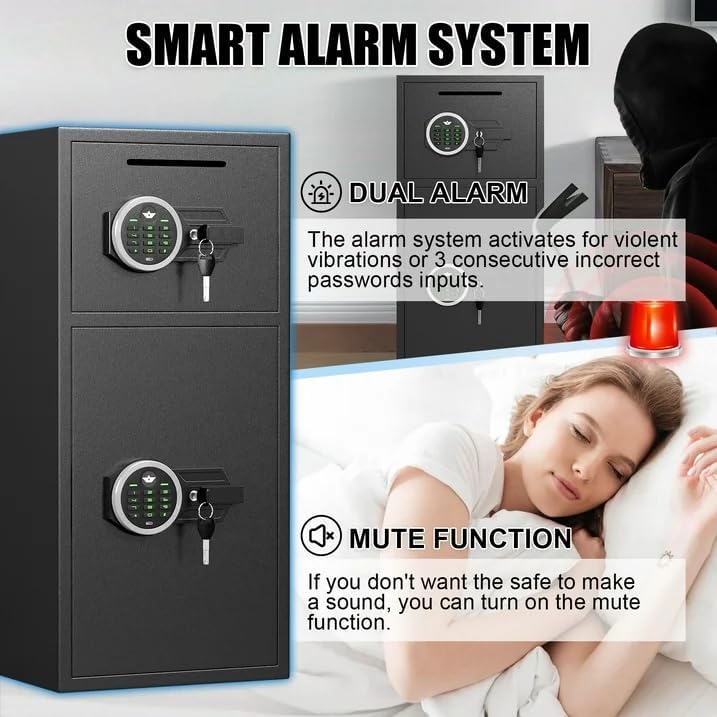
- Dual Alarm System: Activates after three consecutive incorrect passwords or violent vibrations (70-decibel alarm).
- Mute Function: Allows silent operation for various scenarios.
- Deposit Slot: Convenient front slot for depositing money or coins without opening the main door.
- Internal LED Lights: Two LED lights for visibility in dark conditions.
- Metal Storage Box: Dedicated compartment for smaller items like ammunition or pistols.
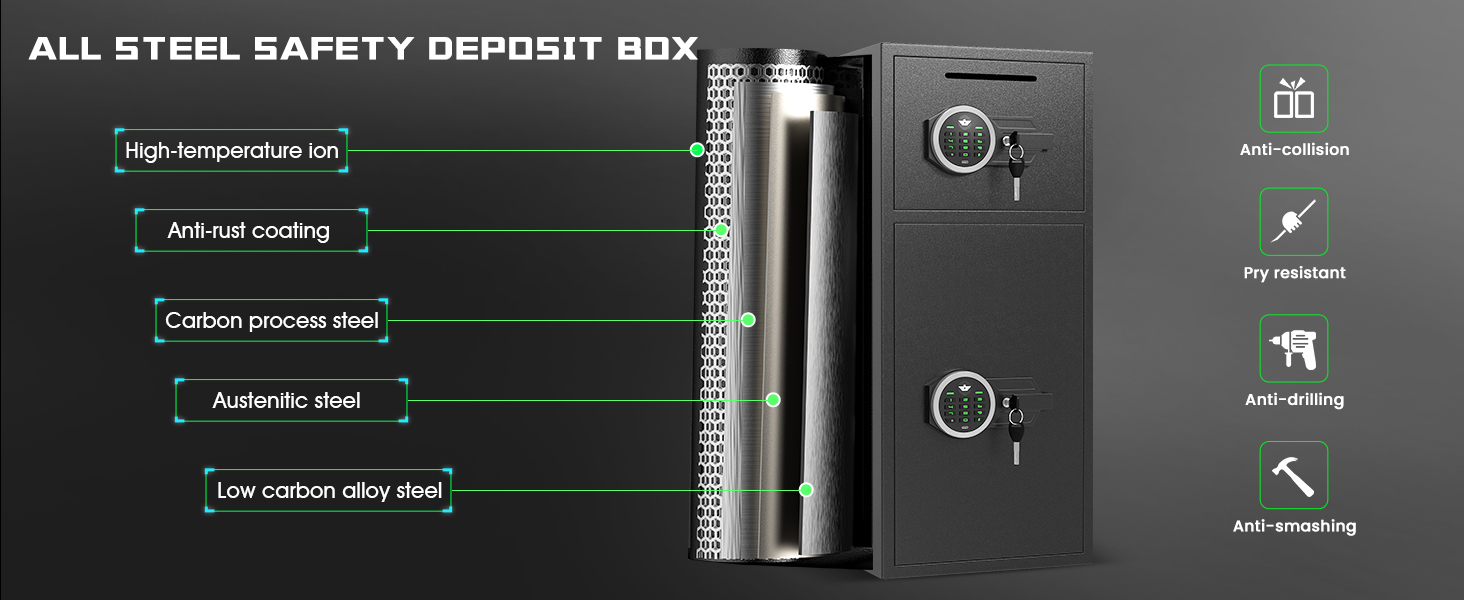
- Robust Construction: Made of reinforced low carbon alloy steel with laser-cut micro-slit design, pry-resistant thickened door, and five solid live bolts.
- Soft Lining: Interior lined with flannel to protect valuables from scratches.
- Emergency Power Jack: Universal USB Type-C port for external power in case of battery depletion.
3. Package Contents
Verify that all items are present and in good condition upon unpacking:
- Karbeen 7.0 Cu Ft Digital Keypad Safe Box (x1)
- Emergency Keys (x4)
- Expansion Screws (x6)
- USB Type-C Cable (x1)
- Non-slip Pads (x4)
- User Manual (x1)

4. Setup
4.1 Unpacking and Initial Inspection
- Carefully remove the safe from its packaging.
- Inspect the safe for any signs of damage during transit. If damage is found, contact customer service immediately.
- Remove all packing materials, including foam corners and protective films.
4.2 Battery Installation
The digital keypad requires batteries to function. The battery compartment is located on the inside of the safe door.
- Open the safe using the emergency key (refer to Section 5.1).
- Locate the battery compartment on the inside of the door.
- Insert the required number of AA batteries (not included), ensuring correct polarity.
- Close the battery compartment cover.
4.3 Setting Your Personal Code
Follow these steps to set your personal digital code:
- With the safe door open, locate the red reset button on the inside of the door (usually near the battery compartment).
- Press the reset button. The indicator light on the keypad will illuminate.
- Enter your desired 3-8 digit code on the keypad.
- Press the '#' button to confirm. The indicator light will flash, confirming the new code is set.
- Test the new code with the door open before closing it.
5. Operating Instructions
5.1 Opening the Safe
There are three ways to open your Karbeen safe:
- Using Digital Code: Enter your 3-8 digit personal code, then press '#' or '*' (depending on model) and turn the knob clockwise within 5 seconds.
- Using Emergency Key: Insert the emergency key into the hidden keyhole, turn it clockwise, and then turn the knob clockwise to open.
- Using USB Type-C Cable + Digital Code: If batteries are dead, connect the USB Type-C cable to the emergency power jack, then enter your digital code and turn the knob.

5.2 Closing and Locking the Safe
Close the safe door firmly and turn the knob counter-clockwise until the bolts are fully extended and the door is securely locked.
5.3 Using the Deposit Slot
The top compartment features a deposit slot for quick and easy insertion of money or documents without needing to open the entire safe.

5.4 Mute Function
To activate or deactivate the mute function, press the '*' button on the keypad. This allows for silent operation when needed.
5.5 Dual Alarm System
The dual alarm system is designed to deter unauthorized access. It will activate if:
- Three consecutive incorrect passwords are entered.
- The safe experiences violent vibrations or tampering.
The alarm sound reaches up to 70 decibels. To silence the alarm, enter the correct digital code or use the emergency key.
6. Mounting Instructions
The safe is equipped with pre-drilled holes on the back and bottom for secure mounting to a wall or floor. This enhances security and prevents unauthorized removal.
- Choose a suitable location for mounting, ensuring it is a solid surface.
- Mark the drilling points through the pre-drilled holes on the safe.
- Drill pilot holes into the wall or floor using an appropriate drill bit.
- Align the safe with the drilled holes.
- Insert the expansion screws through the safe's holes and into the wall/floor.
- Tighten the screws securely to fasten the safe in place.
7. Maintenance
- Cleaning: Wipe the safe's exterior with a soft, damp cloth. Avoid abrasive cleaners or solvents.
- Battery Replacement: Replace batteries promptly when the low battery indicator appears to ensure continuous functionality of the digital keypad.
- Key Storage: Store emergency keys in a secure location outside the safe, but easily accessible to you.
8. Troubleshooting
| Problem | Possible Cause | Solution |
|---|---|---|
| Keypad not responding | Dead batteries | Replace batteries or use the USB Type-C cable for emergency power. |
| Safe won't open with code | Incorrect code entered; batteries low | Ensure correct code is entered; replace batteries; use emergency key. |
| Alarm sounds unexpectedly | Tampering detected; violent vibration | Enter correct code to silence. Avoid placing safe in unstable locations. |
| Door not closing properly | Obstruction; misaligned bolts | Check for obstructions; ensure bolts retract fully before closing. |
9. Specifications
- Brand: Karbeen
- Model: KM-85
- Capacity: 7.0 Cubic Feet
- External Dimensions: 33.46"D x 15.75"W x 14.17"H
- Lock Type: Electronic Combination Lock
- Material: Low carbon alloy steel
- Special Features: Double door safe, Deposit Slot, Dual Alarm, Mute Function, LED Light
- Mounting Type: Under Counter Mount (also wall/floor mountable)
- Water Resistance Level: Not Water Resistant


10. Warranty & Support
Karbeen offers a lifetime warranty for this product. For any issues with your safe, please contact our customer service team. We provide 24-hour online customer service, 90-day unconditional returns, and lifetime key matching service.
Contact Information: Refer to the contact details provided in your purchase documentation or visit the official Karbeen website.
