
1. Introduction
Thank you for choosing the InnoVibe 28" Color Changing Wall Light Bar. This RGB LED wall sconce is designed to provide versatile and customizable lighting for various indoor spaces such as living rooms, bedrooms, offices, and gaming rooms. This manual provides essential information for safe installation, operation, and maintenance of your new light bar.
2. Safety Information
- Read all instructions carefully before installation and use.
- This product is intended for indoor use only. Do not expose to water or high humidity.
- Ensure the power source is compatible with the product's voltage requirements (5V DC).
- Do not attempt to disassemble or modify the light bar. This may void the warranty and pose a safety risk.
- Keep out of reach of children.
- Clean the light bar with a soft, dry cloth. Do not use abrasive cleaners or solvents.
- If any damage occurs, discontinue use immediately and contact customer support.
3. Package Contents
Please check the package to ensure all items are present:
- InnoVibe 28" Color Changing Wall Light Bar
- Remote Control
- Mounting Hardware (screws, wall anchors)
- USB Power Cable
- User Manual (this document)
4. Product Overview
The InnoVibe Wall Light Bar features a sleek design with RGB LED lighting capabilities. It is designed for easy wall mounting and offers adjustable rotation for directing light. The included remote control allows for convenient adjustment of colors, modes, and brightness.
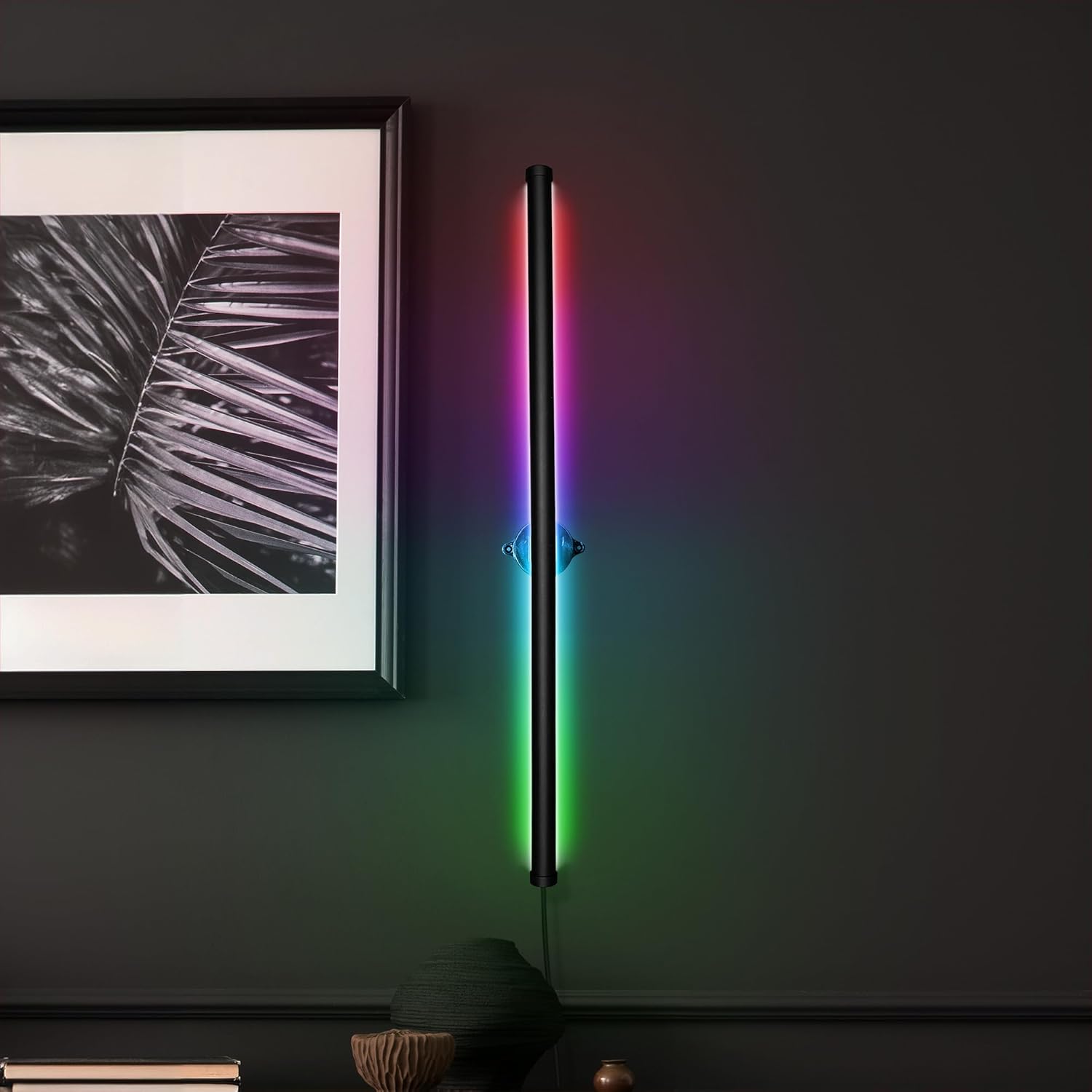
Figure 4.1: InnoVibe Wall Light Bar in operation, showcasing color-changing capabilities.

Figure 4.2: The light bar's adjustable rotation feature, allowing for directional lighting.
5. Setup and Installation
Follow these steps to install your InnoVibe Wall Light Bar:
- Choose a Location: Select a suitable indoor wall location for mounting. Ensure it is near a USB power source.
- Mark Mounting Points: Hold the light bar's mounting bracket against the wall at your desired height and orientation. Use a pencil to mark the positions for the mounting screws.
- Drill Pilot Holes: Using an appropriate drill bit for your wall type, drill pilot holes at the marked positions. If installing into drywall, insert the provided wall anchors.
- Secure Mounting Bracket: Align the mounting bracket with the pilot holes/anchors and secure it to the wall using the provided screws. Ensure it is firmly attached.
- Attach Light Bar: Gently snap the light bar into the secured mounting bracket. The light bar is designed to rotate within the bracket for directional adjustment.
- Connect Power: Plug the USB power cable into the light bar and then into a compatible USB power adapter (not included) or USB port.

Figure 5.1: The light bar in its unlit state, ready for installation or showing a white light setting.

Figure 5.2: Illustrates the light bar's rotational capability after mounting.
6. Operating Instructions
The InnoVibe Wall Light Bar is controlled using the included remote control. Ensure the remote has working batteries (if applicable, check for plastic tab to remove) and is pointed towards the light bar for optimal response.
6.1 Remote Control Functions
- Power Button: Turns the light bar On or Off.
- Color Selection Buttons: Directly select from 15 static colors.
- Brightness +/-: Adjusts the brightness level of the selected color or mode.
- Mode Buttons (4 Dynamic Modes):
- Flash Mode: Colors cycle through quickly with flashing transitions.
- Strobe Mode: Colors cycle through with a strobe effect.
- Fade Mode: Colors smoothly transition from one to another.
- Smooth Mode: Provides a gradual and continuous color change.
- Speed +/-: Adjusts the speed of the dynamic light modes.
6.2 Memory Function
The light bar features a built-in memory function. When the light is turned off and then back on, it will recall the last used color or dynamic mode and brightness setting.
7. Maintenance
- Cleaning: Disconnect the power before cleaning. Use a soft, dry, lint-free cloth to wipe the surface of the light bar. Do not use liquid cleaners, sprays, or abrasive materials.
- Storage: If storing the light bar for an extended period, ensure it is clean and dry. Store it in a cool, dry place away from direct sunlight.
8. Troubleshooting
| Problem | Possible Cause | Solution |
|---|---|---|
| Light bar does not turn on. | No power, loose connection, faulty USB adapter. | Check USB cable connection. Ensure USB adapter is working and plugged into a live outlet. Try a different USB adapter or port. |
| Remote control not working. | Dead battery, remote not pointed at sensor, obstruction. | Replace remote battery. Ensure remote is pointed directly at the light bar's sensor. Remove any obstructions between the remote and the light bar. |
| Colors or modes are not changing. | Remote issue, light bar malfunction. | Verify remote functionality (see above). Power cycle the light bar (unplug and replug). If problem persists, contact customer support. |
9. Specifications
- Model: IVWL1693
- Dimensions: 1"L x 1"W x 28"H
- Weight: 1.45 pounds
- Material: Plastic
- Light Source: RGB LED
- Power Source: Corded Electric (USB-powered)
- Voltage: 5V DC
- Control Method: Remote Control
- Installation Type: Surface-Mounted (Wall Mount)
- Special Features: Color Changing, Adjustable Rotation, Memory Function
- Indoor/Outdoor Usage: Indoor Only
10. Warranty and Support
InnoVibe products are designed for quality and reliability. For warranty information, technical support, or any questions regarding your product, please contact the retailer or manufacturer directly. Please have your model number (IVWL1693) and purchase date available when contacting support.
You can typically find contact information on the product packaging or the retailer's website where you purchased the item.