
1. Important Safety Information
Please read this instruction manual carefully before using the appliance and save it for future reference. Incorrect use may lead to injury or damage to the appliance.
- Always ensure the appliance is unplugged before cleaning or when not in use.
- Do not immerse the appliance, cord, or plug in water or any other liquid.
- This appliance is intended for household use only. Do not use outdoors.
- Keep the appliance out of reach of children.
- Do not operate the appliance if the power cord or plug is damaged. Contact qualified service personnel for repair.
- Place the appliance on a stable, flat, heat-resistant surface.
- Do not touch hot surfaces. Use handles or knobs.
- Only use cold, fresh water in the water tank.
- The appliance features dry-boil protection and automatic shut-off for safety.
2. Product Overview
The Princess Multi Capsule Coffee Machine offers versatile coffee preparation with its 4-in-1 compatibility and 19-bar Italian pump.
Components:
- Main Unit with Coffee Spout
- Removable Water Tank (800ml capacity)
- Control Panel (Power, Small Cup, Large Cup buttons)
- Removable Drip Tray
- Adapters for Nespresso® capsules
- Adapters for Dolce Gusto® capsules
- Adapters for ESE pods
- Filter for Ground Coffee
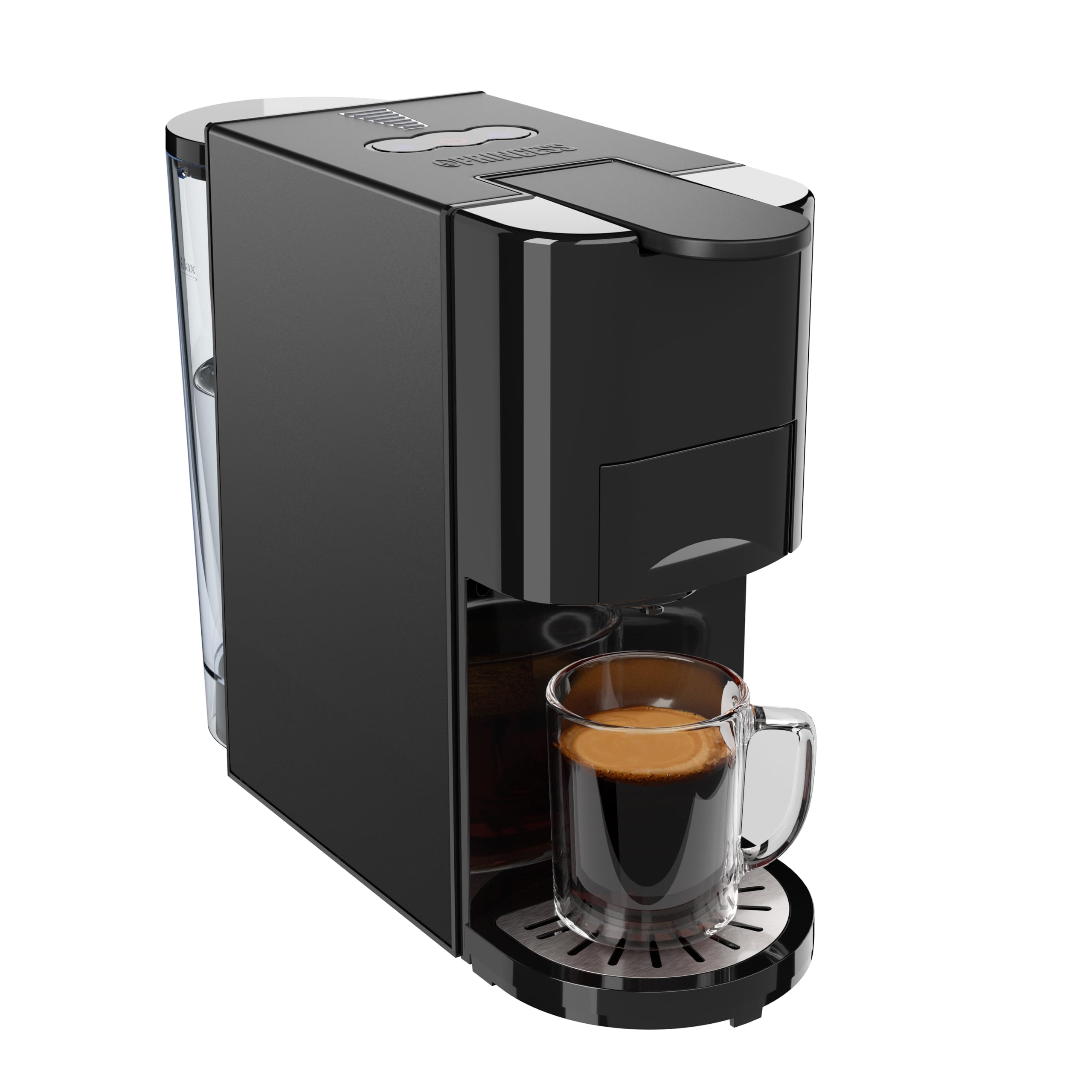
The Princess Multi Capsule Coffee Machine with its various adapters and accessories laid out, including the ground coffee filter, ESE pod adapter, Nespresso capsule adapter, and Dolce Gusto capsule adapter.

A close-up view of the Princess Multi Capsule Coffee Machine showing the main unit and the four different coffee adapters: for ESE pods, Nespresso capsules, ground coffee, and Dolce Gusto capsules.
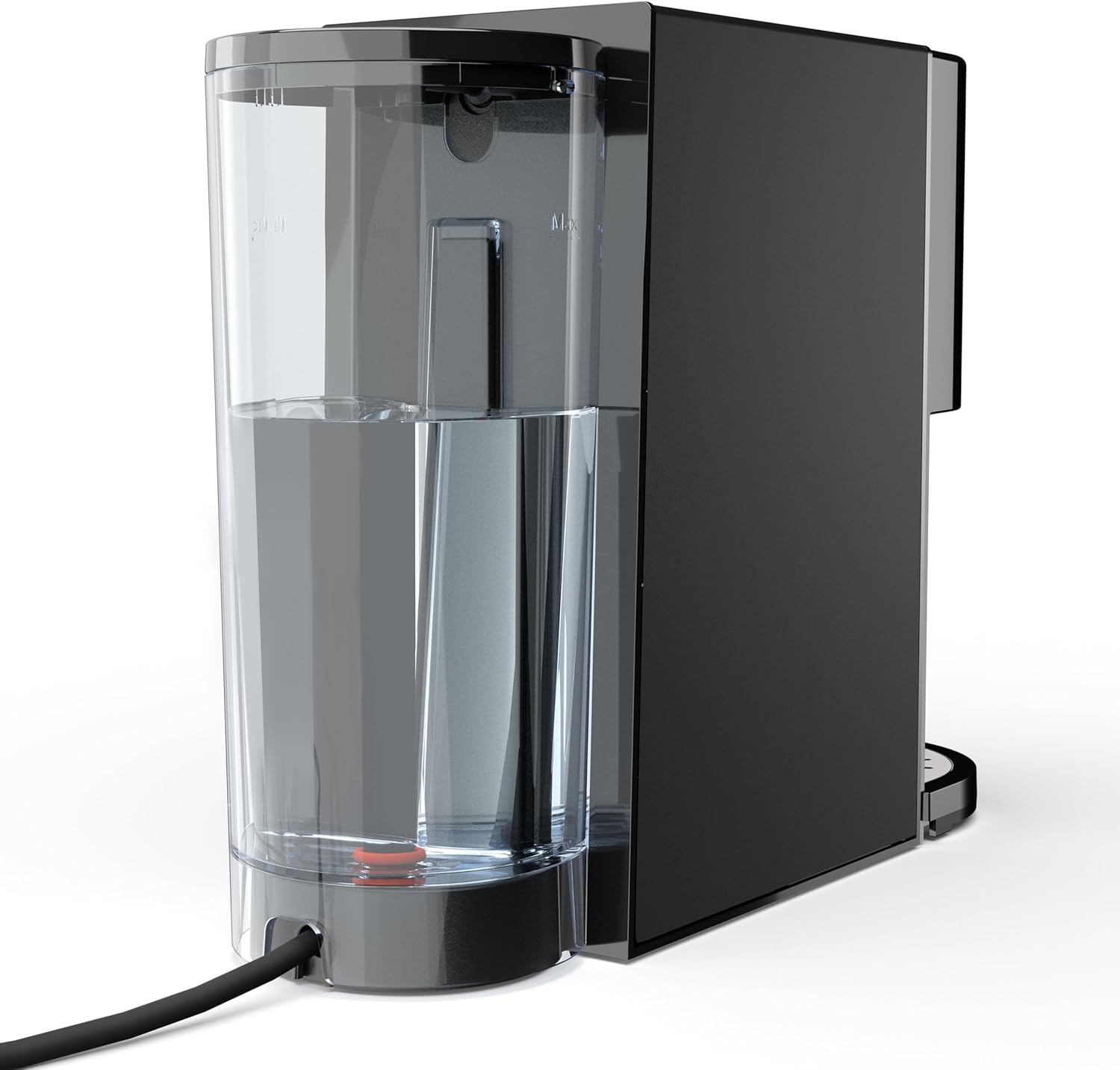
Side view of the Princess Multi Capsule Coffee Machine highlighting the transparent, removable 800ml water tank with 'MIN' and 'MAX' level indicators.

Detailed view of the control panel on top of the Princess Multi Capsule Coffee Machine, featuring illuminated buttons for power, small cup (espresso), and large cup (lungo/regular coffee).
3. Setup
3.1 Unpacking and Initial Cleaning
- Carefully remove all packaging materials and promotional labels from the coffee machine.
- Wash the water tank, drip tray, and all capsule adapters/filters with warm, soapy water. Rinse thoroughly and dry.
- Wipe the exterior of the machine with a damp cloth.
3.2 Filling the Water Tank
- Remove the water tank from the back of the machine.
- Fill the tank with fresh, cold water up to the 'MAX' level indicator. Do not overfill.
- Place the water tank back onto the machine, ensuring it is securely seated.
3.3 Priming the Machine (First Use)
- Plug the power cord into a grounded electrical outlet. The power button will flash.
- Place an empty cup on the drip tray.
- Press the power button. The machine will start heating up, indicated by flashing lights on the cup buttons.
- Once the lights on the cup buttons are solid, press either the small or large cup button to run a cycle of hot water through the machine without any coffee. This cleans the internal system and primes the pump.
- Repeat this process 2-3 times to ensure thorough cleaning and priming.
4. Operating Instructions
4.1 General Operation
- Ensure the water tank is filled with fresh water.
- Plug in the machine and press the power button. Wait for the cup buttons to illuminate steadily, indicating the machine is preheated.
- Select the appropriate adapter for your chosen coffee type (Nespresso, Dolce Gusto, ESE, or ground coffee).
- Insert the coffee into the adapter and place the adapter into the machine's brewing chamber. Close the lid securely.
- Place a cup on the drip tray.
- Press either the small cup button (for espresso/short coffee) or the large cup button (for lungo/long coffee). The machine will start brewing.
- To stop brewing manually at any time, press the active cup button again.
- After brewing, carefully remove the adapter and dispose of the used coffee.
4.2 Using Different Coffee Types
The machine comes with specific adapters for various coffee formats:
- Nespresso® Capsules: Use the dedicated Nespresso® adapter. Insert the capsule into the adapter before placing it in the machine.
- Dolce Gusto® Capsules: Use the dedicated Dolce Gusto® adapter. Insert the capsule into the adapter before placing it in the machine.
- ESE Pods: Use the dedicated ESE pod adapter. Place the ESE pod into the adapter.
- Ground Coffee: Use the ground coffee filter. Fill the filter with your desired amount of ground coffee (do not overfill or tamp too hard).

An illustration of the 4-in-1 compatibility of the Princess Multi Capsule Coffee Machine, showing separate adapters for ESE pads, Nespresso capsules, ground coffee, and Dolce Gusto capsules.
4.3 Adjustable Coffee Volume
The machine allows you to customize the volume of your coffee:
- To program the volume: With the machine preheated and an adapter with coffee inserted, press and hold the desired cup button (small or large). Release the button when the coffee reaches your preferred volume. The machine will remember this setting for future brews with that button.
- To reset to factory settings: Unplug the machine, then plug it back in while holding down both cup buttons simultaneously.

The Princess Multi Capsule Coffee Machine brewing coffee into different cup sizes, demonstrating the adjustable coffee volume feature for Americano, Lungo, and Espresso.
4.4 Cold Brew Mode
This machine supports both hot and cold brewing. For cold brew, ensure the water in the tank is chilled. The machine will dispense cold water through the coffee, creating a cold brew beverage.

An image illustrating the cold brew and hot brew modes of the Princess Multi Capsule Coffee Machine, showing an iced coffee on one side and a hot coffee on the other.
5. Maintenance and Cleaning
Regular cleaning ensures optimal performance and extends the lifespan of your coffee machine.
5.1 Daily Cleaning
- Unplug the machine and allow it to cool down.
- Remove and empty the drip tray. Wash it with warm, soapy water, rinse, and dry.
- Remove the used capsule/ground coffee adapter. Discard the coffee and wash the adapter with warm, soapy water, rinse, and dry.
- Wipe the exterior of the machine with a soft, damp cloth. Do not use abrasive cleaners or scouring pads.
5.2 Water Tank Cleaning
Clean the water tank regularly, especially if you notice any residue or mineral buildup. Wash with warm, soapy water and rinse thoroughly. Ensure no soap residue remains.
5.3 Descaling
Descaling is essential to remove mineral deposits and maintain machine performance. The frequency depends on water hardness and usage. It is recommended to descale every 2-3 months or when you notice reduced flow or noise increase.
- Use a commercially available descaling solution suitable for coffee machines, following the manufacturer's instructions.
- Fill the water tank with the descaling solution and water mixture as per the descaler's instructions.
- Place a large container under the coffee spout.
- Run several brewing cycles (without coffee) until the water tank is empty.
- Rinse the water tank thoroughly and fill it with fresh water.
- Run several cycles with fresh water to flush out any remaining descaling solution.
6. Troubleshooting
| Problem | Possible Cause | Solution |
|---|---|---|
| Machine does not turn on | No power supply | Check if the plug is securely inserted into the outlet. Check the power switch. |
| No coffee is dispensed | Water tank empty | Fill the water tank with fresh water. |
| Machine not primed | Perform the priming process (Section 3.3). | |
| Coffee spout blocked | Clean the coffee spout. Descale the machine if necessary. | |
| Coffee is too weak or watery | Insufficient coffee in adapter | Ensure enough ground coffee or a fresh capsule/pod is used. |
| Incorrect coffee volume setting | Adjust the coffee volume setting (Section 4.3). | |
| Water leaks from machine | Water tank not properly seated | Ensure the water tank is correctly and firmly placed. |
| Drip tray full | Empty the drip tray. |
7. Specifications
- Brand: Princess
- Model Number: 01.249454.01.001
- Color: Black
- Product Dimensions (L x W x H): 31.2 x 10.9 x 24.1 cm
- Power: 1450 Watts
- Voltage: 230 Volts
- Material: Stainless steel
- Special Features: High-pressure pump compatible with multiple capsules, Dry-boil protection, Automatic shut-off
- Item Weight: 3.4 Kilograms
- Water Tank Capacity: 800 ml
- Pump Pressure: 19 Bar
- Coffee Maker Type: Espresso Machine
- Recommended Uses: Single use, home, office, different preferences

A visual representation of the 800ml water tank capacity, indicating it can make approximately 13 Lungos or 26 Espressos.

The Princess Multi Capsule Coffee Machine brewing espresso into a small cup, highlighting the 19-bar pressure for rich crema.
8. Warranty and Support
This Princess Multi Capsule Coffee Machine is designed for durability and performance. Spare parts are available for 1 year from the date of purchase.
For any questions, technical issues, or warranty claims, please contact your retailer or the Princess customer support. Keep your proof of purchase for warranty purposes.
For more information, visit the official Princess website: www.princesshome.eu


