
1. Introduction
Thank you for choosing the Caymuller DT16 Wireless Earbuds. These Bluetooth headphones are designed for sports and active lifestyles, featuring a secure fit, long battery life, and clear stereo sound. This manual provides essential information for proper setup, operation, and maintenance to ensure optimal performance and longevity of your device.

Image 1.1: Caymuller DT16 Wireless Earbuds and Charging Case.
2. What's in the Box
Verify that all items are present in your package:
- Caymuller DT16 Wireless Earbuds (Left and Right)
- Charging Case
- USB Charging Cable
- User Manual
- 3 Pairs of Eartips (Sizes S, M, L)

Image 2.1: Package Contents including earbuds, charging case, cable, manual, and eartips.
3. Setup and Initial Use
3.1 Charging the Earbuds and Case
The charging case features a dual LED digital display. The left display shows the percentage of remaining power for the charging case. The right display shows the charging process for each earbud with four independent indicators, each representing 25% of the earbud's power. During charging, the LED indicator light will flash. Once fully charged, the indicator light will stop flashing.
- Place the earbuds into the charging case.
- Connect the charging case to a power source using the provided USB cable.
- Allow approximately 1 hour for a full charge of the earbuds. The charging case provides up to 48 hours of total battery life, allowing you to charge the earbuds up to 6 times. A 15-minute charge can provide 1 hour of playback.

Image 3.1: Dual LED display on the charging case indicating battery status.

Image 3.2: Battery life overview, showing 8 hours per earbud and 40 hours from the 600mAh charging case.
3.2 Pairing with Your Device
The earbuds utilize advanced Bluetooth 5.0 technology for a stable connection.
- Remove both earbuds from the charging case. They will automatically power on and enter pairing mode.
- On your smartphone or Bluetooth-enabled device, go to the Bluetooth settings.
- Search for "DT16" in the list of available devices and select it to connect.
- Once connected, you will hear an audio confirmation.
You can use a single earbud (single-ear mode) or both earbuds (binaural mode) by simply taking out the desired earbud(s) from the case.

Image 3.3: One-step auto pairing process with a mobile device.
Video 3.1: Product overview demonstrating charging, wearing, controls, and single/binaural mode. This video illustrates the initial setup and various operational aspects of the earbuds.
4. Operating Instructions
4.1 Wearing the Earbuds
The earbuds are designed with adjustable ear hooks for a secure and comfortable fit, especially during sports and active use. Three pairs of ear cups are included to help achieve the best fit.
- Select the appropriate size eartips (S, M, L) for your ears.
- Put the earhook over your ear.
- Insert the eartip into your ear canal and give it a slight twist until it feels secure and comfortable.
- Adjust the earhook to ensure it stays firmly around your ear.

Image 4.1: Proper placement of the earbud with the secure-fit earhook.

Image 4.2: Step-by-step guide for wearing the earbuds with earhooks.
4.2 Earbud Controls
Each earbud features one-button touch controls for convenient management of calls and music playback.
| Function | Action |
|---|---|
| Play/Pause Music | Press MFB (Multi-Function Button) once |
| Answer/End Call | Press MFB once |
| Reject Incoming Call | Hold MFB |
| Activate Voice Assistant | Long Press MFB for 2 seconds |
| Next Song | Press "+" Key once |
| Previous Song | Press "-" Key once |
| Volume Up | 1 Click "+" |
| Volume Down | 1 Click "-" |

Image 4.3: Detailed overview of earbud control functions.
4.3 Audio Quality
The DT16 earbuds feature built-in high-quality audio chips and 8mm dynamic speakers, delivering deep bass stereo sound. The upgraded microphone includes noise reduction technology for clear conversations in various environments.
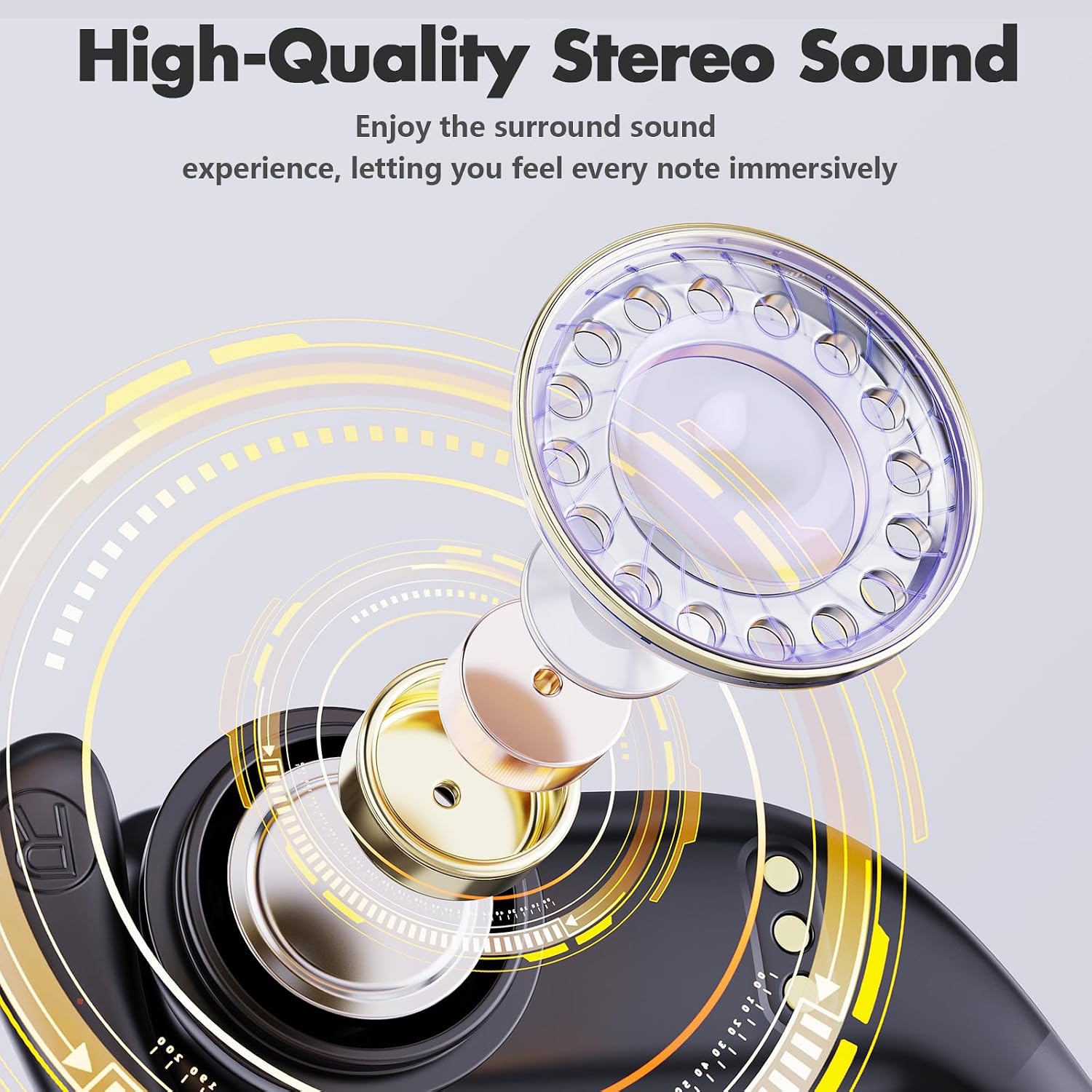
Image 4.4: Internal components of the earbud speaker, highlighting the 8mm dynamic driver.
5. Maintenance and Care
To ensure the longevity and optimal performance of your Caymuller DT16 Wireless Earbuds, follow these maintenance guidelines:
- Water Resistance: The earbuds are IPX5 waterproof, protecting them from water drops and sweat. They are suitable for workouts and light rain but should not be submerged in water.
- Cleaning: Regularly clean the eartips and the mesh of the earbuds with a soft, dry cloth to prevent wax buildup and maintain sound quality.
- Storage: When not in use, store the earbuds in their charging case to protect them from dust and damage.
- Temperature: Avoid exposing the earbuds to extreme temperatures (hot or cold) or direct sunlight for extended periods.
6. Troubleshooting
If you encounter any issues with your Caymuller DT16 Wireless Earbuds, please refer to the following common solutions:
- No Power: Ensure the earbuds and charging case are fully charged.
- Cannot Pair: Make sure Bluetooth is enabled on your device and the earbuds are in pairing mode. Try turning Bluetooth off and on again on your device, or reset the earbuds (refer to manufacturer's website for specific reset instructions if needed).
- No Sound: Check the volume levels on both your device and the earbuds. Ensure the earbuds are properly connected to your device.
- Intermittent Connection: Move closer to your connected device and ensure there are no major obstructions between the earbuds and the device. Avoid environments with strong electromagnetic interference.
- One Earbud Not Working: Try placing both earbuds back into the charging case, closing it, and then taking them out again to re-establish the connection.
If the problem persists, please contact customer support for further assistance.
7. Specifications
| Feature | Detail |
|---|---|
| Model Name | True Wireless Earbuds (DT16) |
| Brand | Caymuller |
| Connectivity Technology | Wireless (Bluetooth 5.0) |
| Ear Placement | Over Ear (with earhooks) |
| Form Factor | In Ear |
| Water Resistance Level | IPX5 Waterproof |
| Battery Life | Up to 48 Hours (with charging case) |
| Charging Time | 1 Hour (earbuds) |
| Charging Case Capacity | 600mAh |
| Audio Driver Type | Dynamic Driver (8mm) |
| Control Method | Touch / Button |
| Compatible Devices | Smartphones, Tablets, Laptops, Desktops, Smart Speakers |
| Item Weight | 4.8 ounces |
| Material | Plastic |
8. Warranty and Support
Caymuller provides a 3-year warranty for these wireless earbuds. For any questions, technical assistance, or warranty claims, please contact our customer support. We offer 24-hour online support to assist you.
For further assistance, please visit the Caymuller Store on Amazon.