
1. Introduction
The XFT AED Trainer XFT-120NB is a specialized device designed for educational purposes in first aid and cardiopulmonary resuscitation (CPR) training. This trainer simulates the functions of an Automated External Defibrillator (AED) to provide realistic practice scenarios without delivering actual high-voltage shocks. It is an essential tool for teaching individuals how to respond effectively in cardiac emergency situations, adhering to the latest American Heart Association (AHA) guidelines.
2. Safety Information
IMPORTANT: This AED trainer device is designed ONLY for training and cannot be used for real patient defibrillation. It does not possess high voltage capabilities, ensuring the safety of all participants during training sessions. Always confirm that you are using a training device and not a functional medical device when conducting practice.
3. Package Contents
Upon opening the package, verify that all the following items are included:
- XFT AED Trainer Unit
- 2 Pairs of Adult/Child Electrode Pads (for training use only)
- Wire Connector
- Storage Bag
- Quick Start Guide
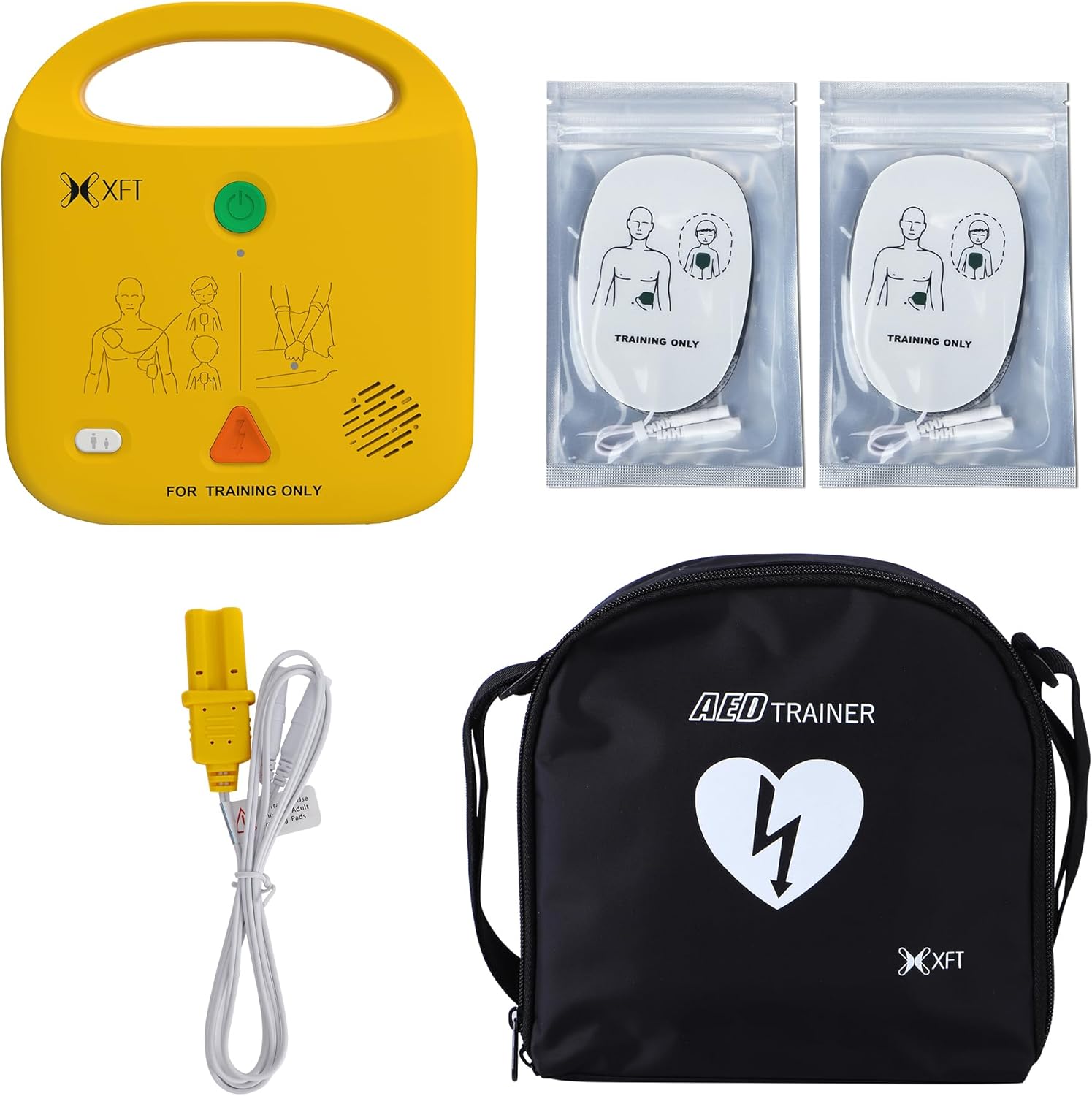
Figure 3.1: Complete package contents of the XFT AED Trainer, including the main unit, two pairs of adult/child electrode pads, the wire connector, and a black storage bag.
4. Setup
Follow these steps to prepare your AED Trainer for use:
- Insert Batteries: Open the battery compartment (typically on the back or bottom of the unit) and insert 4*AA batteries (not included), ensuring correct polarity. Close the compartment securely.
- Connect Electrode Pads: Attach the wire connector to the designated port on the AED Trainer. Then, connect the training electrode pads to the wire connector.
- Prepare Training Environment: Place the AED Trainer and a CPR manikin (if available) in a suitable training area.

Figure 4.1: The XFT AED Trainer and its accessories, including electrode pads and wire connector, are shown neatly packed within the black storage bag. The product's retail box is also visible, indicating how the unit is stored and transported.
5. Operating Instructions
The XFT AED Trainer offers various features to simulate realistic emergency scenarios.
5.1. Power On/Off
Press the green power button located on the front of the device to turn the trainer on. To turn it off, press and hold the power button until the device shuts down.
5.2. Training Modes and Scenarios
The trainer includes 5 basic training modes and 5 simulated realistic scenarios. These modes mimic actual AED operation, guiding users through the steps of defibrillation. The last selected training mode, including Semi/Full Auto Mode and Scenario, will be remembered for the next training session.
5.3. Voice Prompts and Language Selection
The device provides clear voice prompts to guide users through each step of the training scenario. You can select from four supportive languages:
- English (En)
- Italian (IT)
- French (FR)
- Spanish (ES)
The selected language setting will be saved for subsequent training sessions.

Figure 5.1: The XFT AED Trainer highlights its multi-language voice prompt capability, showing instructions in English, Spanish, Italian, and French around the device, ensuring accessibility for diverse training groups.
5.4. Adult/Pediatric Mode Switch
The trainer allows accurate switching between adult and pediatric modes, simulating the appropriate responses for different patient sizes. This setting is also saved.
5.5. CPR Settings
Customize CPR training with the following options:
- CPR Compression Frequency: Select between 100, 110, or 120 beeps per minute. The metronome beep sound can also be turned off.
- CPR Compression Mode: Choose from 30:2 (30 compressions to 2 breaths), 15:2 (15 compressions to 2 breaths), or Compression Only.
These settings are remembered for the next training session.

Figure 5.2: This image details the advanced features of the XFT AED Trainer, such as its five training scenarios, adult/child mode switch, metronome control, adjustable CPR compression rates (100/110/120 BPM), various CPR compression modes (30:2, 15:2, Compression Only), and support for four languages (English, French, Italian, Spanish).
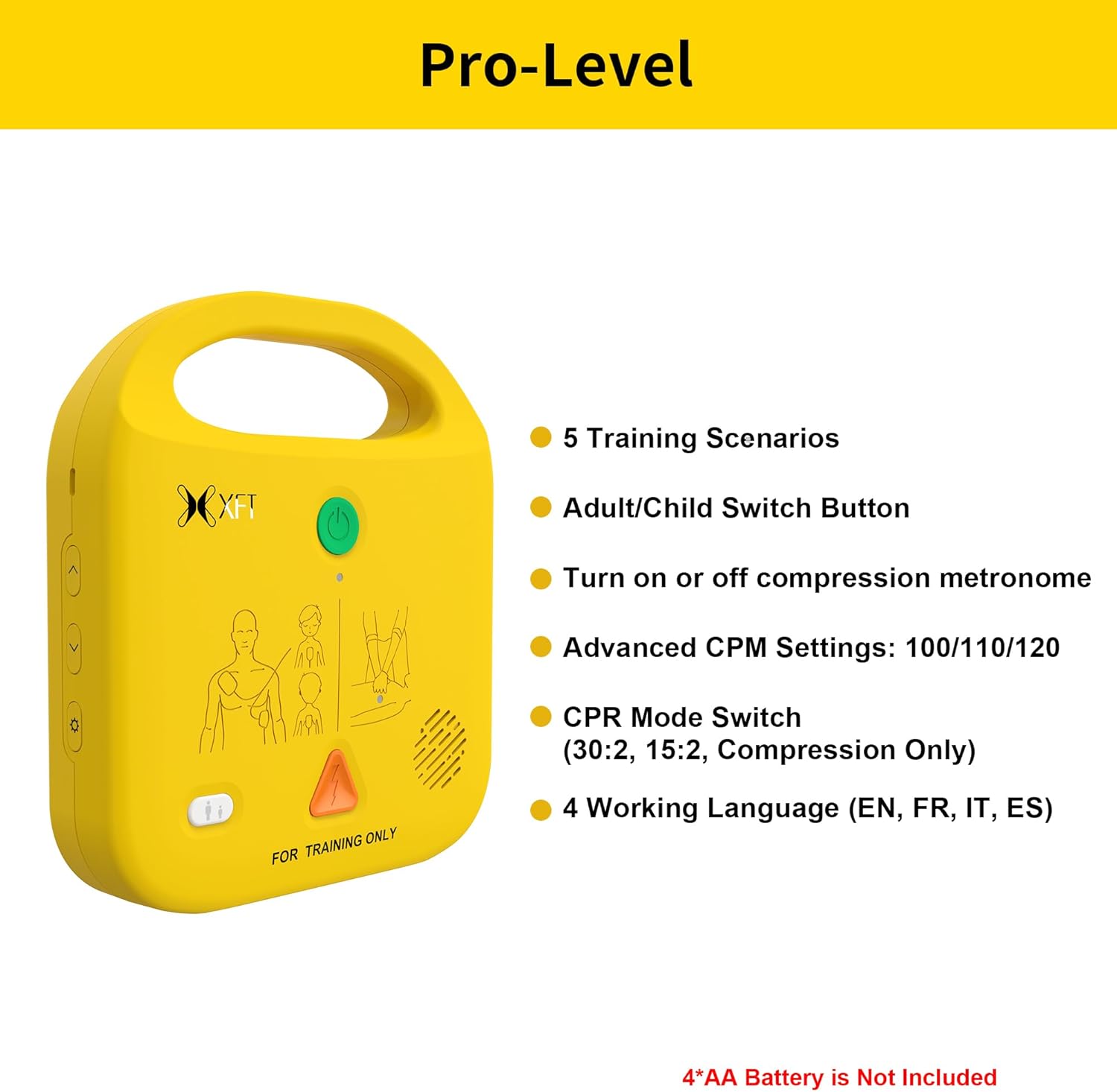
Figure 5.3: The XFT AED Trainer is shown in a practical training setting, with its electrode pads attached to a CPR manikin, illustrating how the device is used during simulated first aid procedures.
6. Maintenance
Proper maintenance ensures the longevity and reliable performance of your AED Trainer.
- Cleaning: Wipe the surface of the trainer with a soft, damp cloth. Do not use abrasive cleaners or immerse the device in water.
- Battery Replacement: Replace batteries when the low battery indicator appears or if the device does not power on. Always use new, good quality AA batteries.
- Storage: Store the trainer and its accessories in the provided storage bag in a cool, dry place away from direct sunlight and extreme temperatures.
7. Troubleshooting
If you encounter issues with your XFT AED Trainer, consider the following:
- Device does not power on: Check if batteries are inserted correctly and are not depleted. Replace with new batteries if necessary.
- No voice prompts: Ensure the volume is not set to minimum or muted. Check language settings.
- Pads not recognized: Verify that the wire connector and electrode pads are securely attached to the trainer.
For persistent issues, please refer to the support information in Section 9.
8. Specifications
| Model | XFT-120NB |
| Brand | XFT |
| Package Dimensions | 9.92 x 9.33 x 3.03 inches |
| Item Weight | 1.9 Pounds |
| Special Feature | Portable |
| Number of Pieces | 1 (main unit) |
| Recommended Uses | Emergency Preparedness Training |
| Languages Supported | English, Italian, French, Spanish |
9. Warranty and Support
For warranty information, technical support, or any inquiries regarding your XFT AED Trainer, please contact the manufacturer directly through their official channels. Refer to the Quick Start Guide or product packaging for specific contact details.
10. Training Applications
The XFT AED Trainer is suitable for a wide range of training environments, enhancing practical skills for various groups:
- Corporate Training
- Community Training
- School Training
- Pediatric First Aid Training

Figure 10.1: This visual demonstrates the versatility of the XFT AED Trainer, depicting its application in diverse educational settings such as corporate first aid courses, community emergency preparedness programs, school health classes, and specialized pediatric first aid training.


