
1. Introduction
Thank you for purchasing the Sharp KI-TX75-W Humidifying Air Purifier. This appliance is designed to improve your indoor air quality through advanced air purification and humidification technologies. It features Plasmacluster NEXT for high-density ion emission, AI AUTO mode for intelligent operation, Coanda flow for efficient dust collection, an AI monitor for real-time air quality feedback, and COCORO AIR for smart control via a smartphone app.
This manual provides essential information for the safe and efficient use, maintenance, and troubleshooting of your air purifier. Please read it thoroughly before use and keep it for future reference.
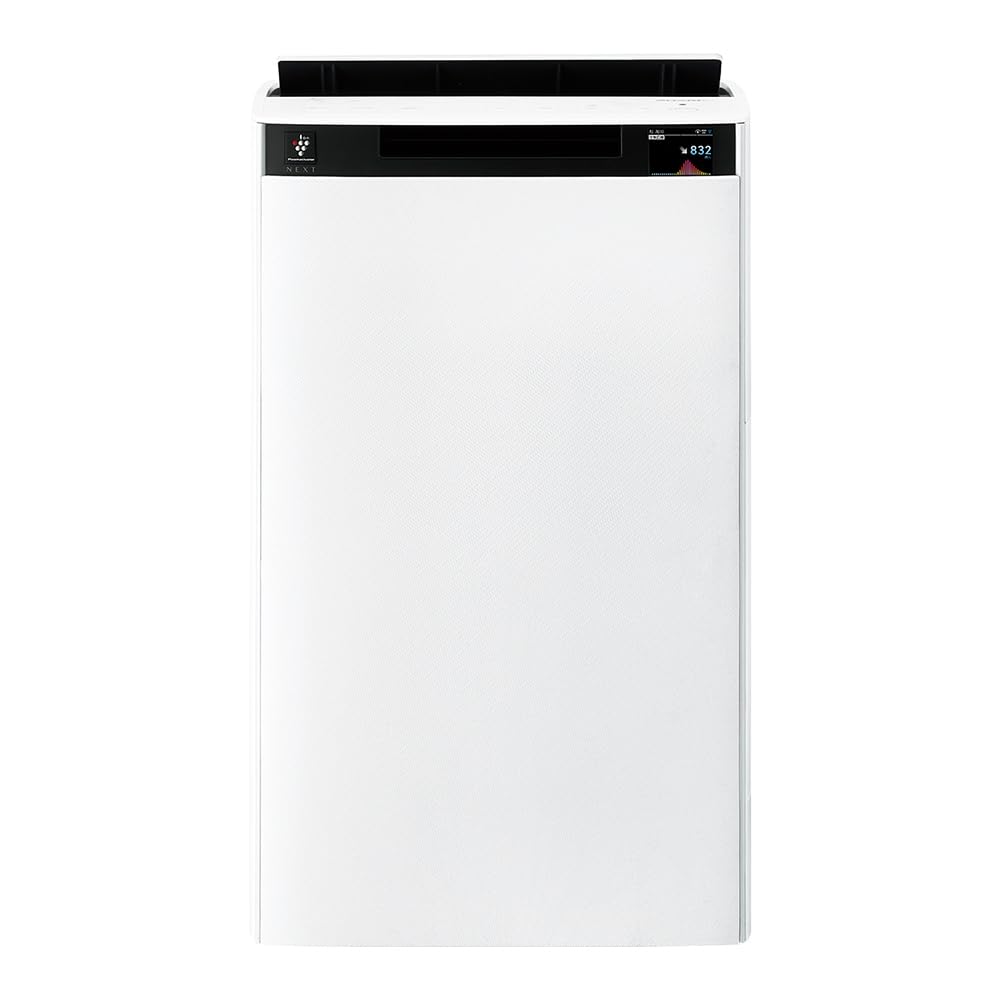
Front view of the Sharp KI-TX75-W Humidifying Air Purifier.
2. Safety Information
To ensure safe operation and prevent damage, please observe the following safety precautions:
- Always use the appliance with the correct voltage as specified on the rating label.
- Do not block the air intake or outlet vents.
- Keep the appliance away from water and moisture. Do not operate with wet hands.
- Unplug the power cord before cleaning or performing any maintenance.
- Do not allow children to operate the appliance unsupervised.
- If the power cord is damaged, it must be replaced by the manufacturer, its service agent, or similarly qualified persons to avoid a hazard.
- Do not insert foreign objects into any openings.
- Place the unit on a stable, level surface.
3. Setup
3.1 Unpacking and Placement
- Carefully remove the air purifier from its packaging.
- Choose a location with adequate space around the unit for optimal airflow. Avoid placing it directly against walls or furniture.
- Ensure the unit is placed on a flat, stable surface. The built-in casters with stoppers allow for easy movement and secure positioning.

The unit features casters with stoppers for convenient movement and secure placement.
3.2 Filter Installation
The unit comes with pre-installed filters. Verify they are correctly seated before first use.
- Open the back panel of the air purifier.
- Ensure the HEPA filter, deodorizing filter, and pre-filter are securely in place.
- Close the back panel.

The air purifier utilizes a three-layer filter system: pre-filter, deodorizing filter, and HEPA filter.
3.3 Water Tank Filling
For humidification, fill the water tank with clean tap water.
- Remove the water tank from the side of the unit.
- Open the water tank cap and fill it with fresh tap water.
- Securely close the cap and reinsert the water tank into the unit.

Remove the water tank from the side of the unit to fill it with water.
3.4 Initial Power-On and Network Connection
- Plug the power cord into a wall outlet.
- Press the power button on the control panel.
- To utilize smart features, download the COCORO AIR app on your smartphone and follow the in-app instructions to connect the air purifier to your wireless LAN network.
4. Operating Instructions
4.1 Control Panel Overview

The control panel allows selection of various modes and settings.
4.2 Operating Modes
- AI AUTO Mode: This intelligent mode automatically adjusts operation based on detected air quality, aiming for a cleanroom Class 8 level environment. It optimizes airflow to effectively collect pollen, dust, and fine particles.
- Air Purification Mode: Operates solely as an air purifier, removing airborne particles and odors.
- Humidification Mode: Adds moisture to the air while purifying. The unit can deliver up to 900 mL/h of humidification.
- Plasmacluster NEXT: This technology generates high-density Plasmacluster ions (50,000 ions/cm³) to suppress airborne and adhering viruses, allergens, and odors.

AI AUTO mode significantly reduces airborne particles to maintain a clean environment.
4.3 AI Monitor
The AI Monitor visualizes the number of particles in the room and provides feedback on air quality. It displays real-time particle counts and indicates when the air is clean or needs purification.

The AI Monitor provides a visual representation of airborne particle levels.
The AI Monitor also provides notifications for humidification status, maintenance timing, and estimated electricity costs.

Notifications include humidification status, maintenance alerts, and electricity usage.
4.4 COCORO AIR App
Connect your air purifier to the COCORO AIR app via Wi-Fi for enhanced control and monitoring. The app allows you to:
- Monitor air quality and operating status remotely.
- Customize operation schedules and settings.
- Receive notifications for filter replacement and maintenance.
- Access special operating modes, such as pet-specific modes.

The COCORO AIR app provides remote control and monitoring capabilities.
5. Maintenance
Regular maintenance ensures optimal performance and extends the lifespan of your air purifier.
5.1 Filter Cleaning and Replacement
- Pre-filter: Clean regularly (e.g., once a month) by vacuuming or washing with water.
- HEPA Filter & Deodorizing Filter: These filters are not washable. Replace them according to the recommended schedule (typically every 1-2 years, depending on usage and environment). The COCORO AIR app will notify you when replacement is due.
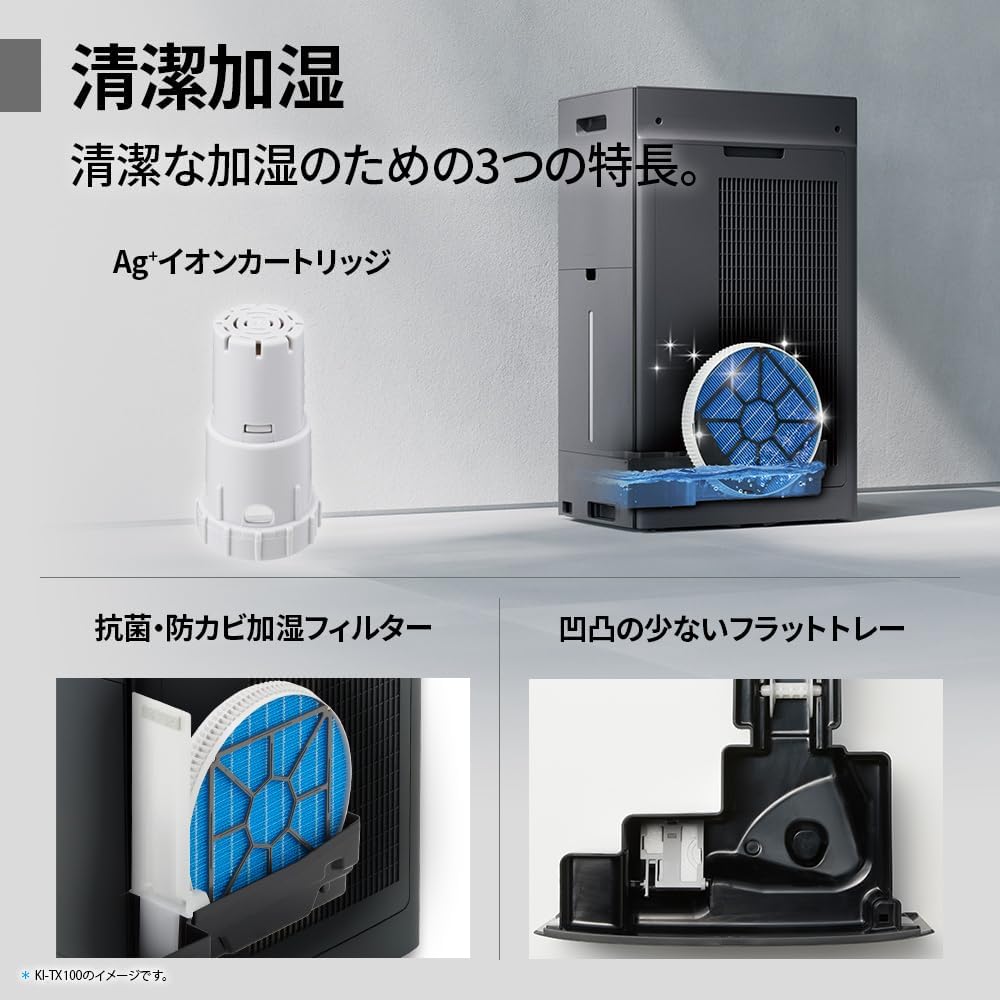
Regularly clean the pre-filter to maintain air purification efficiency.
5.2 Humidifying Filter Maintenance
The humidifying filter can be automatically cleaned using the unit's internal cleaning function. This helps prevent scale buildup.
- Remove the water tank and humidifying filter assembly.
- Add a small spoon of citric acid (commercially available) to the water tank and fill with water.
- Press the internal humidification cleaning button on the unit.
- After the cleaning cycle, rinse the tank and filter thoroughly.

The humidifying filter can be automatically cleaned using citric acid and water.
5.3 Ag+ Ion Cartridge Replacement
The Ag+ ion cartridge helps keep the water in the tank clean. Replace it approximately once a year.

Replace the Ag+ ion cartridge annually for optimal water tank hygiene.
6. Troubleshooting
If you encounter issues with your air purifier, refer to the following common problems and solutions:
| Problem | Possible Cause | Solution |
|---|---|---|
| Unit does not power on. | Power cord not properly connected. No power from outlet. | Check power cord connection. Test outlet with another device. |
| Weak airflow or poor purification. | Filters are dirty or clogged. Air intake/outlet blocked. | Clean or replace filters. Ensure vents are clear. |
| No humidification or low humidity output. | Water tank is empty. Humidifying filter is dirty. | Refill water tank. Clean the humidifying filter. |
| Unusual noise during operation. | Unit not on a level surface. Foreign object in fan. | Ensure unit is stable. Check for obstructions (unplug first). |
| AI Monitor shows high particle count despite operation. | Filters need cleaning/replacement. Room size exceeds recommended area. | Perform filter maintenance. Consider unit placement or additional units for larger spaces. |
If the problem persists after trying these solutions, please contact customer support.
7. Specifications
| Feature | Specification |
|---|---|
| Model Number | KI-TX75-W |
| Brand | Sharp |
| Dimensions (W x D x H) | 39.5 cm x 26.5 cm x 65 cm |
| Weight | 12 kg |
| Power Source | Corded Electric |
| Noise Level | 20-52 dB |
| Recommended Room Size (Plasmacluster) | Up to 18 tatami (~29.7 m²) |
| Recommended Room Size (Air Purification) | Up to 34 tatami (~56.1 m²) |
| Maximum Humidification Capacity | 900 mL/h |
| Air Purification Time (8 tatami) | 9 minutes |
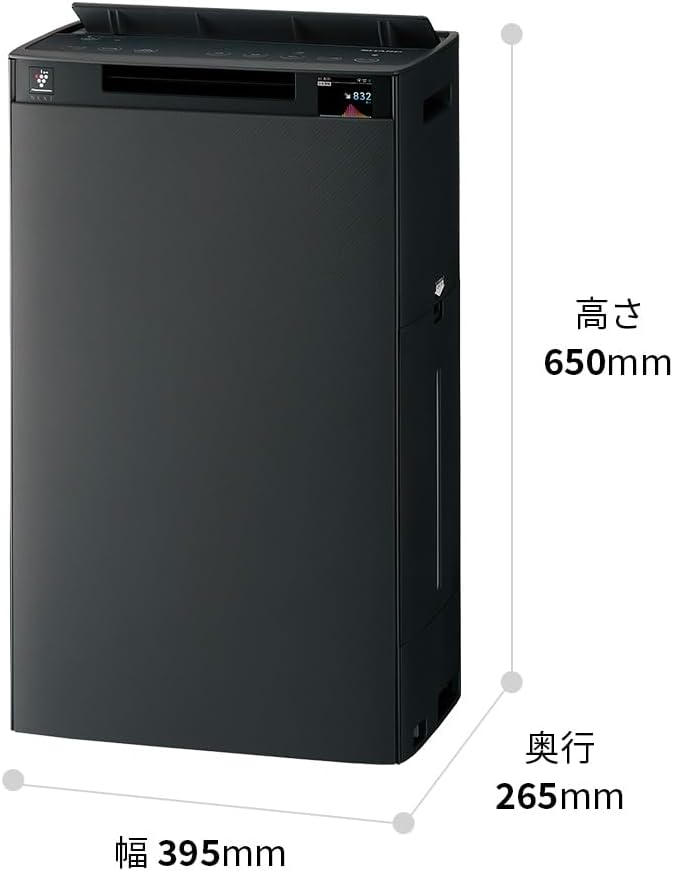
Detailed dimensions of the Sharp KI-TX75-W.
8. Warranty and Support
8.1 Manufacturer's Warranty
This Sharp KI-TX75-W Humidifying Air Purifier comes with a 1-year manufacturer's warranty from the date of purchase. This warranty covers defects in materials and workmanship under normal use. Please retain your proof of purchase for warranty claims.
The warranty does not cover damage caused by misuse, accident, unauthorized modification, or failure to follow the instructions in this manual.
8.2 Customer Support
For technical assistance, warranty service, or inquiries about replacement parts, please contact Sharp customer support.
You can find additional support resources and FAQs on the official Sharp website:


