
Introduction
Thank you for choosing the MOUNT PRO Long Arm TV Wall Mount. This full-motion articulating bracket is designed to securely hold most 42-75 inch flat or curved screen televisions, providing flexible viewing options with its 32-inch extension, swivel, and tilt capabilities. This manual provides essential information for safe installation, operation, and maintenance of your TV wall mount. Please read all instructions carefully before beginning installation.
Safety Information
- Weight Capacity: Do not exceed the maximum weight capacity of 99 lbs (45 kg). Overloading can result in serious injury or property damage.
- TV Size: This mount is designed for TVs between 42 and 75 inches. Ensure your TV's VESA pattern is compatible (150x100mm to 600x400mm).
- Wall Type: This mount is intended for installation on wood studs, solid concrete, or brick walls. DO NOT install into drywall alone. Concrete anchors are required for concrete and brick walls and may be sent upon request.
- Professional Installation: If you are unsure about the installation process or the suitability of your wall, consult a qualified professional.
- Personal Injury: Always use appropriate safety gear during installation. Keep children and pets away from the work area.
- Check Connections: Periodically check that all screws and connections are secure.
Package Contents
Verify that all components are present before installation. The package includes:
- Wall Plate Assembly
- TV Brackets (2 pieces)
- Mounting Hardware (various screws, washers, spacers)
- Bubble Level
- Mounting Template
- Instruction Manual
- Note: Concrete anchors are available upon request.
Specifications
| Brand | MOUNT PRO |
| Model | B0DP2LKHRQ |
| TV Size Compatibility | 42 - 75 inches |
| Weight Capacity | Up to 99 lbs (45 kg) |
| VESA Compatibility | 150x100mm to 600x400mm |
| Extension from Wall | 3 inches (retracted) to 32 inches (extended) |
| Swivel Angle | +/- 90 degrees |
| Tilt Angle | +5 degrees / -13 degrees |
| Leveling Adjustment | +/- 3 degrees (post-installation) |
| Material | Alloy Steel |
| Color | Black |
Setup and Installation
Follow these steps carefully for a secure installation. It is recommended to have at least two people for installation, especially when lifting the TV.
1. Before Installation
- Ensure your TV's weight and VESA pattern are compatible with the mount.
- Identify your wall type (wood stud, solid concrete, or brick). Do not install on drywall alone.
- Gather necessary tools (drill, stud finder, level, screwdriver, etc.).
2. Mounting the Wall Plate
- Use a stud finder to locate the center of a wood stud. For concrete/brick, mark the desired location.
- Position the mounting template at the desired height and level it using the included bubble level. Mark the drill holes.
- Drill pilot holes according to the manual's specifications for your wall type.
- Attach the wall plate assembly to the wall using the appropriate lag bolts and washers. Ensure it is securely fastened and level.

3. Attaching TV Brackets to TV
- Lay your TV face down on a soft, clean surface.
- Identify the correct screws, washers, and spacers for your TV's VESA mounting holes.
- Attach the two TV brackets to the back of your TV. Ensure they are centered and securely tightened.

4. Mounting TV to Wall Plate
- With assistance, carefully lift the TV and hook the TV brackets onto the wall plate assembly.
- Secure the TV to the wall plate using the locking screws or mechanisms provided.
Operating the Mount
The MOUNT PRO Long Arm TV Wall Mount offers various adjustments for optimal viewing.
Extension and Retraction
Gently pull or push the TV to extend it up to 32 inches from the wall or retract it to a minimum of 3 inches. This allows for flexible positioning and space-saving when not in use.

Swivel Adjustment
The articulating arm allows for a smooth swivel of +/- 90 degrees. This feature enables you to adjust the TV's angle to face different viewing areas within a room, making it ideal for corner installations or open-plan living spaces.

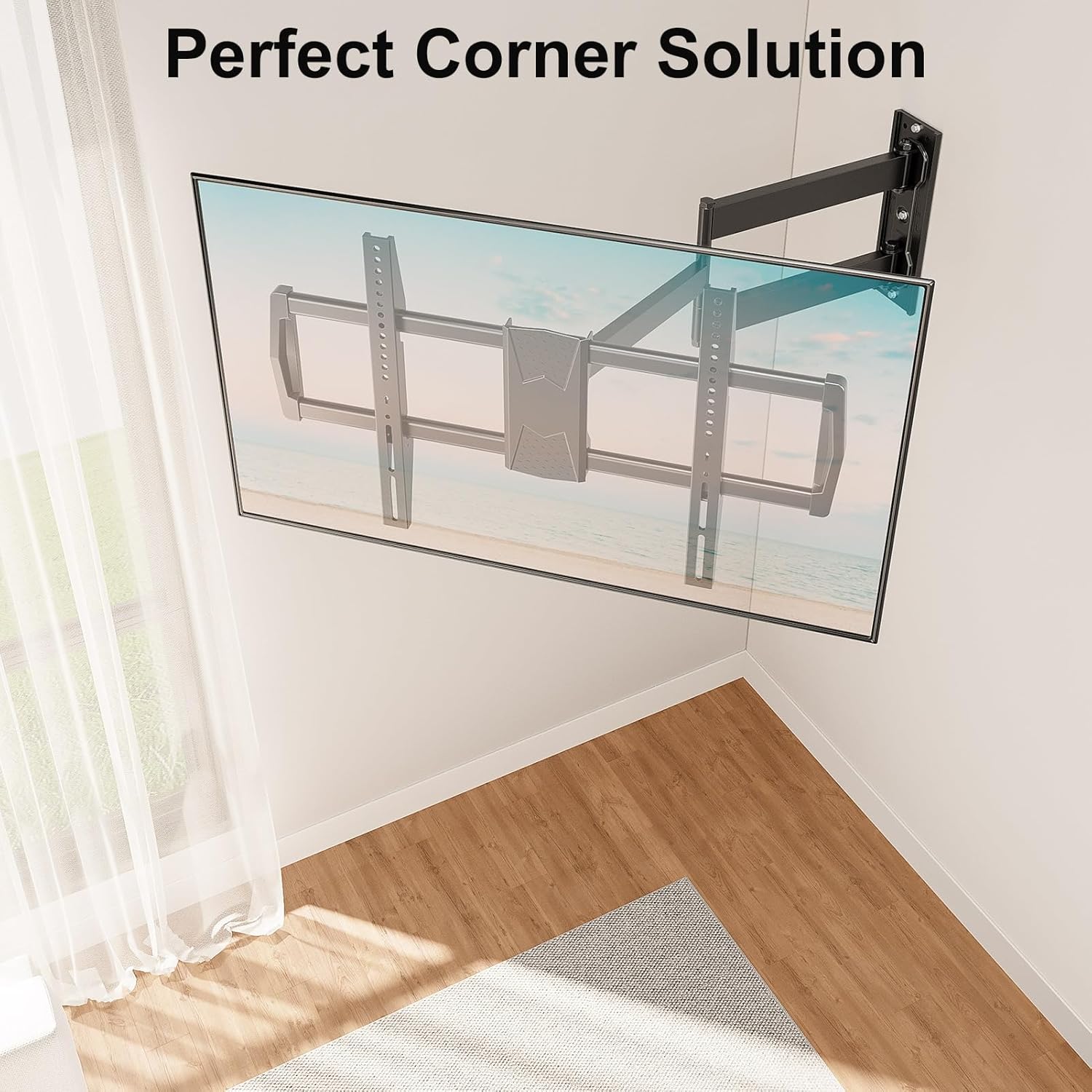
Tilt Adjustment
Adjust the TV's vertical angle by tilting it +5 degrees upwards or -13 degrees downwards. This helps reduce glare from lights or windows and provides a more comfortable viewing experience.
Post-Installation Leveling
If your TV is slightly unlevel after installation, you can make a post-installation adjustment of +/- 3 degrees to precisely align the screen. Refer to the specific mechanism on your mount for this adjustment.

Maintenance
- Cleaning: Use a soft, dry cloth to clean the mount. Avoid abrasive cleaners or solvents that could damage the finish.
- Periodic Checks: Regularly inspect all mounting hardware and connections to ensure they remain tight and secure. Re-tighten any loose screws as needed.
- Lubrication: The articulating joints are designed for smooth movement. If movement becomes stiff, a small amount of silicone-based lubricant can be applied to the pivot points.
Troubleshooting
- TV is not level after installation: Use the post-installation leveling feature (+/- 3 degrees) to adjust the TV's horizontal alignment. Ensure the wall plate itself was installed level.
- Difficulty moving the TV: Check for any obstructions. Ensure all adjustment knobs or screws are not overtightened, preventing movement. If joints are stiff, apply a small amount of silicone lubricant.
- Mount feels unstable: Immediately remove the TV from the mount. Re-check all wall and TV connections. Ensure the mount is installed into a suitable wall structure (wood stud, solid concrete, or brick) and that all lag bolts are fully tightened. Do not reinstall the TV until stability is confirmed.
- Missing parts: Refer to the package contents list. Contact MOUNT PRO customer support for replacement parts.
Warranty and Support
MOUNT PRO products are designed for durability and performance. For warranty information, technical support, or to request concrete anchors, please contact MOUNT PRO customer service through their official website or the retailer where the product was purchased. Please have your model number (B0DP2LKHRQ) available when contacting support.


