1. Introduction
This manual provides comprehensive instructions for the installation, operation, and maintenance of your Asiahorse Nyota A14 140mm PC Case Fan. Designed for high-efficiency cooling and customizable ARGB lighting, this fan features adjustable PWM control and ultra-quiet fluid dynamic bearings to enhance your PC's performance and aesthetics.
2. Specifications
| Feature | Detail |
|---|---|
| Model | Nyota A14 |
| Dimensions | 140 x 140 x 25 mm |
| Airflow (140mm) | Up to 89.77 CFM |
| Rotational Speed | 800-2000 RPM (PWM) |
| Noise Level | <29 dBA |
| Bearing Type | High-precision Hydraulic Bearings |
| Lighting | Addressable RGB (ARGB) with OSKAR light beads |
| Power Connector | 4-Pin |
| Voltage | 5 Volts |
| Wattage | 6 Watts |
| Cooling Method | Forced Air |
| Compatible Devices | Desktop PCs |
3. Setup and Installation
Follow these steps to properly install your Asiahorse Nyota A14 PC case fan.
3.1 Unpacking
Carefully remove all components from the packaging. Ensure all parts are present:
- Asiahorse Nyota A14 140mm PC Case Fan
- Mounting Screws
- PWM Cable (if not integrated)
- ARGB Cable (if not integrated)
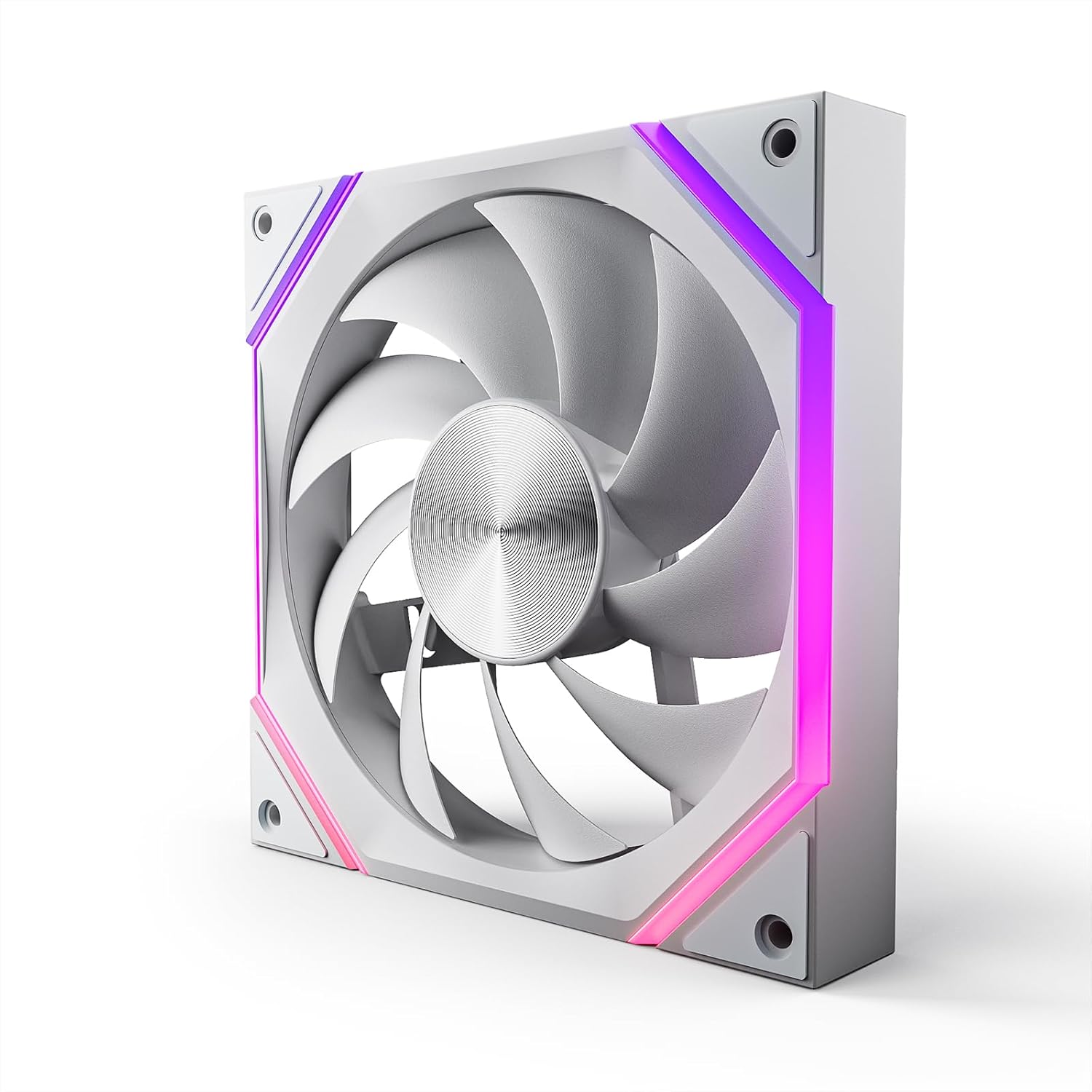
Figure 1: Asiahorse Nyota A14 140mm PC Case Fan. This image shows the fan's design and ARGB lighting elements.
3.2 Physical Installation
- Identify the desired mounting location within your PC case (e.g., front, top, rear, bottom).
- Align the fan with the screw holes on your case. Ensure the fan is oriented to provide optimal airflow (intake or exhaust) as desired.
- Secure the fan to the case using the provided mounting screws. Do not overtighten.
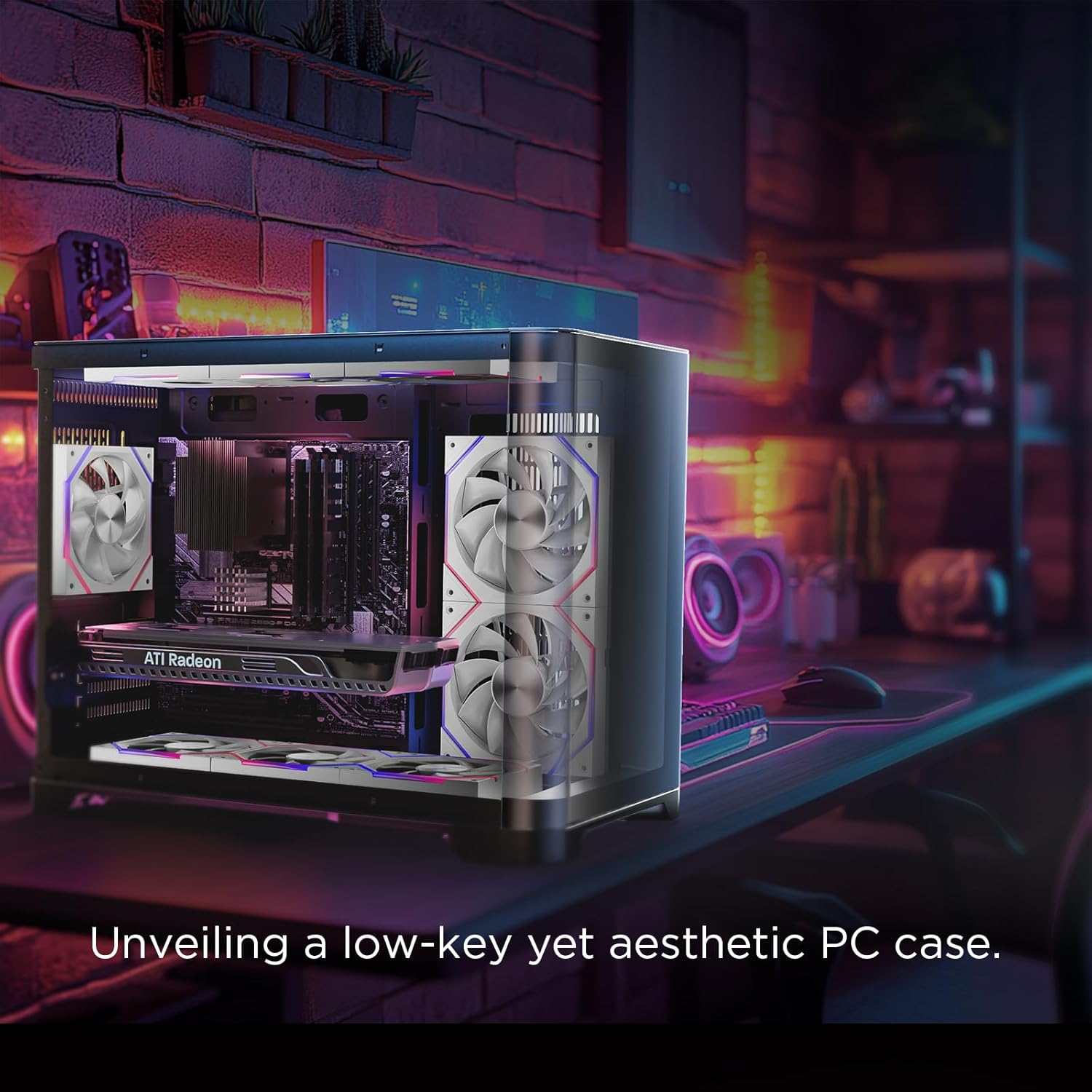
Figure 2: Asiahorse Nyota A14 fans installed in a PC case, demonstrating typical mounting positions and aesthetic integration.
3.3 Cable Connections
Connect the fan to your motherboard or fan controller:
- PWM Connection: Connect the 4-pin PWM cable from the fan to an available 4-pin fan header on your motherboard. This allows for speed control.
- ARGB Connection: Connect the 3-pin ARGB cable from the fan to a 3-pin 5V Addressable RGB header on your motherboard. Ensure correct pin alignment to avoid damage. If connecting multiple fans, daisy-chain them as per your motherboard's or controller's instructions.
Video 1: AsiaHorse 140mm ARGB PWM Fan Installation Guide. This video demonstrates the connection process for Asiahorse 140mm ARGB PWM fans, including daisy-chaining and motherboard connections.
Video 2: Asiahorse 140mm Case Fan Overview (White). This video provides a visual overview of the white Asiahorse 140mm case fan, showcasing its design and lighting.
4. Operation
4.1 Fan Speed Control (PWM)
The Asiahorse Nyota A14 fan supports Pulse Width Modulation (PWM) for dynamic speed control. This allows your motherboard to automatically adjust fan speed based on system temperature, optimizing for either cooling performance or quiet operation.
- Access your motherboard's BIOS/UEFI settings or use a compatible software utility (e.g., ASUS AI Suite, MSI Dragon Center, Gigabyte SIV) to configure fan curves.
- Adjust the fan speed profile to balance cooling needs with noise levels.
4.2 ARGB Lighting Control
The Addressable RGB (ARGB) lighting can be customized via compatible motherboard software. This allows for synchronization with other ARGB components in your system.
- Install the appropriate ARGB control software for your motherboard (e.g., ASUS Aura Sync, MSI Mystic Light Sync, Gigabyte RGB Fusion, ASRock Polychrome Sync).
- Use the software to select various lighting effects, colors, and brightness levels.
- Ensure your motherboard's ARGB header is set to 5V (3-pin) to prevent damage to the LEDs.

Figure 3: Universal ARGB Lighting. This image highlights the fan's compatibility with various motherboard ARGB synchronization software.
Video 3: Create Fascinating Lighting Effects Of Our Eclipse Case Fan. This video showcases various dynamic ARGB lighting effects achievable with Asiahorse fans.
5. Maintenance
Regular maintenance ensures optimal performance and longevity of your fan.
- Dust Cleaning: Periodically clean dust from the fan blades and frame using compressed air or a soft brush. Accumulation of dust can reduce airflow and increase noise.
- Cable Management: Ensure all cables are neatly routed and secured to prevent interference with fan blades or other components.
- Inspection: Occasionally inspect the fan for any signs of wear, damage, or unusual noise.
6. Troubleshooting
| Problem | Possible Cause | Solution |
|---|---|---|
| Fan not spinning | Incorrect power connection, faulty fan header, fan failure. | Check 4-pin PWM cable connection. Try a different fan header. If still not working, the fan may be faulty. |
| ARGB lights not working | Incorrect ARGB connection, incompatible ARGB header (e.g., 12V RGB instead of 5V ARGB), software issue, faulty LEDs. | Verify 3-pin 5V ARGB connection. Ensure motherboard header is 5V ARGB. Check motherboard software settings. |
| Fan is too loud | High fan speed setting, dust accumulation, loose mounting, bearing issue. | Adjust fan curve in BIOS/software. Clean fan blades. Ensure fan is securely mounted. |
| Poor cooling performance | Incorrect fan orientation, dust accumulation, low fan speed. | Check fan direction (airflow). Clean fan. Increase fan speed. |
7. Warranty Information
AsiaHorse products are covered by a limited warranty. Please refer to the official AsiaHorse website or your purchase documentation for specific warranty terms and conditions. Keep your proof of purchase for warranty claims.
For warranty service, please contact the retailer where the product was purchased or AsiaHorse customer support directly.
8. Customer Support
If you encounter any issues or have questions regarding your Asiahorse Nyota A14 PC Case Fan, please contact our customer support team.
- Online Support: Visit the AsiaHorse Store on Amazon for FAQs and additional resources.
- Email Support: Refer to your product packaging or the official AsiaHorse website for contact email addresses.


