
1. Product Overview
The Imou 4L Automatic Pet Feeder is designed to provide convenient and reliable feeding for your pets, integrating advanced camera technology for monitoring and interaction. This device ensures your pets are fed according to a personalized schedule, even when you are away.
Key Features:
- 4MP High-Definition Camera & Multiple Viewing Modes: Offers 2.5K video resolution and a 360° viewing angle, functioning as both a pet feeder monitor and a home camera. Includes panoramic 360°, bowl view, VR mode, and home camera mode. Infrared LEDs provide clear night vision.
- Customized Feeding Schedule & Large 4-Liter Capacity: Program up to 15 meals per day with up to 20 portions per meal via the Imou Life App. The 4L capacity can feed cats or small dogs for up to 20 days.
- AI Pet/Eating Detection & Smart Notifications: Receive instant notifications for food blockages, low food levels, or when your pet is detected eating. Tracks eating habits with before-and-after meal photos and statistics.
- Personalized Meal Call & Dual Power: Built-in microphone and speakers allow two-way communication. Record a 10-second voice message to play at feeding times. Can be powered by a 5V adapter and 3 alkaline backup batteries (not included).
- Secure Cloud Storage: Includes a 365-day free trial for cloud video storage, allowing you to record and review short video clips of your pet's daily routine.
- Easy to Clean: Removable body and stainless steel food bowl ensure hygienic feeding and prevent chin acne in cats.
2. Setup Instructions
2.1 Unboxing and Component Identification
Carefully remove all components from the packaging. Ensure all parts are present before proceeding with assembly.

2.2 Assembly
- Install the Food Container: Place the transparent food container onto the main feeder base, ensuring it is securely seated.
- Insert Desiccant: Open the desiccant compartment located under the lid and insert the provided desiccant packet to keep food fresh. Close the compartment securely.
- Fill with Dry Food: Open the top lid and pour dry pet food into the 4-liter container. Ensure the food size is between 2-12mm to prevent clogging.
- Attach Food Bowl: Place the stainless steel food bowl into its designated slot at the base of the feeder.


2.3 Power Connection
Connect the power adapter to the feeder and plug it into a wall outlet. For backup power, install 3 alkaline batteries (not included) in the battery compartment at the bottom of the unit. This ensures continuous operation during power outages.

2.4 App Installation and Device Pairing
- Download Imou Life App: Scan the QR code in the user manual or search for 'Imou Life' in your app store to download and install the application.
- Connect to 2.4GHz Wi-Fi: Ensure your smartphone is connected to a 2.4GHz Wi-Fi network. The feeder only supports 2.4GHz Wi-Fi.
- Add Device: Open the Imou Life App, create an account if you don't have one, and follow the on-screen instructions to add a new device. You will typically scan a QR code on the feeder or its packaging to initiate pairing.

Video: Guide de connexion de la mangeoire automatique pour chats
Text Description: This video provides a detailed guide on how to connect the automatic pet feeder to the mobile application, covering the initial setup and pairing process.
3. Operating Instructions
3.1 Setting Up Feeding Schedules
Use the Imou Life App to create a personalized feeding plan for your pet. You can set specific times for up to 15 meals per day, with each meal consisting of 1 to 20 portions. The feeder intelligently prevents overfeeding if food remains in the bowl from a previous scheduled meal.


3.2 Real-time Monitoring and Interaction
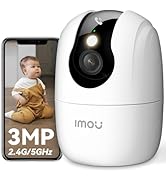
The integrated 4MP camera provides 2.5K high-definition video, allowing you to monitor your pet and their eating area. The 360° panoramic view, night vision, and multiple viewing modes (360°, bowl, VR, home camera) ensure comprehensive coverage.


3.3 Smart Notifications and AI Detection
Receive immediate alerts on your phone for critical events such as food blockages or low food levels. The AI pet/eating detection feature sends notifications when your pet approaches the feeder or starts eating, providing valuable insights into their feeding habits.


3.4 Personalized Voice Messages
Record a 10-second voice message through the app. This message will play automatically when food is dispensed, calling your pet to eat and reinforcing positive feeding habits.


3.5 Anti-Clogging Design
The feeder features a soft silicone wheel, a large dispensing container, and a wide dispensing outlet to prevent food from getting stuck. This design ensures smooth and consistent food delivery.

3.6 Cloud Storage and Playback
Benefit from a 365-day free trial of secure cloud storage. This allows you to record and review countless 8-second video clips of your pet's activities, ensuring you never miss a moment.

Video: PUPPY KITTY Moni 4L 1080P Caméra Distributeur Croquette Chat
Text Description: This video demonstrates the key features of the PUPPY KITTY Moni 4L pet feeder, including its 1080P camera, automatic feeding, and ease of use for pet owners.
Video: Comment utiliser la mangeoire pour animaux de compagnie
Text Description: This video provides a comprehensive guide on how to effectively use the pet feeder, covering various functionalities and tips for optimal performance.
4. Maintenance
4.1 Cleaning Instructions
The Imou Pet Feeder is designed for easy cleaning to ensure your pet's health and hygiene. The body of the feeder is removable, allowing for thorough cleaning of internal components. The food bowl is made of stainless steel, which is easy to clean and helps prevent chin acne in cats.


5. Troubleshooting
5.1 Common Issues and Solutions
- Food Blockage: If the app notifies you of a food blockage, check the dispensing mechanism for any obstructions. Ensure kibble size is within the recommended 2-12mm range.
- No Food Dispensed: Verify that the food container has sufficient food. Check the app for any error messages or if the feeding schedule is correctly set.
- Wi-Fi Connection Issues: Ensure your feeder is within range of your 2.4GHz Wi-Fi router. Restart the feeder and your router if connection problems persist.
- App Notifications Not Received: Check your phone's notification settings for the Imou Life App. Ensure the app has necessary permissions and your phone has an active internet connection.
6. Specifications
| Feature | Detail |
|---|---|
| Product Dimensions | 19.35 x 35.59 x 31.15 cm; 1.89 kilograms |
| Color | White |
| Special Features | Smart App, Two-way Audio, Feeding Schedule, Camera, Alexa Compatible |
| Material | Stainless Steel |
| Target Species | Cat, Dog |
| Recommended Uses | Multiple pets |
| Capacity | 4 Liters |
| Connectivity Technology | Wi-Fi (2.4GHz only) |
| Operation Mode | Automatic |
7. Warranty and Support
7.1 Customer Support
For any questions, technical assistance, or warranty claims, please contact Imou customer support. Refer to the contact information provided in your product packaging or visit the official Imou website for the most up-to-date support details.
Online resources, FAQs, and troubleshooting guides may also be available on the Imou support page.
7.2 Warranty Information
This product comes with a standard manufacturer's warranty. Please refer to the warranty card included in your product packaging or the official Imou website for specific terms and conditions, including warranty period and coverage details.
