
1. Introduction
The OceanicEcho Handicap Driving Controls (Model MZSC01) are designed to assist drivers with disabilities by providing a one-handed control system for both the brake and accelerator pedals. This device is compatible with most automatic transmission vehicles, including electric cars, offering enhanced independence and control.

Figure 1: OceanicEcho Handicap Driving Controls (Model MZSC01)
2. Safety Information
- Always ensure the device is securely installed and all locking mechanisms are fastened before driving.
- Conduct a low-speed test in a safe, controlled environment to familiarize yourself with the controls before driving on public roads.
- Regularly check the tightness of all connections and components to prevent loosening during operation.
- Consult local laws and regulations regarding the use of adaptive driving equipment in your region.
- If you experience any malfunction or unusual behavior, discontinue use immediately and inspect the device.
3. Package Contents
Upon unpacking, please verify that all the following components are present:
- Handicap Driving Control Device (Pre-assembled)
- Allen Wrench for adjustments
- Spare parts (as specified in the included parts list)
- User Manual
4. Setup and Installation
The OceanicEcho Handicap Driving Controls are designed for tool-free installation directly onto your car's pedals. An Allen wrench is provided for length adjustments.
4.1 Positioning
Align the control device with your vehicle's brake and accelerator pedals. Ensure the clamps are positioned correctly over the pedals for a secure fit.
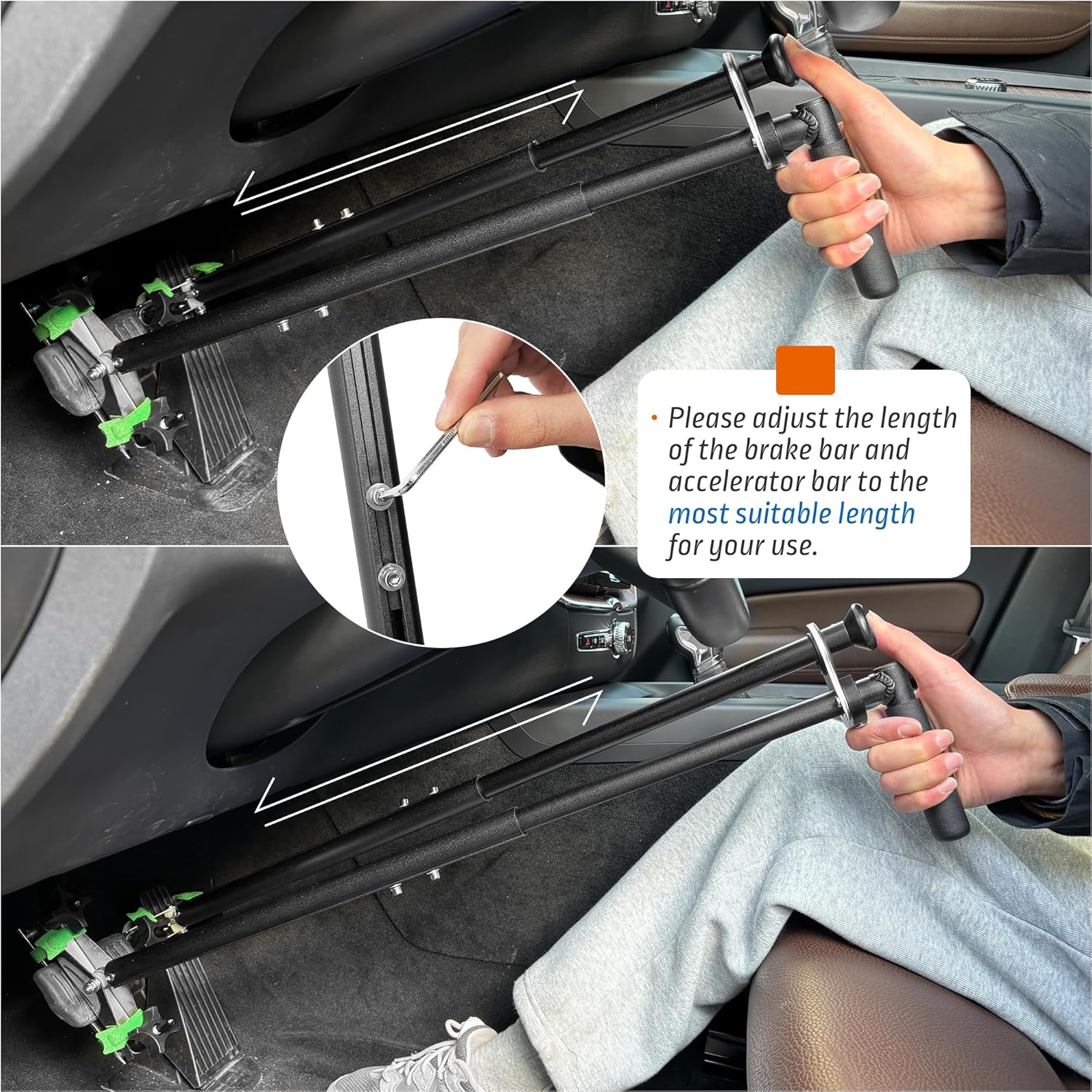
Figure 2: Proper positioning of the device on vehicle pedals.
4.2 Securing the Device
Tighten the fixtures by hand until they are firmly clamped onto the pedals. The connection features an anti-slip design for reliability. For additional security, utilize the green Velcro straps provided as a double insurance measure, wrapping them around the pedal and the device's clamps.

Figure 3: Securing the device to the pedals, including the use of green Velcro for added safety.
4.3 Video Guide: How to Use
Video 1: A detailed demonstration of how to install and use the OceanicEcho Handicap Driving Controls.
5. Operating Instructions
The device allows for one-handed control of both the brake and accelerator pedals. Push the handle forward to engage the brake and pull it back to engage the accelerator. Practice these movements in a safe area before driving.

Figure 4: Operating the controls with the right hand.

Figure 5: Operating the controls with the left hand, demonstrating ambidextrous design.
6. Adjustment
Use the included Allen wrench to adjust the length and angle of the handles to achieve your most comfortable driving position. The accelerator handle can extend up to 34 inches, and the brake handle up to 32 inches.

Figure 6: Adjusting the device length for optimal comfort.
7. Maintenance
To ensure continued safe and reliable operation, regularly check the tightness of all screws, clamps, and connections. Periodically inspect the device for any signs of wear or damage. Clean with a damp cloth as needed.
8. Troubleshooting
8.1 Handles or Push Tab Getting Stuck
If the handle or push tab mechanism feels stiff or gets stuck, first ensure that the device is correctly assembled and securely fastened to the pedals. Check for any obstructions or debris that might be interfering with the movement. Re-adjust the length and angle to ensure smooth operation. If the issue persists, contact customer support.
9. Specifications
| Feature | Specification |
|---|---|
| Brand | OceanicEcho |
| Model | MZSC01 |
| Item Weight | 3.19 pounds |
| Package Dimensions | 17.4 x 7.76 x 2.95 inches |
| Material | Aluminum alloy and stainless steel |
| Accelerator Handle Length (Max) | 34 inches |
| Brake Handle Length (Max) | 32 inches |
10. Warranty and Support
OceanicEcho is committed to providing high-quality products and excellent customer service. While specific warranty details are not provided in this manual, we encourage users to retain their purchase receipt for any potential warranty claims. If you have any questions, require assistance with installation, operation, or encounter any issues with your device, please contact OceanicEcho customer support for prompt assistance.
For further information and support, please visit the official OceanicEcho store: OceanicEcho Store