
1. Important Safety Instructions
Please read and save these important safety instructions before using this fan.
- Always unplug the fan before cleaning or performing maintenance.
- Do not operate any fan with a damaged cord or plug. Discard fan or return to an authorized service facility for examination and/or repair.
- Do not run cord under carpeting. Do not cover cord with throw rugs, runners, or similar coverings. Arrange cord away from traffic area and where it will not be tripped over.
- Do not insert or allow fingers or foreign objects to enter any ventilation or exhaust opening as this may cause an electric shock or fire, or damage the fan.
- Do not block air intakes or exhaust in any manner.
- Do not use outdoors. This fan is intended for indoor use only.
- Do not use in wet or moist locations such as bathrooms or laundry areas.
- Place the fan on a stable, flat surface to prevent it from tipping over.
- Supervise children when the fan is in use.
2. Package Contents
The TEMPWARE 9-Inch Floor Fan comes fully assembled and ready for immediate use.
- 1 x TEMPWARE 9-Inch Floor Fan (Model CFHV9CP)
- 1 x Instruction Manual (this document)
3. Product Overview
The TEMPWARE 9-Inch Floor Fan is designed for efficient air circulation in various indoor environments. Key features include:
- Powerful 3-Speed Control: Customize airflow with low, medium, and high settings.
- 180° Adjustable Tilt: Direct airflow precisely where needed.
- Durable All-Metal Construction: Ensures longevity and stability.
- Portable Design: Compact size and cradle stand for easy relocation.

Figure 3.1: Front view of the TEMPWARE 9-Inch Floor Fan, showcasing its silver finish and protective grille.

Figure 3.2: The fan's dimensions are approximately 11.4 inches in depth and width, as indicated in the image.

Figure 3.3: Illustration of the fan's three speed settings: Low, Medium, and High, with corresponding airflow indicators.
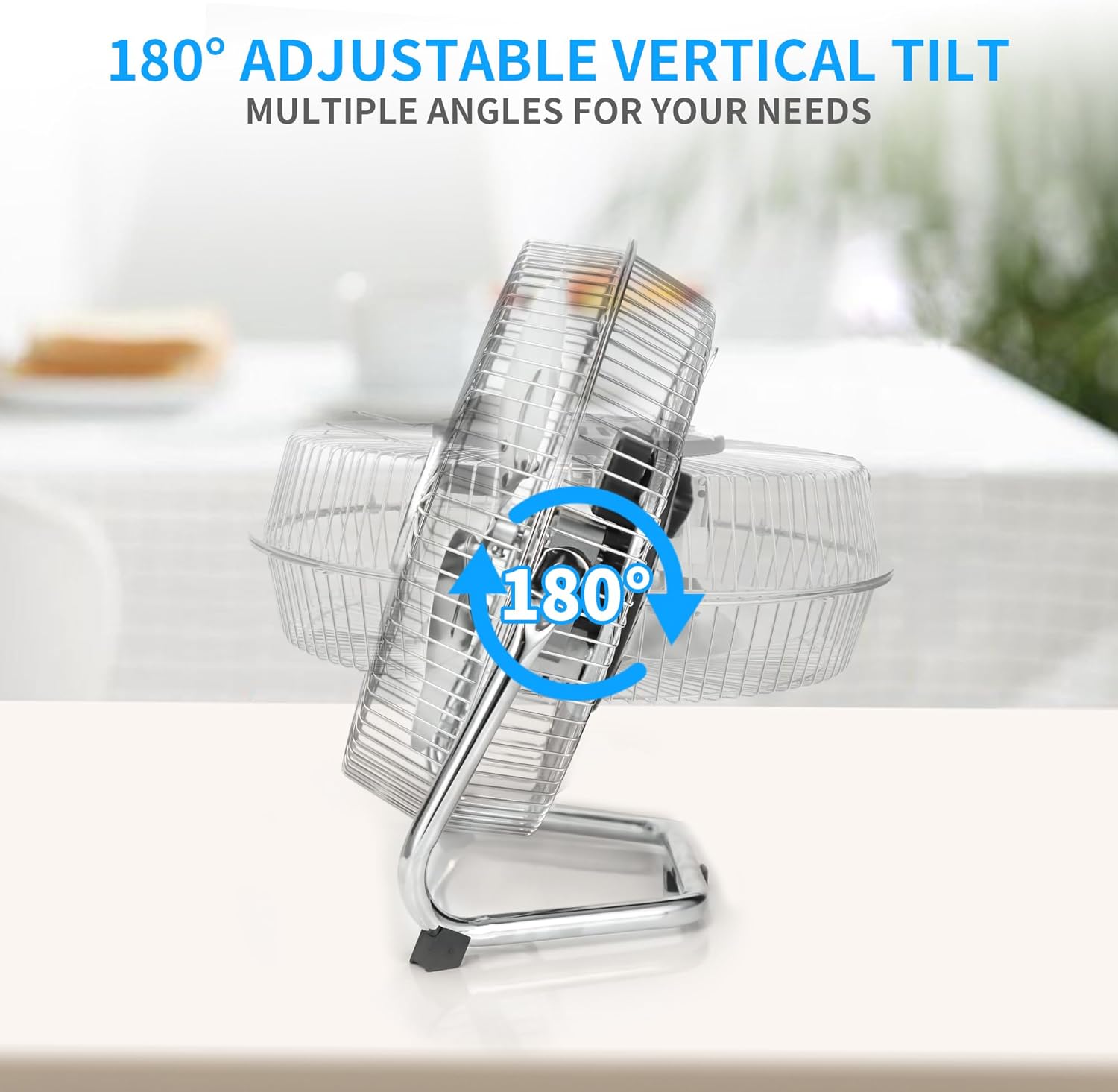
Figure 3.4: The fan features a 180-degree adjustable vertical tilt, allowing users to direct airflow as needed.

Figure 3.5: Close-up details showing the fan's all-metal construction, the 3-speed control dial on the back, and stable rubber feet on the stand.

Figure 3.6: The fan shown in different household environments, including a living room, office, kitchen, and bedroom, highlighting its versatility.

Figure 3.7: The fan operating in a living room, circulating air for a family relaxing on a sofa.
4. Setup
The TEMPWARE 9-Inch Floor Fan requires no assembly and is ready for use directly out of its packaging.
- Unpack: Carefully remove the fan from its packaging.
- Placement: Place the fan on a stable, flat surface in the desired location. Ensure there is adequate space around the fan for proper airflow and to prevent obstruction of the air intake/exhaust.
- Connect Power: Plug the power cord into a standard electrical outlet.
5. Operating Instructions
Operating your TEMPWARE 9-Inch Floor Fan is straightforward:
- Power On/Speed Selection: Locate the speed control dial, typically on the rear of the fan housing. Turn the dial clockwise to select your desired speed setting:
- Setting I: Low speed for gentle airflow.
- Setting II: Medium speed for moderate airflow.
- Setting III: High speed for maximum airflow.
- Adjust Tilt: To adjust the direction of airflow, gently tilt the fan head up or down to the desired angle. The fan offers a 180-degree vertical tilt range.
- Power Off: To turn off the fan, turn the speed control dial counter-clockwise until it clicks into the "0" or "OFF" position.
6. Maintenance
Regular cleaning helps maintain the fan's performance and extends its lifespan.
- Always unplug the fan from the power outlet before cleaning.
- Exterior Cleaning: Use a soft, damp cloth to wipe the exterior surfaces of the fan. Do not use abrasive cleaners or solvents, as these may damage the finish.
- Grille Cleaning: Use a vacuum cleaner with a brush attachment to remove dust and debris from the front and rear grilles. For more thorough cleaning, the grilles may be removable (refer to specific model instructions if applicable, though this model is generally sealed).
- Blade Cleaning: If accessible, carefully wipe the fan blades with a soft, damp cloth. Ensure the blades are completely dry before plugging the fan back in.
- Storage: When not in use, store the fan in a cool, dry place, preferably in its original packaging or covered to protect it from dust.
7. Troubleshooting
If you encounter issues with your TEMPWARE 9-Inch Floor Fan, refer to the following common problems and solutions:
| Problem | Possible Cause | Solution |
|---|---|---|
| Fan does not turn on. | No power supply. Fan not plugged in. Speed dial set to "OFF". | Check if the power outlet is working. Ensure the fan is securely plugged into a working outlet. Turn the speed dial to Setting I, II, or III. |
| Low airflow. | Fan speed set too low. Air intake/exhaust blocked. Dust accumulation on blades/grilles. | Increase the fan speed using the control dial. Ensure nothing is obstructing the front or rear of the fan. Clean the fan blades and grilles as described in the Maintenance section. |
| Unusual noise or rattling. | Loose parts. Fan not on a stable surface. Foreign object inside the grille. | Check for any loose components. Place the fan on a firm, level surface. Unplug the fan and carefully inspect for any foreign objects. Do not attempt to disassemble the fan. |
If the problem persists after attempting these solutions, please contact TEMPWARE customer support.
8. Specifications
| Brand | TEMPWARE |
| Model Name | CFHV9CP |
| Size | 9 Inch |
| Product Dimensions | 11.4"D x 11.4"W x 4.92"H |
| Item Weight | 3.32 pounds |
| Power Source | Cord Electric |
| Electric Fan Design | Floor Fan |
| Special Feature | Portable |
| Room Type | Home Office |
| Color | Blue (Note: Product images show a silver/chrome finish, but specifications list Blue.) |
9. Warranty and Support
For warranty information or technical support, please contact TEMPWARE customer service through the retailer where the product was purchased or visit the official TEMPWARE website. Please have your model number (CFHV9CP) and purchase date available when contacting support.
Online Support: Visit the TEMPWARE Store on Amazon