
Introduction
This manual provides detailed instructions for the setup, operation, and maintenance of your GOLDEN HOUR Kids Digital Sport Watch PM-001. Please read this manual thoroughly to ensure proper use and to maximize the watch's features.
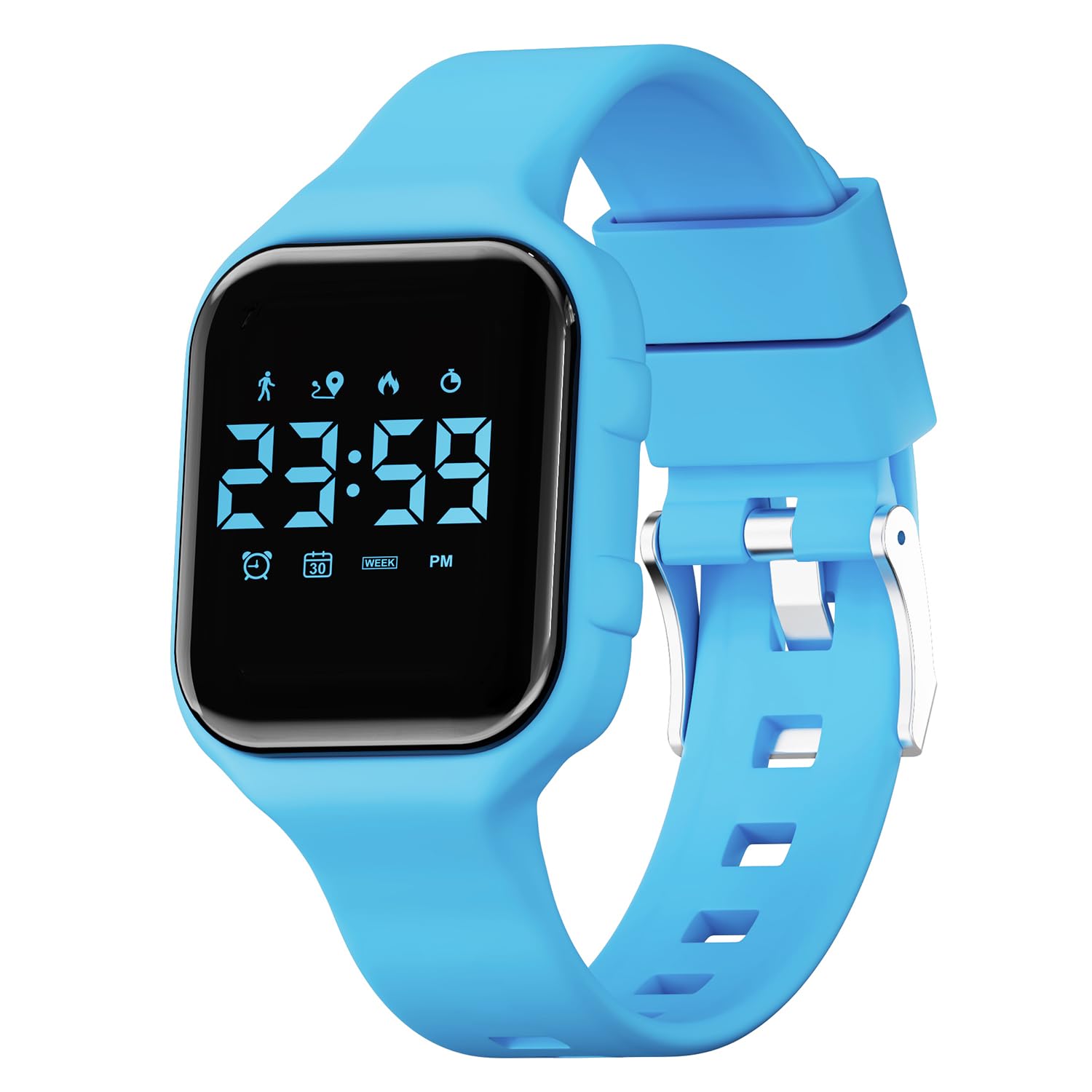
Image: The GOLDEN HOUR Kids Digital Sport Watch PM-001, shown in blue, displaying the digital time.
Product Overview
Key Features
- Fitness Tracker: Records steps, distance, and calories burned.
- Digital Time Display: Easy-to-read 12/24-hour format.
- Stopwatch: For timing activities.
- Alarm Clock: Three silent vibrating alarms to set reminders.
- Water Resistance: 5ATM (50 meters) suitable for swimming in shallow water and cold showers.
- Long Battery Life: Built-in rechargeable battery lasts 10-15 days on a full charge.
- EL-Backlight: For visibility in low-light conditions.

Image: A child wearing the watch, with icons illustrating its multi-functional capabilities including date, time, waterproofing, backlight, rechargeability, alarms, pedometer, distance tracking, stopwatch, and calorie counting.
Package Contents
- GOLDEN HOUR Kids Digital Sport Watch PM-001
- USB Charging Cable
- Instruction Manual (this document)
Watch Components
The watch features a digital display and two control buttons located on the right side of the watch case.
- Display: Shows time, date, fitness data, and other modes.
- Button A (Top Right): Typically used for cycling through modes and increasing values during settings.
- Button B (Bottom Right): Typically used for selecting/entering settings and decreasing values.
- Charging Contacts: Located on the back of the watch for connecting the USB charging cable.

Image: The rear view of the watch, highlighting the metallic charging contacts and the buckle mechanism of the strap.
Setup
1. Charging the Watch
- Connect the provided USB charging cable to a standard USB power adapter (not included) or a computer USB port.
- Align the magnetic charging contacts of the cable with the charging contacts on the back of the watch. The cable will snap into place.
- The watch display will indicate charging status. A full charge typically takes approximately 2 hours.
- Once fully charged, disconnect the charging cable. The watch can operate for 10-15 days on a single charge.

Image: The watch connected to its USB charging cable, illustrating the charging process and highlighting its long battery life of 10-15 days after a two-hour charge.
2. Powering On/Off
- To Power On: Press and hold Button A for a few seconds until the display lights up.
- To Power Off: In time display mode, press and hold Button A until the display turns off.
3. Setting Time and Date
- From the time display mode, press Button A repeatedly until you reach the setting mode (usually indicated by a flashing digit).
- Use Button B to adjust the flashing value (e.g., hour, minute, month, day, year).
- Press Button A to move to the next setting item.
- Repeat steps 2 and 3 until all desired settings (hour, minute, 12/24H format, year, month, day) are configured.
- Once finished, press Button A to exit the setting mode and return to the time display.
Operating Instructions
1. Time Display Mode
This is the default mode, showing the current time and date. Press Button A briefly to activate the EL-backlight for a few seconds.
2. Fitness Tracker Mode
The watch automatically tracks steps, distance, and calories. To view your daily activity:
- From time display mode, press Button A once to cycle to the step count display.
- Press Button A again to view distance traveled.
- Press Button A once more to view calories burned.
- The data resets automatically at midnight.

Image: A child wearing the watch, with an overlay illustrating the fitness tracking capabilities, including 8000 steps, 1.3km distance, and 200 Kcal burned.
3. Stopwatch Mode
To use the stopwatch function:
- From time display mode, press Button A repeatedly until the stopwatch display appears (usually showing "00:00:00").
- Press Button B to start the stopwatch.
- Press Button B again to pause the stopwatch.
- To reset the stopwatch, while paused, press and hold Button B.
- Press Button A to exit stopwatch mode and return to the next mode in the cycle.
4. Alarm Clock Mode
The watch supports up to three silent vibrating alarms.
- From time display mode, press Button A repeatedly until the alarm setting mode appears (e.g., "AL1").
- Press Button B to toggle the alarm ON/OFF or to enter the alarm time setting.
- If setting the alarm time, use Button A to select the hour or minute, and Button B to adjust the value.
- Press Button A to confirm and move to the next alarm (AL2, AL3) or exit alarm setting.
- When an alarm triggers, the watch will vibrate silently. Press any button to stop the vibration.

Image: A child sleeping peacefully, with an illustration of a vibrating alarm clock, emphasizing the silent vibrating alarm feature of the watch.
Maintenance
1. Water Resistance Guidelines
The GOLDEN HOUR Kids Digital Sport Watch PM-001 is 5ATM (50 meters) water-resistant. This means it is suitable for:
- Rainproof and splash protection.
- Handwashing.
- Swimming in shallow water.
- Cold showering.
To maintain water resistance, please observe the following:
- Do NOT press any buttons while the watch is submerged in water.
- Avoid exposure to hot water, steam, or saunas, as this can compromise the seals.
- The watch is NOT suitable for diving or prolonged underwater activities.

Image: A child washing hands while wearing the watch, with icons indicating its 50M waterproof capabilities for swimming, hand washing, splashing, and raining.
2. Cleaning
To clean your watch, wipe it gently with a soft, damp cloth. Avoid using harsh chemicals or abrasive materials, which can damage the watch's finish or seals.
3. Battery Care
- Charge the watch regularly to maintain battery health.
- Avoid completely draining the battery frequently.
- Store the watch in a cool, dry place when not in use for extended periods.
Troubleshooting
Watch Not Turning On
- Ensure the watch is fully charged. Connect it to the charging cable for at least 30 minutes.
- Press and hold Button A for several seconds to attempt to power it on.
Incorrect Time/Date
- Follow the "Setting Time and Date" instructions in the Setup section to re-adjust.
Fitness Tracker Not Recording
- Ensure the watch is worn snugly on the wrist.
- Movement must be consistent enough to be registered as steps.
Display Issues
- If the display is dim, activate the backlight by pressing Button A.
- If the display is frozen or unresponsive, try restarting the watch by powering it off and then on again.
Specifications
| Feature | Detail |
|---|---|
| Brand | GOLDEN HOUR |
| Model Name | PM-001 |
| Display Type | Digital |
| Water Resistance Depth | 50 Meters (5ATM) |
| Band Material Type | Rubber |
| Case Material Type | Plastic |
| Battery Cell Type | Lithium Polymer |
| Connectivity Technology | USB (for charging) |
| Metrics Measured | Step Count, Distance, Calories Burned |
| Additional Features | Waterproof, Stopwatch, Alarm, Fitness Tracker |
| Item Weight | 22 Grams |
| Band Length (Max) | 7.48 Inches |
| Band Width | 16 Millimeters |

Image: A detailed product information graphic displaying key specifications such as dial size (Rectangle 33*45mm), dial thickness (11mm), band length (225mm), band width (17mm), and battery capacity (17mAh).
Warranty and Support
Warranty Information
This GOLDEN HOUR product comes with a limited warranty. Please refer to the product packaging or the official GOLDEN HOUR store on Amazon for specific warranty terms and conditions.
Customer Support
For any questions, technical assistance, or support regarding your GOLDEN HOUR Kids Digital Sport Watch PM-001, please visit the official GOLDEN HOUR store on Amazon or contact their customer service directly.
GOLDEN HOUR Store: Visit Store