Introduction
This manual provides comprehensive instructions for the operation, maintenance, and troubleshooting of your MZYMI E18 Pro ANC Wireless Earbuds. Please read this manual carefully before using the product to ensure proper function and longevity.
Safety Information
- Do not expose the earbuds or charging case to extreme temperatures, humidity, or liquids.
- Avoid dropping or subjecting the device to strong impacts.
- Do not attempt to disassemble or modify the product. This may void the warranty and cause damage.
- Keep out of reach of children and pets.
- Use only the provided charging cable or a certified equivalent.
- Prolonged listening at high volume levels may cause hearing damage. Adjust volume to a safe level.
Product Overview
The MZYMI E18 Pro earbuds feature advanced Active Noise Cancellation (ANC), Environmental Noise Cancellation (ENC), Bluetooth 5.4 connectivity, and a smart touch screen charging case for intuitive control.

Image: The MZYMI E18 Pro wireless earbuds and their compact charging case, featuring a prominent touch screen display.
Components:
- Earbuds: Left and Right earbuds with touch control surfaces.
- Charging Case: Portable charging case with an integrated touch screen display.
- Charging Cable: USB charging cable.
- User Manual: This document.

Image: A detailed view of the MZYMI E18 Pro charging case's touch screen, displaying various customizable functions such as music control, language settings, equalizer, wallpaper, charge display, time display, flashlight, and find headphones feature.
Setup
1. Charging the Device:
Before first use, fully charge the earbuds and the charging case. Connect the charging cable to the case and a power source. The screen will indicate charging status.

Image: The charging case screen displaying the battery charge level, indicating the current power status of the earbuds and case.
A quick 10-minute charge can provide significant usage time, ideal for emergency situations.

Image: An illustration highlighting the MZYMI E18 Pro's battery endurance: 8 hours of single earbud use, 68 hours of comprehensive endurance with the charging case, and 180 days of standby time.
2. Bluetooth Pairing:
- Ensure the earbuds are in the charging case and the case is charged.
- Open the charging case. The earbuds will automatically enter pairing mode.
- On your device (smartphone, tablet, etc.), enable Bluetooth.
- Search for "MZYMI E18 Pro" in the list of available Bluetooth devices.
- Select "MZYMI E18 Pro" to connect. A voice prompt will confirm successful pairing.
Operating Instructions
Earbud Touch Controls:
The earbuds feature smart touch controls for various functions. Refer to the diagram below for common gestures:

Image: A visual guide to the MZYMI E18 Pro's smart touch controls, illustrating gestures for activating Siri, rejecting calls, answering calls, hanging up, adjusting volume (Volume+ / Volume-), playing/pausing music, and skipping to the next track.
- Play/Pause: Single tap on either earbud.
- Next Track: Double tap on the right earbud.
- Previous Track: Double tap on the left earbud.
- Volume Up: Triple tap on the right earbud.
- Volume Down: Triple tap on the left earbud.
- Answer/End Call: Single tap on either earbud.
- Reject Call: Long press on either earbud.
- Activate Voice Assistant (Siri/Google Assistant): Long press for 2 seconds on either earbud.
Active Noise Cancellation (ANC) / Environmental Noise Cancellation (ENC):
The E18 Pro features advanced noise reduction technology. You can switch between ANC, ENC, and Transparency modes via the touch screen on the charging case or specific earbud gestures (refer to the touch control section for details if applicable).

Image: A visual representation of the MZYMI E18 Pro's Active Noise Cancellation (ANC) feature, showing how it effectively reduces ambient noise for a clearer audio experience.
Charging Case Touch Screen Functions:
The charging case's touch screen provides access to various settings and features. Swipe left/right or tap icons to navigate.
- Music Control: Play, pause, skip tracks directly from the case.
- Language Settings: Change the system language (e.g., Chinese, English).
- Equalizer: Select different audio presets (e.g., Pop, Rock, Classical, Jazz, Voice, DJ, Disco).
- Wallpaper: Customize the screen background.
- Brightness: Adjust screen brightness.
- Charge Display: View battery levels of earbuds and case.
- Time Display: Set and view the current time.
- Flashlight: Activate a small LED light on the case.
- Find Headphones: Initiate a sound from the earbuds to help locate them if misplaced nearby.
- Incoming Call Reminder: Display notifications for incoming calls.
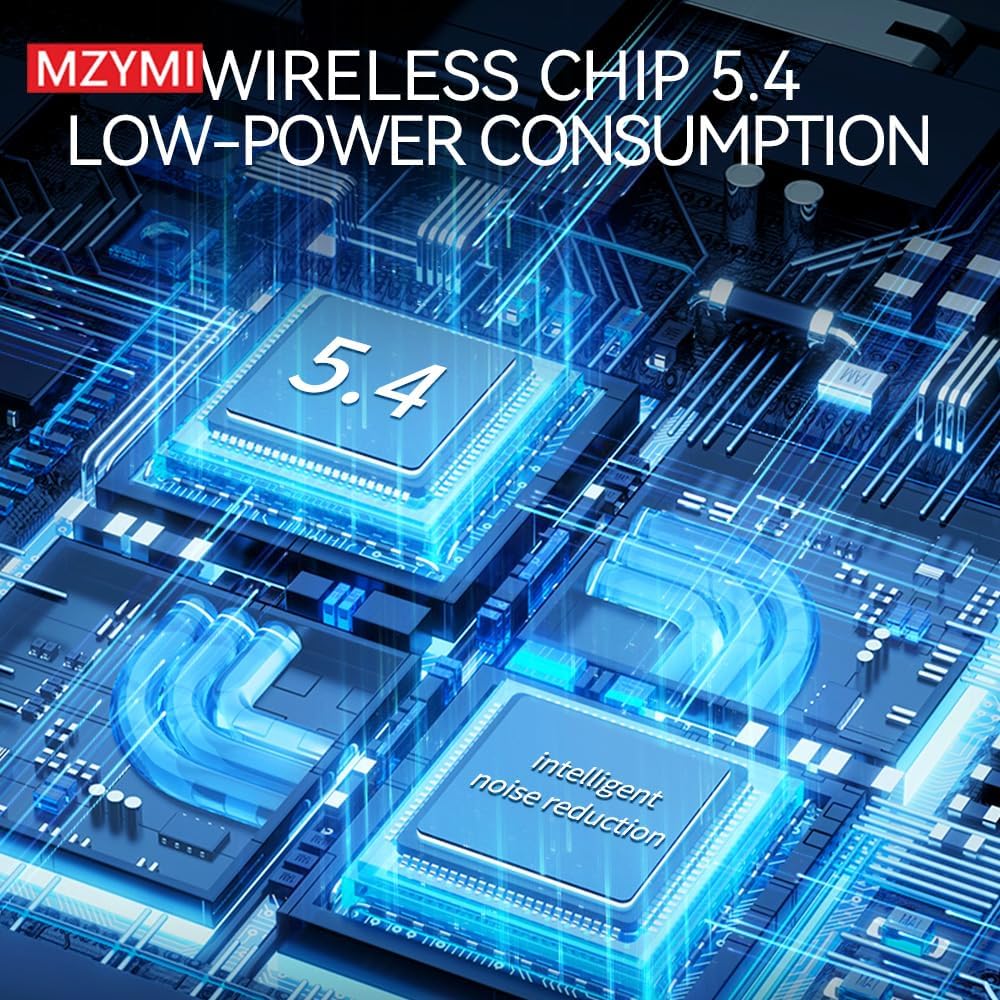
Image: The MZYMI E18 Pro charging case screen showing the personalized screensaver feature, allowing users to select from multiple high-quality backgrounds.
Maintenance
- Cleaning: Use a soft, dry, lint-free cloth to clean the earbuds and charging case. Do not use harsh chemicals or abrasive materials.
- Storage: When not in use, store the earbuds in their charging case to protect them and keep them charged. Store in a cool, dry place away from direct sunlight.
- Battery Care: To prolong battery life, avoid fully discharging the battery frequently. Charge regularly, even if not used for extended periods.
Troubleshooting
| Problem | Possible Solution |
|---|---|
| Earbuds not pairing. | Ensure earbuds are charged. Turn off and on Bluetooth on your device. Forget "MZYMI E18 Pro" from your device's Bluetooth list and re-pair. |
| No sound from one earbud. | Place both earbuds back in the case, close the lid, wait a few seconds, then take them out again. Check device's audio balance settings. |
| Charging case not charging. | Check the charging cable and power adapter. Ensure the cable is securely connected to both the case and the power source. |
| Touch controls unresponsive. | Ensure earbuds are clean and dry. Restart the earbuds by placing them in the case and taking them out. |
| Poor sound quality. | Ensure earbuds are properly seated in your ears. Check for obstructions in the earbud nozzles. Try different equalizer settings on the case. |
Specifications
- Model: E18 Pro
- Bluetooth Version: 5.4
- Noise Cancellation: Active Noise Cancellation (ANC), Environmental Noise Cancellation (ENC)
- Single Earbud Endurance: Approximately 8 hours
- Comprehensive Endurance (with charging case): Approximately 68 hours
- Standby Time: Approximately 180 days
- Sound Quality: High Fidelity (HIFI)
- Chip: Low-power consumption Wireless Chip 5.4

Image: A diagram illustrating the MZYMI E18 Pro's internal components, highlighting the advanced Wireless Chip 5.4 designed for low-power consumption and intelligent noise reduction capabilities.

Image: An exploded view diagram showcasing the MZYMI E18 Pro's acoustic structure, emphasizing its holographic native design for high fidelity sound quality.
Warranty and Support
MZYMI products are designed for reliability and performance. For warranty information and technical support, please refer to the contact details provided on the product packaging or the official MZYMI website. Keep your purchase receipt as proof of purchase for warranty claims.
For further assistance, please contact MZYMI customer service.


