
1. Product Overview
The TIDALSOIL Large Gaming Mouse Pad is designed to provide an expansive and stable surface for your keyboard and mouse. Its construction focuses on durability, precision, and user comfort for various applications, including gaming, office work, and creative tasks.
- Extra-Large Size: Measures 35.4 x 15.7 inches (90 x 40 cm) for comprehensive desk coverage.
- Smooth Surface: Engineered for effortless mouse gliding and precise tracking.
- Non-Slip Base: Features a natural rubber base to prevent movement.
- Durable Stitched Edges: Reinforced stitching to resist fraying and enhance longevity.
- Spill-Resistant: Designed for easy cleaning and maintenance.

Image 1.1: The TIDALSOIL Large Gaming Mouse Pad in Pixel Burst design, shown both flat and rolled. This illustrates the product's size and flexible material.
2. Setup Instructions
- Unpack the Mouse Pad: Carefully remove the mouse pad from its packaging.
- Prepare Your Desk Surface: Ensure your desk surface is clean and dry before placing the mouse pad.
- Unroll and Position: Unroll the mouse pad onto your desired desk area. The non-slip rubber base should face down, making direct contact with the desk.
- Flattening (if necessary): Due to packaging, the mouse pad may have slight curls initially. To flatten, gently roll it in the opposite direction or place heavy, flat objects (like books) on the edges for a few hours. The material is designed to lay flat quickly.
- Arrange Peripherals: Place your keyboard, mouse, and other desk accessories on the mouse pad as desired.
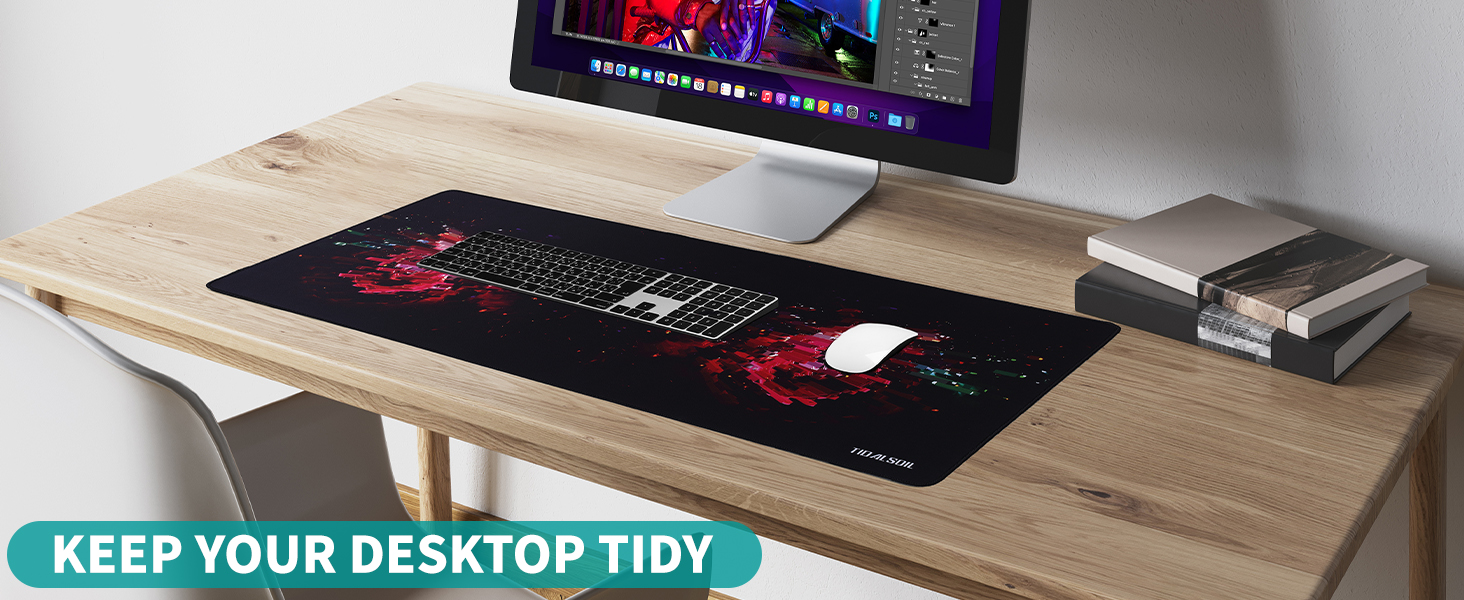
Image 2.1: The mouse pad laid out on a desk, accommodating a keyboard and mouse, demonstrating its large coverage.
3. Operating Instructions
The TIDALSOIL Large Gaming Mouse Pad is designed for immediate and intuitive use. No special software or configuration is required.
- Mouse Movement: Utilize the ultra-smooth surface for precise and unrestricted mouse movements. The low-friction surface is optimized for optical and laser mice, enhancing tracking accuracy for both gaming and productivity.
- Keyboard Stability: The large surface area provides a stable foundation for your keyboard, preventing it from sliding during intense use.
- Desk Protection: The mouse pad acts as a protective layer for your desk, guarding against scratches, spills, and general wear from daily use of peripherals.

Image 3.1: A hand operating a mouse on the smooth surface of the mouse pad, highlighting the ease of movement.
4. Maintenance
Proper maintenance ensures the longevity and performance of your mouse pad.
- Regular Cleaning: For daily dust and light dirt, use a soft, dry cloth to wipe the surface.
- Spot Cleaning: For spills or stubborn marks, lightly dampen a soft cloth with water and a small amount of mild soap (if necessary). Gently wipe the affected area.
- Drying: After cleaning, allow the mouse pad to air dry completely before resuming use. Do not machine wash or tumble dry. Avoid direct sunlight or high heat.
- Avoid Harsh Chemicals: Do not use harsh detergents, bleach, or abrasive cleaners, as these can damage the surface and material.
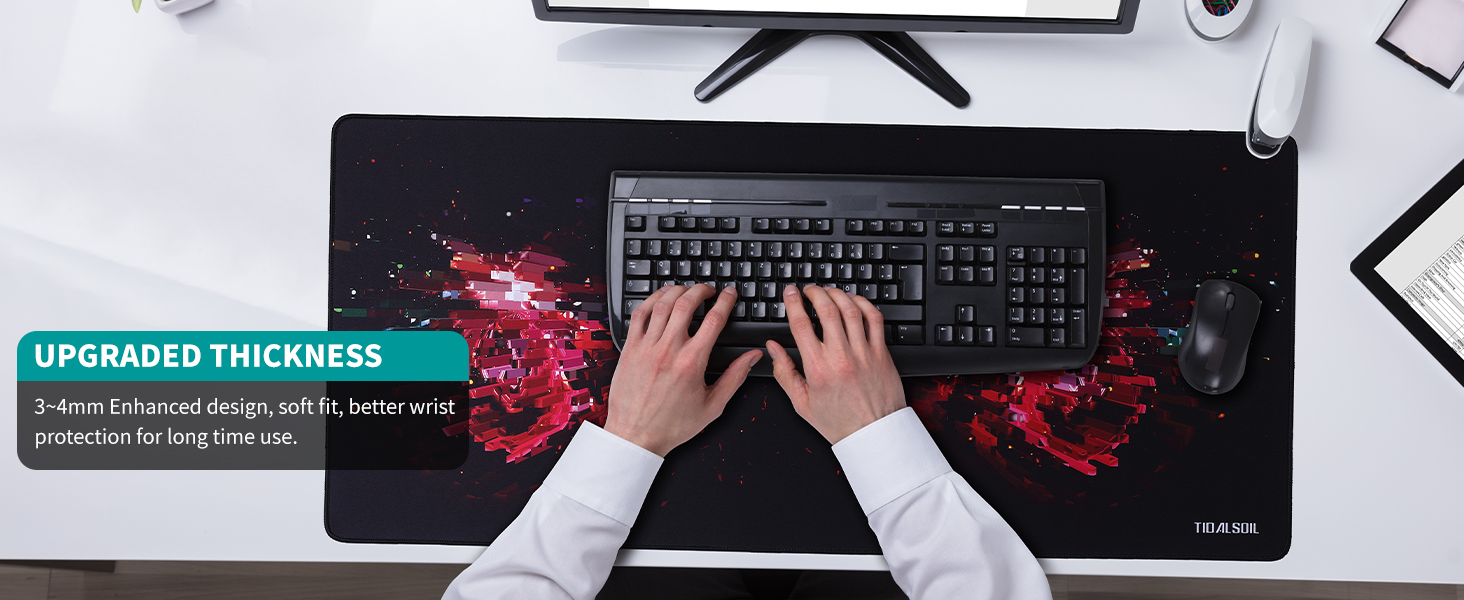
Image 4.1: A close-up view of the mouse pad's silky fabric, illustrating its texture and quality, which contributes to its ease of cleaning.
5. Troubleshooting
- Mouse Pad Not Lying Completely Flat:
Upon initial unboxing, the mouse pad may exhibit slight curling due to being rolled for packaging. This is normal and temporary.
Solution: Gently roll the mouse pad in the opposite direction of the curl. Alternatively, place heavy, flat objects (e.g., books) on the affected areas for several hours or overnight. The material is designed to relax and flatten over a short period of time.
- Mouse Tracking Issues:
If your mouse is not tracking smoothly or accurately, ensure the mouse pad surface is clean and free of debris. Dust or small particles can interfere with optical/laser sensors.
Solution: Wipe the mouse pad surface with a soft, dry cloth. Also, check the bottom of your mouse for any obstructions or dirt on its sensor.
- Mouse Pad Sliding on Desk:
The mouse pad features a non-slip rubber base. If it is sliding, ensure the desk surface beneath is clean and dry.
Solution: Lift the mouse pad and clean both the desk surface and the rubber base of the mouse pad with a damp cloth, then allow both to dry completely before repositioning.
6. Specifications
| Feature | Detail |
|---|---|
| Brand | TIDALSOIL |
| Model | Large Gaming Mouse Pad XXL |
| Dimensions (LxWxH) | 35.43 x 15.75 x 0.04 inches (90 x 40 x 0.1 cm) |
| Item Weight | 2.2 pounds (approx. 1 kg) |
| Color/Design | Pixel Burst |
| Material | Rubber (base), Fabric (surface) |
| Special Features | Ergonomic, Non-slip, Odor-Resistant, Scratch-Resistant, Smooth, Stitched Edges |
| Recommended Uses | Gaming, Office |

Image 6.1: A detailed view showing the 3mm thickness and the reinforced stitched edges of the mouse pad, contributing to its durability and comfort.
7. Warranty and Support
For information regarding warranty coverage, returns, or technical support for your TIDALSOIL Large Gaming Mouse Pad, please refer to the purchase documentation or contact the seller directly.
Contact Information:
- Refer to your order details for seller contact information.
- Visit the official TIDALSOIL store page on Amazon: TIDALSOIL Store