
Introduction
Thank you for choosing the UGREEN Zapix 65W 5-Port USB C GaN Desktop Charger. This manual provides essential information for the safe and efficient use of your device. Please read it thoroughly before operation and retain it for future reference.
Product Overview
The UGREEN Zapix 65W 5-Port USB C GaN Desktop Charger is designed for efficient multi-device charging. It incorporates advanced GaN technology for compact size and superior performance.
Key Features:
- 65W Total Output: Provides up to 65W total power output across 5 ports (4 USB-C, 1 USB-A).
- High-Speed Single Port Charging: USB-C1 port delivers up to 45W, capable of charging a MacBook Air from 0% to 38% in approximately 30 minutes.
- GaN Technology: Utilizes Gallium Nitride (GaN) for enhanced efficiency, smaller footprint, higher power density, and improved thermal management.
- Comprehensive Safety: Equipped with real-time temperature detection and protection against short circuits, overvoltage, overheating, and overcurrent.
- Universal Compatibility: Supports a wide range of devices including iPhone 17/16/15/14/13/12/11 series, Galaxy S25/S24/S23/S22/S21, MacBook Air/Pro M4/M3/M2/M1, iPad Pro/Air/mini, Galaxy Tab S10/S9/S8/S7, Thinkpad, and Steam Deck.
- Desktop Design: Includes a 2-meter power cable for convenient desktop placement.
Package Contents:
- UGREEN Zapix 65W 5-Port USB C GaN Desktop Charger (Model: 65195)
- 2-meter AC Power Cable
- Instruction Manual

Image: The UGREEN Zapix 65W 5-Port USB C GaN Desktop Charger with its included 2-meter power cable.
Setup Instructions
- Unpack: Carefully remove the charger and all accessories from the packaging.
- Connect Power Cable: Insert the 2-meter AC power cable into the power input port on the back of the charger.
- Plug into Outlet: Connect the other end of the AC power cable to a standard wall outlet (230V).
- Indicator Light: The charger may have an indicator light that illuminates when powered on, confirming it is ready for use.

Image: The UGREEN Zapix 65W charger connected to its power cable with a European plug.
Operating Instructions
- Connect Devices: Use appropriate USB-C to USB-C or USB-A to USB-C/Lightning cables (not included) to connect your devices to the charger's available ports.
- Optimal Charging:
- For maximum 45W output to a single device, use the USB-C1 port.
- When charging multiple devices, the charger intelligently distributes power. Refer to the power distribution table in the Specifications section for details.
- Charging Status: Your device's screen or indicator light will show its charging status.
- Disconnecting: Once charging is complete, disconnect your devices and then unplug the charger from the wall outlet.

Image: The UGREEN Zapix 65W charger connected to and simultaneously charging a laptop, smartphone, smartwatch, and wireless earbuds.

Image: A technical diagram illustrating the power distribution across the 5 ports of the UGREEN 65W charger under various load conditions.
Safety Information
- Do not expose the charger to liquids, moisture, or extreme temperatures.
- Avoid dropping or subjecting the charger to strong impacts.
- Do not attempt to disassemble, repair, or modify the charger.
- Use only certified and compatible charging cables.
- Keep out of reach of children.
- Unplug the charger during lightning storms or when unused for extended periods.
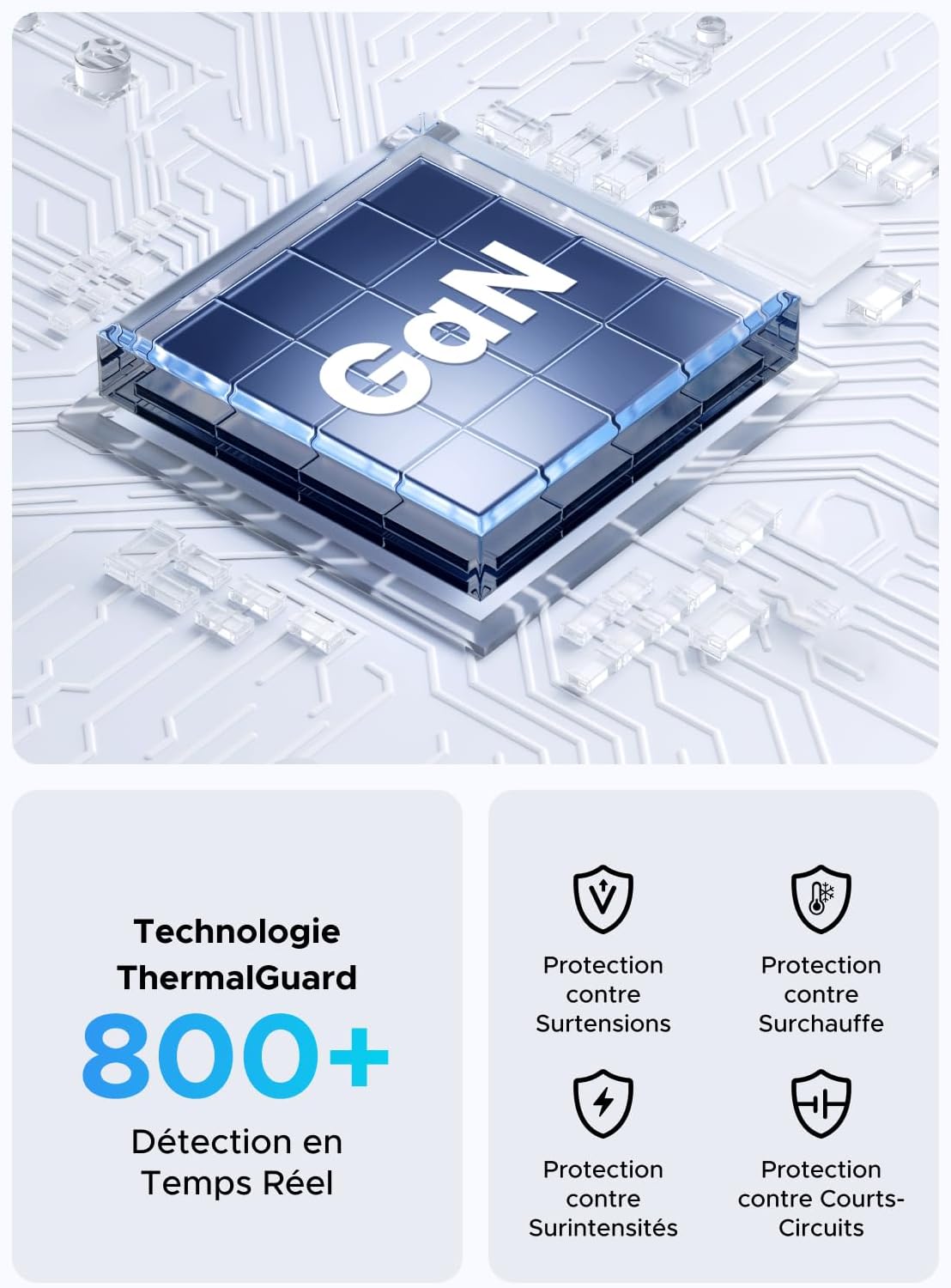
Image: An illustration highlighting the GaN chip and various safety features including protection against overvoltage, overheating, overcurrent, and short circuits.
Maintenance
- Cleaning: Disconnect the charger from the power outlet and all devices before cleaning. Use a soft, dry cloth to wipe the surface. Do not use liquid cleaners or aerosols.
- Storage: Store the charger in a cool, dry place away from direct sunlight and extreme temperatures.
- Cable Care: Avoid bending or twisting the power cable excessively. Do not place heavy objects on the cable.
Troubleshooting
| Problem | Possible Cause | Solution |
|---|---|---|
| Device not charging. |
|
|
| Slow charging speed. |
|
|
| Charger feels warm. |
|
|
Specifications
| Brand | UGREEN |
| Model Number | 65195 |
| Manufacturer | Ugreen Group Limited |
| Country of Origin | China |
| Connector Type | USB Type A, USB Type C |
| Total USB Ports | 5 (4x USB-C, 1x USB-A) |
| Power Output | 65 Watts (Max) |
| Input Voltage | 230 Volts AC |
| Output Voltage | 15 Volts (Max) |
| Output Current | 3 Amperes (Max) |
| Compatible Devices | Mobile phones, tablets, laptops (e.g., iPhone 16-8 series, Galaxy S25, S24, A15, Pixel 9, iPad, MacBook Air/Pro, Thinkpad, Steam Deck) |
| Special Feature | Portable, GaN Technology |
| Electrical Plug Type | European plug CEE 7/16, Type C/EF – 2 pins |
| Included Components | 1 adapter, 1 x 2-meter extension cable |

Image: A close-up view of the UGREEN Zapix 65W charger's 4 USB-C ports and 1 USB-A port, indicating individual and combined power outputs.
Warranty and Support
This UGREEN product comes with a 2-year manufacturer's warranty from the date of purchase. This warranty covers manufacturing defects and workmanship under normal use.
The warranty does not cover damage caused by misuse, accidents, unauthorized modifications, or natural disasters.
For technical support, warranty claims, or further assistance, please contact UGREEN customer service through their official website or the retailer where the product was purchased. Please have your model number (65195) and proof of purchase ready.
UGREEN Official Website: www.ugreen.com