
1. Introduction
Thank you for choosing the Primevolve Portable Rechargeable Fan. This versatile fan is designed for convenience and powerful airflow, suitable for various indoor and outdoor settings. Its unique foldable and telescopic design allows for easy portability and adjustable height, functioning as a table, desk, or floor fan. This manual provides detailed instructions for setup, operation, maintenance, and troubleshooting to ensure optimal performance and longevity of your fan.
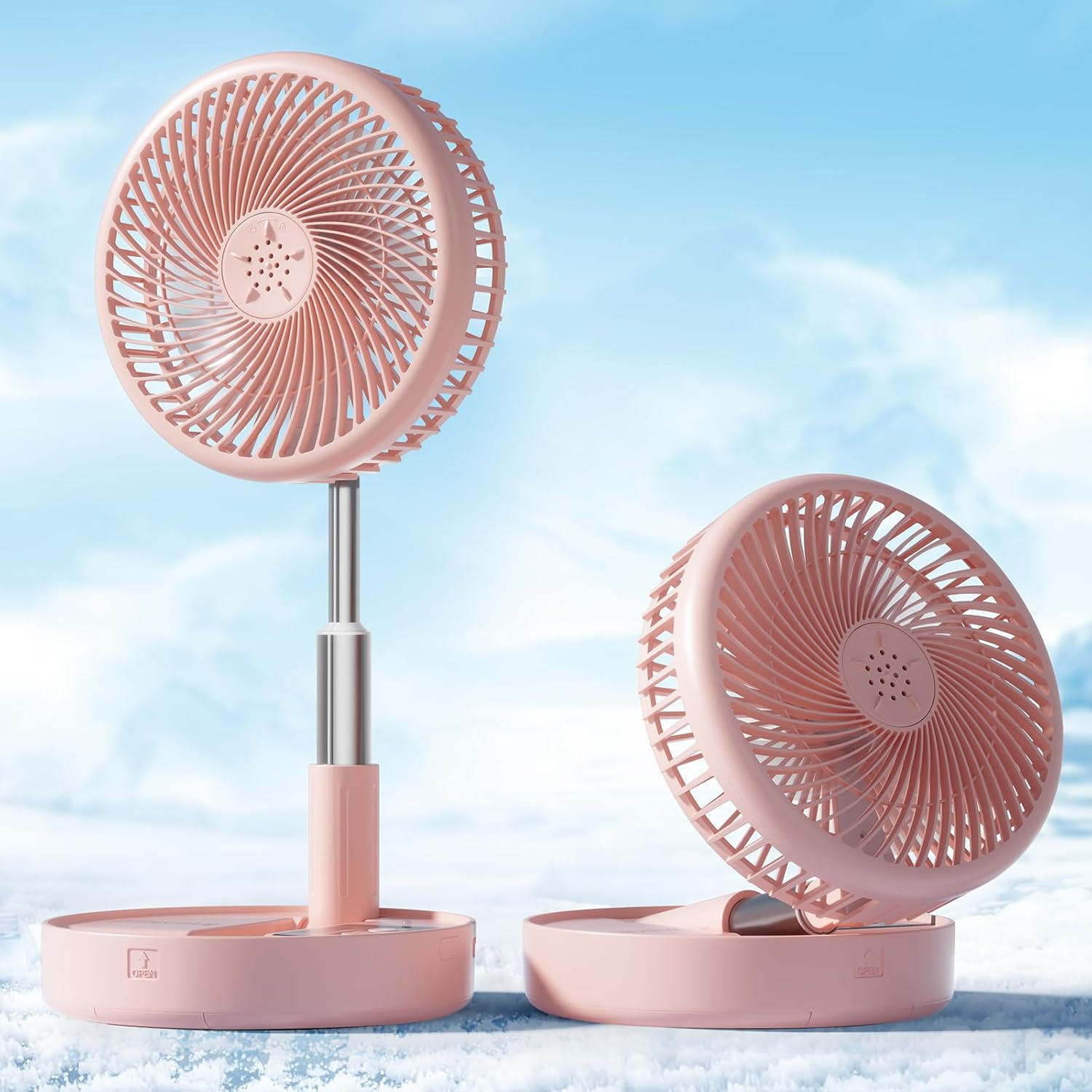
Figure 1: Primevolve Portable Rechargeable Fan in various configurations.
2. Product Features
- Large Battery Capacity: Equipped with a 7200mAh battery, providing 6-21 hours of operation depending on speed settings. Fully charges within 5 hours.
- USB Powered: Compatible with USB (5V/2A) power sources such as PCs, laptops, power banks, AC adapters, and car chargers.
- Telescopic Design: Height fully adjustable from 3.54 inches (compact) to 39.37 inches (floor fan).
- Multi-use Portable Design: Functions as a table fan, floor fan, or pedestal fan. Foldable for easy storage and transport.
- Adjustable Head Tilt: 180-degree adjustable head tilt angle for directed airflow.
- 4 Speed Settings: Offers Low, Mid, High, and Natural wind modes (2.3m/s-4m/s wind speed).
- Low Noise Operation: Operates quietly at 30-40 dB, suitable for sleeping, studying, or working environments.
- Detachable Fan Hood: Easy to remove for cleaning.
- Anti-slip Silicon Pads: Ensures stability on various surfaces.
- Remote Control: Included for convenient operation.

Figure 2: Fan with 4 speed settings and battery life indicators.

Figure 3: Fan's low noise operation (30-40 dB).

Figure 4: Anti-slip silicon pads and 180-degree head rotation.
Video 1: Overview of Primevolve Fan features and operation.
3. Package Contents
Please check the package for the following items:
- Primevolve Portable Rechargeable Fan (PF11R)
- USB-C Charging Cable
- Remote Control
- User Manual (this document)
4. Setup and Assembly
The Primevolve fan features a unique foldable design for easy setup and adjustment.
- Unfolding the Fan: Gently pull the fan head upwards from its compact, folded position. The telescopic pole will extend.
- Adjusting Height: Continue to pull the telescopic pole to your desired height. It can be set to a low desk height (approx. 14.17 inches) or fully extended to a floor fan height (approx. 39.37 inches).
- Adjusting Head Angle: Tilt the fan head up or down to direct airflow as needed. The head can rotate 180 degrees.
- Ensuring Stability: The base is equipped with anti-slip silicon pads. Ensure the fan is placed on a flat, stable surface.
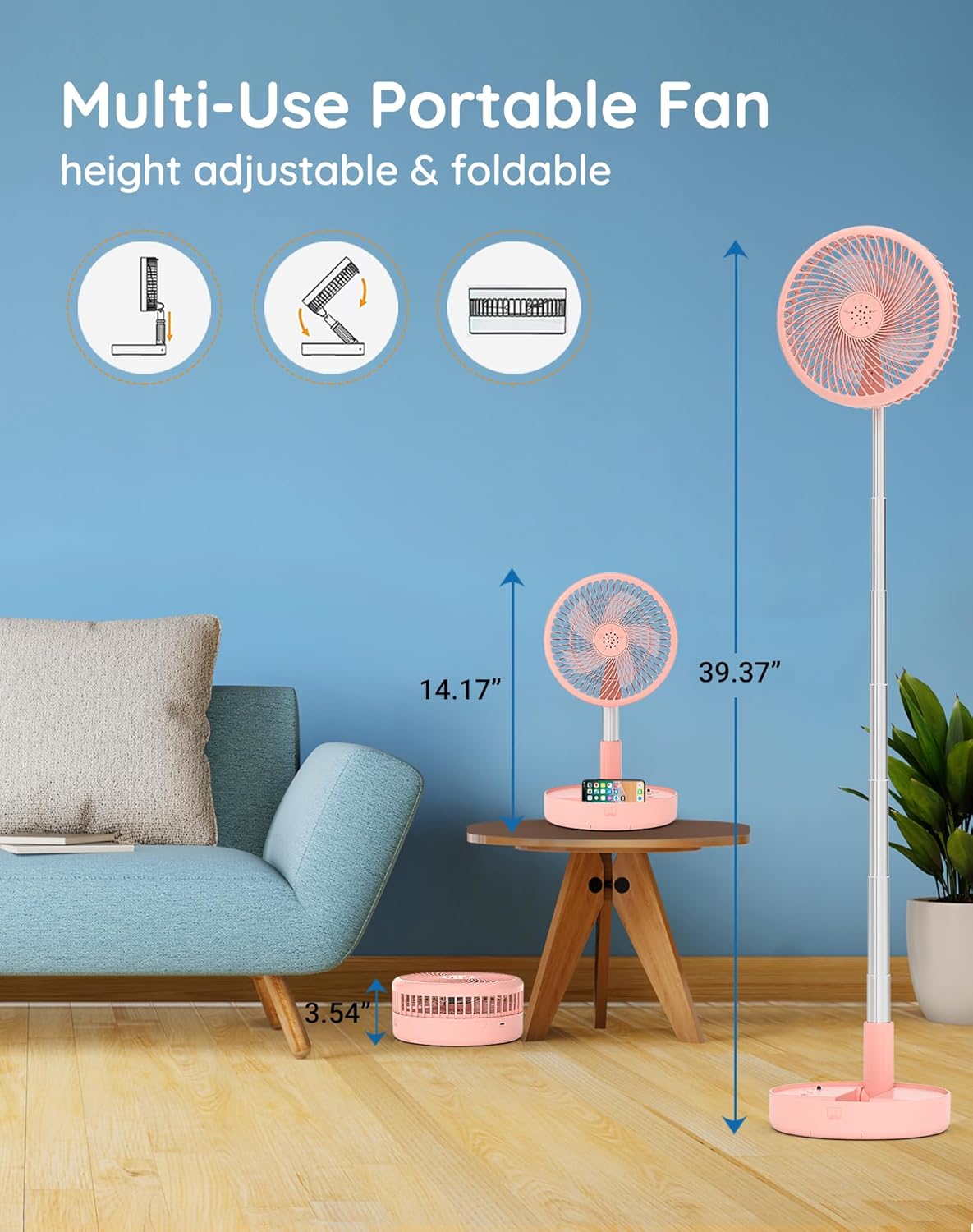
Figure 5: Fan height adjustment from compact to floor mode.
Video 2: Demonstration of unfolding and adjusting the fan's height.
5. Operating Instructions
The fan can be operated using the control panel on the base or the included remote control.
5.1 Powering On/Off
- Press the Power button (⏻) on the base or remote to turn the fan on or off.
5.2 Adjusting Fan Speed
- Press the Speed button (💨) on the base or remote to cycle through the 4 speed settings: Low, Mid, High, and Natural wind.
- The Natural wind mode simulates varying wind speeds for a more natural feel.
5.3 Charging the Fan
Connect the provided USB-C charging cable to the fan's charging port and to a compatible USB power source (5V/2A). The indicator lights on the base will show charging status.
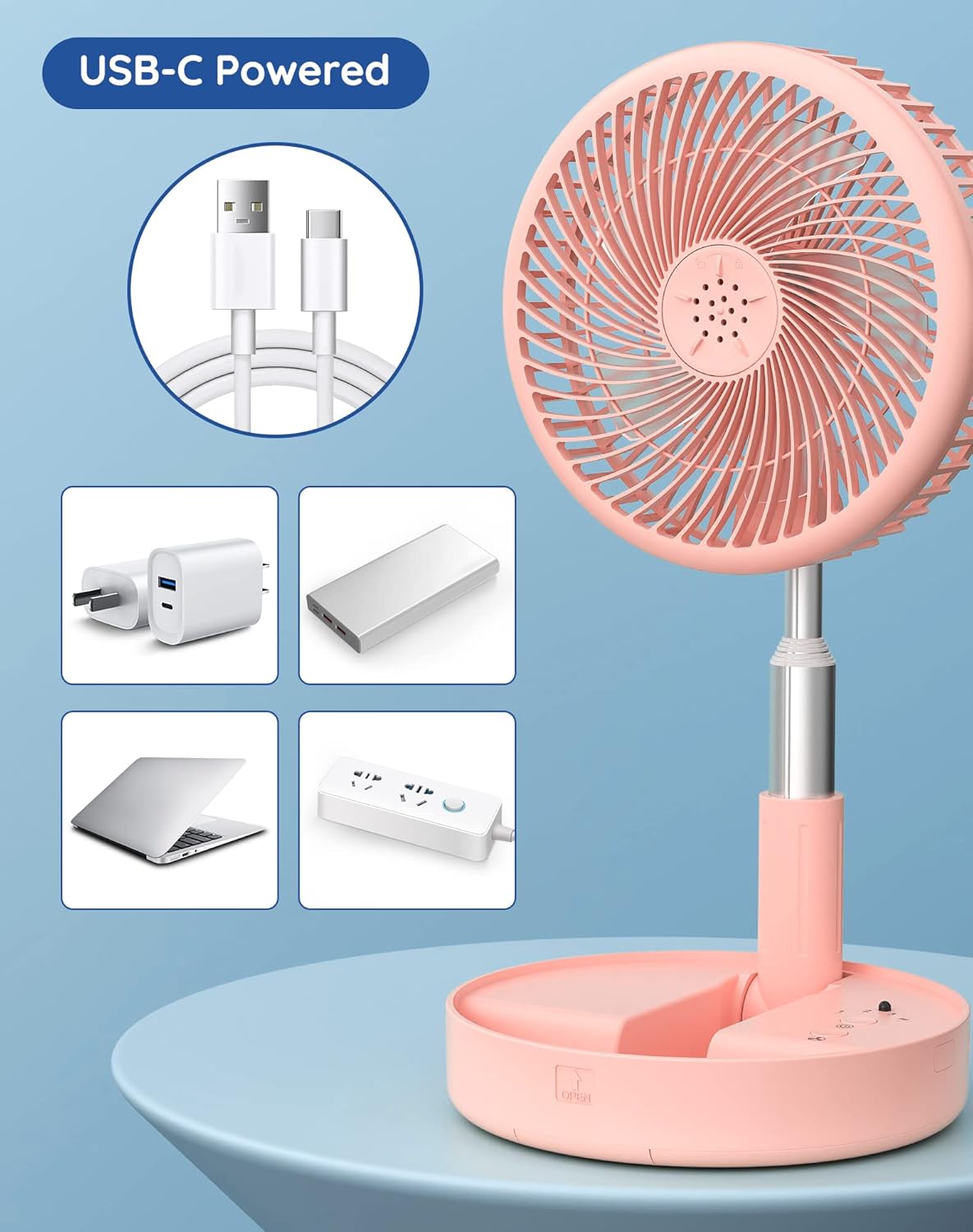
Figure 6: USB-C powered fan with various compatible power sources.
Video 3: Detailed review and demonstration of the fan's operation and features.
6. Maintenance
Regular cleaning ensures optimal performance and extends the lifespan of your fan.
- Power Off: Always ensure the fan is turned off and unplugged before cleaning.
- Detaching Fan Hood: Turn the front fan hood counter-clockwise to unlock and remove it.
- Cleaning Blades and Hood: Use a soft, damp cloth to wipe down the fan blades and the inside of the fan hood. For stubborn dust, a mild soap solution can be used, but ensure no water enters the motor area.
- Drying: Allow all parts to air dry completely before reassembling.
- Reassembly: Align the fan hood and turn clockwise to lock it back into place.

Figure 7: Detachable fan hood for easy cleaning.
7. Troubleshooting
If you encounter any issues with your Primevolve fan, please refer to the following common solutions:
- Fan not turning on:
- Ensure the fan is fully charged. Connect it to a power source using the USB-C cable.
- Check if the power button is pressed firmly.
- Weak airflow:
- Increase the fan speed setting.
- Ensure the fan blades and hood are clean and free from dust buildup.
- Verify the fan head is tilted correctly towards your desired area.
- Fan making unusual noise:
- Check for any obstructions around or within the fan blades.
- Ensure the fan is placed on a stable, flat surface.
- Clean the fan blades and internal components as per maintenance instructions.
- Remote control not working:
- Ensure there are no obstructions between the remote and the fan.
- Check the remote control's battery (if applicable, though typically these are button cell batteries and not user replaceable).
If the issue persists after trying these steps, please contact Primevolve customer support for further assistance.
8. Specifications
| Brand | Primevolve |
| Model Name | PF11R |
| Color | Pink |
| Power Source | Battery Powered (7200mAh) |
| Voltage | 5 Volts (DC) |
| Product Dimensions (Folded) | 7.72'' x 7.72'' x 3.54'' |
| Adjustable Height Range | 3.54 in to 39.37 in (90-1000 mm) |
| Item Weight | 2.46 pounds |
| Number of Power Levels | 4 (Low, Mid, High, Natural) |
| Noise Level | 30-40 dB |
| Connector Type | USB Type C |
| Blade Material | Polypropylene |
9. Warranty and Support
Primevolve is committed to providing high-quality products and excellent customer service.
9.1 Return Policy
This product is eligible for a 30-day refund/replacement return policy from the date of purchase. Please refer to your retailer's specific return guidelines for detailed instructions.
9.2 Customer Support
For any questions, concerns, or technical support regarding your Primevolve fan, please contact the seller, SZUP, through the Amazon platform or refer to the Primevolve brand store for contact information.
Visit the Primevolve Store for more products and brand information.


