
ALPHAGEAR 1f3f37d4-fe05-4e0b-9df4-a08f6a13b0de
Bravo Series II Smartwatch User Manual
Model: 1f3f37d4-fe05-4e0b-9df4-a08f6a13b0de | Brand: ALPHAGEAR
1. Product Overview
The ALPHAGEAR Bravo Series II Smartwatch is designed for seamless integration with both iPhone and Android devices, offering comprehensive wellness tracking and communication features. It boasts a 1.32-inch AMOLED display, a durable reinforced Zinc Alloy bezel, and an extended battery life of 10-14 days. This smartwatch is built to withstand daily use and various activities, providing essential information and connectivity directly from your wrist.
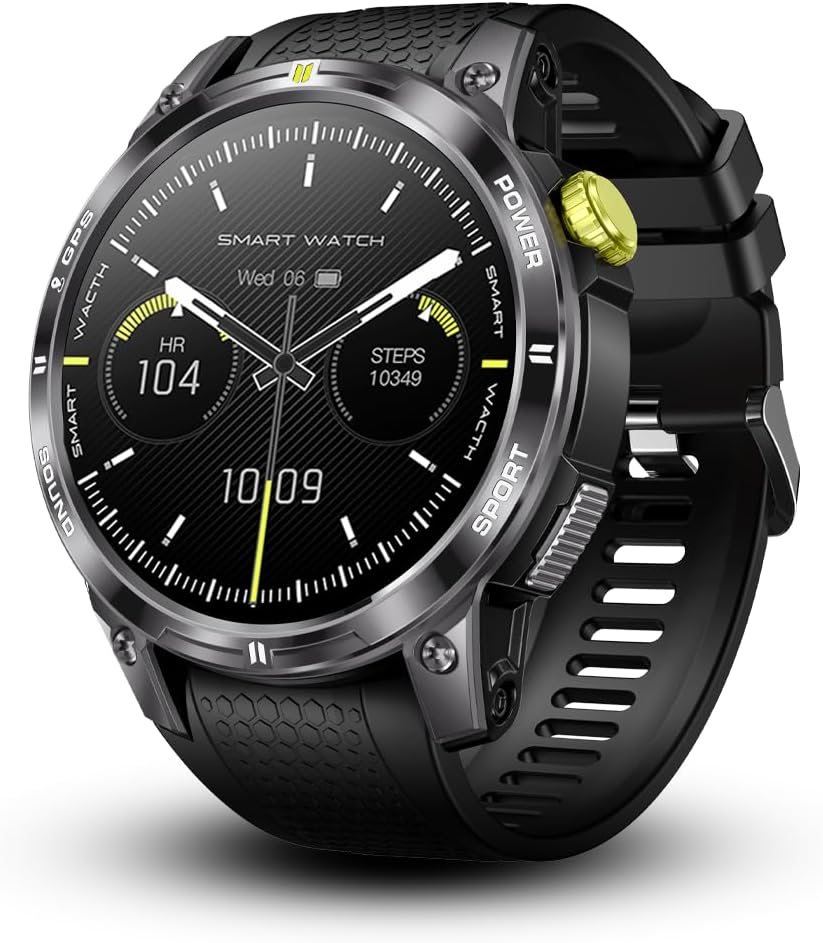
Figure 1.1: Front view of the Bravo Series II Smartwatch, displaying current time, heart rate, and step count.
2. What's in the Box
Upon opening your Bravo Series II Smartwatch package, please verify that all the following items are included:
- 1 x Bravo Series II Smartwatch
- 1 x Charger
- 2 x Screen Protectors
- 1 x Extra Band

Figure 2.1: The Bravo Series II Smartwatch, highlighting the inclusion of an extra band.
3. Setup Guide
3.1 Initial Charging
Before first use, fully charge your Bravo Series II Smartwatch. Connect the provided charger to the charging port on the back of the watch and plug the USB end into a compatible power adapter (not included) or a computer's USB port. A full charge typically takes approximately 2 hours. The battery indicator on the watch screen will show charging progress.

Figure 3.1: Rear view of the smartwatch, showing the charging contacts and health sensors.
3.2 App Installation and Pairing
To unlock the full functionality of your smartwatch, download the companion application on your smartphone. Search for the recommended app (often mentioned in the quick start guide or on the product packaging) in your device's app store (Google Play Store for Android or Apple App Store for iOS). Once installed:
- Enable Bluetooth on your smartphone.
- Open the companion app and follow the on-screen instructions to create an account or log in.
- Select "Add Device" or "Pair New Device" within the app.
- The app will search for your Bravo Series II Smartwatch. Select it from the list of available devices.
- Confirm the pairing request on both your smartphone and the smartwatch.
Ensure your watch's audio Bluetooth is also connected for call and music playback features.
3.3 Applying Screen Protectors
Your package includes two screen protectors to safeguard the display. Carefully clean the watch screen with a microfiber cloth before applying the protector. Align the protector with the screen and gently press it down, smoothing out any air bubbles from the center outwards.
4. Operating Instructions
4.1 Basic Navigation
- Touchscreen: Swipe left/right, up/down to navigate through menus and widgets. Tap to select items.
- Side Buttons: The smartwatch features multiple side buttons. Typically, one button serves as a power/home button, while others may provide quick access to sports modes or specific functions. Refer to the on-screen prompts for specific button functionalities.
4.2 Call and Notification Management
Once paired via Bluetooth, your Bravo Series II Smartwatch allows you to manage calls and receive notifications directly on your wrist.
- Making/Receiving Calls: Use the on-screen dialer to initiate calls or answer incoming calls. The watch's built-in speaker and microphone enable hands-free communication.
- Notifications: Incoming messages from apps like Facebook, WhatsApp, and Twitter, as well as SMS and phone call alerts, will appear on your watch screen and vibrate.
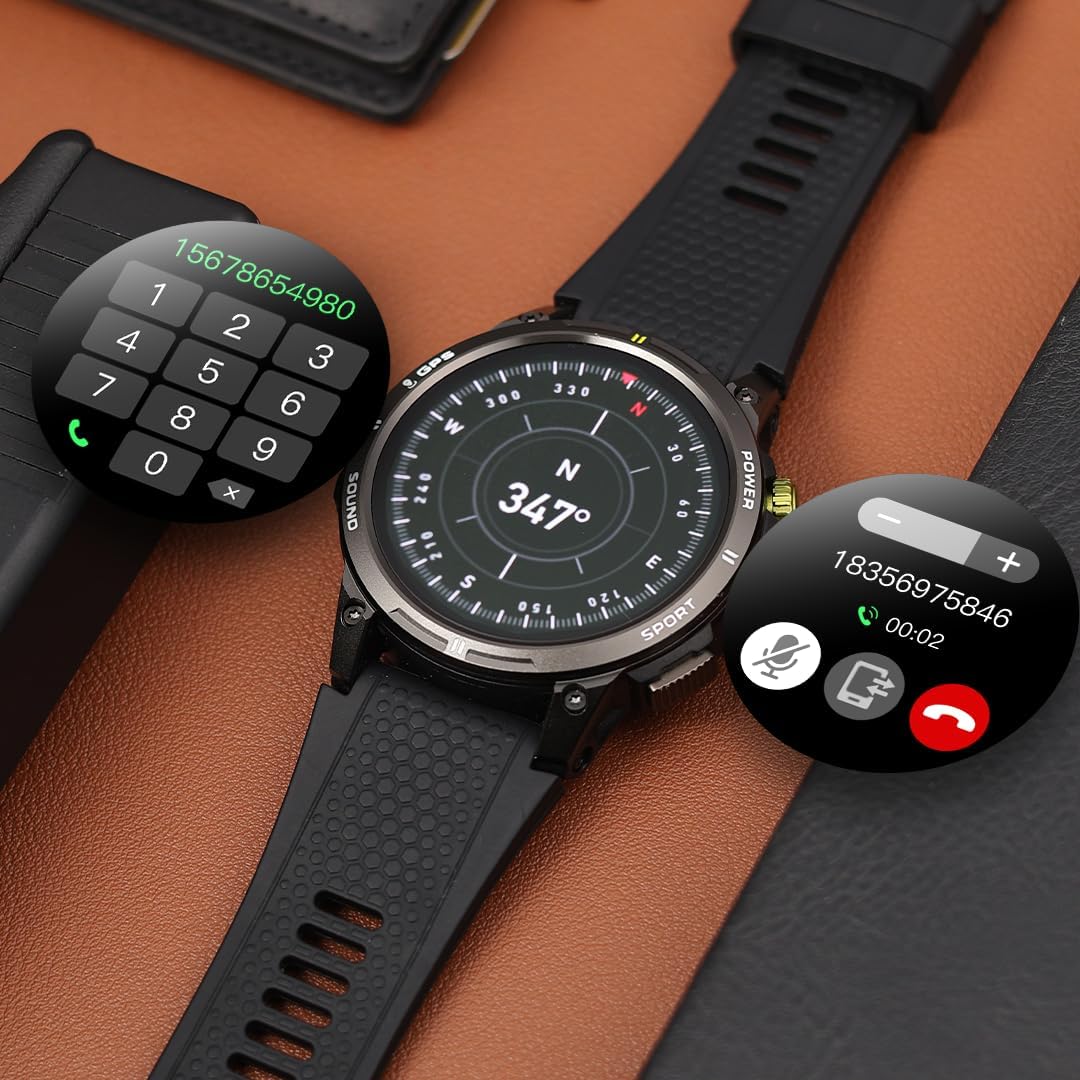
Figure 4.1: Smartwatch screen showing call management features.
4.3 Wellness Tracking
The smartwatch provides 24-hour wellness monitoring. Access these features through the watch interface or the companion app:
- Heart Rate Monitoring: Real-time heart rate tracking.
- Blood Oxygen (SpO2) Measurement: On-demand or continuous blood oxygen level checks.
- Blood Pressure Monitoring: Provides estimated blood pressure readings.
- Step Count & Calorie Tracking: Monitors daily steps and estimated calories burned.
- Sleep Quality Monitoring: Tracks sleep patterns and quality.
Note: The wellness tracking features are for reference only and cannot be used for medical diagnosis or treatment. It is not a medical device.

Figure 4.2: Smartwatch displaying health and activity data.
4.4 Sports Modes and GPS
The Bravo Series II offers over 15 sports modes. Select your desired activity to track performance data. With integrated GPS, you can track your path during outdoor activities like walking, running, and cycling without needing your phone.
4.5 Smart Features
- Music Control: Control music playback on your phone directly from the watch.
- Remote Camera: Use your watch as a remote shutter for your phone's camera.
- Sedentary Reminders: Receive alerts when you've been inactive for too long.
- Do Not Disturb Mode: Silence notifications during specific times.
- To-Do List: Manage your tasks.
- Weather Forecast: Get real-time weather updates.
- Alarms & Stopwatch: Set alarms and use the stopwatch function.
- DIY Watch Face: Customize your watch face.
5. Maintenance
5.1 Cleaning Your Smartwatch
Regularly clean your smartwatch to ensure optimal performance and hygiene. Use a soft, lint-free cloth to wipe the screen and body. For stubborn smudges, slightly dampen the cloth with water. Avoid using harsh chemicals or abrasive materials.
5.2 Water Resistance
The Bravo Series II Smartwatch is IP68 rated, meaning it is resistant to dust and can withstand immersion in water up to 1.5 meters for up to 30 minutes. It is suitable for washing hands and jogging in the rain. However, it is not recommended for prolonged swimming (more than 15-30 minutes), diving, or use in steam baths/saunas, as these conditions can compromise the water seal.

Figure 5.1: Smartwatch demonstrating water resistance.
5.3 Battery Care
To maximize battery lifespan, avoid fully discharging the watch frequently. Charge it when the battery level is low, and disconnect the charger once it's full. Store the watch in a cool, dry place when not in use for extended periods.
6. Troubleshooting
If you encounter issues with your Bravo Series II Smartwatch, try the following common troubleshooting steps:
- Watch Not Turning On: Ensure the watch is fully charged. Connect it to the charger for at least 30 minutes.
- Connectivity Issues (Bluetooth Disconnection):
- Ensure Bluetooth is enabled on both your phone and watch.
- Restart both your phone and the smartwatch.
- Forget the device in your phone's Bluetooth settings and re-pair it through the companion app.
- Ensure the companion app is running in the background and has necessary permissions.
- Inaccurate Health Readings:
- Ensure the watch is worn snugly on your wrist, not too loose or too tight.
- Clean the sensors on the back of the watch.
- Remember that these are not medical devices and readings are for reference.
- Short Battery Life:
- Reduce screen brightness.
- Disable continuous heart rate monitoring if not needed.
- Limit the number of active notifications.
- Close unused background apps on the watch (if applicable).
- Frequent GPS usage will consume more battery.
- App Syncing Problems:
- Check your internet connection.
- Ensure the app is updated to the latest version.
- Clear the app's cache on your phone.
If problems persist, consider performing a factory reset on the smartwatch (refer to the watch's settings menu for this option). This will erase all data on the watch and restore it to its original settings.
7. Specifications
| Feature | Detail |
|---|---|
| Model Number | 1f3f37d4-fe05-4e0b-9df4-a08f6a13b0de |
| Display Size | 1.32 Inches AMOLED |
| Battery Capacity | 650mAh (as per description, though specifications list 400 Amp Hours, using description's value as it's more specific to mAh) |
| Battery Life | Up to 10-14 days (typical usage) |
| Connectivity | Bluetooth |
| Water Resistance | IP68 (Splash, rain, and brief immersion resistant) |
| Operating System | Android (compatible with iPhone & Android) |
| Built-in GPS | Yes |
| Item Weight | 6.7 ounces |
| Package Dimensions | 7.72 x 3.11 x 1.65 inches |
| Manufacturer | ALPHAGEAR |
| Country of Origin | China |

Figure 7.1: Physical dimensions of the Bravo Series II Smartwatch.
8. Warranty and Support
For information regarding warranty coverage, returns, or technical support for your ALPHAGEAR Bravo Series II Smartwatch, please refer to the official ALPHAGEAR website or contact their customer service directly. Contact details can typically be found on the manufacturer's website or on the product packaging.
ALPHAGEAR is a US-based company established in Miami, FL in 2020, committed to providing quality products.
You can visit the ALPHAGEAR Store for more information: ALPHAGEAR Store on Amazon
Related Documents - 1f3f37d4-fe05-4e0b-9df4-a08f6a13b0de
 |
SILCA Twister II NA Specialist's Guide: Key Blank and Tool Catalog Comprehensive guide to the SILCA Twister II NA key cutting machine, detailing compatible key blanks from various manufacturers (AZBE, CISA, BMW, FORD, HONDA, MERCEDES, etc.) and their corresponding tracer and cutter tool codes (TE, FE series). |
 |
Omega Seamaster Coaxial Watch - Technical Specifications and FAQs Detailed technical specifications, frequently asked questions, and related product reviews for the Omega Seamaster Coaxial luxury watch. Information on availability, shipping, and other high-quality replica watches. |
Ask a question about this manual
Ask about setup, troubleshooting, compatibility, parts, safety, or missing instructions. Manuals+ will review the question and use this page’s manual context to help answer it.