
1. Introduction
Thank you for choosing the BELLESA Blow Male Masturbator. This device is designed to provide a unique experience combining vibration and suction. This manual provides essential information for the safe and effective use, care, and maintenance of your product. Please read it thoroughly before first use and retain it for future reference.
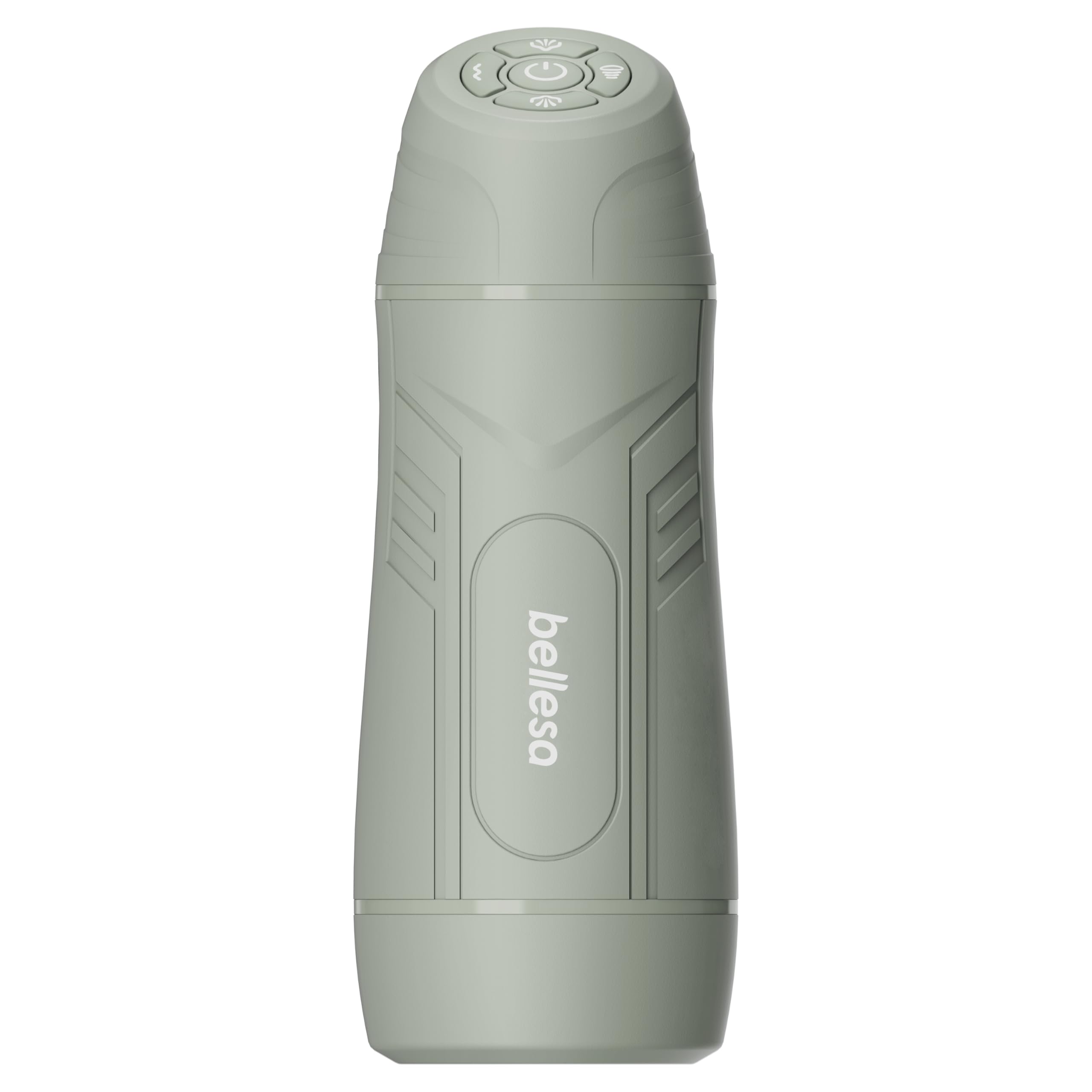
Image 1.1: The BELLESA Blow Male Masturbator.
2. Safety Information
Your safety is paramount. Please observe the following precautions:
- Consult a Physician: If you have any health concerns, pre-existing medical conditions, or are unsure about using this product, consult a healthcare professional before use.
- Skin Irritation: Do not use on broken, irritated, or swollen skin. Discontinue use immediately if you experience any discomfort, pain, or irritation.
- Hygiene: Clean the product thoroughly before and after each use as described in the 'Cleaning and Maintenance' section.
- Lubrication: Always use a water-based lubricant with this product. Oil-based lubricants can damage the silicone material.
- Water Resistance: This product is not water resistant. Do not immerse it in water or expose it to excessive moisture.
- Charging: Use only the provided charging cable. Do not use the device while it is charging.
- Storage: Store the product in a cool, dry place, away from direct sunlight and extreme temperatures. Keep out of reach of children.
- Disposal: Dispose of the product responsibly according to local electronic waste regulations.
3. Package Contents
Upon unpacking, please ensure all items are present:
- BELLESA Blow Male Masturbator
- USB Charging Cable
- Instruction Manual (this document)
4. Setup
4.1 Initial Charging
- Before first use, fully charge the device. Locate the charging port, typically at the base of the device.
- Connect the provided USB charging cable to the device and plug the other end into a compatible USB power source (e.g., computer USB port, wall adapter).
- The indicator light will show the charging status. Refer to the indicator light behavior for full charge confirmation (e.g., solid light, light off).
- Once fully charged, disconnect the cable. Do not overcharge the device.
4.2 Preparation for Use
- Clean the device thoroughly before its first use as per the 'Cleaning and Maintenance' section.
- Apply a generous amount of water-based lubricant to the insert opening and, if desired, to yourself.
5. Operating Instructions
The BELLESA Blow features easy-to-use control buttons located at the base of the device. Familiarize yourself with these controls:

Image 5.1: Control panel at the base of the device.
- Power On/Off: Press and hold the power button (usually indicated by a circle with a vertical line) for 2-3 seconds to turn the device on or off.
- Vibration Modes: Press the vibration mode button (often depicted as wavy lines) to cycle through the three distinct vibration modes.
- Suction Modes: Press the suction mode button (often depicted as a fan or suction icon) to cycle through the three distinct suction modes.
- Pump Mode: The device also features one pump mode. Activate this mode by pressing the dedicated pump button (if present, or combined with suction).
- Intensity Adjustment: Use the '+' and '-' buttons (or similar indicators) to increase or decrease the intensity of the selected vibration or suction mode.
Experiment with the different modes and intensities to find your preferred settings. The device is designed for comfortable handling, measuring approximately 9.7 inches in length and 3.4 inches in width.

Image 5.2: Device held in hand for scale and ergonomic reference.
6. Cleaning and Maintenance
Proper cleaning and maintenance are essential for hygiene and extending the lifespan of your BELLESA Blow.
- After Each Use: Immediately after each use, clean the device.
- Disassembly: If the internal sleeve is removable, carefully remove it from the outer casing.
- Washing: Wash the internal sleeve and the exterior of the device with warm water and a mild, toy-safe soap. Ensure all lubricant and residue are removed.
- Rinsing: Rinse thoroughly with clean water to remove all soap residue.
- Drying: Gently pat dry with a lint-free cloth or allow to air dry completely before reassembling or storing. Ensure no moisture remains, especially near electronic components.
- Do Not Immerse: Remember, the device is not water resistant. Do not submerge the main electronic unit in water.
7. Storage
To maintain the quality and longevity of your product:
- Ensure the device is completely clean and dry before storage.
- Store in a cool, dry place, away from direct sunlight, extreme temperatures, and humidity.
- Keep it separate from other toys made of different materials to prevent material degradation or reactions.
- Store out of reach of children.
8. Troubleshooting
| Problem | Possible Cause | Solution |
|---|---|---|
| Device does not turn on. | Battery is depleted. | Charge the device fully using the provided USB cable. |
| Device does not charge. | Charging cable or power source issue. | Ensure the charging cable is securely connected. Try a different USB power source. |
| Weak vibration/suction. | Low battery or incorrect mode/intensity setting. | Recharge the device. Adjust the mode and intensity settings using the control buttons. |
| Device stops working unexpectedly. | Battery depleted or internal malfunction. | Charge the device. If the issue persists after charging, contact customer support. |
9. Specifications
- Brand: BELLESA
- Model: Blow
- Material: Silicone
- Color: Blue
- Length: 9.7 inches (24.6 cm)
- Insert Length: 5.8 inches (14.7 cm)
- Girth: 10.5 inches (26.7 cm)
- Width: 3.4 inches (8.6 cm)
- Vibration Modes: 3
- Suction Modes: 3
- Pump Mode: 1
- Power Source: Rechargeable (USB)
- Water Resistance Level: Not Water Resistant
- Manufacturer: BELLESA
- ASIN: B0DNZX2T54
10. Warranty and Support
For warranty information, product support, or to report any issues, please contact BELLESA customer service through the retailer where the product was purchased or visit the official BELLESA website. Please have your product model and purchase date available when contacting support.


