
BXQ B0DNZWZR48
BXQ Dog Bark Collar User Manual
Model: B0DNZWZR48
1. Introduction
The BXQ Dog Bark Collar is designed to help train your dog to reduce excessive barking through humane and effective methods. This collar features advanced technology to distinguish your dog's bark from other noises, ensuring accurate and consistent correction. It offers multiple training modes and adjustable sensitivity levels to suit various dog breeds and temperaments.
Key Features:
- Unique bone-shaped design with upgraded smart bark recognition chip.
- Four training modes: Beep, Beep+Vibration, Beep+Shock, Beep+Vibration+Shock.
- Seven adjustable sensitivity levels for vibration and shock.
- Automatic bark detection and a safety protection mode (temporarily stops after 7 triggers in 30s).
- USB rechargeable with up to 15 days of use on a 2-hour charge.
- IP65 waterproof rating, suitable for various weather conditions and water activities.
- Adjustable strap fits dogs weighing 8-120 lbs with neck sizes 7-26 inches.
2. Product Components
Your BXQ Dog Bark Collar package should include the following items:
- 1 x BXQ Dog Bark Collar Unit (Tiffany color)
- 1 x Adjustable Nylon Collar Strap
- 1 x USB Charging Cable
- 1 x User Manual
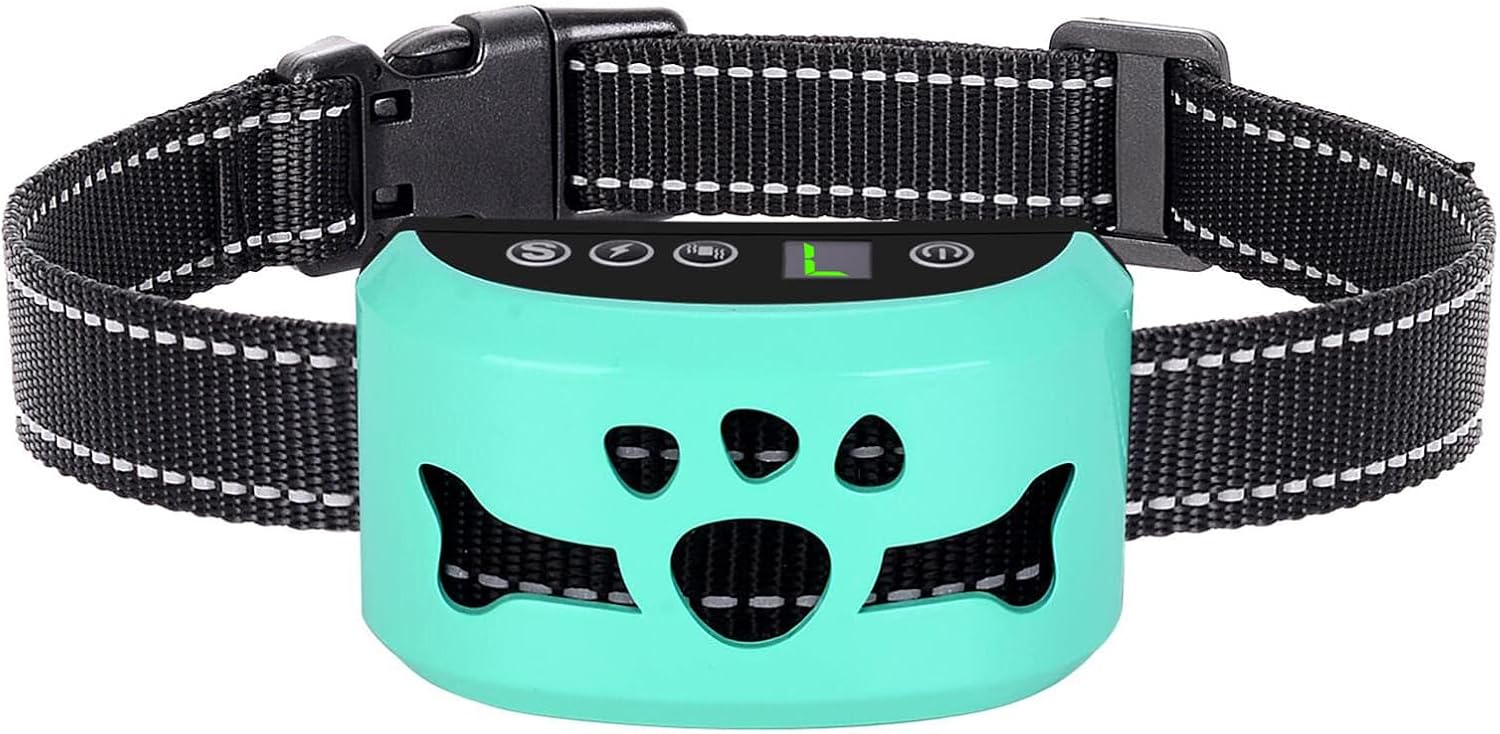
Image: The BXQ Dog Bark Collar unit in Tiffany color, attached to its adjustable black nylon strap. This is the main component of the system.
3. Safety Information
Please read and follow all safety instructions to prevent harm to your dog or damage to the device.
- Important: Keep the collar and all its components away from children.
- Do not leave the collar on your dog for more than 12 hours a day.
- Regularly check your dog's neck for signs of irritation or pressure sores. If irritation occurs, discontinue use until the skin heals.
- Ensure the collar is fitted correctly, not too tight or too loose. You should be able to fit two fingers comfortably between the collar and your dog's neck.
- This collar is intended for healthy dogs. Consult a veterinarian before use if your dog has any health conditions.
- The static shock mode should be used responsibly and only if necessary, starting at the lowest level. Consider using beep and vibration modes first.
4. Setup and Installation
4.1 Charging the Collar
Before first use, fully charge the collar. The built-in 300mAh lithium battery provides long-lasting power.
- Connect the USB charging cable to the charging port on the collar unit.
- Plug the other end of the USB cable into a USB adapter, power bank, car charger, or laptop/PC.
- A full charge typically takes about 2 hours.
- Once fully charged, the collar can operate for up to 15 days, depending on usage.

Image: Illustration of the USB charging process for the BXQ Bark Collar, highlighting its quick charge time and extended usage duration. Compatible charging sources like USB adapters, power banks, car chargers, and laptops are shown.
4.2 Fitting the Collar
Proper fit is crucial for the collar's effectiveness and your dog's comfort.
- Ensure the collar unit is centered on your dog's throat, just below the chin.
- Adjust the nylon strap to ensure a snug but comfortable fit. The collar is adjustable and suitable for dogs weighing 8-120 lbs with neck sizes ranging from 7 to 26 inches.
- You should be able to slide two fingers comfortably between the collar strap and your dog's neck. If it's too loose, the collar may not detect barks effectively or deliver corrections properly. If it's too tight, it can cause discomfort or skin irritation.
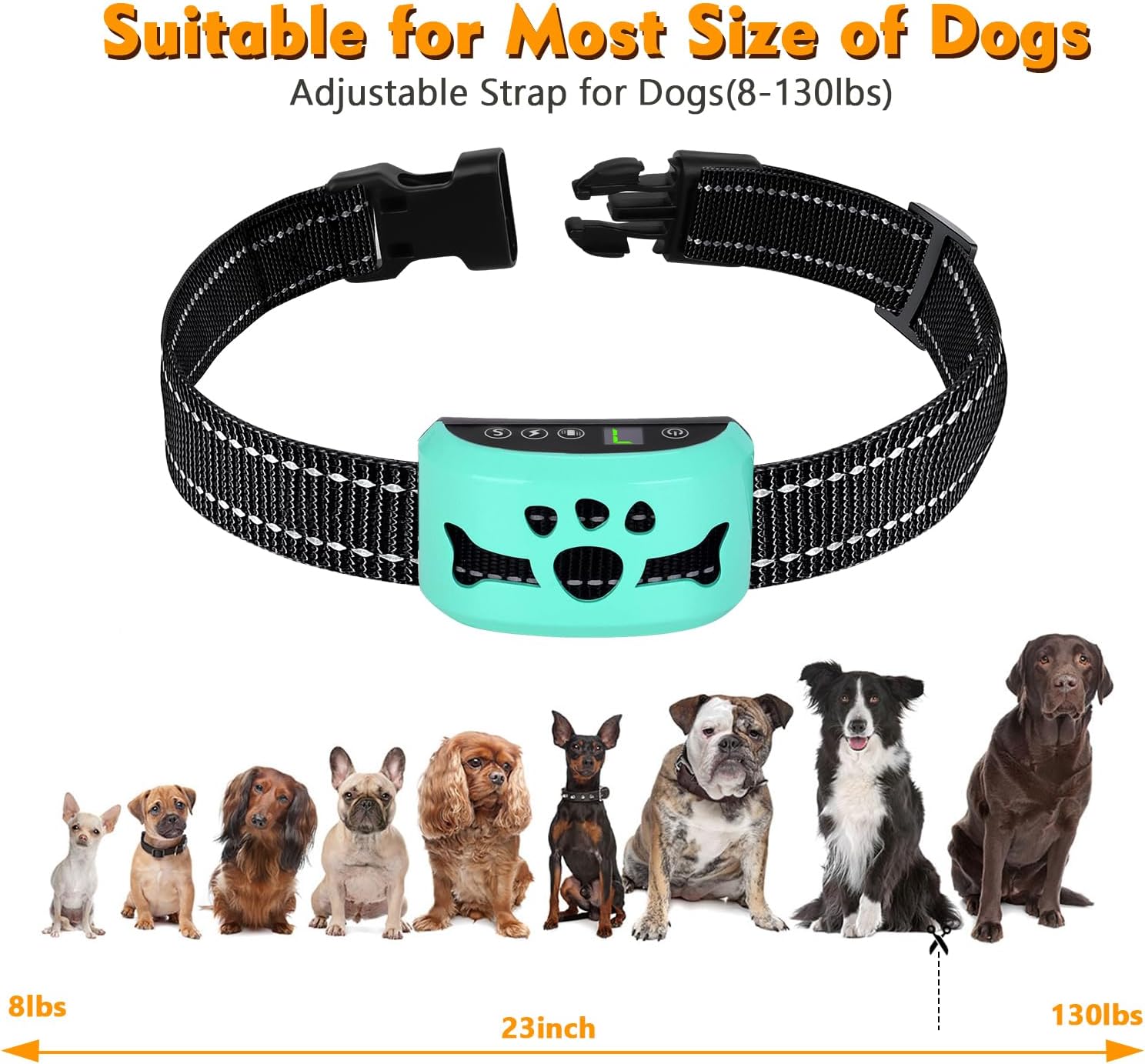
Image: A visual guide demonstrating the suitability of the BXQ Bark Collar for a wide range of dog sizes and breeds, from small Chihuahuas to large Labrador Retrievers, with an adjustable strap accommodating 8-130 lbs.
5. Operating Instructions
5.1 Power On/Off
To power on the collar, press and hold the power button until the display lights up. To power off, press and hold the power button again until the display turns off.
5.2 Understanding Training Modes
The BXQ Bark Collar offers four distinct training modes, with 7 adjustable levels for vibration and shock, and 7 sensitivity levels for bark detection. You can choose the most appropriate mode for your dog's temperament and training needs.
| Mode Type | Mode | Description |
|---|---|---|
| No Shock Modes | Beep | The collar emits an audible beep sound when a bark is detected. |
| Beep + Vibration | The collar emits a beep sound followed by a vibration when a bark is detected. Vibration intensity is adjustable (7 levels). | |
| Shock Modes | Beep + Shock | The collar emits a beep sound followed by a static shock when a bark is detected. Shock intensity is adjustable (7 levels). |
| Beep + Vibration + Shock | The collar emits a beep sound, followed by vibration, and then static shock when a bark is detected. Both vibration and shock intensities are adjustable (7 levels). |
Note: If you prefer not to use the static shock feature, ensure the shock level is set to Level 0.

Image: A clear visual representation of the four training modes available on the BXQ Bark Collar, categorized into "No Shock Modes" and "Shock Modes," guiding users on how to select their preferred correction method.
5.3 Adjusting Sensitivity Levels
The collar features 7 adjustable sensitivity levels to detect your dog's bark. A higher sensitivity level means the collar will be more responsive to barks, while a lower level requires a louder or more frequent bark to trigger a correction. Adjust this setting based on your dog's barking habits and the surrounding noise environment.
5.4 Automatic Bark Control and Protection Mode
The BXQ Bark Collar operates automatically. Once powered on, it will detect your dog's barks and apply the selected correction mode. To ensure your dog's safety and prevent over-correction, the collar includes a protection mode. If the collar is triggered more than 7 times within a 30-second period, it will temporarily stop working for 2 minutes (the digital display will show "E"). This feature prevents excessive stimulation and allows your dog to calm down.

Image: This image illustrates the benefit of the automatic bark control feature, depicting a serene home environment with a child and a dog, suggesting that the collar helps maintain peace and quiet.
5.5 Anti-Interference Technique
The collar is equipped with an upgraded smart dog barking recognition chip. This technology is designed to filter out external noises, such as other dogs' barking, dog's head shaking, or general environmental noise. This ensures that the collar is activated only by your dog's bark, minimizing false triggers and providing more effective and humane training.

Image: This visual highlights the anti-interference capabilities of the collar, showing a dog wearing the device in a busy environment with other dogs, while emphasizing that it only responds to the wearer's bark.
6. Maintenance
Proper maintenance will extend the life of your BXQ Dog Bark Collar.
- Cleaning: Regularly wipe the collar unit and strap with a damp cloth. Do not use harsh chemicals or abrasive cleaners.
- Storage: When not in use, store the collar in a cool, dry place, away from direct sunlight and extreme temperatures.
- Waterproof Feature: The collar has an IP65 waterproof rating, meaning it is protected against dust and low-pressure water jets from any direction. This allows your dog to enjoy activities like swimming, bathing, or playing in the rain without damaging the device. However, it is not designed for prolonged submersion in water.

Image: This image demonstrates the IP65 waterproof capability of the BXQ Bark Collar, showing a dog enjoying water activities, assuring users of its durability in wet conditions.
7. Troubleshooting
If you encounter issues with your BXQ Dog Bark Collar, refer to the following common problems and solutions:
| Problem | Possible Cause | Solution |
|---|---|---|
| Collar not responding to barks. | Collar is off, battery is low, sensitivity is too low, or collar is not fitted correctly. | Ensure the collar is powered on. Charge the battery fully. Increase the sensitivity level. Adjust the collar fit to ensure good contact with the dog's throat. |
| Collar triggers without dog barking (false triggers). | Sensitivity is too high, or external noises are interfering. | Decrease the sensitivity level. Ensure the collar is snug but not too tight. The smart chip should filter out most external noises, but extreme conditions might cause issues. |
| Collar stops working temporarily. | Protection mode activated. | This is normal. The collar enters protection mode (display shows "E") if triggered more than 7 times in 30 seconds. It will resume operation after 2 minutes. This is a safety feature. |
| Collar not charging. | Faulty cable or charging port, or charger issue. | Try a different USB cable and a different power source (e.g., another USB adapter or computer port). Ensure the charging cable is securely connected. |
| Correction is too strong/weak. | Vibration/shock level is not appropriate. | Adjust the vibration or shock level (1-7) to a setting that is effective but not overly harsh for your dog. Start with lower levels and increase gradually if needed. |
8. Specifications
| Feature | Detail |
|---|---|
| Brand | BXQ |
| Model Number (ASIN) | B0DNZWZR48 |
| Item Weight | 4.6 ounces |
| Item Package Dimensions L x W x H | 3.54 x 2.83 x 2.01 inches |
| Country of Origin | China |
| Batteries | 1 Lithium Polymer batteries required (included) |
| Color | Tiffany |
| Material | Nylon, Acrylonitrile Butadiene Styrene |
| Age Range Description | All Life Stages |
| Breed Recommendation | All Breed Sizes |
| Number of Items | 1 |
| Closure Type | Buckle |
| Waterproof Rating | IP65 |
9. Warranty and Support
Specific warranty information for the BXQ Dog Bark Collar is not provided in this manual. For details regarding warranty coverage, returns, or technical support, please contact the manufacturer or the seller directly through your purchase platform.
You can often find contact information on the product packaging, the seller's page on the e-commerce website, or by visiting the official BXQ brand store online.
For further assistance, please refer to the contact details provided at the point of purchase or visit the BXQ Store on Amazon.
Ask a question about this manual
Ask about setup, troubleshooting, compatibility, parts, safety, or missing instructions. Manuals+ will review the question and use this page’s manual context to help answer it.