
1. Introduction
The Enya CYBER-G Stringless Smart Guitar is an innovative musical instrument designed for ease of use and versatility. This foldable travel guitar features a built-in drum machine and bassline, 20 instrument sounds, and interactive chord sheets via a dedicated app. It allows users of all skill levels to create music, perform, and learn in a new, engaging way.

Figure 1: Overview of CYBER-G Smart Guitar features, highlighting zero setup, interactive learning, modular design, 20 instrument tones, portability, onboard speaker, solo bass & drum mode, and one-man band capability.
2. Setup
2.1 Unboxing and Components
Upon unboxing, ensure all components are present:
- CYBER-G Guitar Body (White)
- Detachable Keyboard Module
- USB-C Charging Cable
- Shoulder Strap
- Carry Case
- Instruction Manual (this document)
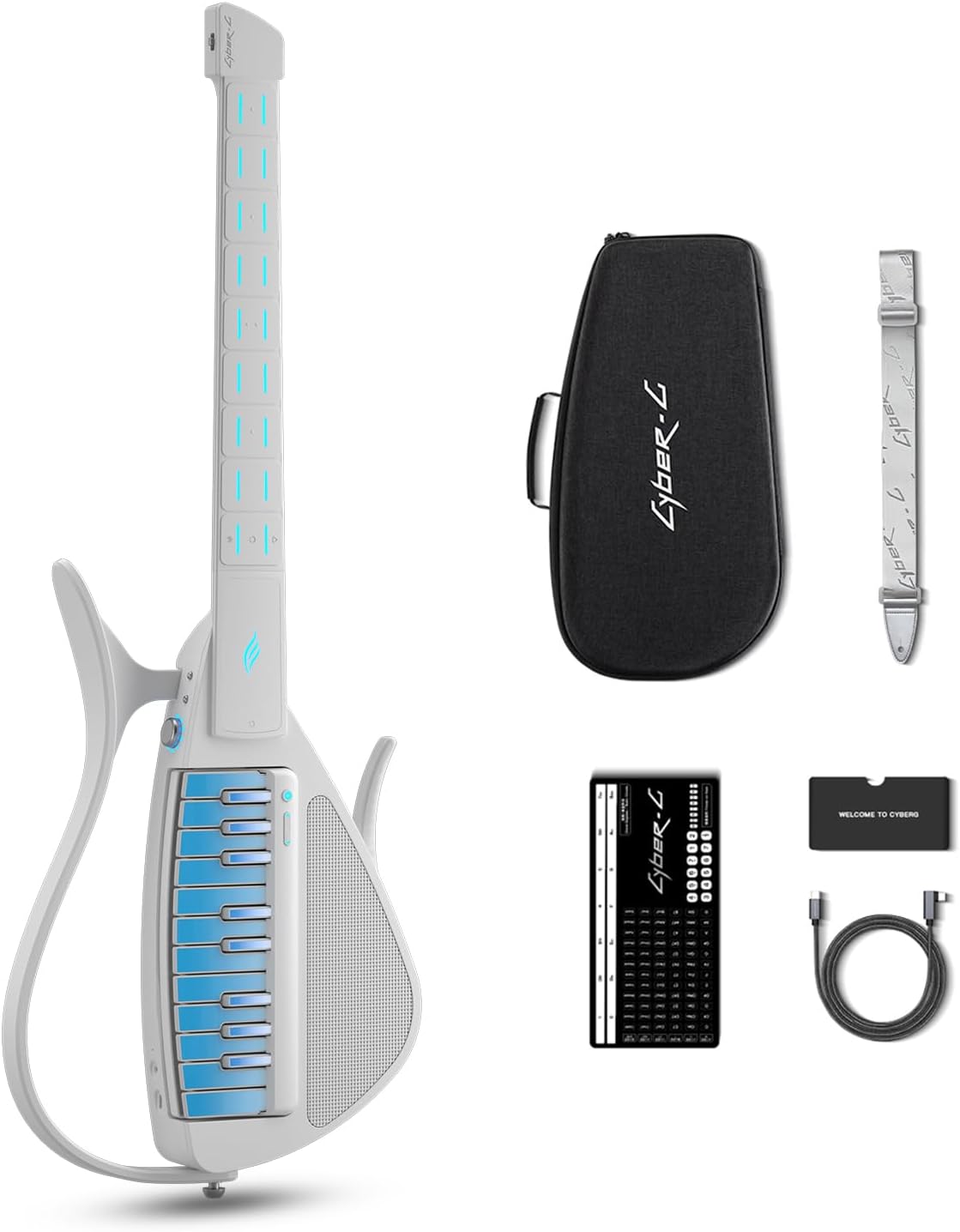
Figure 2: The Enya CYBER-G Smart Guitar in white, shown with its detachable keyboard, carry case, shoulder strap, USB-C cable, and a small welcome card.
2.2 Assembly
The CYBER-G features a modular design with a detachable keyboard. To assemble, align the keyboard module with the main guitar body and gently slide it into place until it clicks securely. Ensure a firm connection for optimal performance.

Figure 3: Diagram illustrating the one-touch switch mechanism for easily attaching and detaching the keyboard module from the guitar body.
2.3 Charging
Before first use, fully charge the CYBER-G. Connect the provided USB-C cable to the charging port on the device and to a compatible USB power adapter (not included). The charging indicator light will show the charging status. A full charge typically takes approximately 2-3 hours.
2.4 App Connection
Download the "Enya Music" app from your device's app store. Enable Bluetooth on your smartphone or tablet. Open the Enya Music app and follow the on-screen instructions to connect to your CYBER-G Smart Guitar. This connection unlocks advanced features, lessons, and sound customization options.

Figure 4: A user interacting with the Enya Music App on a smartphone, demonstrating the interactive learning features and lessons available.
3. Operating Instructions
3.1 Power On/Off
To power on the CYBER-G, press and hold the power button located on the device until the indicator lights illuminate. To power off, press and hold the power button again until the lights turn off.
3.2 Basic Playback (Follow the Lights)
The CYBER-G simplifies learning with its illuminated fretboard. When connected to the Enya Music app and a song is selected, the lights on the fretboard will guide you to the correct chord positions. Simply press the illuminated pads to play along.

Figure 5: Close-up of the CYBER-G fretboard showing illuminated chord pads, with a smartphone displaying the interactive chord chart in the Enya Music App.
3.3 Switching Instrument Sounds
The CYBER-G comes with 20 built-in instrument sounds, including various guitars, bass, piano, flute, and more. These can be selected and switched via the Enya Music app, allowing for diverse musical expression.

Figure 6: Visual representation of the "Multi Tones" feature, displaying icons for various instrument sounds like piano, electric piano, electric guitar, guzheng, melodica, flute, organ, and electronic string instrument.
3.4 Using Control Pads and Solo Playing
The keyboard module features control pads for adjusting bass, drum, tap tempo, drum fill, octave, and sustain. In Solo Mode, the left-hand chord module provides accompaniment while the right-hand multifunctional keyboard allows for playing intros, interludes, solos, and melodies.

Figure 7: Detailed view of the CYBER-G's control pads for bass and drum functions, and chord pads on the fretboard, which are customizable through the Enya Music App.

Figure 8: A user demonstrating the Solo Bass & Drum Mode, where the CYBER-G generates bass and drum tracks to accompany solos, creating a personal rhythm section.

Figure 9: An artistic representation of the "One-Man Band" feature, showing a musician with multiple arms playing various instruments, symbolizing the CYBER-G's ability to provide full band arrangements.
3.5 App Integration and Lessons
The Enya Music app provides access to nearly 100 rhythm patterns, bass & drum backing styles, and a vast song library with over 1000 tracks. It also offers built-in free lessons for both Sing & Play Mode and Solo Mode, making learning interactive and engaging.

Figure 10: The Enya Music App interface showing options for songs, courses, and tools, with a focus on built-in free lessons and a large song library.
3.6 Bluetooth Speaker Function
The CYBER-G features Bluetooth 5.2 audio, allowing it to function as a stylish Bluetooth speaker for music playback from your connected devices.

Figure 11: An illustration showing a smartphone playing music and wirelessly connected to the CYBER-G, highlighting its capability as a Bluetooth speaker.
3.7 Connecting External Devices
The CYBER-G is compatible with a wide range of external devices, including headphones for silent practice, microphones for vocal performance, and foot pedals for enhanced control during live performances. It also supports Type-C OTG for direct recording, ensuring pure and clean audio quality.

Figure 12: A musician using the CYBER-G connected via Type-C OTG for direct recording, emphasizing high-quality audio capture for practice, streaming, or performance.
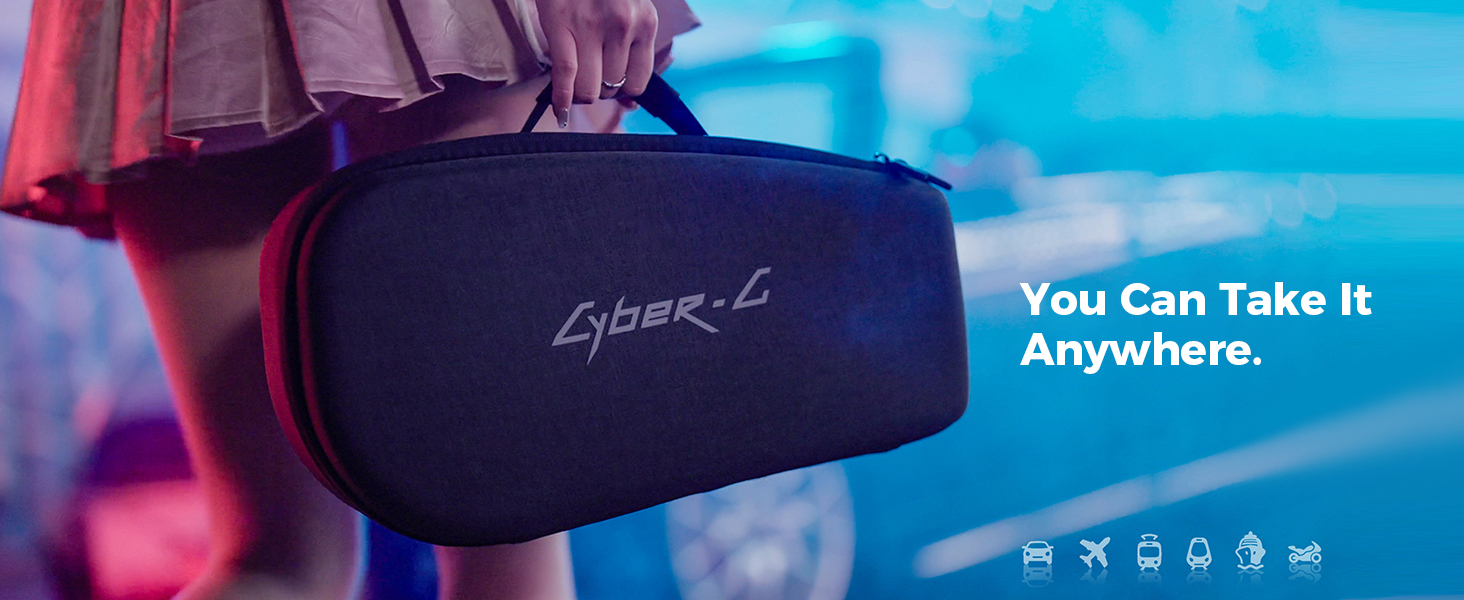
Figure 13: Illustrations of a wireless microphone and footswitches, indicating their compatibility with the CYBER-G for enhanced live performance capabilities.
Video 1: A demonstration of the Enya CYBER-G Smart Guitar in use, showcasing its playability and sound capabilities. This video highlights the interactive features and ease of playing for users.
4. Maintenance
4.1 Cleaning
To clean your CYBER-G, use a soft, dry cloth. For stubborn marks, a slightly damp cloth can be used, followed by immediate drying. Avoid using harsh chemicals or abrasive materials, as these can damage the finish and electronic components.
4.2 Storage
The foldable design of the CYBER-G makes it highly portable and easy to store. When not in use, fold the guitar and store it in its provided carry case to protect it from dust, moisture, and physical damage. Store in a cool, dry place away from direct sunlight and extreme temperatures.

Figure 14: The CYBER-G in its folded state next to its compact carry case, illustrating its portability and ease of transport for musicians on the go.
4.3 Battery Care
To prolong battery life, avoid fully discharging the battery frequently. If storing the device for an extended period, ensure it is charged to approximately 50% before storage and recharge it every few months.
5. Troubleshooting
If you encounter any issues with your CYBER-G Smart Guitar, please refer to the following common troubleshooting steps:
- No Sound:
- Ensure the device is powered on and charged.
- Check the volume level on the device and in the Enya Music app.
- Verify that the keyboard module is securely attached.
- If using headphones or external speakers, ensure they are properly connected and functional.
- App Connectivity Issues:
- Ensure Bluetooth is enabled on your smart device.
- Restart both the CYBER-G and your smart device.
- Try forgetting the device in your smart device's Bluetooth settings and re-pairing.
- Ensure the Enya Music app is updated to the latest version.
- Lights Not Responding:
- Confirm the device is connected to the Enya Music app and a song/lesson is active.
- Check app settings to ensure guiding lights feature is enabled.
- Unexpected Behavior:
- Perform a factory reset if available (refer to the Enya Music app or manufacturer's website for specific instructions).
- Contact customer support if the issue persists.
6. Specifications
| Feature | Detail |
|---|---|
| Item Weight | 9.18 pounds |
| Product Dimensions | 7.99 x 3.15 x 31.22 inches |
| Item Model Number | CYBER-G WH |
| Batteries | 1 Lithium Ion battery required |
| Back Material | ABS |
| Body Material | Acrylonitrile Butadiene Styrene (ABS) |
| Color Name | White |
| Connector Type | USB |
| Fretboard Material | ABS |
| Guitar Pickup Configuration | ENYA CUSTOMIZE |
| String Material | CUSTOMIZE |
| Top Material | Acrylonitrile Butadlene Styrene |
| Neck Material Type | ABS |
| Guitar Bridge System | Adjustable |
| Hand Orientation | Right |
7. Warranty and Support
For warranty information and detailed support, please refer to the official CYBER-G or Enya Musical website, or contact their customer service directly. Enya Musical is committed to providing comprehensive support and assistance for their products.
For general inquiries or technical assistance, you may contact Enya Musical customer support. They offer 24-hour global service.


