1. Introduction
The SmallRig Adjustable Sling Handle with Focus Control (Model 4326) is designed to enhance the functionality and ergonomics of your DJI RS series gimbal stabilizer. This handgrip provides versatile control and comfortable handling for professional videography.
- Optimized for DJI RS Series: Specifically designed for DJI RS 2, RS 3 Pro, RS 4, and RS 4 Pro, offering shutter control, recording, joystick operation, mode switching, centering/locking, and power/sleep mode.
- Effortless Focus Control: Features a smooth dial with stepless adjustment for precise focus control and adjustment of the 3-axis system.
- Broad Accessory Compatibility: Equipped with 1/4"-20 threaded holes, 3/8"-16 locating holes, a cold shoe mount, a NATO rail, a QD socket, and strap slots for various accessories.
- Quick Setup and Storage: Designed for rapid assembly and disassembly, facilitating efficient on-the-go production and convenient storage.
- Ergonomic Design: Made from soft silicone with a double-curve design for a non-slip, comfortable grip, reducing strain during extended use.

Image: SmallRig Adjustable Sling Handle with Focus Control, highlighting its optimization for DJI RS Series gimbals.
2. What's in the Box
The package includes the following items:
- Sling Handle × 1
- User Manual × 1

Image: The SmallRig Adjustable Sling Handle (Model 4326) and user manual as packaged in the box.
3. Setup and Installation
Follow these steps to properly install your Adjustable Sling Handle:
- To mount the handgrip on the side of your DJI RS series stabilizer, use the included wrench.
- Ensure the M4 screws are tightened securely for a stable connection.

Image: Simple installation process of the SmallRig Adjustable Sling Handle to the gimbal, highlighting the M4 screw tightening.
3.1 Joystick Calibration Guide
If the joystick is not functioning properly, perform the following steps to calibrate it:
- Press the trigger button three times in a row, and keep pressing the fourth time.
- Then rotate the joystick more than 6 circles at the extreme position and stop.
- The joystick will stay in the middle position for 20 seconds without any operation, waiting for the calibration to complete.
Video: A demonstration of the joystick calibration process for the SmallRig 4326 Handle Sling.
4. Operating Instructions
The handgrip supports various controls for enhanced shooting accuracy and efficiency:
- Shutter Control: Initiate or stop recording directly from the handle.
- Joystick Operation: Control gimbal movement and camera parameters.
- Mode Switching: Easily switch between different gimbal modes.
- Centering/Locking: Quickly center or lock the gimbal's position.
- Power/Sleep Mode: Manage the gimbal's power state.

Image: Detailed view of the control buttons and scroll wheel on the SmallRig Adjustable Sling Handle.
4.1 Adjustable Grip Angle and Flexible Angle Switching
The handle supports 135° flexible adjustment, allowing you to adjust the grip angle in real-time according to your needs. This boosts productivity and cuts strain by over 50%.

Image: The adjustable grip angle of the SmallRig Sling Handle, demonstrating its 135° range of motion.

Image: Flexible angle switching capability of the sling handle for low-angle and high-angle shooting positions.
Video: Demonstration of the dual handle with focus control in action, showcasing its ergonomic benefits and control features.
4.2 Quick Setup and Storage
The handle is designed for rapid assembly and disassembly, streamlining shooting sessions and providing convenient storage for efficient on-the-go production.
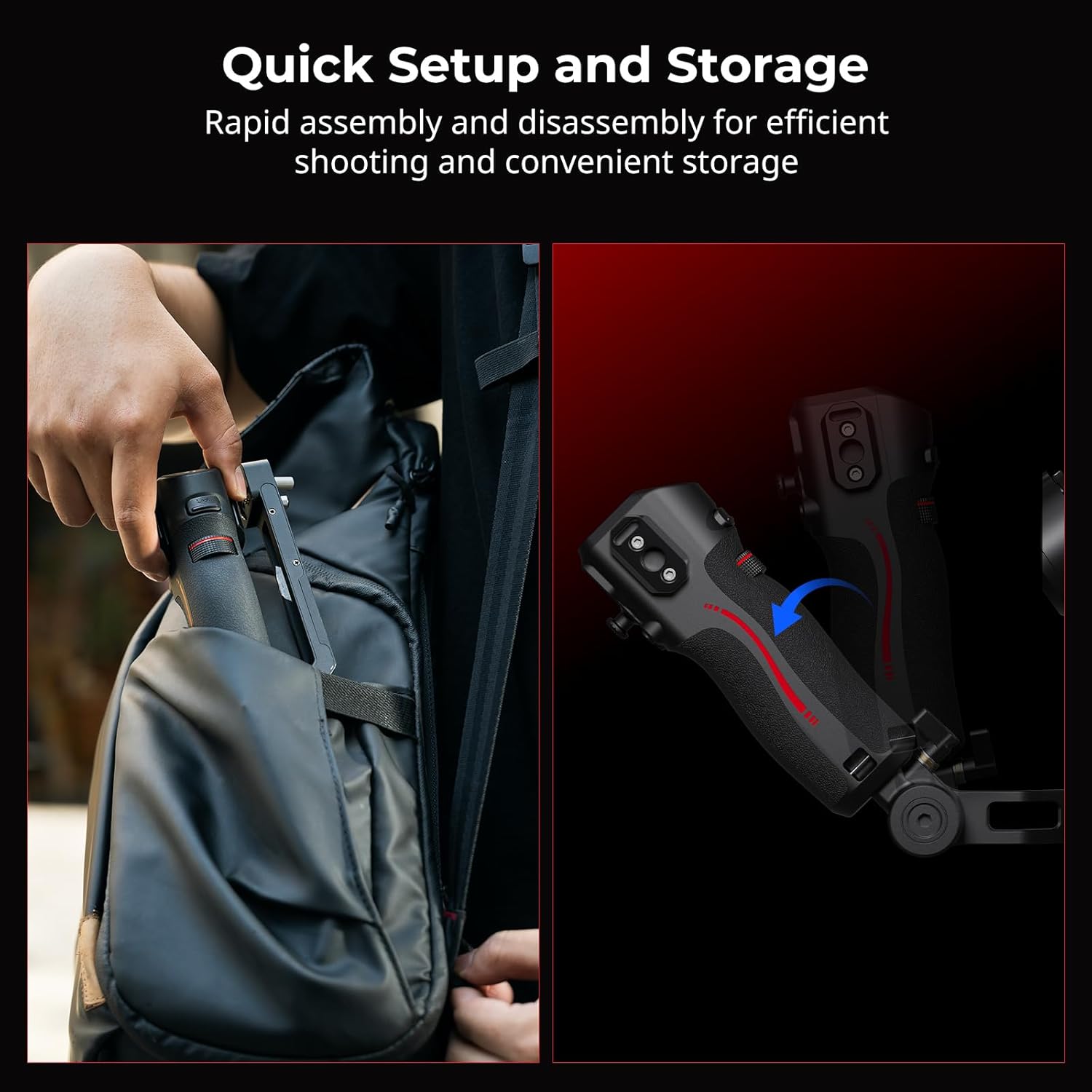
Image: The quick setup and compact storage features of the SmallRig Adjustable Sling Handle.
5. Specifications
| Feature | Detail |
|---|---|
| Product Dimensions | 2.62 x 3.02 x 2.62 inches (7.6 x 3.0 x 2.6in) |
| Item Weight | 1.34 ounces (38 Grams) |
| Item Model Number | 4326 |
| Material(s) | Aluminium Alloy, Plastic |
| Compatible Devices | DJI RS 2 / RS 3 Pro / RS 4 / RS 4 Pro |
| Max Load | 6.0kg / 13.2lb |
6. Troubleshooting
If you encounter any issues with your Adjustable Sling Handle, please refer to the following common solutions:
- Joystick Malfunction: Perform the joystick calibration as described in Section 3.1.
- Unstable Connection: Ensure all M4 screws are securely tightened. Re-check the mounting points for any loose connections.
- Power-on Issues: The device requires a long-press of the power button to activate. Ensure the gimbal it is connected to is also powered correctly.
7. Maintenance
To ensure the longevity and optimal performance of your SmallRig Adjustable Sling Handle, follow these maintenance guidelines:
- Cleaning: Wipe the handle with a soft, dry cloth. Avoid using harsh chemicals or abrasive materials.
- Storage: Store the handle in a cool, dry place away from direct sunlight and extreme temperatures. Utilize its compact folding design for convenient and safe storage.
- Inspection: Periodically check all screws and connections for tightness. Ensure the silicone grip is free from damage.
8. Warranty & Support
For warranty information, technical support, or service inquiries, please contact SMALLRIG directly through their official website or authorized distributors. Keep your purchase receipt as proof of purchase.
9. Sustainable Choice
This product is a sustainable and carbon-friendly choice. Every purchase helps support international carbon offset projects. For more information, visit climate-id.com/R3UHE5.


